Ever found yourself in a meeting, frantically trying to type notes while also keeping up with the conversation? You're trying to contribute, listen to your colleagues, and somehow capture every important detail. It's a classic case of split attention, and it's where great ideas often get lost.
An AI meeting note taker is essentially your personal scribe for every call. It's a smart tool that joins your meetings to automatically record, transcribe, and even summarize the entire conversation. This frees you up to actually participate, brainstorm, and connect with your team instead of being the designated typist.
Moving Beyond Manual Meeting Minutes
We've all been there. You're in a high-stakes brainstorming session, ideas are flying fast, and crucial decisions are being made on the spot. But you’re only half-present because you're busy trying to jot everything down. This is the fundamental problem with old-school note-taking—it forces you to choose between participating and documenting.
And the work doesn't stop when the meeting ends. Now you have to decipher your own shorthand, fill in the blanks from memory, and hope you didn't miss a key action item. It’s a tedious process that slows everything down and almost guarantees that important details will fall through the cracks.
The Rise of Intelligent Meeting Assistants
This is exactly the problem AI meeting note takers were built to solve. Think of them less as a simple recording tool and more as an intelligent assistant that turns spoken conversations into organized, usable knowledge. You just invite the AI bot to your call, and it handles all the heavy lifting in the background.
Here’s what it does for you:
Captures the entire conversation perfectly, so nothing is ever missed.
Creates an accurate transcript, complete with who said what.
Distills it all into a concise summary highlighting the most important points.
Pulls out action items and key decisions automatically.
This simple shift from manual work to smart automation lets you and your team get back to focusing on the discussion. It provides a perfect, searchable record of every meeting, turning them from a chore into a genuinely productive part of your day.
The business world is catching on fast. The global market for AI meeting assistants hit $2.44 billion in 2024 and is expected to soar to $15.16 billion by 2032. The AI note-taker category leads this charge, showing just how critical this technology has become. This explosive growth, detailed in recent AI meeting assistant market research, signals a major move away from outdated methods toward smarter, more effective collaboration.
How AI Actually Understands Your Meetings
Ever wondered what’s happening on the other end when an AI assistant joins your call? It’s not just a fancy tape recorder. Think of it as having a brilliant linguist and a super-organized project manager listening in, working together to make sense of everything.
The whole process is a sophisticated dance between a few key technologies that turn spoken words into something you can actually use. Without this, you’d just have a massive, jumbled audio file. Instead, the AI delivers a clean transcript, a tight summary, and a crystal-clear list of what to do next.
First, It Listens: Automatic Speech Recognition
The magic starts with a technology called Automatic Speech Recognition (ASR). This is the bedrock of it all—the part that converts the sound of voices into written text. If you’ve ever used Siri or talked to Google Assistant, you’ve used ASR.
As soon as the AI note taker joins your meeting, its ASR engine gets to work on the audio stream. It meticulously breaks down sounds into their smallest components (phonemes) and uses incredibly complex models to figure out which words they form. The immediate result is a raw, word-for-word transcript of the entire meeting.
But let’s be honest, a raw transcript is just a wall of text. It captures what was said, but it's a mess. It has no context, no speaker labels, and no sense of what’s important. This is where the real intelligence kicks in.
The journey from a messy, manual process to a clean, organized output is a huge leap forward.
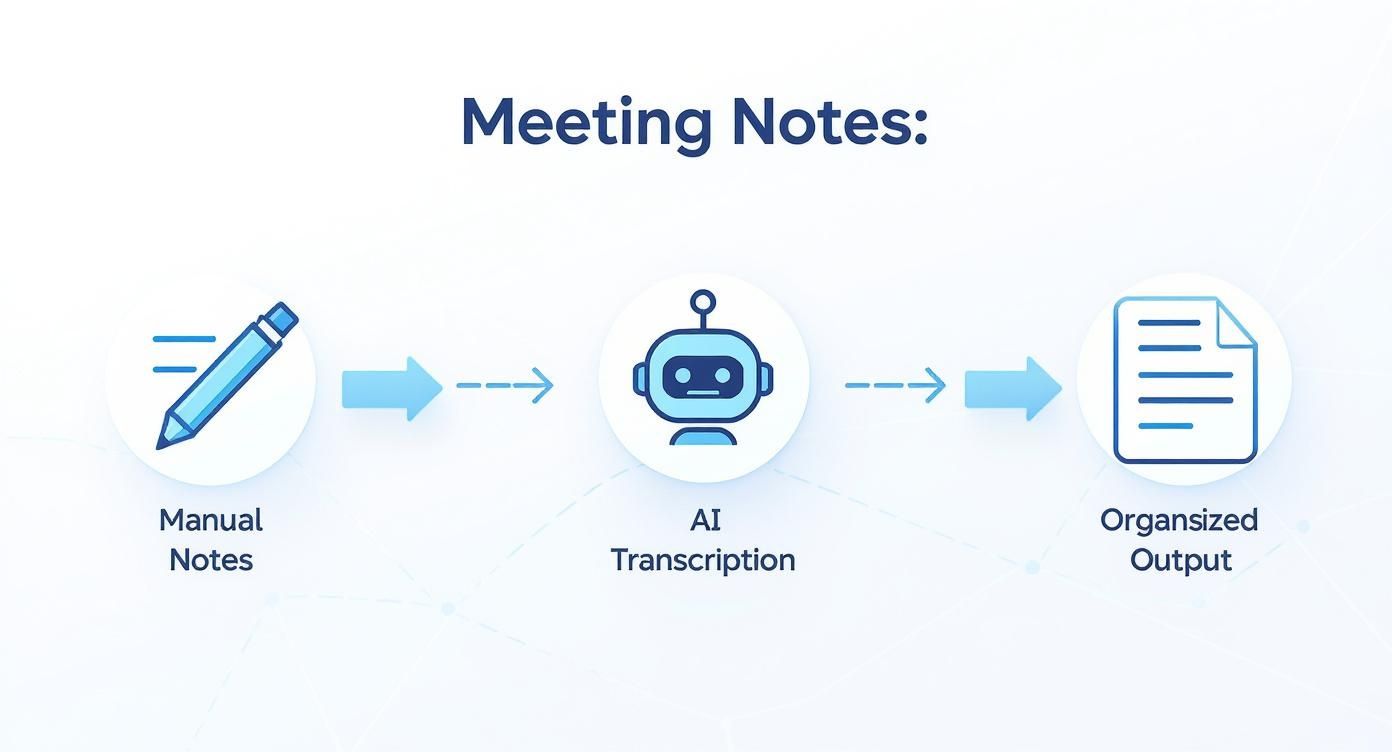
This visual really captures how the AI cuts through the noise, turning a live conversation into a genuinely useful asset.
Then, It Thinks: Natural Language Processing
With the raw text in hand, Natural Language Processing (NLP) takes the stage. NLP is the "brain" of the operation. It’s the part of AI that gives computers the ability to read, understand, and interpret human language, with all its quirks and nuances.
NLP algorithms sift through the transcript to truly grasp what the conversation was about. Here’s a quick look at what’s happening under the hood:
Speaker Diarization: This is how the AI figures out who said what. By analyzing the unique characteristics of each person's voice, it can accurately assign every line of dialogue to the right speaker. No more guessing games.
Topic Segmentation: A long meeting isn't just one monolithic block of conversation. The AI intelligently breaks the discussion into smaller, logical chapters based on the topics being discussed, making the summary incredibly easy to scan.
Sentiment Analysis: NLP can even pick up on the emotional vibe of the conversation. It can flag moments of strong agreement, identify points of friction, or highlight areas where the team sounds uncertain.
Entity Recognition: The system automatically spots and tags key information like people’s names, company mentions, project codes, and important dates.
The real power of an AI meeting note taker isn't just turning speech into text. It’s in understanding the context, the intent, and the flow of a conversation to pull out what actually matters.
Finally, It Organizes: Turning Talk Into Action
The last step is to pull everything together into something clear and useful. This is where the AI transforms a rambling discussion into a clean, actionable record. It combines the data from both ASR and NLP to build the final outputs.
For instance, the AI is trained to listen for "trigger phrases" that signal a commitment. When someone says, "I'll get that done by Friday," or the team lead says, "Okay, we’re all agreed on Option B," the system instantly flags those as action items or key decisions. This is how it builds your to-do list on the fly, making sure no task falls through the cracks. You can find more deep dives into this kind of AI-driven productivity on our Notize AI blog.
Ultimately, the AI acts as a smart filter. It captures every single word but only presents you with the information you need to move forward. It condenses a one-hour meeting into a five-minute summary you can act on right away.
Key Features That Drive Productivity
A good AI meeting note taker does so much more than just record your calls. It’s actually a whole suite of smart features working together, turning messy, raw conversations into organized, actionable insights. Think of it as a system designed to kill manual work, clarify what was actually said, and plug meeting results directly into your team’s workflow.
Each feature is built to solve a specific, nagging problem with traditional meetings. From figuring out who said what to capturing tasks before they vanish into thin air, these are the tools that really make a difference.
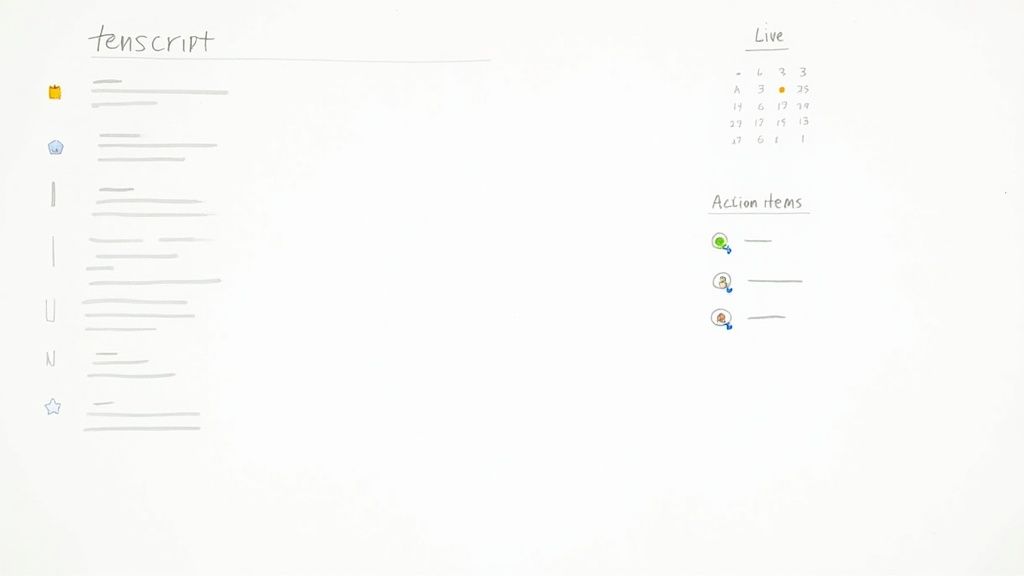
Real-Time Transcription and Speaker Identification
The bedrock of any great AI note taker is a flawless, real-time transcript. As your meeting happens, the tool turns spoken words into text, catching every detail on the fly. But a giant wall of text isn't all that helpful on its own.
That’s where speaker identification (sometimes called diarization) comes in. The AI learns the unique vocal fingerprints of each person on the call and accurately labels who said what. This one function gets rid of all the confusion and gives you a clear, accountable record of the conversation.
Instead of a jumbled mess of dialogue, you get a clean transcript that reads like a script. This makes it incredibly easy to find specific contributions, confirm who agreed to something, and understand why a decision was made without having to scrub through an audio file.
Automated Summarization
Let’s be honest, nobody wants to read the full transcript of an hour-long meeting—it can be thousands of words long. Automated summarization is arguably one of the most game-changing features. The AI doesn't just snip out a few sentences; it actually understands the conversation, identifying the core themes, major discussion points, and critical decisions.
Using some pretty sophisticated algorithms, the AI boils the entire meeting down into a concise, scannable summary. It cherry-picks the most important information and presents it in a way you can absorb in just a few minutes. This feature alone is a massive time-saver, letting you get the gist of a meeting you missed or quickly jog your memory before starting a new task.
The impact is real. Companies using these tools are reporting up to a 30% reduction in time spent just organizing and reviewing meeting notes. It’s no surprise the AI note-taking market is expected to balloon to over $2.5 billion by 2033—the productivity gains are just that significant. You can dig into more stats on the growth of the AI note-taking market on market.us.
Action Item and Decision Tracking
How many times has a great idea or a critical task been mentioned in a meeting, only to be completely forgotten the second everyone logs off? An AI meeting assistant solves this by actively listening for commitments, decisions, and next steps.
The system is trained to pick up on trigger phrases that signal a task, like:
"I’ll get that done by the end of the day."
"Could you send that report over to the team?"
"Okay, the decision is to go with the new design."
It automatically snags these statements, pulls them into a clean to-do list, and can even assign them to the right person. This instantly turns talk into trackable action, closing the frustrating gap between discussion and actually getting things done.
Seamless Integrations with Your Workflow
An AI note taker truly becomes powerful when it talks to the other tools your team relies on every single day. The best platforms are built to connect to your existing tech stack, creating an automated workflow that handles everything after the meeting ends.
For instance, your AI assistant can:
Push action items straight into project management tools like Asana, Trello, or Jira.
Sync call notes and customer feedback into your CRM, whether that's Salesforce or HubSpot.
Share meeting summaries automatically in your team’s Slack or Microsoft Teams channels.
These integrations get rid of mind-numbing copy-and-paste work and make sure meeting outcomes are visible right where the work happens. Powerful tools like Notize AI are designed to be this central hub, making every meeting a genuinely productive part of your workflow. When all your systems are connected, the AI note taker becomes the command center for your team's conversational intelligence.
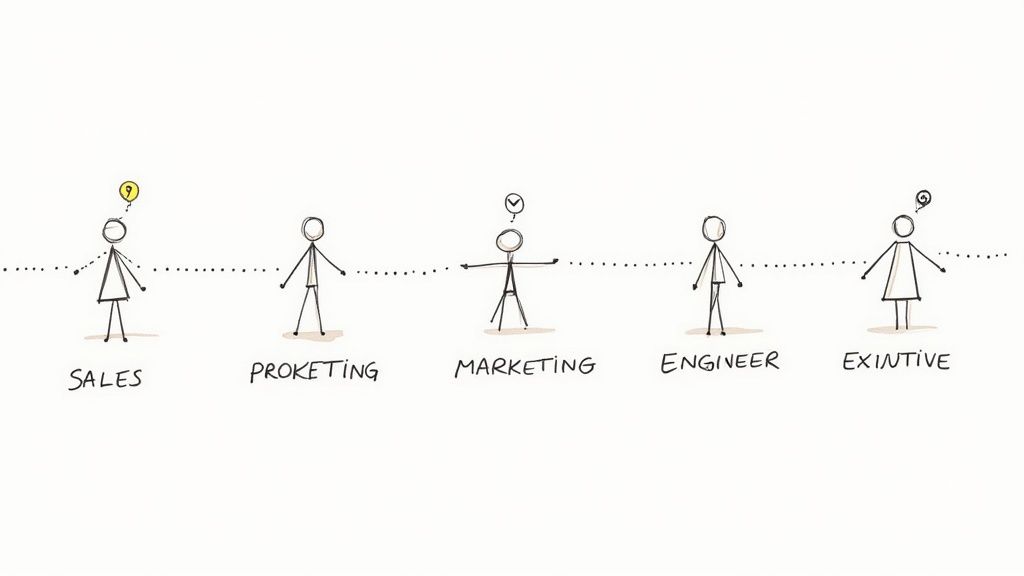
How Different Teams Win with AI Note Takers
An AI meeting note taker isn't a one-size-fits-all tool. Its real magic happens when you see how different departments use it to tackle their own specific problems. While everyone gets the benefit of having a clear record of what was said, the value proposition changes completely from one team to the next. It stops being a simple utility and becomes a specialized asset that makes work better and easier across the entire company.
Think of it as a central hub for communication. It captures the raw, unfiltered conversations happening everywhere and turns them into useful, department-specific intelligence. This builds a single source of truth, making sure that a breakthrough in a marketing meeting can easily inform what the sales team does next—all without anyone having to manually connect the dots.
Sales Teams Close More Deals
For anyone in sales, a customer conversation is a goldmine. The problem is, trying to manually type up call notes and log them in a CRM is a surefire way to miss critical details—pain points, buying signals, or who the real decision-maker is. An AI note taker flips this script entirely.
It automatically transcribes discovery calls and demos, capturing every customer question and objection just as it was said. Better yet, it hooks into tools like Salesforce or HubSpot to update contact records with summaries and key insights. This lets reps focus on listening and building relationships instead of frantically typing, and ensures their follow-up emails hit on exactly what the prospect cared about.
Project Managers Eliminate Ambiguity
Project management is all about clarity. A single misunderstanding over a deadline, a deliverable, or a key decision can send a whole sprint off the rails. For project managers, an AI note taker is the ultimate source of truth.
In kickoff meetings or weekly syncs, the tool creates an undeniable record of every decision and task assignment. If a question about project scope comes up weeks later, the manager can instantly search the transcript and find the exact moment it was discussed. No more "he said, she said." Just clear, aligned, and accountable teams.
By automatically pulling out and assigning action items from planning sessions, an AI note taker ensures nothing falls through the cracks. It turns a verbal agreement into a documented, trackable plan that everyone can see.
Marketing Teams Capture Every Idea
Marketing brainstorms are meant to be fast, creative, and a little chaotic. The downside? Brilliant ideas get lost in the shuffle. Someone says something great, nobody jots it down, and the moment is gone. An AI meeting assistant acts as the team's collective memory.
It captures every single idea thrown out during a campaign strategy session, no matter how small. Afterward, the team can scan the summary and transcript to pull out promising concepts, tag key themes, and build up a library of creative fuel for the future. It gives the quietest person's great idea the same shot as the loudest.
Engineering Teams Streamline Stand-Ups
Daily stand-ups and sprint planning are supposed to be quick, but they can easily get bogged down in the weeds. Engineers need to share progress, flag blockers, and hash out complex technical details without wasting time.
An AI note taker helps keep these meetings focused and moving forward. It provides a quick, scannable summary for anyone who couldn't make it, and the full transcript lets developers revisit a specific technical point without having to interrupt a colleague. For distributed teams working across different time zones, this creates an asynchronous record that’s absolutely invaluable for keeping everyone in sync.
Executives Gain Strategic Oversight
For the C-suite, time is the one thing they can't get more of. Executives are in back-to-back meetings where huge decisions are made, but they can't be everywhere. An AI note taker gives them a powerful way to keep a finger on the pulse of the business.
They can quickly scan AI-generated summaries from key department meetings to understand progress without having to sit in on every single call. This high-level view helps them spot cross-functional opportunities, identify potential risks before they escalate, and stay informed on major initiatives. It delivers the insights they need from conversations happening at every level, leading to faster and smarter strategic decisions.
To put it all together, here's a look at how these tools deliver tailored value across the organization.
AI Note Taker Benefits by Department
Department | Primary Benefit | Key Use Case |
|---|---|---|
Sales | Increased Rep Productivity | Automatically logging call notes, objections, and customer sentiment into the CRM. |
Project Management | Unambiguous Accountability | Creating a searchable record of all decisions and assigned action items from meetings. |
Marketing | Idea and Insight Capture | Preserving every idea from brainstorming sessions for future campaign development. |
Engineering | Improved Asynchronous Flow | Summarizing daily stand-ups and technical discussions for distributed or busy teams. |
Executive | Strategic Visibility | Reviewing high-level summaries of key meetings to stay informed without attending. |
Ultimately, the goal is the same for every team: to turn conversations into action with less effort. An AI assistant simply tailors that process to fit the unique workflow and priorities of each department.
Measuring the Real Payoff of Automated Notes
When you’re thinking about bringing in a new tool, the first question is always the same: "Is this worth the money?" With an AI meeting note taker, the answer isn't just about the subscription cost. The real value comes from the hours you get back, the focus you regain, and the powerful knowledge hub you start building without even trying.
The easiest way to calculate the return on investment (ROI) starts with time. Just think about how long it takes someone on your team to scribble down notes during a meeting, then spend even more time cleaning them up, formatting them, and sending out the important takeaways. That post-meeting admin grind can easily eat up 30-60 minutes for every single meeting.
Calculating Direct Time Savings
Let's put some real numbers to this. Picture a team of ten people who spend about five hours a week in meetings. If one person is stuck taking notes for all of them, they're losing at least 2.5 hours every week just to documentation.
Now, stretch that out over a year. That’s over 120 hours of a skilled employee's time spent on a task an AI can do in seconds. Multiply those hours by their hourly rate, and you'll quickly see a hard financial saving that can pay for the tool many times over.
The most direct ROI from an AI note taker comes from reclaiming all those hours lost to manual note-taking. That time doesn't just disappear; it gets poured right back into the strategic work that actually moves the needle.
Finding the Hidden Value
While saving time is a clear win, the biggest benefits are often the ones that are harder to stick on a spreadsheet. This is where you see a real shift in how your team works, creating a ripple effect that manual notes just can't match.
Here's what that looks like in practice:
Everyone is actually in the meeting. When nobody is frantically trying to type every word, they can all contribute. This leads to better brainstorming, faster problem-solving, and frankly, more interesting conversations.
"Who said what?" confusion disappears. An AI transcript is the single source of truth. It kills the "I thought you said..." arguments that can send projects off the rails and create unnecessary tension.
You build a searchable company brain. Every meeting becomes a piece of searchable, organized intelligence. A new hire can get up to speed by reviewing old project kickoffs, or a team can instantly find a key decision made six months ago. All that institutional knowledge is captured instead of lost.
This kind of impact is fueling massive growth in the market. The AI meeting transcription space is expected to jump from USD 3.86 billion in 2025 to a staggering USD 29.45 billion by 2034. Why? Because companies are realizing how much value is being lost. In fact, nearly 60% of remote employees say they have trouble remembering what was said in virtual calls.
AI tools solve this by turning a fleeting conversation into a permanent, actionable record. To learn more about this trend, check out the rise of automated transcription on sonix.ai. This isn't just about convenience; it's about making your team smarter and more effective. An AI note taker isn't an expense—it's an investment in productivity.
Tips for Successful Team Adoption
Bringing a new tool into a team’s daily routine is more than just sending out an announcement. If you want an AI meeting note taker to actually make a difference, you need to weave it into your company's culture thoughtfully. Getting it right comes down to having a solid plan that tackles trust, the technical setup, and daily habits from the get-go.
Just switching the software on and hoping for the best is a recipe for confusion or even pushback. The goal is to make the tool feel like a genuinely helpful assistant for everyone, not some kind of digital watchdog. That all starts with being open and focusing on the shared wins, like better focus in meetings and clearer accountability afterward.
Prioritize Transparency and Trust
The single most important thing you can do is be completely open about using the tool. Always let everyone in the meeting—colleagues and clients alike—know that an AI assistant is there to capture the conversation. Most tools announce themselves when they join, but a quick heads-up from you makes all the difference.
A simple sentence at the start of a meeting can build immediate trust: "Just so everyone knows, we're using an AI note taker to help us grab action items and a summary." This isn't just good manners; it's crucial for making people feel comfortable speaking freely. When everyone understands the AI is there to help, not to spy, they’re much more likely to get on board.
A culture of trust is the foundation for successful AI adoption. When people know why a tool is being used and are assured their conversations are handled securely, they are far more likely to embrace the technology and its benefits.
Configure Integrations from Day One
An AI note taker truly comes alive when it’s connected to the other software your team relies on every day. Don't put this off. From the very first day, hook the tool into your core platforms to make everything seamless.
Here are the essential integrations to get running immediately:
Project Management Tools: Imagine action items from a meeting appearing automatically in Asana, Trello, or Jira. This simple connection ensures that great ideas and crucial next steps don't get buried in an email chain.
CRM Systems: For any sales team, this is a must. Syncing call notes, customer feedback, and key commitments directly into your CRM, like Salesforce or HubSpot, is a total game-changer.
Team Chat Apps: Keep the whole team in the loop by pushing meeting summaries and key decisions into the right channels in Slack or Microsoft Teams.
Establish Clear Team Processes
A great tool won't change habits on its own. You need to agree on a clear process for how the team will use the notes, summaries, and action items the AI produces. This creates consistency and means everyone knows where to find information and what to do with it.
Try setting up simple ground rules. For example, you could set aside the last two minutes of every meeting to quickly review the AI-generated action items as a group. This not only checks for accuracy but also reinforces who is responsible for what, right then and there. By making this a standard part of your meetings, the AI summary stops being just a document and becomes a dynamic part of your workflow.
Common Questions About AI Note Takers
When teams start looking into an AI meeting note taker, a few questions always pop up. It's smart to tackle these concerns directly to make sure everyone is on the same page about what the tech can—and can't—do. Let's dig into what people usually ask.
How Accurate Is The Transcription?
This is usually the first question, and for good reason. Top-tier AI note takers hit 90-95% transcription accuracy when the conditions are right. That means the audio is clear, there isn't a lot of background noise, and people are speaking one at a time.
But real-world meetings aren't always perfect. Heavy accents, rapid-fire talking, and industry-specific jargon can sometimes trip up the AI. The best tools have a workaround for this: a custom vocabulary feature. You can teach the AI your company’s unique acronyms and project names, which significantly improves its accuracy over time. And, of course, you can always jump into the transcript after the meeting to make any quick fixes.
Is My Confidential Meeting Data Secure?
Security is paramount, and any provider worth their salt knows it. The best platforms are built from the ground up with serious security measures to protect your conversations. You should always look for tools that offer end-to-end encryption, which keeps your data scrambled and safe both in transit and at rest.
A critical factor in choosing a tool is its compliance with recognized security standards like SOC 2 and GDPR. These certifications aren't just fancy badges; they prove a provider has committed to strict, audited data protection practices.
Always spend a few minutes reviewing a provider's security and data policies. A transparent company will have this information readily available. For a clear example of what to look for, you can learn more about how Notize handles data by reviewing our privacy policy.
Does It Work With My Meeting Software?
Yes, absolutely. The vast majority of AI note takers are designed to fit right into your existing workflow. They integrate seamlessly with the big names in video conferencing, including Zoom, Google Meet, and Microsoft Teams.
Getting started is usually dead simple. The AI can join your meeting just like any other participant, or you might use a small desktop app to capture the audio. This flexibility means you can be up and running in minutes without having to overhaul how your team already works.
Ready to reclaim your focus and create a perfect, searchable record of every meeting? Notize AI turns your conversations into actionable insights automatically. Start your free trial today and see the difference.
AI Meeting Note Taker a Complete Explainer




