Staring at a blank page is a universal feeling for any creator. That blinking cursor can be intimidating, but AI for content creation is changing the game. Think of it less as an autonomous robot and more as a creative co-pilot. It’s here to handle the grunt work—transcribing meetings, summarizing long videos, pulling together first drafts—so you can stay focused on strategy and the creative spark. This shift means anyone can move from raw idea to polished content faster than ever before.
The New Era of AI-Powered Content Creation
Traditional content creation can feel a bit like building a ship in a bottle. It's a meticulous craft, demanding painstaking focus on every tiny detail. You find yourself manually transcribing interviews, spending hours boiling down long-form videos, or just wrestling with that dreaded first draft. Each step is necessary, but it’s a massive drain on creative energy, leaving little room for big-picture thinking.
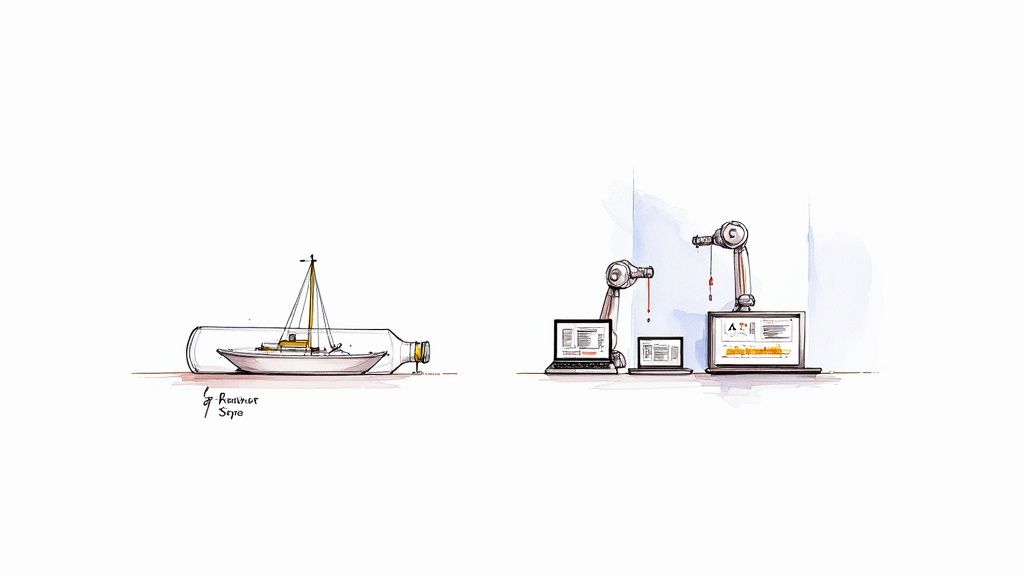
Now, picture a completely different workflow. Instead of that delicate, manual process, AI for content creation works like a modern shipyard, equipped with powerful tools to do the heavy lifting for you. This new approach doesn't replace the creator; it empowers them. You’re still the captain steering the ship, but now you have a skilled crew handling the repetitive, time-consuming tasks.
From Manual Labor to Automated Insight
This change is about so much more than just speed. It’s about fundamentally transforming how we turn raw information into something meaningful. Think about the daily flood of media we all deal with. A student has a two-hour lecture to review, a project manager has a dense meeting to unpack, and a blogger stumbles upon a brilliant one-hour YouTube documentary packed with ideas. Processing all that material by hand is a mountain of work.
This is where tools like Notize AI are stepping in. They’re built to take almost any media you throw at them—audio recordings, video links from YouTube or TikTok, even documents—and instantly convert it into structured, usable content.
What does this look like in practice with Notize AI?
A professional records a meeting in Notize AI and gets a full summary, key discussion points, and a list of action items sent to their inbox almost immediately.
A student uploads a lecture recording to Notize AI and gets back concise notes, a study guide, and can even ask the AI to explain complex topics from the class.
A content creator drops a YouTube video link into Notize AI and gets a high-quality blog post draft, ready for their unique creative touch and polish.
This automated process frees you from the drudgery of manual transcription and summarization, allowing you to move directly to the creative and strategic parts of content development.
A Co-Pilot for Every Creator
Ultimately, using AI for content creation is about augmenting human creativity, not replacing it. It’s about removing the friction between a great idea and a finished piece of content. By handing off the foundational tasks to tools like Notize AI, you ensure your best ideas don't get lost in the weeds of production.
Instead, you can focus on what you do best: telling compelling stories, sharing valuable insights, and building a real connection with your audience.
How AI Technologies Actually Power Modern Content Tools
Ever wonder what’s going on under the hood when an AI tool turns a rambling conversation into a sharp, well-written blog post? It’s not magic, but it’s close. It all starts with a core technology called Natural Language Processing (NLP).
Think of NLP as a brilliant interpreter. It doesn't just translate words; it understands the meaning behind them—the context, the sentiment, even the subtle nuances. This is how a machine knows that "a killer presentation" is a good thing in a boardroom but a very bad thing in a courtroom.
This ability to grasp meaning is the bedrock of any smart content tool. When a platform like Notize AI listens to a team meeting or analyzes a YouTube video, NLP is the first thing to kick in. It meticulously converts speech to text, figures out who said what, and starts identifying the big ideas floating around in the conversation.
The Creative Engine: Generative Models
Once the AI understands the raw material, the real creative work begins. This is where generative models come into play. Imagine you have a brilliant junior assistant. You can hand them a messy transcript of an interview, give them a few instructions, and they come back with a polished first draft. That's exactly what a generative model does.
It takes the organized information from the NLP process and builds something entirely new from it—a concise summary, a list of action items, or a full-blown article.
Let's make this real. A marketer could use Notize AI to record a brainstorming session for a new campaign. The platform’s NLP engine listens in, and then the generative model gets to work, creating:
A quick summary hitting all the key decisions.
A clean list of action items with who's responsible for what.
A draft blog post fleshing out the main campaign angle.
This powerful combination of understanding and creating is what makes AI for content creation so effective. It handles the tedious, time-consuming parts of the job, compressing hours of manual effort into just a few minutes of editing and refinement. And it's not just about text. This same technology is behind the explosion in AI-generated visuals, with an incredible 34 million images being created daily. You can explore more about these trends and how they're reshaping content strategy.
The secret sauce isn't just that these tools can transcribe and understand. It's their ability to synthesize and generate. They don’t just regurgitate information; they intelligently reformat it into something genuinely useful.
Tools like Notize AI weave these technologies together behind a simple interface. Whether you're a journalist turning a two-hour interview into a feature story, a student boiling down a long lecture into study notes, or just someone trying to get the highlights from a lengthy video, the process is the same. The AI digests the input, pinpoints what matters, and produces a practical output that fits your exact needs. You're left with a clear, efficient workflow, powered by some seriously smart tech.
Integrating AI Into Your Content Workflow
So, how do you actually start using this stuff? Bringing AI for content creation into your team's daily rhythm doesn't mean you have to tear everything down and start over. A much better way to think about it is adding a really smart assistant to a few key spots in your process—like brainstorming, writing, and recycling content—to build a faster, more effective content machine.
Everything usually starts with raw, unstructured information. Think about a marketing team's brainstorming session for a new product launch. It's often a goldmine of great ideas, but they're all over the place. Someone has to sit down and spend hours listening back, typing everything up, and trying to make sense of it all.
This is where a tool like Notize AI completely changes the game. You just record the session right in the app. As soon as you're done, Notize AI gives you a neatly structured summary of the meeting, complete with the main discussion points, notes organized by who said what, and a crystal-clear list of action items. That one simple step gets rid of manual note-taking and makes sure no brilliant ideas fall through the cracks.
From Idea to First Draft in an Instant
That initial summary is only the beginning. The real magic happens when AI takes one asset and helps you spin it into many. The meeting summary and transcript from Notize AI can be put to work immediately.
Blog Post Draft: Instantly generate a draft for a blog post based on the core topics from the meeting, choosing a professional or a more conversational tone.
Social Media Updates: Pull out compelling quotes and key takeaways that are ready to be shared on LinkedIn, X (formerly Twitter), or Facebook.
Internal Newsletter: Create a quick, concise summary to update the rest of the company on the new campaign’s direction.
This represents a major shift in how content gets made. Instead of staring at a blank page every time, you’re starting with a solid foundation built directly from your team's own expertise. This not only keeps your messaging consistent but also radically shortens the time it takes to produce anything.
The diagram below gives you a simple visual of how AI takes unstructured data, like audio from a meeting, and turns it into structured, usable text.
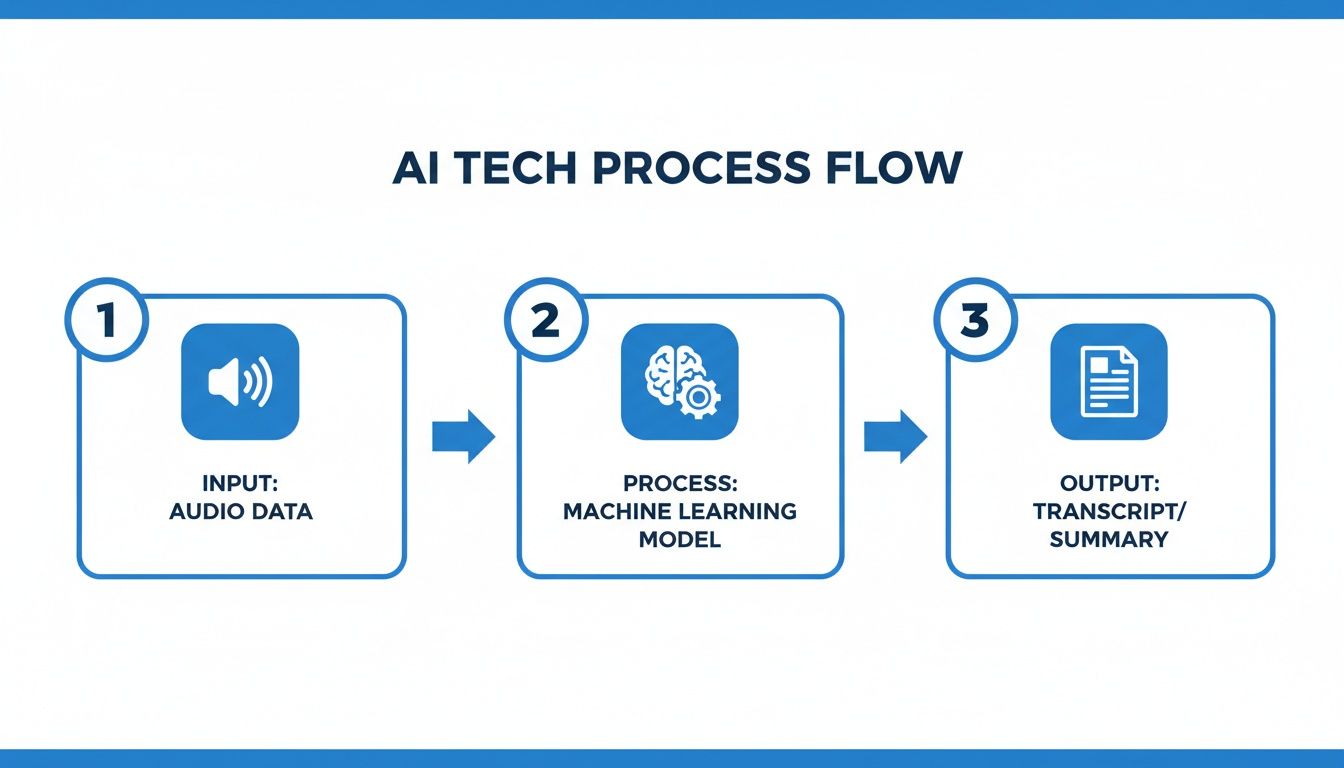
It’s this automated jump from raw ideas to polished content that really shows the value AI brings to any workflow.
Repurposing Existing Media Effortlessly
This approach isn't just for live meetings. AI is also incredibly useful for breathing new life into media you already have. Let's say a content creator finds an hour-long YouTube tutorial that's perfect for their audience.
Normally, they'd have to watch the whole thing, take notes, and write a guide from scratch. With Notize AI, they can just drop in the video link. The platform analyzes it and pulls out the key insights, generating a step-by-step tutorial or a simple list of highlights. This kind of capability is quickly becoming a non-negotiable for modern content teams.
The table below shows how you can weave AI into the different stages of a typical content workflow.
AI Integration Stages in a Content Workflow
Workflow Stage | Manual Task Example | AI-Powered Solution (Using Notize AI) | Key Benefit |
|---|---|---|---|
Ideation | Manually transcribing a 60-minute brainstorm session. | Record session in Notize AI for instant transcription and summary. | Saves hours of tedious work and captures every idea accurately. |
Drafting | Staring at a blank document, trying to structure a blog post. | Generate a first draft directly from the meeting summary. | Overcomes writer's block and provides a structured starting point. |
Repurposing | Re-watching a webinar to pull quotes for social media. | Extract key quotes and takeaways from the webinar transcript. | Creates dozens of content pieces from a single asset in minutes. |
Distribution | Writing an internal email to share project updates. | Generate a concise summary for an internal newsletter. | Ensures clear, consistent communication across the organization. |
As you can see, AI doesn't just automate one task; it creates efficiencies at every step, allowing your team to focus on strategy and creativity instead of administrative work.
By bringing a tool like Notize AI into your process, you’re not just buying a piece of software—you're building a content creation system that can scale. Every meeting, video, or audio file becomes a wellspring of potential articles, social posts, and internal updates, making your workflow both efficient and incredibly resourceful. Check out our guide on using an AI meeting note taker to see how you can get started.
Practical AI Use Cases for Every Role
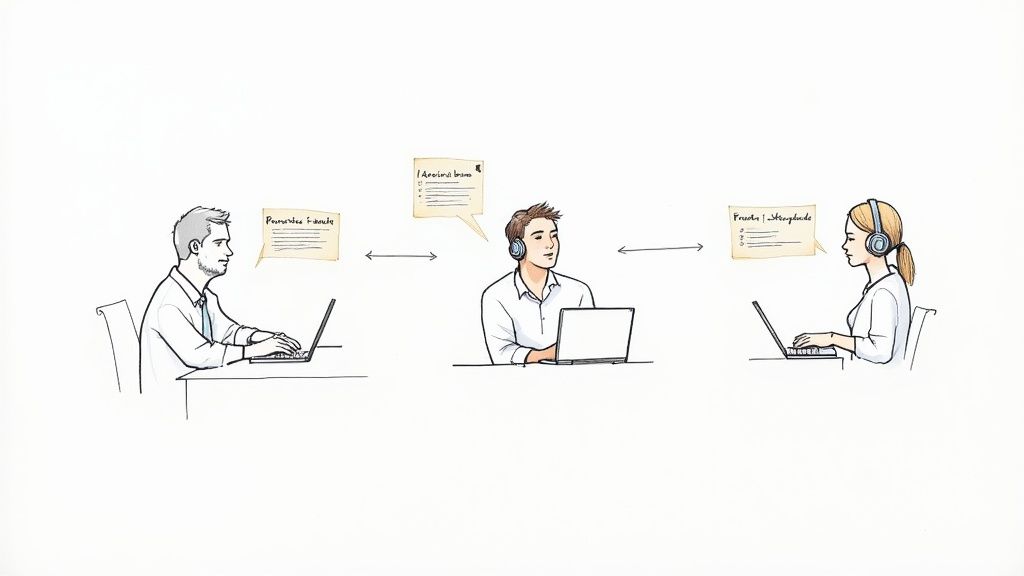
The real magic of using AI for content creation isn't about one big, flashy feature. It's about how these tools can morph to solve the specific problems each of us faces every day. Different roles have completely different needs, and a truly smart AI platform like Notize AI acts like a specialized assistant for each one.
This is what separates a neat piece of tech from an essential part of your daily toolkit. Think about the professional drowning in back-to-back meetings, the student trying to make sense of a lecture, or the journalist on a tight deadline. Notize AI is built to address these unique pain points, whether you're on a corporate team or flying solo.
Let's break down how this actually looks in the real world.
For Teams and Professionals in Meetings
We’ve all been there. Meetings are where collaboration happens, but they can also be a massive time-drain. The real challenge is pulling out the key decisions and action items without getting lost in frantic note-taking. This is exactly where Notize AI changes the game for team productivity.
With Notize AI, your team can just hit record on a meeting. As soon as the call wraps up, the platform gets to work, automatically creating a whole set of useful assets:
A structured meeting summary that cuts right to the core of the discussion.
Detailed notes with speaker-attributed segments.
A clean list of action items so everyone knows what to do next.
Highlighted decisions and a timeline of important moments for easy reference later on.
This whole process gets everyone on the same page, instantly. No more "Wait, who was supposed to do that?" moments. Notize AI even lets you search keywords across all past meetings and organize them into shared folders, making keeping projects aligned and stakeholders in the loop incredibly simple.
For Journalists, Bloggers, and Creators
If you're a content creator, you know the pressure is always on to produce fresh, interesting material. Turning an initial idea—maybe from a great interview or a video—into a polished article is a whole process involving transcription, drafting, and editing. AI can seriously speed this up.
A creator can upload an audio or video file to Notize AI and get a near-perfect transcription just minutes later. From there, the platform can help draft a blog post in any style they need—professional, friendly, or a completely personalized tone.
AI essentially becomes a creative partner. With Notize AI, it can suggest punchier headlines, find a better way to phrase a sentence, or help you maintain a consistent tone, making your work stronger and more engaging without extra effort.
Even better, creators can build and publish their content right from Notize AI, which also includes analytics to see how their audience is responding. It’s not just a writing assistant; it’s a complete content hub.
For Video Enthusiasts and Everyday Content Consumers
There's an ocean of amazing content out there, but we only have so much time. For anyone who loves to learn from videos, the real trick is to absorb information from long lectures or documentaries without having to watch every single second.
This is where Notize AI really shines. You can send a link from YouTube, TikTok, or Instagram, and Notize AI will process the video, giving you a summary in seconds. You can turn a one-hour YouTube tutorial into a simple step-by-step guide you can follow. Or get the main points from a long podcast in just a few seconds. You can even "chat" with the AI to ask specific questions about the content, and it will point you to the exact moment the topic was covered.
For Students and Professionals
Students no longer need to worry about missing important details in class. With Notize AI, a student can record a lecture and have the app transcribe it, pull out key summaries, and even generate study guides. They can also upload PDFs, Word documents, or ebooks to analyze.
The platform makes studying smarter, not harder. You can ask Notize AI for simplified explanations of difficult concepts or instantly jump to the exact moment a specific topic was covered in a lecture. This is a huge deal for staying organized and understanding lessons faster.
Best Practices for Working with AI Content Tools
To get the most out of AI for content creation, you have to approach it with the right mindset. Forget thinking of it as a magic button that spits out finished work. Instead, treat your AI tool like a highly capable collaborator—maybe a junior writer or a research assistant.
It's brilliant at building a solid foundation, which frees you up for the high-level creative and strategic work that actually connects with an audience. Let the AI handle the stuff it excels at: whipping up first drafts, summarizing dense information, or organizing a jumble of ideas.
For instance, a tool like Notize AI can turn a raw meeting recording into a structured summary, a list of key takeaways, and even a draft blog post in minutes. That output is your starting point, not the finish line. Your job shifts from being the creator to being the editor, the strategist, and the final guardian of your brand's voice.
The Human Touch Is Non-Negotiable
No matter how sophisticated they get, AI models can't replicate genuine human experience, subtle perspective, or emotional intelligence. That’s why human oversight isn't just a good idea; it's absolutely critical to making sure your content is powerful, not just present.
Here’s where you and your team are indispensable:
Fact-Checking: AI can sometimes "hallucinate," presenting outdated or just plain wrong information as fact. You have to be the one to verify any critical data, stats, or claims before they go live.
Refining Tone and Voice: An AI can mimic your brand voice, but it often misses the mark on subtle humor, authentic empathy, or the specific jargon that shows you know your industry inside and out. Those final edits are what give the content personality.
Ensuring Brand Alignment: Does this piece of content truly align with your company’s values and strategic goals? Only a human can make that final call.
By letting Notize AI handle the grunt work of initial content generation, your team gets to pour its energy into these essential, high-impact tasks.
Crafting Effective Prompts for Superior Results
The quality of what you get out of an AI is a direct reflection of the quality of your instructions. If you give it vague prompts, you'll get generic, uninspired content in return. The secret to getting great results is to be specific and provide plenty of context.
Think of your prompt as a detailed creative brief for your AI assistant. The more you give it—target audience, desired tone, key points to include, what to avoid—the more refined and useful the output will be.
Don't just ask, "Write a blog post about our new feature." That's a recipe for bland content.
Instead, try something far more detailed: "Create a 500-word blog post for marketing managers explaining how our new AI-powered analytics feature in Notize AI helps them track content engagement. Use a professional but friendly tone, and include a section on how it saves time compared to manual tracking."
This level of detail guides the AI to produce a much more relevant and targeted first draft. Honing these skills is a core part of building a great workflow, and it’s a key theme in our guide on content management best practices. This way, the AI serves your strategy, not the other way around.
Common Questions About AI for Content Creation
It's completely normal to have a few questions as your team starts exploring AI for content creation. Let's tackle some of the big ones I hear all the time.
Will Search Engines Penalize AI-Generated Content?
This is probably the most common worry I see, and the short answer is no—not if you're smart about it. Search engines like Google don't care how you made your content; they care if it’s helpful, high-quality, and written for people.
If you're just using AI to churn out generic, low-effort articles, then yes, your rankings are going to suffer. That’s been a failing strategy for years.
But think about it differently. When you use a tool like Notize AI to transcribe an expert interview or a product demo you recorded, you're starting with original ideas. The AI is just the first step. A human editor then comes in to shape that raw material, adding nuance and insight. That's not spam; that's just a smarter workflow that search engines are perfectly fine with.
How Do I Keep My Brand Voice When Using AI?
Treat the AI as a very fast, but very junior, assistant. It's fantastic at getting a first draft done, but it doesn't know your brand's personality or your audience's inside jokes. That’s where you come in.
The trick is to always see the AI output as just that—a starting point.
Your human touch is what turns generic text into content that truly connects. The final edit is where you inject your unique tone, your specific industry language, and the little details that make your brand sound like you. A tool like Notize AI gives you a foundation, but your expertise builds the house.
Is Using AI for Content Creation Considered Plagiarism?
Not when it's used correctly. Plagiarism is about stealing someone else's work and passing it off as your own. That's a completely different ballgame.
When you use a tool like Notize AI to transcribe your own team's brainstorming session or turn your own product tutorial video into a blog post, you're working with your own intellectual property. You're just repurposing it. You aren't taking anything from anyone else.
Even when generating brand-new content, the same rules apply. You're the director. It's your job to fact-check, add your unique perspective, and make sure the final piece is a genuinely new and valuable creation. You’re using a tool to build, not to copy.
Ready to make your content workflow smarter, not harder? Notize AI takes your raw meetings, videos, and audio and turns them into accurate transcripts, clean summaries, and content drafts in minutes. Stop the manual grind and get back to what you do best: being creative. Try Notize AI for free today!
A Guide to AI for Content Creation That Boosts Output




