Why These Content Management Best Practices Matter
Effective content management best practices ensure teams deliver accurate, consistent information with minimal friction. In this listicle, content managers, editors, product and project teams, marketing leaders, and creators will learn how to:
Establish governance frameworks that keep projects on track
Implement centralized repositories and Notize AI–powered meeting summaries
Design metadata and tagging systems for instant search
Streamline version control and content audits with automated workflows
Leverage analytics to measure impact and optimize performance
Readers will gain actionable insights into ten core strategies—from metadata and taxonomy to reuse and analytics—backed by examples like using Notize AI to auto-transcribe lectures, generate blog drafts, or extract highlights from long videos. These content management best practices reduce manual effort, enhance collaboration, and ensure consistent quality across all channels.
This guide breaks down each practice with practical steps, real-world scenarios, and tool recommendations. You’ll see how teams leverage Notize AI to capture meeting action items, generate social media posts directly from transcripts, and convert tutorial videos into step-by-step guides.
By following these tactics, you can:
Cut meeting prep and note-taking time with Notize AI
Improve content discoverability through robust tagging
Accelerate publishing cycles via clear review workflows
Track key performance indicators to refine strategy
Repurpose assets effectively to maintain brand consistency
Skip vague tips and filler content. Each section dives straight into practical guidance designed for content managers, small media teams, and cross-functional collaborators. Let’s dive in and transform your content operations.
Use Notize AI in various scenarios:
For teams and professionals, record meetings and get structured summaries and to-do lists
For journalists, bloggers, and creators, auto-generate transcriptions and blog posts in any tone
For video enthusiasts, summarize long videos, extract highlights, and create guides
For students and professionals, transcribe lectures, build study guides, and ask AI questions
1. Establish Clear Content Governance
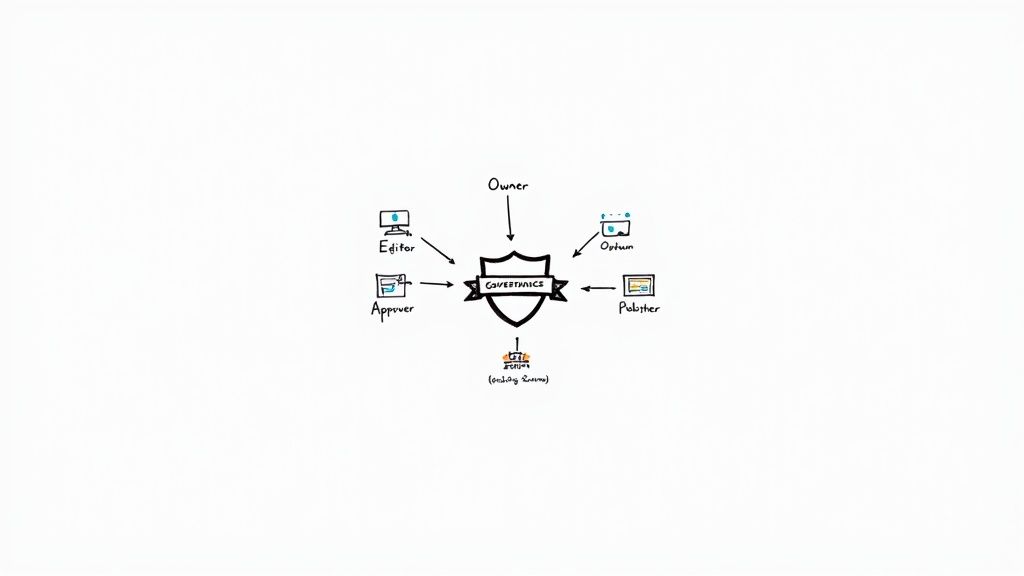
As a core element of content management best practices, clear content governance is a documented framework that defines roles, responsibilities, approval workflows, and decision-making authority for all content activities. It outlines content ownership, publishing standards, and escalation procedures. By setting these rules in writing, stakeholders stay aligned and workflows stay efficient.
Why Use This Approach
- **Consistency**: Centralized standards prevent conflicting messages across channels.
- **Efficiency**: Automated approvals cut review time by up to 30%.
- **Brand Integrity**: Defined roles maintain a unified voice globally.
- **Risk Mitigation**: Clear escalation paths reduce compliance failures.
Real-World Examples
- World Health Organization used 24-hour review cycles during COVID-19 to update guidance accurately.
- IBM’s global divisions reduced content review cycles by 40% with structured governance.
- Microsoft enforced a single approval system across 300+ regional offices to ensure compliance.
Integration with Notize AI
Use Notize AI to record content governance meetings and automatically generate structured summaries.
Key decisions and action items become searchable and shareable, so no one misses an approval step.
Actionable Tips
1. Start with a simple RACI matrix and expand as workflows evolve.
2. Assign **clear content owners** for each topic or department.
3. Use workflow automation tools like Asana or Monday to streamline approvals.
4. Leverage Notize AI to capture meeting decisions and generate action items instantly.
5. Document exceptions and escalation paths in a shared repository.
6. Review and update governance quarterly based on performance analytics.
Popularized by Gartner Content Management Research, AIIM International, and Digital.gov Best Practices.
2. Implement a Centralized Content Repository
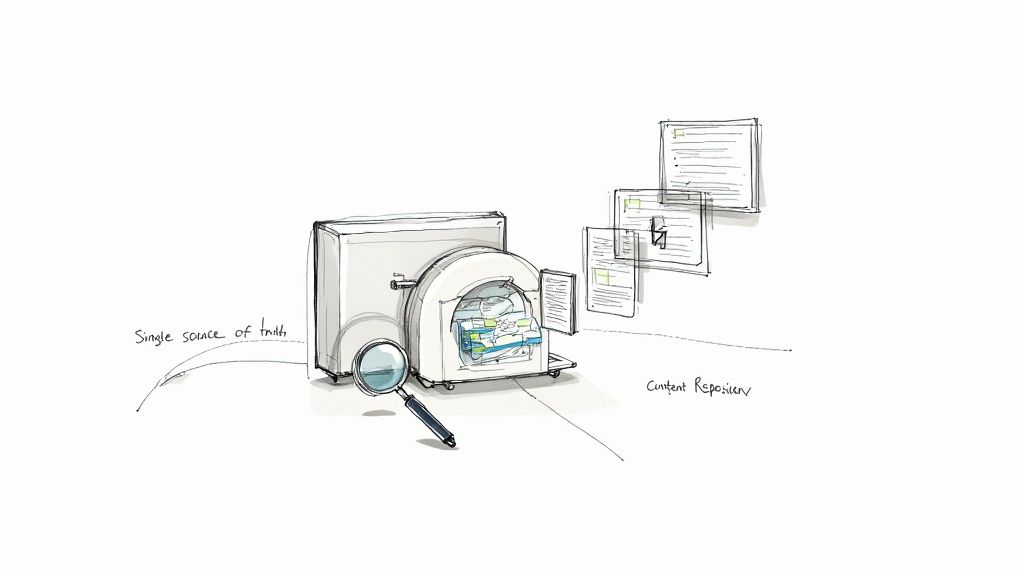
A centralized content repository is a single source of truth where all digital assets, documents, and content live in a unified system. By storing, indexing, and managing every file in one platform, teams avoid duplication and maintain precise version control. Organizations with distributed teams, complex workflows, or multiple channels gain immediate visibility into their content landscape.
Why Use This Approach
- Consistent access to approved assets prevents orphaned files
- Quick retrieval reduces manual search time by up to 50%
- Built-in version control tracks changes, rollbacks, and approvals
- Unified taxonomy ensures a common language across departments
- Scalable infrastructure supports hundreds of thousands of items
Real-World Examples
- Coca-Cola’s global DAM serves 200+ countries with localized branding
- Accenture’s repo hosts 500,000+ files for 500,000+ employees globally
- Mayo Clinic centralized patient education materials into one database
Integration with Notize AI
Notize AI seamlessly pushes meeting transcripts, action items, and media files into your centralized store. API connectors automate metadata tagging by extracting keywords from summaries and speaker-attributed notes. Teams can organize content by project, client, or department using Notize AI’s folder and tag features. Creators and students also upload class lectures or interviews for instant indexing and search.
Learn more about [Implement a Centralized Content Repository on notize.ai](https://notize.ai/blog/how-to-organize-meeting-notes)
Actionable Tips
1. Choose a platform with robust metadata and taxonomy support
2. Establish clear naming conventions and folder hierarchies before rollout
3. Implement role-based access controls for sensitive content
4. Schedule quarterly audits to remove outdated or redundant files
5. Leverage APIs to sync Notize AI outputs for auto-archiving and tagging
6. Train team members on search best practices to maximize retrieval
3. Develop a Comprehensive Content Strategy
As a core element of content management best practices, a comprehensive content strategy is a documented roadmap that aligns content creation with business objectives, identifies target audiences, defines messaging, and outlines distribution channels. This strategic blueprint ensures every asset supports organizational goals and reaches the right people at the right time. It provides clarity for teams and creates a unified approach to content planning and execution.
Why Use This Approach
- **Alignment**: Keeps marketing, sales, and product teams focused on common objectives.
- **Efficiency**: Prevents redundant content by mapping topics to audience needs.
- **Scalability**: Enables repeatable processes for multi-channel distribution.
- **Performance**: Drives ROI by connecting content metrics to business KPIs.
Real-World Examples
- HubSpot’s inbound marketing framework defines buyer personas, content stages, and promotion tactics in a central playbook.
- Red Bull built a lifestyle-focused strategy, distributing high-energy sports content across 70+ channels worldwide.
- Buffer publicly shares their social media calendar and performance data to engage community and refine tactics.
Integration with Notize AI
Use Notize AI during strategy workshops to record brainstorming sessions and transcribe audience research interviews.
Automatically generate a structured strategy document with TOC, personas, and channel plans.
With Notize AI’s keyword search you can jump back to critical decisions or topic debates whenever you need clarity.
Actionable Tips
1. Start with 3–5 clear, measurable business objectives.
2. Conduct in-depth audience research before drafting messaging pillars.
3. Plan 3–6 months of content, leaving room for trending topics.
4. Use analytics data to revise your editorial calendar monthly.
5. Align content themes with your product roadmap releases.
6. Review and update the strategy quarterly based on performance insights.
Popularized by Ann Handley, Neil Patel, Jay Baer, and the Content Marketing Institute, a documented strategy remains foundational for scalable, goal-driven content management.
4. Create a Robust Metadata and Tagging System
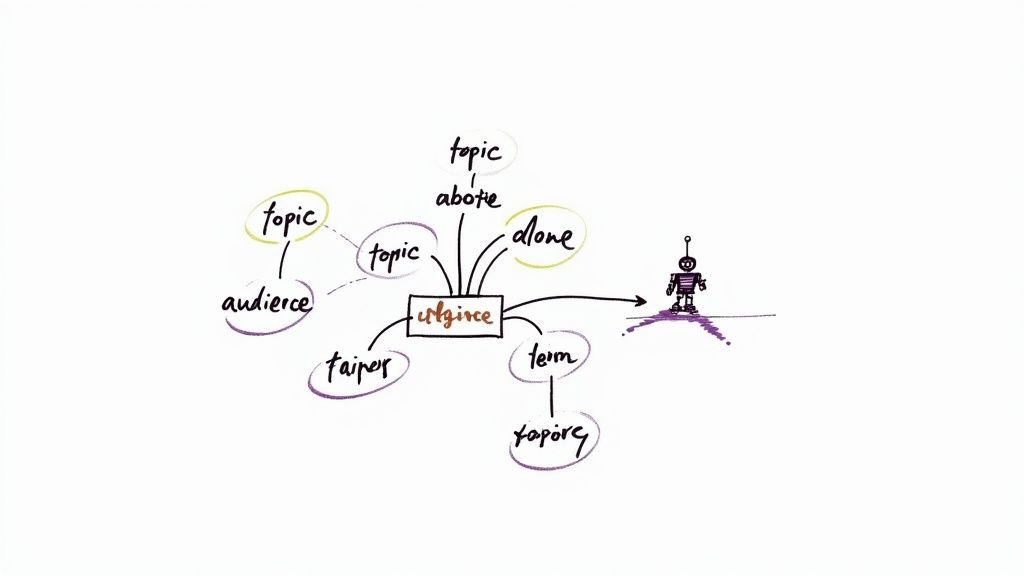
As a core element of content management best practices, this method establishes a standardized framework for labeling, categorizing, and describing content assets across your entire repository. It relies on well-defined taxonomies, controlled vocabularies, and schema-based markup to ensure consistency at scale. By embedding metadata at creation time, teams can automate classification, power dynamic search filters, and deliver personalized experiences across channels.
Why Use This Approach
- **Searchability**: Users locate any asset in seconds via faceted search.
- **Discoverability**: Dynamic filters surface relevant content automatically.
- **Automation**: Trigger workflows and approvals based on metadata tags.
- **Content Reuse**: Repurpose assets faster with clear, consistent labeling.
Real-World Examples
- Netflix’s tagging system for millions of titles fuels its recommendation engine.
- Library of Congress applies Dublin Core standards for precise archival retrieval.
- Amazon’s detailed product metadata powers advanced site search and filtering.
Integration with Notize AI
Use Notize AI to auto-generate metadata from meeting transcripts, video captions, and document uploads. Notize AI analyzes speaker attributes, topic transitions, and sentiment to assign granular tags without manual input. You can then search meeting notes by keyword, filter by project phase, or jump to timecoded highlights instantly.
Actionable Tips
1. Define 5–10 core metadata fields such as topic, author, date, format, and language.
2. Build a simple, intuitive taxonomy using nested categories and tag hierarchies.
3. Deploy Notize AI’s automated tagging to annotate transcripts and meeting notes.
4. Adopt controlled vocabularies and enforce strict naming conventions.
5. Include locale metadata for multi-language assets and regional variations.
6. Schedule quarterly metadata audits to update terms, remove obsolete tags, and refine definitions.
Popularized by Dublin Core Metadata Initiative, W3C Semantic Web standards, and Schema.org organization.
5. Establish Content Quality Standards and Review Processes
As a core element of content management best practices, establishing content quality standards means defining clear criteria for accuracy, tone, grammar, formatting, and brand compliance before publication. A systematic review process prevents errors, maintains brand reputation, and ensures every article or asset meets your organization’s benchmarks.
Why Use This Approach
- **Error Reduction**: Catch typos, factual mistakes, and formatting issues before they go live.
- **Brand Consistency**: Uniform tone and style across all channels reinforce brand identity.
- **Efficiency**: A repeatable review workflow shortens time to publish by up to 25%.
- **Regulatory Compliance**: Ensures industry or legal guidelines (like FDA requirements) are always met.
Real-World Examples
- Newsrooms use **AP Stylebook** rules to standardize language and punctuation.
- **BBC Editorial Guidelines** enforce fact-checking protocols across global bureaus.
- Pharmaceutical firms follow **FDA content verification** steps for safety disclosures.
- SEO teams adopt **Google’s E-E-A-T** framework to boost credibility and rankings.
Integration with Notize AI
Use Notize AI to streamline your review cycles and lock in quality standards:
- Record editorial meetings and auto-generate summaries of style decisions
- Tag action items for writers to fix tone, formatting, or fact errors
- Store your custom style guide in Notize AI for instant reference
- Search past discussions by keyword to enforce consistency across teams
- Export meeting notes with “approve” or “revise” markers to track sign-offs
Actionable Tips
1. Develop a **detailed style guide** that covers voice, grammar, and brand terms.
2. Build review deadlines into your editorial calendar to avoid last-minute rushes.
3. Implement a **peer review** stage where at least two editors sign off.
4. Automate grammar and plagiarism checks with tools like Grammarly or ProWritingAid.
5. Host quarterly workshops to update standards based on analytics and feedback.
6. Share your quality checklist in Notize AI so every contributor has access.
Popularized by Chicago Manual of Style, AP Stylebook, Grammarly, and Content Marketing Institute best practices.
6. Implement Version Control and Change Management
A core element of content management best practices, version control and change management is a systematic approach to tracking every edit, maintaining a clear history, and managing updates across platforms. This framework ensures accountability, prevents accidental overwrites, and provides rollback capabilities. By keeping an audit trail of revisions, teams can restore previous versions quickly and meet compliance requirements.
Why Use This Approach
- **Accountability**: Every change is attributed to an author with timestamps.
- **Rollback Capabilities**: Restore prior versions in seconds to correct mistakes.
- **Audit Trails**: Maintain compliance records for legal and regulatory needs.
- **Conflict Prevention**: Avoid overwrite collisions when multiple editors collaborate.
- **Traceability**: Track why and when each update occurred for future reference.
Real-World Examples
- Wikipedia’s comprehensive revision history and rollback system for crowd-sourced accuracy
- Git version control widely used for documentation and code collaboration
- Confluence’s page versioning and comparison features in Atlassian products
- Figma’s design version history enabling collaborative prototyping and review
Integration with Notize AI
Use Notize AI to capture every iteration of meeting notes and decisions.
- **Teams & Professionals**: Automatically timestamp meeting summaries and track changes over time.
- **Journalists & Creators**: Record content sessions, generate drafts, and compare revisions with AI-generated summaries.
- **Video Enthusiasts**: Save multiple cuts of tutorials, tag changes, and revert to earlier edits.
- **Students & Professionals**: Upload lecture recordings, record edits to study guides, and audit learning progress.
Actionable Tips
1. Adopt clear naming conventions like v1.0, v1.1, v2.0.
2. Document reasons for major updates in Notize AI’s summary fields.
3. Limit version history retention to balance storage with compliance needs.
4. Automate version creation at key milestones using your CMS or Git hooks.
5. Implement standardized change request forms for all major edits.
6. Review version logs quarterly to prune outdated drafts.
Popularized by Git and GitHub communities, Atlassian products (Confluence, Jira), and software development best practices.
7. Establish Workflows for Content Creation and Publishing
As a core element of content management best practices, defined workflows outline each phase of content from planning through publication. By mapping steps—ideation, draft, review, approval, and distribution—you reduce handoff friction, maintain brand voice, and scale production without chaos.
Why Use This Approach
- **Reduced Bottlenecks**: Clear handoffs prevent review pileups
- **Consistent Quality**: Standardized steps enforce editorial guidelines
- **Scalable Output**: Teams can add contributors without chaos
- **Faster Time-to-Publish**: Automated triggers speed approvals
- **Improved Collaboration**: Visibility into status boosts accountability
Real-World Examples
- New York Times uses an assignment-to-publication flow to streamline daily deadlines
- HubSpot automates marketing campaigns via its own Workflow Builder
- Medium’s writer-editor sequence ensures polished posts before go-live
- WordPress editorial plugins enable multi-reviewer roles for complex sites
Integration with Notize AI
Use Notize AI to record editorial kickoff calls. After your meeting, the app generates:
- A structured summary of content requirements
- Action items with owner assignments
- A timeline of key decisions
These outputs feed directly into your workflow tool, so content managers never lose context.
Actionable Tips
1. Map existing steps with a simple flowchart before redesigning
2. Build in a fast-track lane for urgent or breaking content
3. Choose workflow tools that sync with your CMS and communication apps
4. Automate notifications and reminders to keep authors and reviewers on schedule
5. Review bottleneck metrics monthly and adjust stages for efficiency
6. Leverage Notize AI summaries to kick off each cycle with clear goals
Popularized by Zapier’s automation recipes, Monday.com and Asana project boards, and leading enterprise CMS platforms. For deeper guidance, learn more about Establish Workflows for Content Creation and Publishing on notize.ai.
8. Implement Analytics and Performance Measurement
As a core element of content management best practices, implementing analytics and performance measurement means setting up a system to track, measure, and analyze content performance against clearly defined KPIs. This approach combines tools like Google Analytics and Mixpanel with regular review rituals to surface insights and guide decisions. Regular analytics reviews enable data-driven optimization, help identify high-performing content, inform strategy adjustments, and demonstrate content ROI to stakeholders. By integrating performance dashboards into daily workflows, teams can pivot quickly on new trends and test hypotheses without guesswork.
Why Use This Approach
- **Data-Driven Optimization**: Refine content strategy based on actual user behavior.
- **ROI Visibility**: Quantify content investment returns for budget approvals.
- **Strategic Alignment**: Ensure every asset supports overarching business objectives.
- **Continuous Improvement**: Identify high-performing formats and replicate success across channels.
Real-World Examples
- BuzzFeed’s predictive analytics model forecasts viral articles before they peak in social shares.
- The New York Times uses real-time subscriber and page view data to steer editorial planning.
- Moz integrates SEO analytics into content roadmaps to boost organic search rankings by 15%.
- Millions of sites deploy Google Analytics for comprehensive user journey tracking and conversion funnels.
Integration with Notize AI
Use Notize AI to record analytics review sessions and automatically generate structured performance summaries. Team members can tag KPI highlights, decisions, and action items so nothing is lost. Transcripts become searchable, letting content managers jump directly to discussions about bounce rate, conversion goals, or social engagement. Summaries sync into project folders for cross-functional visibility and easy sharing with marketing and leadership teams.
Actionable Tips
1. Define 5 to 8 KPIs that map directly to sales, engagement, or retention goals.
2. Track both quantitative data such as page views and qualitative feedback via surveys.
3. Apply UTM parameters on all campaign links for precise source and medium tracking.
4. Deploy heatmap tools like [Hotjar](https://www.hotjar.com) to visualize scroll depth and click patterns.
5. Automate weekly dashboards in Google Analytics and [HubSpot](https://www.hubspot.com) to monitor trends.
6. Conduct A/B tests on headlines, content layouts, and publish times to boost conversion.
Popularized by Google Analytics, Adobe Analytics, Mixpanel, HubSpot Content Analytics
9. Develop a Content Reuse and Repurposing Strategy
A core component of content management best practices, a content reuse and repurposing strategy is a systematic approach to maximizing content value by adapting, reformatting, and redistributing existing assets across channels. This method extends the lifespan of your work, boosts ROI, and reaches diverse audience segments without reinventing the wheel.
By breaking pillar pieces into modular blocks—blog posts, social updates, slide decks, videos—you reduce production workload and maintain a consistent brand voice. Repurposing also strengthens SEO by generating fresh entry points around target keywords.
Why Use This Approach
Increased ROI: Get up to 400% more engagement from a single asset
Extended Lifespan: Keep content relevant with periodic updates
Audience Reach: Tailor formats for different platforms and demographics
Resource Efficiency: Cut new production time by reusing existing research
SEO Boost: Create multiple indexed pages around core topics
Real-World Examples
Buffer repurposes long-form blog guides into 10+ social media posts
TED converts talks into articles, animations, and podcasts
Agencies turn original research into infographics, videos, and slideshares
Annual reports become webinar scripts, blog series, and social snippets
Integration with Notize AI
Use Notize AI to capture original webinar audio or meeting recordings. The platform will:
Generate structured transcripts and key takeaways
Auto-create shareable summaries for social or email
Extract quotes and highlights for graphics
Notize AI’s tagging and folder features keep your content source database organized for future repurposing tasks.
Actionable Tips
Identify high-performing pillar content as your repurposing base
Produce content in clear, standalone modules
Maintain a searchable source database in Notize AI
Use reusable templates for each format (blog, infographic, video)
Stagger repurposed posts over weeks to avoid audience fatigue
Refresh statistics and examples when republishing older material
Popularized by Content Marketing Institute, Buffer Blog, and CoSchedule.
Learn more about Develop a Content Reuse and Repurposing Strategy on notize.ai
10. Ensure Regular Content Audits and Maintenance
As a core element of content management best practices, regular content audits involve systematic reviews of your entire content inventory. Audits systematically evaluate content for quality, accuracy, relevance, and compliance using predefined criteria. Regular checks also boost SEO by keeping metadata fresh and eliminating obsolete pages that drag down rankings.
Why Use This Approach
> Routine audits keep your content fresh, compliant, and high-performing
- **Accuracy**: Spot outdated facts or policy changes before they damage credibility
- **Performance Optimization**: Identify underperforming pages and drive traffic gains of up to 25%
- **Cost Efficiency**: Remove duplicates to reduce repository bloat and save storage costs
- **Compliance**: Ensure accessibility, legal, and brand standards are met consistently
Real-World Examples
- Wikipedia communities review and verify articles weekly to maintain trust
- Government portals conduct quarterly compliance audits of health and safety pages
- Universities update course descriptions each semester to reflect curriculum changes
- E-commerce sites refresh product specs and SEO keywords every month to drive conversions
Integration with Notize AI
Use Notize AI to capture audit meeting discussions automatically. The app transcribes feedback, logs action items, and generates a timeline of decisions so teams can execute changes without manual note taking. Teams can review summarized audit reports in Notize AI and assign follow-up tasks directly within the app.
Actionable Tips
1. Schedule audits quarterly or semi-annually based on content volume
2. Prioritize high-traffic and strategic pages first for maximum ROI
3. Use Google Search Console or Screaming Frog to spot broken links
4. Validate all external references and update publication dates
5. Document findings in a shared Notize AI workspace for team transparency
6. Archive or merge stale content to streamline user experience
Popularized by Screaming Frog SEO Spider tool, Google Search Console recommendations, and leading content auditing frameworks.
10-Point Content Management Best Practices Comparison
Item | 🔄 Implementation complexity | ⚡ Resource requirements | 📊 Expected outcomes | 💡 Ideal use cases | ⭐ Key advantages |
|---|---|---|---|---|---|
Establish Clear Content Governance | High — policy design, stakeholder alignment | Medium — time, cross-team effort | Consistent brand, fewer approval delays, clearer ownership | Large organizations, regulated industries, multi-team publishing | ⭐ Ensures consistency and reduces legal/compliance risk |
Implement a Centralized Content Repository | High — migration, integrations, taxonomy mapping | High — platform costs, storage, training | Single source of truth, better reuse, version control | Distributed teams, global brands, large digital asset volumes | ⭐ Eliminates duplication and simplifies audits |
Develop a Comprehensive Content Strategy | Medium — research, audience & channel planning | Medium — analysts, planning time, workshops | Aligned content with business goals; improved ROI and engagement | Marketing-driven teams, product launches, audience growth efforts | ⭐ Guides creation and improves content ROI |
Create a Robust Metadata and Tagging System | Medium–High — taxonomy design and standards | Medium — tooling, tagging automation, training | Improved search/discoverability, personalization, SEO gains | Media platforms, e-commerce, AI/ML-driven systems | ⭐ Enables automation, better search and content reuse |
Establish Content Quality Standards & Review Processes | Medium — style guides and multi-stage reviews | Medium–High — reviewers, QA tools, time | Higher accuracy, consistent tone, fewer publication errors | Newsrooms, healthcare, legal, regulated communications | ⭐ Protects brand reputation and ensures compliance |
Implement Version Control & Change Management | Medium — process setup and tool adoption | Low–Medium — versioning tools and training | Traceability, rollback ability, audit trails | Collaborative documentation, regulated content, dev docs | ⭐ Prevents data loss and improves accountability |
Establish Workflows for Content Creation & Publishing | Medium — process mapping and tool integration | Medium — workflow tools, training, automation | Faster pipeline, fewer bottlenecks, clearer responsibilities | High-volume publishers, content operations teams | ⭐ Streamlines production and improves scheduling |
Implement Analytics & Performance Measurement | Medium — tracking setup, KPI definition | Medium — analytics tools, analysts, dashboards | Data-driven optimizations, ROI visibility, content insights | Content marketing, growth teams, conversion optimization | ⭐ Identifies high-performing content and guides decisions |
Develop a Content Reuse & Repurposing Strategy | Low–Medium — planning templates and modular content | Low–Medium — creative resources, templates | Extended content lifespan, higher ROI, reduced production costs | Teams with evergreen pillar content, small teams maximizing output | ⭐ Maximizes content value and reduces production effort |
Ensure Regular Content Audits & Maintenance | Medium — inventory, review criteria, scheduling | Medium–High — audit tools, staff time, remediation work | Up-to-date content, improved SEO, fewer broken/outdated items | Large sites, e-commerce catalogs, public information portals | ⭐ Prevents information decay and improves site performance |
Your Next Steps to Implement Content Management Best Practices
As you wrap up this comprehensive roundup of content management best practices, it’s time to transform insight into action. The following steps will help you integrate these strategies, accelerate results, and drive measurable impact.
Summary of Key Takeaways
Here is a quick refresher on the ten pillars we covered:
Clear Content Governance
Define roles, permissions, and decision trees for consistent oversight and accountability.Centralized Repository
Store all assets in one searchable platform to streamline access and reduce duplication.Comprehensive Strategy
Align content goals with business objectives through audience research, personas, and editorial calendars.Robust Metadata and Taxonomy
Implement a clear tagging system to boost findability, context, and AI-driven insights.Quality Standards and Reviews
Establish style guides, checklists, and approval gates to guarantee accuracy and consistency.Version Control
Track changes, avoid conflicts, and maintain an audit trail for compliance.Optimized Workflows
Map content processes from ideation to publishing with clear handoffs and SLAs.Analytics and KPIs
Monitor engagement, conversions, and process efficiency to refine strategy and prove ROI.Content Reuse and Repurposing
Maximize your library by adapting existing materials into new formats.Regular Audits and Maintenance
Prune outdated items, fix broken links, and refresh evergreen content for peak performance.
“Consistent application of content management best practices unlocks efficiency, compliance, and growth at scale.”
Actionable Next Steps
Conduct a Governance Workshop
Bring stakeholders together for a 90-minute session to map roles, decision workflows, and approval gates.Pilot a Centralized Repository
Select a representative project, migrate assets, and gather feedback from cross-functional users.Define Metadata Standards
Start with five core tags (topic, audience, format, publish date, owner) and expand based on usage patterns.Set Up Version Control
Use your CMS or a tool like Git to track changes and automate branch workflows for drafts and approvals.Implement Analytics Dashboards
Choose three KPIs (time to publish, content reuse rate, engagement per asset) and review weekly.
The Value of Mastering These Practices
By embedding these content management best practices into your daily operations, you will:
Reduce redundant work by up to 40 percent
Improve search and retrieval times for teams across the organization
Maintain brand voice and quality standards consistently
Drive higher engagement through data-driven content decisions
These outcomes translate into more agile marketing, faster time to market, and measurable ROI.
How Notize AI Accelerates Adoption
Tools like Notize AI make implementing these strategies effortless.
For teams and professionals in meetings
Record directly in Notize AI and get a full, structured meeting summary
Extract key discussion points, speaker-attributed notes, decisions, and follow-up tasks
Generate action items and to-do lists with time-stamped highlights
Search across all past meetings by keyword and jump to exact moments
For journalists, bloggers, and creators
Upload or record audio/video and auto-generate high-quality transcriptions
Create customizable blog drafts in your preferred style—professional, friendly, or conversational
Build your own blog within Notize AI, publish directly, and track engagement analytics
Organize files in folders and use AI suggestions for stronger hooks and storytelling
For video enthusiasts and everyday content consumers
Send links from YouTube, Facebook, Instagram, or TikTok for instant processing
Summarize long videos and extract highlights, key takeaways, and insights
Turn tutorials into step-by-step guides and actionable task lists
Chat with AI to ask questions about the content without watching the entire video
For students and professionals
Record lectures or upload videos, PDFs, slides, and ebooks for transcription and analysis
Convert material into summaries, notes, explanations, or study guides
Ask AI specific questions and jump to the exact timestamp of the explanation
Organize academic materials in folders and share with classmates
Whether you’re leading content operations or studying for exams, Notize AI embeds best practices into your workflow—so you can focus on creativity and strategy.
Ready to streamline your content operations? Discover how Notize AI can automate summaries, metadata tagging, and analytics to reinforce your content management best practices—visit Notize AI today and transform how your team creates, organizes, and analyzes content.
10 Content Management Best Practices Every Team Needs in 2025




