Automated transcription services are AI-powered platforms designed to convert spoken language from audio or video into written text. Think of them as a highly advanced digital scribe. Instead of someone manually typing out every word, these tools use complex algorithms to create fast and accurate transcripts, saving a massive amount of time and effort.
Unlocking the Power of Spoken Words
What if every conversation, every meeting, every video you created was instantly turned into text you could search and edit? That’s the simple but powerful promise behind automated transcription services. For years, getting a transcript meant paying someone to sit for hours, painstakingly typing out every word. Today, Artificial Intelligence (AI) does all that heavy lifting in a fraction of the time.
But this technology has moved way beyond just simple audio-to-text conversion. Modern tools are about extracting real value from your media. For instance, a platform like Notize AI doesn’t just give you a wall of text; it can automatically create structured summaries of your meetings, pinpoint the most important discussion topics, and even generate a list of action items. A one-hour meeting recording becomes a clear, actionable document in just minutes.
Beyond Simple Transcription
The real magic happens when you realize what these services do for your information. So much valuable knowledge is trapped inside audio and video files, making it hard to find and use. Automated transcription sets that knowledge free.
Suddenly, your content becomes:
Searchable: Remember someone mentioning a key project detail in a long meeting, but you can’t recall when? Now you can just search for a keyword and jump directly to that exact moment. This is a core function in tools like Notize AI, which allows you to search across all your past meetings.
Editable: Need to pull a perfect quote for a report or repurpose a webinar into a blog post? The transcript gives you a clean text file to work with. With Notize AI, you can even generate blog posts directly from your media.
Shareable: Sending a transcript or a summary is far easier than making everyone watch an entire recording. It ensures the whole team is on the same page with a consistent record of what was discussed.
This is why we're seeing such a huge wave of adoption across so many different fields. The global AI transcription market is exploding, projected to grow from USD 4.5 billion in 2024 to a staggering USD 19.2 billion by 2034. That's more than a four-fold jump, and it shows just how hungry people are for tools that turn spoken words into usable data. If you're curious, you can dig deeper into these market trends and their drivers in recent industry analyses.
At the end of the day, automated transcription services are becoming fundamental productivity tools. Whether you're a professional, a student, or a content creator, a platform like Notize AI provides a remarkably simple way to capture, understand, and act on information that used to be a real headache to manage.
How AI Learns to Understand and Transcribe Speech
Ever wonder how an AI actually turns your spoken words into text? It’s not magic, but it is a fascinating process. Think of it like teaching a person a new language from the ground up, starting with the absolute basics of sound before moving on to grammar and meaning. This complex training is what gives automated transcription services their power.
The whole thing starts with sound. The AI's first job is to learn the fundamental building blocks of a language, which linguists call phonemes. This is the acoustic modeling phase. The AI is fed massive datasets of audio recordings to learn how to distinguish one sound from another—like telling the difference between a "b" sound and a "p" sound, no matter who's talking.
Getting this foundation right is the first crucial step to understanding speech in all its real-world messiness.
From Sounds to Sentences
Once the AI has a solid grasp of individual sounds, it needs to figure out how they string together to form words, and how those words form coherent sentences. This is where language modeling kicks in. The system analyzes enormous libraries of text—books, articles, web pages—to learn the rules of grammar, context, and syntax.
Essentially, it learns what’s likely to come next. For example, a good language model knows that the phrase "the quick brown fox" is far more probable than "the quick brown socks." This contextual awareness is what separates a jumbled mess of words from a clean, readable transcript.
So, when you upload an audio file to a platform like Notize AI, the system puts both of these skills to work. The acoustic model breaks the audio down into a sequence of phonemes, and the language model then predicts the most likely words and sentences that sequence represents. The final output is a text transcript that mirrors what was actually said.
Here’s a simple look at that workflow:
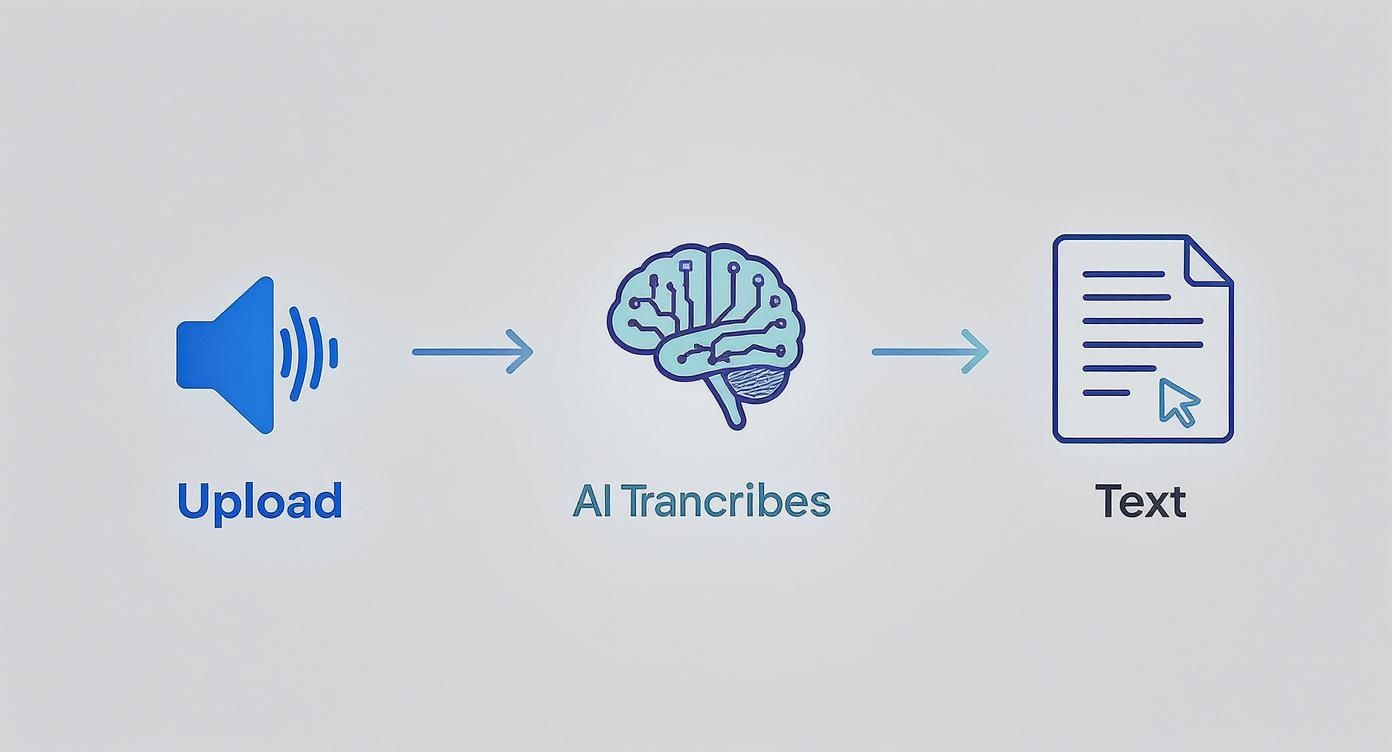
This diagram shows the user’s side of things—upload, process, output—but it’s the sophisticated machine learning happening behind the curtain that makes it all possible.
The Role of Continuous Learning
But the best platforms don't just stop there. They're built on machine learning models that are constantly getting smarter. Every new audio file they process is another opportunity to refine the AI's understanding, making it better at navigating tricky real-world scenarios.
This ongoing learning helps the AI master challenges like:
Diverse Accents: The system gets better at recognizing speech patterns from a wide range of regional and international accents.
Speaking Speeds: It learns to keep up with fast talkers just as easily as it handles slower, more deliberate speakers.
Industry-Specific Jargon: With custom vocabularies, the AI can be trained to accurately transcribe technical terms in specialized fields like medicine, law, or finance.
This is why a tool like Notize AI can achieve such impressive accuracy. It’s not just transcribing; it's constantly learning and adapting. That commitment to improvement ensures professionals, students, and creators can get clean, reliable text from just about any audio or video source they have.
What to Look For in a Great Transcription Tool
Not all automated transcription services are built the same. While they all turn speech into text, the truly great ones are packed with features that do so much more. These are the details that separate a basic, clunky tool from a real productivity partner. If you want to find the right fit, you need to look past the marketing hype and see what’s really under the hood.
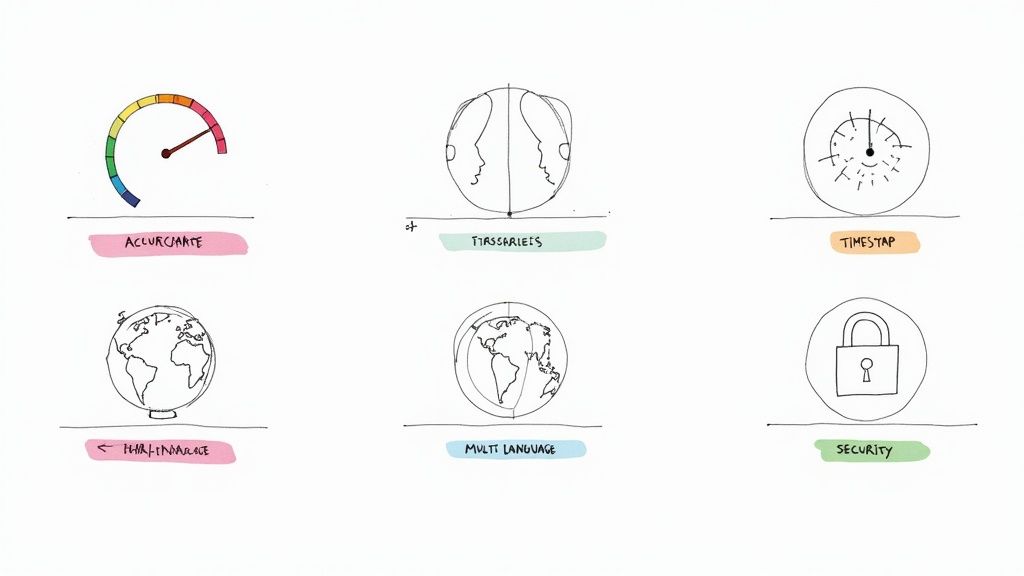
Transcription accuracy is, without a doubt, the most important thing. It’s the foundation everything else is built on. A high accuracy rate means you spend less time fixing typos and more time using the content. With clear audio, the best tools today can deliver transcripts so clean they’re nearly indistinguishable from human-level work, making your final document ready to go in minutes, not hours.
Beyond Just Getting the Words Right
Once you’ve confirmed a service is accurate, a few other features completely change the game. They transform a simple wall of text into an interactive, searchable, and genuinely useful asset.
Speaker Diarization: Ever try to read a meeting transcript without knowing who said what? It's a mess. This feature identifies and labels each speaker, so you know exactly who contributed which idea. For interviews, team meetings, or panel discussions, this is an absolute must-have for creating clear, actionable notes.
Precise Timestamping: Timestamps connect words in the transcript to the exact moment they were spoken in the audio or video. This is incredibly helpful for finding that one key quote or decision without having to scrub endlessly through a recording. With a tool like Notize AI, you can just click on a sentence and instantly jump to that spot in the original file.
Multi-Language Support: For global teams, researchers, and creators with an international audience, the ability to accurately transcribe in multiple languages is essential.
The most powerful tools don’t just transcribe; they organize. They provide the context needed to understand conversations, pinpoint critical decisions, and make it clear who owns the next steps.
The Features That Actually Boost Your Productivity
When you're evaluating different services, think about how they'll fit into your daily routine. The table below breaks down the key features that can make a real difference.
Key Features in Modern Automated Transcription Services
Feature | What It Is | Why It Matters |
|---|---|---|
Accuracy Rate | The percentage of words the AI transcribes correctly. | High accuracy (95%+) drastically reduces the time you spend on manual edits. It's the most critical factor for a usable transcript. |
Speaker Diarization | The ability to identify and label different speakers in a conversation. | Essential for meeting notes, interviews, and multi-person recordings. It makes transcripts easy to follow and attribute ideas correctly. |
Timestamps | Links specific words or phrases in the text back to their exact time in the audio/video. | Perfect for quickly referencing key moments, creating video clips, or verifying quotes without re-listening to the entire file. |
Language Support | The number and variety of languages the service can transcribe. | Crucial for global businesses, content creators with international audiences, and academic researchers working with diverse sources. |
Security & Privacy | The protocols in place to protect your audio files and transcript data. | Non-negotiable for anyone transcribing sensitive or confidential information, from legal depositions to private business meetings. |
Integrations | The ability to connect the transcription tool with other apps you use (e.g., Slack, Notion, CRMs). | Automates your workflow by sending transcripts and summaries directly to where you need them, saving you from manual copy-pasting. |
Choosing a service with the right mix of these features can make a huge impact on your workflow. For anyone exploring their options, checking out the best free transcription software can give you a solid baseline of what to expect from a modern tool.
Ultimately, a top-tier service combines all these elements into one smooth experience. Whether you’re a creator uploading a video or a manager recording a team call, the right set of features ensures the output isn't just a transcript—it's a valuable resource that makes your entire process more efficient.
Transforming Workflows Across Every Industry
Automated transcription isn't just about saving a bit of time on note-taking. It’s a tool that fundamentally changes how you work, turning spoken conversations into structured, searchable data. This unlocks a whole new level of efficiency and insight, whether you're in a corporate boardroom or a creative studio.
Think about the professional juggling back-to-back meetings. Instead of scrambling to remember key decisions or assigning someone to take notes, a tool like Notize AI handles it all. You can record your meetings directly in the app, and the platform delivers a full summary, flags the most important discussion points, and even generates a to-do list with clear action items.
Powering Professionals and Creative Experts
In a business setting, this creates a reliable single source of truth for your team. With Notize AI, you can organize all your meetings into shared folders, making sure everyone is on the same page about what was decided. Imagine being able to search across every meeting you've ever had for a specific keyword and jumping right to the moment it was discussed—it’s a game-changer for follow-up and accountability.
This same power is a huge asset for journalists, bloggers, and content creators. That hour-long interview you just finished can become a polished transcript in minutes. From there, Notize AI can draft a customizable blog post in any style you need, whether it's professional, conversational, or something that perfectly matches your brand's unique voice. You can even build your blog right inside the app, publish content with a few clicks, and access analytics to see how your audience engages.
These services don’t just capture what was said; they make that information actionable. They turn passive recordings into active assets that can be analyzed, repurposed, and shared to drive results.
Revolutionizing Learning and Content Consumption
The impact on students and lifelong learners is just as significant. We've all been there, trying to furiously type notes during a lecture, only to miss half of what was said. An automated tool eliminates that entirely. Students can use Notize AI to record lectures and get back organized study guides, searchable notes, and even simplified explanations of complex topics. With Notize AI, you can upload not just audio but also PDFs and presentations to create a single, intelligent hub for all your course materials.
This also changes how we all consume online content. Instead of watching a lengthy YouTube tutorial just to find one piece of information, you can just give the link to Notize AI. The platform will process the video and pull out the most important details, turning it into a concise summary or a step-by-step guide. It's a much more efficient way to learn.
The ability to chat with the AI about the content—asking it specific questions without having to re-watch anything—is another massive advantage. For any busy professional, an AI meeting note taker can mean the difference between a productive follow-up and a missed opportunity, ensuring every meeting delivers clear, actionable outcomes.
Weaving Transcription Into Your Daily Rhythm
Getting started with automated transcription isn't just about adopting a new piece of software; it's about changing how you think about spoken information. The real magic happens when capturing and analyzing conversations becomes an effortless, almost invisible part of your day. And it all begins with one simple, non-negotiable step: getting good audio.
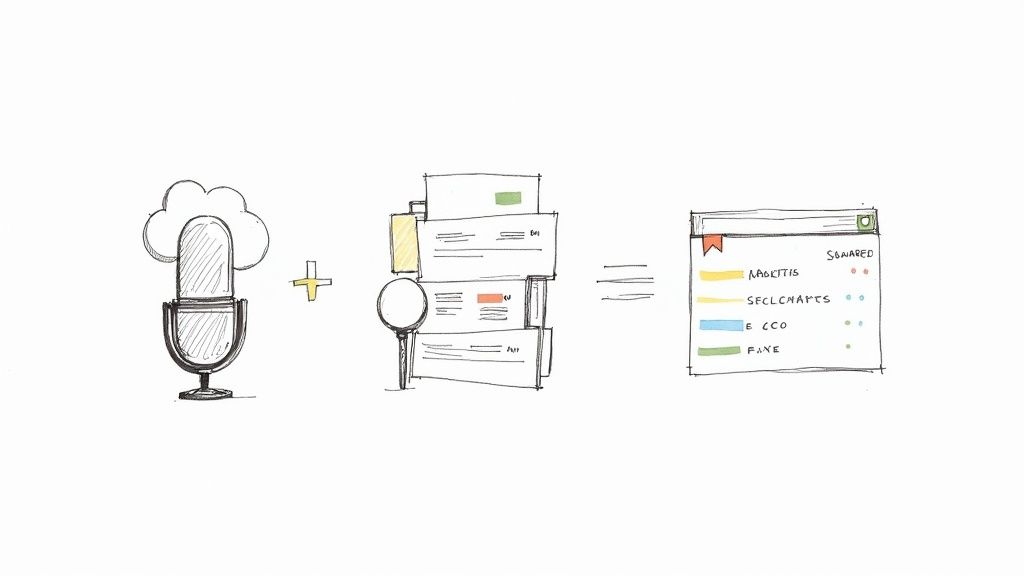
It doesn't matter if you're recording a brainstorming session, a client call, or a podcast. Grabbing a decent microphone and finding a quiet space will pay dividends. Clean audio is the foundation for high accuracy, which means less time spent fixing typos and more time actually using what you’ve captured.
Build a Central Hub for Your Recordings
To get the most out of transcription, you have to stop treating it like a one-off chore. The smart move is to set up a central repository where all your audio and video files can live. This is exactly what a platform like Notize AI is built for—giving you a place to create tidy folder structures for different projects, clients, or teams.
When you start using Notize AI as your media library, you’re not just storing files; you're building a searchable, intelligent knowledge base. Every team meeting, customer interview, or uploaded video becomes a valuable, indexed asset. This systematic approach ensures nothing gets lost in the shuffle and makes it incredibly easy to pull up a specific piece of information weeks or even months down the road.
This is a game-changer for marketing teams who are constantly looking for ways to reuse content. In fact, the market for marketing transcription is booming, expected to jump from USD 2.24 billion in 2025 to USD 5.64 billion by 2035, according to a recent market analysis. Why? Because of this exact need to efficiently analyze and repurpose every bit of spoken content.
Putting Your Transcripts to Work
Once you have that clean transcript, it’s so much more than just a wall of text. It's raw material you can put to work right away.
Here are a few practical ideas:
Supercharge Your Video SEO: When you upload a transcript file with your YouTube video, you’re basically giving search engines a script to read. This helps your content show up for all sorts of relevant keywords, pulling in more viewers organically.
Keep Everyone on the Same Page: Use the AI-generated summaries from Notize AI to send quick updates to stakeholders. A tight summary highlighting key decisions and action items is far more likely to be read than a link to a one-hour recording.
Repurpose Content Like a Pro: That one webinar you hosted? The transcript is your ticket to creating a dozen different pieces of content. Pull quotes for social media, turn sections into blog posts, or create a step-by-step guide. If you want a full walkthrough, our guide on how to transcribe audio to text breaks it down.
When transcription becomes a consistent habit—from the moment you hit record to how you organize and apply the text—it stops feeling like another tool you have to manage. Instead, it becomes a natural extension of how you get things done.
Frequently Asked Questions
When you're digging into automated transcription services, it's natural to have a few questions pop up. It's a big decision, after all. To help you feel confident about choosing the right tool, we’ve put together answers to the questions we hear most often.
How Accurate Are These Services?
You might be surprised. The accuracy of top-tier automated transcription can be incredibly high. For instance, services built on advanced AI, like Notize AI, can hit up to 99% accuracy when dealing with clear audio recordings. That’s right on par with what you’d expect from a human transcriber, but delivered in a fraction of the time.
Of course, a human might still have a slight advantage with very distorted audio or an extremely heavy accent. But for most professional, academic, and creative work, the combination of speed and cost-effectiveness from AI tools is hard to beat. Plus, the technology just keeps getting better.
Is My Data Secure with Online Transcription Tools?
This is a big one, and rightly so. Any reputable service will treat your data security as its number one priority. Platforms like Notize AI use robust security protocols, including end-to-end encryption, to lock down your files and transcripts from the moment you upload them to when they're stored.
A good rule of thumb is to always check the service's privacy policy and confirm it complies with data protection standards like GDPR. If you're handling sensitive information, making this a non-negotiable first step will save you a lot of headaches.
This gives you peace of mind that your private meetings, confidential interviews, and proprietary business content are kept under wraps.
Can I Transcribe Videos from YouTube or TikTok?
Yes, absolutely! This is where modern transcription tools really shine. Many services, including Notize AI, are built specifically to pull content directly from online video platforms.
You just paste a link from a site like YouTube, Facebook, Instagram, or TikTok, and the tool gets to work. It will automatically process the video and give you back:
A complete, word-for-word transcript.
A quick, AI-generated summary of the main ideas.
Key insights and actionable highlights.
This is a game-changer for content creators, marketers, researchers, or anyone who needs to pull information from online videos without having to watch them all the way through. With a tool like Notize AI, you can even ask specific questions about the video's content and get answers instantly.
What Types of Files Can I Upload for Transcription?
Most services handle the usual suspects—audio and video files like MP3, WAV, M4A, MP4, and MOV. But the best platforms are evolving into more of a central hub for all your content, not just recordings.
For example, Notize AI lets you upload and process documents like PDFs, Word files, and even PowerPoint presentations. This transforms it from a simple transcription tool into a comprehensive platform where all your information—from a recorded meeting to your lecture notes—can be turned into organized, searchable, and actionable text.
Ready to turn your scattered audio, video, and documents into clear, actionable insights? See what it feels like to have a truly integrated content platform with Notize AI. Stop just recording—start understanding. Get started today and see how easy it is to capture, analyze, and share what matters most.
Your Guide to Automated Transcription Services




