Turning audio into text is pretty straightforward, and you essentially have two ways to go about it: you can use automated AI software for speed or bring in a human transcriptionist for the highest possible accuracy. For most everyday needs, just uploading your file to an AI service like Notize AI gets you a fast, affordable, and searchable document in minutes.
Why Turning Audio into Text Is No Longer Optional
In a world running on podcasts, Zoom meetings, and online courses, knowing how to transcribe audio is less of a niche skill and more of a superpower. It's how you unlock all the valuable information trapped inside your audio and video files, making them accessible, searchable, and a whole lot more useful.
And I'm not just talking about simple note-taking. I’ve seen marketing teams take a single one-hour webinar and slice it into a dozen SEO-rich blog posts, a week's worth of social media clips, and a full email newsletter. Researchers can make hundreds of hours of interview footage instantly searchable by keyword, which can literally save them weeks of tedious work. That's the real magic of transcription.
Making Your Content Work Harder and Reach Further
At its heart, transcription is all about breaking down barriers. It opens your content up to people who are deaf or hard of hearing, and honestly, to anyone who just prefers to read instead of listen. Beyond that, it lays the groundwork for serious data analysis and content repurposing, turning spoken words into assets you can actually work with.
This isn't just a trend; the numbers back it up. The global transcription market was already valued at USD 21.01 billion in 2022 and is expected to hit USD 35.8 billion by 2032. What's really telling is that the AI part of that market is growing at a massive 15.6% CAGR. That explosive growth signals a huge shift toward automated tools as businesses everywhere try to stay efficient and competitive. If you're curious, you can explore more about this market evolution and its statistics in-depth.
The Two Paths to a Perfect Transcript
Before you jump in, you need to understand the two main methods we'll be covering in this guide. Each has its place.
Automated AI Transcription: This is all about speed and efficiency. Powerful algorithms convert your audio to text in a flash. It’s my go-to for things like meeting notes, first drafts of blog posts from a podcast, or just getting a quick, searchable version of an interview.
Manual Human Transcription: When accuracy is everything, you call in a pro. A trained transcriptionist listens to the audio and types it out by hand. This is non-negotiable for things like legal proceedings, critical medical records, or any audio that’s messy—think multiple speakers talking over each other or heavy accents.
Once you get a feel for the strengths of each, you’ll know exactly which tool to reach for, no matter the project.
Choosing Your Method: AI vs. Human Transcription
So, you need to turn audio into text. The first big question you have to answer is: do you go with an AI tool or a professional human transcriber? This isn't about which one is "better" in a vacuum; it's about what’s right for your specific job. Let's ditch the generic pros-and-cons list and look at some real-world situations.
Imagine you just recorded a two-hour university lecture. The audio is clean, it’s just one professor speaking, and all you need is a searchable text file for your notes. This is a perfect job for an AI tool like Notize AI. It’s lightning-fast, easy on the wallet, and will spit out a perfectly usable transcript in minutes.
Now, let's flip the script. You're a paralegal prepping for a court case. The recording is a deposition with three people who keep talking over each other, and there's a loud air conditioner humming in the background. You need a certified transcript where every single word is guaranteed to be accurate. In this scenario, investing in a professional human transcription service isn't just a good idea—it's the only responsible choice.
Key Factors in Your Decision
To make the right call, you need to weigh a few key things. I always come back to these four factors when deciding on a transcription method for a project.
Accuracy: Just how perfect does this transcript need to be? For internal meeting notes, an AI's 95% accuracy is usually more than enough. But for legal or medical records, you need the 99%+ accuracy that only a human can reliably deliver.
Turnaround Time: How fast do you need it? AI tools can process an hour of audio in a matter of minutes. A human service, on the other hand, will typically take 24-48 hours, sometimes longer.
Cost: What’s the budget look like? AI transcription is drastically cheaper, often billed by the minute or as part of a monthly plan. Human transcription is a premium service, and you'll pay a lot more per audio minute for that expertise.
Security: How sensitive is the audio? Reputable AI services have strong security measures, but certain industries have compliance rules (like HIPAA in healthcare) that might demand human transcribers who are under strict non-disclosure agreements.
This decision often boils down to a simple trade-off between speed and absolute precision.
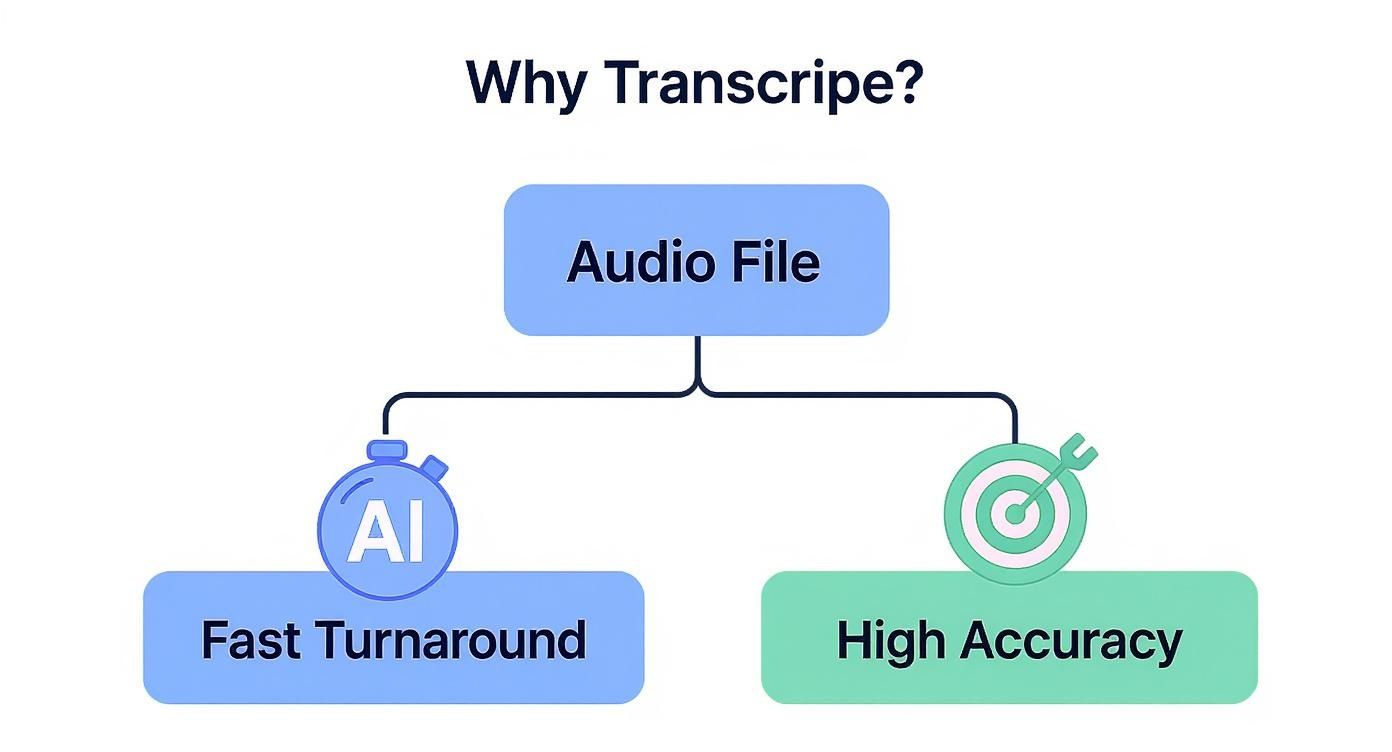
Ultimately, figuring out your project's number-one priority—getting it fast or getting it perfect—will almost always point you in the right direction.
To help you decide at a glance, I've put together this quick decision matrix. It's a simple way to see which method lines up best with what you need.
Transcription Method Decision Matrix
Factor | AI Transcription (e.g., Notize AI) | Human Transcription Service |
|---|---|---|
Speed | Excellent: Minutes for an hour of audio. Ideal for quick turnarounds. | Fair: Typically 24-48 hours. Not suitable for immediate needs. |
Accuracy | Good: Up to 95-98% with clear audio. Prone to errors with noise or accents. | Excellent: 99%+ accuracy. Humans can interpret nuance, context, and accents. |
Cost | Low: Very affordable, often a few cents per minute or a flat monthly fee. | High: A premium service, priced significantly higher per audio minute. |
Complexity | Limited: Struggles with background noise, multiple speakers, and heavy jargon. | Excellent: Can handle complex scenarios, overlapping speakers, and specialized terms. |
Best For | Meeting notes, interviews, content creation, academic research, general use. | Legal proceedings, medical dictation, certified records, publication-ready content. |
This table makes it clear: the best choice really depends on the unique demands of your project. There's no one-size-fits-all answer.
When to Choose AI Transcription
Automated transcription tools have gotten incredibly good, and they are the clear winner for a huge number of tasks. The technology really shines when you have decent audio quality and you don't need a flawless, legally-binding document.
You should be leaning toward AI if you are:
A Content Creator: Quickly turning podcasts or YouTube videos into blog posts, show notes, and social media captions.
A Student or Researcher: Making hours of lectures and interviews easily searchable.
A Project Manager: Documenting team meetings and pulling out action items without the manual labor.
For speed, cost-effectiveness, and pure convenience, AI is your go-to. If the goal is to quickly unlock the content inside an audio file, an automated tool is almost always the smart move.
When Human Transcription Is a Must
For all the progress AI has made, there are still times when you absolutely need the context, nuance, and expertise of a human brain. When the stakes are high, don't cut corners.
Opt for a human service when you need:
Certified Accuracy: For court documents, insurance claims, or any legal proceeding.
Complex Audio Handling: Files with a lot of background noise, multiple people talking at once, or thick accents.
Specialized Terminology: Think medical dictations or technical engineering discussions filled with industry jargon that an AI would likely misinterpret.
This isn't a niche need, either. The U.S. transcription market was valued at USD 30.42 billion in 2024 and is expected to hit USD 41.93 billion by 2030. That growth is fueled by sectors like healthcare, which accounts for about 43% of the market because of its strict documentation requirements, and legal fields that depend on perfect records. You can read more about the transcription market to see just how essential this service remains.
By thinking through these scenarios and weighing the core factors—accuracy, speed, cost, and security—you can confidently pick the right transcription method for your project every single time.
Getting Your First AI-Powered Transcription
Alright, you're ready to see what an AI transcriber can do. The first time you use one, it genuinely feels a bit like magic. You upload an audio file, grab a coffee, and a few minutes later, a full text document is waiting for you.
We'll use Notize AI for this walkthrough, but honestly, the basic steps are pretty much the same for any solid transcription tool out there. This isn't just about clicking buttons; it's about the little things you do before and after that make the difference between a messy draft and a polished, usable transcript.
Prepping Your Audio for the Best Results
Before you even think about uploading, a few minutes of prep can boost your accuracy like you wouldn't believe. Remember, the AI is only as smart as the information you give it. A clean audio file is everything.
Put it this way: if you can barely make out what someone is saying, the AI is going to have a rough time, too. Give your recording a quick listen. Is there a humming air conditioner, a ton of background chatter from a coffee shop, or sirens wailing outside? Using a simple audio editor to filter out that noise can work wonders.
Also, check your file format. Most services are flexible, but you can't go wrong with standard formats like MP3 or WAV. They’re universally accepted and hold up well for quality.
Uploading and Telling the AI What to Expect
Once your audio is cleaned up, it's time to upload. Most platforms, Notize AI included, have a simple drag-and-drop box or a standard upload button. It’s the settings you choose during this step that really matter.
Don’t just fly past the configuration options—they’re there for a reason.
Language: This seems obvious, but it's crucial. Make sure you select the right language and even the right dialect if possible. An AI model for "English (UK)" will be much better at understanding a British speaker than the default US model.
Number of Speakers: This is a big one. If you have a three-person interview, tell the AI to look for three speakers. This single setting is what allows the system to correctly label who said what. If you just guess, you'll end up with a confusing mess of dialogue.
Specialized Vocabulary: Some of the more advanced tools let you create a custom dictionary. This is a game-changer if your audio is full of industry jargon, company names, or unique product acronyms. You’re essentially giving the AI a cheat sheet so it doesn't misspell those key terms.
Once you’ve locked in your settings, hit go. The AI takes it from there.
The speed is what usually blows people away. For a full hour of audio, most modern tools will have a complete transcript ready in just 5 to 10 minutes. That kind of turnaround is simply impossible to match with manual transcription.
Reviewing and Polishing in the Editor
When the AI is finished, you’ll be directed to an editing workspace. This is where your human expertise comes back into play. You'll typically see the text of your transcript right next to an audio player.
This setup is designed for easy review. As you play the audio, the corresponding words in the text are often highlighted, making it incredibly simple to follow along and catch any mistakes. This is your chance to correct misspellings, assign the right speaker names (like changing "Speaker 1" to "John Doe"), and generally clean things up. For many people, this isn't just about a transcript; it’s the starting point for creating detailed meeting notes. You can find more strategies on this in our guide to the best AI meeting note takers.
A Quick Real-World Example
Let's say you just finished a 45-minute podcast interview. Your guest is named "Siobhan" and she works for a startup called "Innovatech."
Prep: Listening back, you hear a low-frequency hum from your mic. You run it through a free noise-reduction filter and export a fresh MP3.
Upload: You drop the file into your transcription tool, select "English (US)," and specify there are 2 speakers.
Transcription: The AI does its thing in about four minutes.
Review: In the editor, you see the AI wrote "Shevawn" and "Innova-tek." No problem. You use the find-and-replace feature to fix both terms throughout the entire document, guaranteeing 100% accuracy on those critical names.
And that's it. By following these straightforward steps, you’ve turned raw audio into a high-quality, accurate document that's ready to be used.
How to Edit Your Transcript Like a Pro
An AI-generated transcript is a fantastic starting point, but let’s be real—it’s just that, a start. Think of it as a very good first draft. The magic happens in the editing, where your human brain can catch the nuance, context, and specific details the AI inevitably misses.
The machine did the heavy lifting, transcribing thousands of words in minutes. Now it's your turn to step in. You’ll clean up errors, clarify meaning, and make sure the final text is polished and ready for whatever you have planned. This doesn't have to be a slog; with the right approach, you can edit efficiently and effectively.
Your Essential Editing Checklist
Before you even press play, it helps to have a game plan. I’ve found that working through a quick mental checklist helps me catch the most common AI mistakes right away. A systematic first pass saves a ton of time later.
Start by hunting for the big-ticket items that can completely change the meaning of your text.
Proper Nouns: This is AI's kryptonite. It consistently misspells names of people, companies, and unique products. A name like "Siobhan" might get transcribed as "Shevawn." Keep Google handy to quickly verify these.
Technical Jargon: If your recording is packed with industry-specific terms or acronyms, you'll need to be extra vigilant. An AI might hear "SaaS" but type "sass," which is a completely different (and probably less helpful) word.
Homophones: Words that sound alike but are spelled differently are classic tripwires. Think "their," "there," and "they're," or "to," "too," and "two." These slip through all the time and need a human eye to fix.
Once you’ve corrected these obvious blunders, you can shift your focus to making the transcript actually readable.
Structuring for Readability and Clarity
A raw transcript is often a giant wall of text—accurate, maybe, but intimidating to read. Your next job is to break it up and make it inviting. This means assigning speakers and creating paragraphs.
Most tools will label speakers with generic placeholders like "Speaker 1" and "Speaker 2." The first thing you should do is replace these with the actual speakers' names. This small change instantly makes any conversation much easier to follow.
Next, attack the paragraph structure. It’s common for one person to talk for several minutes straight, but nobody wants to read a single 500-word block of text. As a general rule, I break up long monologues into new paragraphs every 3-5 sentences. This is especially helpful when the speaker shifts to a new idea, as it gives the reader a visual cue that the topic is changing.
Verbatim vs. Clean Read: Which Is Right for You?
One of the biggest editing decisions you'll make is the style of transcription. The right choice depends entirely on what you'll use the transcript for. There are really only two main styles to consider.
Style | Description | Best For |
|---|---|---|
Verbatim | Captures every single word, including filler words ("um," "ah"), stutters, and false starts. | Legal depositions, academic research, or any scenario where the exact way something was said is critical. |
Clean Read | Removes all the ums, ahs, and stutters, and may correct minor grammatical slips for better flow. | Blog posts, meeting summaries, video subtitles, and just about any other content creation purpose. |
For most business and content marketing, a clean-read transcript is the clear winner. It communicates the speaker's message without the distracting clutter of natural, unscripted speech.
A verbatim transcript shows you how something was said; a clean-read transcript shows you what was said. For creating clear, usable content, the "what" is almost always more important.
Mastering the Editing Interface
To make this whole process faster, get to know your transcription tool’s editor. Modern platforms like Notize AI are built for speed and packed with features to help you fly through edits.
Be on the lookout for these game-changers:
Synced Playback: The best editors highlight words in the transcript as they're being spoken in the audio. This is a lifesaver for finding the exact spot you need to edit without endlessly rewinding.
Playback Speed Controls: Don't listen in real-time! Bumping the speed up to 1.25x or 1.5x can shave a significant amount of time off your review process without making the audio incomprehensible.
Keyboard Shortcuts: Take five minutes to learn the shortcuts for play/pause, rewind a few seconds, and other common actions. Those saved seconds on every correction really add up over the course of a long transcript.
By combining a smart checklist with an efficient workflow, you can turn any AI-generated text into a polished, professional document. That final human touch is what makes a transcript truly valuable.
Putting Your Final Transcript to Work
So, you've done the heavy lifting. You've recorded your audio, cleaned it up with an AI tool, and polished the text to perfection. But let’s be honest, a pristine transcript just sitting in a folder isn't doing anyone any good. The real magic happens when you put that text into action.
Now we get to the fun part: exporting your transcript and plugging it directly into your projects. This is where all that effort turns into a real, tangible asset.
Choosing the Right Export Format
The final step before you can use your transcript is getting it out of the transcription tool and into a useful format. Most platforms give you a few options, and the right choice really boils down to what you plan to do next. Think of these file types as different tools in your workshop—you wouldn't use a hammer to saw a board.
You’ll usually run into a few standard choices, each with a specific job:
.txt (Plain Text File): This is as barebones as it gets—just the raw text, no frills. It's perfect for when you need to quickly paste the content into a note-taking app, create a simple summary, or just archive the raw data without any formatting getting in the way.
.docx (Word Document): Need to keep your formatting intact? This is your go-to. A Word doc preserves paragraphs, bold text, and speaker labels, making it ideal for reports, articles, or any document that you’ll be sharing or collaborating on.
.srt (SubRip Subtitle File): If you're working with video, this format is the industry standard for captions. It's a special file that contains not only the text but also the crucial timestamp information that syncs the words perfectly to the video playback.
Making the right call here saves a ton of headaches later. It’s the bridge between having a transcript and actually using it.
A transcript isn't the final product; it's the raw material for something new. Whether it becomes a blog post, video subtitles, or a searchable archive, its true purpose is to be transformed.
Real-World Scenarios for Your Transcript
Once you have your exported file, the possibilities really open up. It’s about moving beyond just having a text version of your audio and finding new ways to create content, improve accessibility, and make your team’s knowledge easier to share.
Here are a few practical examples of how people put their transcripts to work every day.
Scenario 1: Creating a Blog Post from a Podcast
You’ve just exported a .docx file of your latest podcast interview. The hard part is over. Now you can just open it, copy the clean transcript, and paste it directly into your CMS, like WordPress. From there, you can write a quick intro, pull out a few powerful quotes, and structure it all into an SEO-friendly blog post. What was once just audio is now a searchable article attracting new readers.
Scenario 2: Generating Video Subtitles
You finished editing a product demo video and exported the transcript as an .srt file. The next step is a simple drag-and-drop. Import that file into your video editing software—think Adobe Premiere Pro or Final Cut Pro—and the software automatically places the captions onto your timeline, perfectly synced with the dialogue.
Scenario 3: Building a Searchable Meeting Archive
Your team just wrapped up a big project kickoff call. You transcribed the recording and exported it as a simple .txt file. Now, just upload that file to a shared space like Google Drive or a knowledge base like Notion. Suddenly, the entire conversation is fully searchable. Weeks from now, anyone on the team can find a key decision or action item just by typing in a keyword.
For those using Zoom, getting a great transcript is crucial. You can learn more about how to best record a Zoom meeting to ensure you're capturing clear audio right from the start. By exporting in the right format and plugging it into your workflow, you guarantee your transcription efforts pay off.
Got Questions About Transcription? We've Got Answers.
As you start turning audio into text, you'll inevitably run into a few common roadblocks and questions. Whether you're wrestling with a messy audio file or getting tangled up in the legal side of things, having the right information can save you a ton of headaches. Let's clear up some of the most frequent questions I hear.
Probably the first thing everyone wants to know is, "Just how good is AI transcription, really?" The answer depends almost entirely on your audio quality. With a crystal-clear recording, the best AI tools on the market can hit 95-98% accuracy. But throw in some background chatter, people talking over each other, or heavy accents, and you'll see that number drop—fast.
This is exactly why prepping your audio is non-negotiable. Spending just a few minutes cleaning up a recording can be the difference between a transcript that's ready to go and one that needs hours of painful editing.
What About Multiple Speakers or Thick Accents?
This is a big one. Transcribing a group discussion or an interview with multiple people can get messy. Can an AI actually tell who is speaking? Yes, it can. Most modern transcription services are smart enough to detect and separate different voices, usually labeling them "Speaker 1," "Speaker 2," and so on. You can then go in and replace those generic labels with actual names.
Accents are another common hurdle. AI has gotten much, much better at understanding different ways of speaking, but it can still get tripped up by really strong or less common dialects.
Here's how to get the best results:
Specify the Language: When you upload your file, make sure you select the right language and, if the option is there, the specific dialect (like English UK vs. English US). It makes a huge difference.
Use a Custom Vocabulary: Some of the more advanced platforms let you add a list of unique words—think company-specific jargon, technical terms, or brand names. This feature is a game-changer for accuracy in specialized fields.
If you've tried everything and the AI is still struggling, it might be time to call in a human. A professional transcriptionist has the nuance to untangle overlapping conversations and interpret accents in a way that software, for now, just can't.
I've learned this the hard way: the quality of your source audio is the single biggest factor in transcription accuracy. The old saying "garbage in, garbage out" has never been more true. A clean recording is your ticket to a great transcript.
Is My Data Safe and Private?
Uploading a sensitive file to a cloud service can feel a bit nerve-wracking. "Is my data secure?" is a perfectly valid and important question, especially if you're transcribing confidential client meetings, private interviews, or personal voice notes.
Any transcription service worth its salt takes security very seriously. They should be using strong encryption to protect your files, both as they're being uploaded and while they're stored on their servers. This is the baseline for keeping your data out of the wrong hands.
But it's not all on them. You need to do your due diligence. Before uploading anything sensitive, find and read the company's privacy policy. For example, you can see how we handle your data by reading the Notize AI privacy policy, which breaks down every protection we have in place.
The Legal and Ethical Side of Recording
Finally, let's talk about the law. Is it even legal to record and transcribe a conversation? This is tricky because the rules change depending on where you are. Some states and countries operate under "one-party consent," which means you're in the clear as long as you are part of the conversation you're recording.
Others have "two-party consent" (or all-party) laws, requiring you to get explicit permission from everyone involved before you hit record. Always, always check your local laws to stay out of trouble.
My Pro Tip: Forget the legal gymnastics and just be transparent. The best and most ethical practice is to simply tell everyone that the conversation is being recorded and will be transcribed. It builds trust and keeps you on solid ground, no matter the jurisdiction.
With these common questions out of the way, you can approach your next transcription project with a lot more confidence and get a much better result.
Ready to turn your audio and video files into actionable insights? With Notize AI, you can generate accurate transcriptions in minutes, extract key points, and create summaries to streamline your entire workflow. Stop wasting time on manual note-taking and start unlocking the value in your content. Try Notize AI today and see how easy it can be.
How to Transcribe Audio to Text Your Ultimate Guide




