Back-to-back meetings have become a standard part of the professional workday, often leaving little to no time for comprehensive note-taking or immediate follow-ups. This constant cycle leads to missed details, forgotten action items, and a general lack of alignment across teams. The core problem is clear: crucial information is lost in the conversational shuffle, and manual documentation is inefficient and prone to error. The solution lies in automation, specifically with a dedicated AI meeting assistant.
This guide is designed to help you find the best AI meeting assistant for your specific needs. We've analyzed the top 12 platforms available today, from dedicated meeting recorders to integrated suite solutions. You will find a detailed breakdown of each tool, including its core functions, transcription accuracy, key integrations, and pricing structures. We also provide "best for" recommendations to help you match a tool to your team's unique workflow, whether you're a content creator, project manager, or part of a customer success team.
We will explore how tools like Fireflies.ai and Otter.ai excel at transcription, while also seeing how a versatile platform like Notize AI extends these capabilities beyond meetings, helping you transcribe and summarize any audio or video content. For example, a platform like Notize AI can turn a single meeting into a structured summary, a list of action items, and even a draft for a follow-up blog post. Each review includes screenshots and direct links, so you can evaluate the options for yourself. Our goal is to provide a straightforward, comprehensive resource that cuts through the marketing noise and helps you reclaim your focus, ensuring no critical insight ever gets lost again. Let's find the right assistant to automate your workflow and make your meetings more productive.
1. Notize AI
Notize AI establishes itself as a powerful and comprehensive best ai meeting assistant by moving beyond simple transcription. It’s an integrated content management platform designed to turn raw meeting data from Zoom, Google Meet, or Microsoft Teams into structured, actionable assets. Its core strength lies in its ability to not just capture what was said, but to organize, analyze, and repurpose that information efficiently. This makes Notize AI an exceptional tool for teams that view meetings as a source of valuable content and strategic insights, not just conversations.
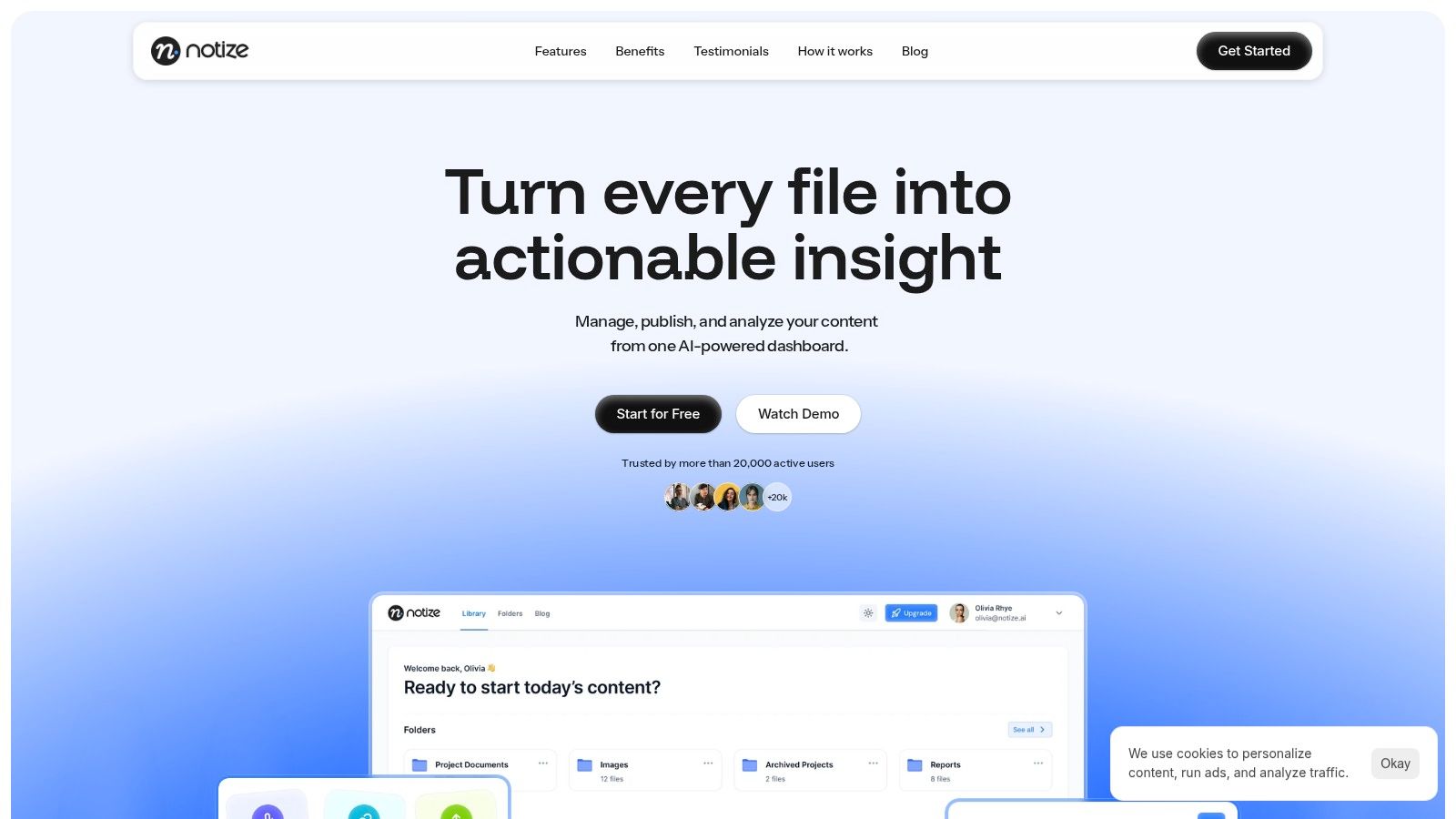
The platform excels at automating post-meeting workflows. After a meeting, Notize AI automatically generates accurate transcripts, detailed meeting notes, concise summaries, key discussion points, and a clear list of action items and follow-up tasks. For project managers and team leads, this means every decision is captured and ready for delegation within minutes, eliminating manual note-taking. Content creators and journalists can take this a step further by using the platform to repurpose meeting discussions into high-quality blog posts in any writing style. Notize AI also serves students, who can record lectures and instantly convert them into study guides or get simplified explanations for complex topics. The searchable media library centralizes all content, making it simple to find specific information across all past meetings.
Key Features:
Automated Meeting Outputs: Instantly produces a full summary, key discussion points, detailed notes with speaker attribution, and a list of action items.
Centralized Content Hub: A searchable library for all imported or recorded media (Zoom, YouTube, audio files, PDFs, and documents).
Content Repurposing: For creators, it turns recordings into customizable blog posts. For students, it converts lectures into study guides.
AI Chat & Search: Ask questions about your content and get instant answers, with the ability to jump to the exact moment a topic was discussed.
Pricing:
Starter: Free for up to 5 content uploads with standard processing speed.
Growth: $15/month for unlimited content, exports, storage, and priority processing.
Enterprise: $100/year for unlimited usage and priority processing, offering the best value for professionals.
Pros:
Fast, multi-source transcription and automated summaries.
Centralized media library with powerful search and analytics.
Flexible export options and a free tier for trial.
Cons:
The free plan is limited, making paid plans necessary for regular team use.
Lacks formal security certifications, requiring due diligence for highly sensitive data.
Best for: Professionals, creators, students, and teams who need a versatile tool to capture, understand, and repurpose information from meetings, videos, and documents.
Website: https://notize.ai
2. Otter.ai
As one of the most established names in the AI meeting space, Otter.ai is a reliable and feature-rich choice for teams needing robust transcription and meeting management. It's an excellent contender for the best AI meeting assistant, particularly for organizations that require mature administrative controls and broad platform compatibility. Otter’s primary function is to provide real-time transcription, automated summaries, and identifiable action items from your calls.
The platform's standout feature is the Otter Assistant, a bot that can automatically join your meetings on Zoom, Google Meet, and Microsoft Teams. It records and transcribes the conversation live, allowing participants to focus on the discussion rather than on taking notes. After the meeting, users get a searchable transcript, a concise summary, and a list of assigned action items. Otter.ai's advanced search and speaker identification are also highly effective, making it easy to find specific moments in past conversations. While tools like Notize AI focus on converting meeting content into various formats like blog posts or study guides, Otter.ai excels at creating a dependable, searchable archive of meeting discussions.
Key Features & Considerations
Platform Support: Strong native integrations with Zoom, Google Meet, and Microsoft Teams.
Admin Controls: Enterprise-grade features like SSO and team-wide analytics are available on higher-tier plans.
Workflow Automation: Connects to tools like Zapier for custom post-meeting workflows.
Pricing: Offers a free tier with limited transcription minutes, with paid plans (Pro, Business, Enterprise) unlocking more features and higher usage limits.
Limitations: The bot-join model can be a point of friction in some corporate cultures. Additionally, many of the advanced automation and collaboration features require a subscription to the pricier Business or Enterprise plans. For a more detailed look at its capabilities, you can explore the nuances of automated transcription services.
Website: https://otter.ai
3. Fireflies.ai
Fireflies.ai is a powerful contender for the best AI meeting assistant, particularly for global teams and organizations that prioritize deep integrations. It offers robust transcription across more than 100 languages, making it ideal for cross-functional or international meetings. Its core strength lies in its conversational intelligence platform, which not only transcribes and summarizes but also provides analytics on meeting dynamics.

The platform features an AI assistant, "AskFred," which allows users to chat with their meetings to quickly find information or generate content. Fireflies.ai automatically joins your calls on all major platforms, creating detailed summaries, action items, and providing analytics like talk-time metrics. Its extensive API and integrations with CRMs and project management tools make it highly adaptable to existing workflows. While tools like Notize AI are built for converting meeting outputs into diverse content formats like blog posts or study guides for creators and students, Fireflies.ai excels at embedding meeting intelligence directly into a company’s operational software stack.
Key Features & Considerations
Extensive Language Support: Transcribes meetings in over 100 languages, a key differentiator for global organizations.
Deep Integrations: Offers a vast library of native integrations with CRMs (like Salesforce and HubSpot), project management tools, and dialers, plus API access.
Conversational Intelligence: "AskFred" AI assistant allows you to ask questions about your meetings and get instant answers.
Pricing: Provides a limited free tier. Paid plans (Pro, Business) offer unlimited transcription and summaries, making them highly cost-effective for heavy users. Enterprise plans add advanced security and governance.
Limitations: The bot-join model can be a hurdle for organizations with strict security or compliance policies. Some of the most advanced governance and team control features, like HIPAA compliance and SSO, are gated behind the top-tier Enterprise plan.
Website: https://fireflies.ai
4. Zoom AI Companion (Zoom Workplace)
For organizations deeply integrated into the Zoom ecosystem, the Zoom AI Companion offers a seamless and native experience, making it a powerful contender for the best AI meeting assistant. Instead of relying on a third-party bot, AI Companion is built directly into the Zoom Workplace platform. This provides users with in-meeting summaries, next-step suggestions, and live notetaking capabilities without ever leaving the familiar Zoom interface. It is included at no extra cost with paid Zoom Workplace licenses, which is a significant value proposition for existing customers.
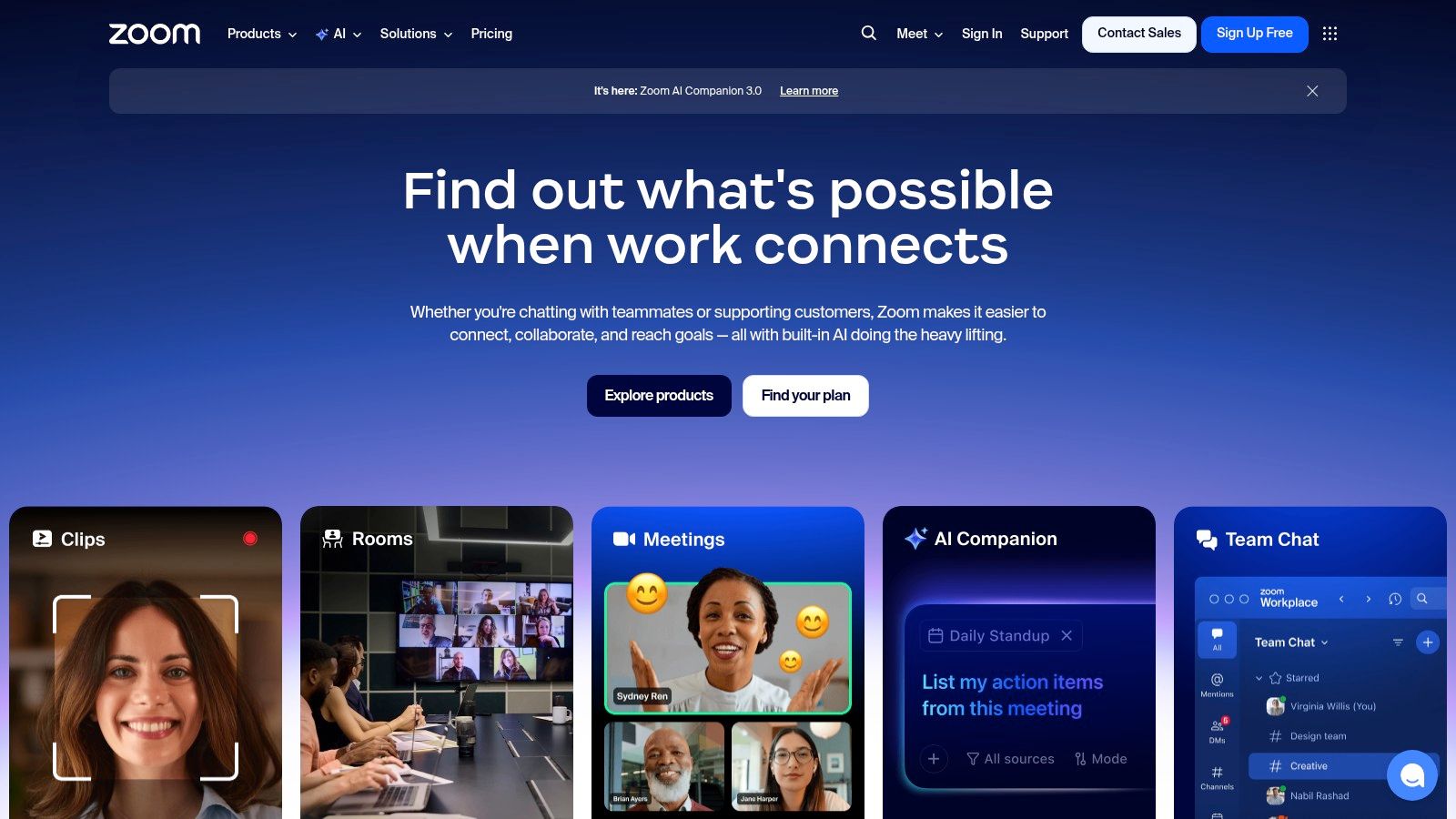
The standout feature is its frictionless integration. Users can get real-time summaries and action items without needing to invite an external bot, a common friction point in many corporate settings. The AI can also perform agentic tasks like scheduling follow-ups or generating clips. While Zoom excels at native, in-platform support, tools like Notize AI offer greater flexibility by allowing users to record meetings and then repurpose the content into various formats, such as blog posts or study guides, serving a wider range of post-meeting needs for creators and professionals.
Key Features & Considerations
Native Integration: AI features are embedded directly within the Zoom client, eliminating the need for external bots or add-ons for core functionality.
Cost-Effective: Included with all paid Zoom Workplace accounts, making it an accessible option for teams already using the platform.
Agentic Actions: Capable of performing tasks like scheduling follow-up meetings or generating meeting-related documents and clips.
Pricing: Core features are included with paid Zoom Workplace licenses. An optional Custom AI Companion add-on is available for advanced personalization and third-party model integration.
Limitations: The primary drawback is its platform dependency; its full value is only realized within the Zoom ecosystem. Advanced customization and extending AI skills require the paid add-on. For tips on maximizing its use, you can learn more about how to improve team collaboration.
Website: https://zoom.us
5. Microsoft 365 Copilot
For organizations deeply embedded in the Microsoft ecosystem, Microsoft 365 Copilot presents the most integrated and context-aware AI meeting assistant available. Rather than a standalone tool, Copilot is an AI layer woven directly into Microsoft Teams, Outlook, Word, and other 365 applications. This native integration allows it to not only transcribe and summarize meetings but also ground its insights in your broader organizational data, like emails, documents, and chats, all while respecting existing security and compliance policies.
Copilot's key advantage is its ability to operate seamlessly within the flow of work. During a Teams meeting, it can generate real-time notes, identify action items, and answer questions about the discussion without requiring a third-party bot. Post-meeting, the recap is instantly available within Teams and connected to your calendar and tasks. While tools like Notize AI are built for versatile content transformation, like turning a meeting into a blog post or study guide, Copilot excels at providing a unified, secure, and deeply integrated AI experience for large enterprises standardized on Microsoft 365. The inclusion of Copilot Studio also offers a powerful pathway for creating custom AI agents to automate specific business workflows.
Key Features & Considerations
Platform Support: Natively integrated into Microsoft Teams and the entire Microsoft 365 suite.
Admin Controls: Leverages enterprise-grade security, governance, compliance, and SSO from the Microsoft 365 admin center.
Workflow Automation: Copilot Studio enables the creation of custom AI agents and connects to Power Automate for extensive workflow customization.
Pricing: Requires an eligible Microsoft 365 business or enterprise license, with Copilot available as a per-user, per-month add-on.
Limitations: The primary drawback is its dependence on the Microsoft ecosystem; it's not a solution for teams using Google Workspace or other platforms. The cost can also be significant, as it is an add-on to existing Microsoft 365 licensing fees.
Website: https://www.microsoft.com/en-us/microsoft-365/copilot/pricing
6. Google Workspace with Gemini
For teams already embedded in the Google ecosystem, integrating AI meeting assistance is now simpler than ever with Gemini for Workspace. Instead of adding a third-party tool, Google builds AI directly into Meet, Docs, and Gmail, offering a native and secure solution. This makes it a strong contender for the best AI meeting assistant for organizations prioritizing seamless workflow integration and centralized administrative control.
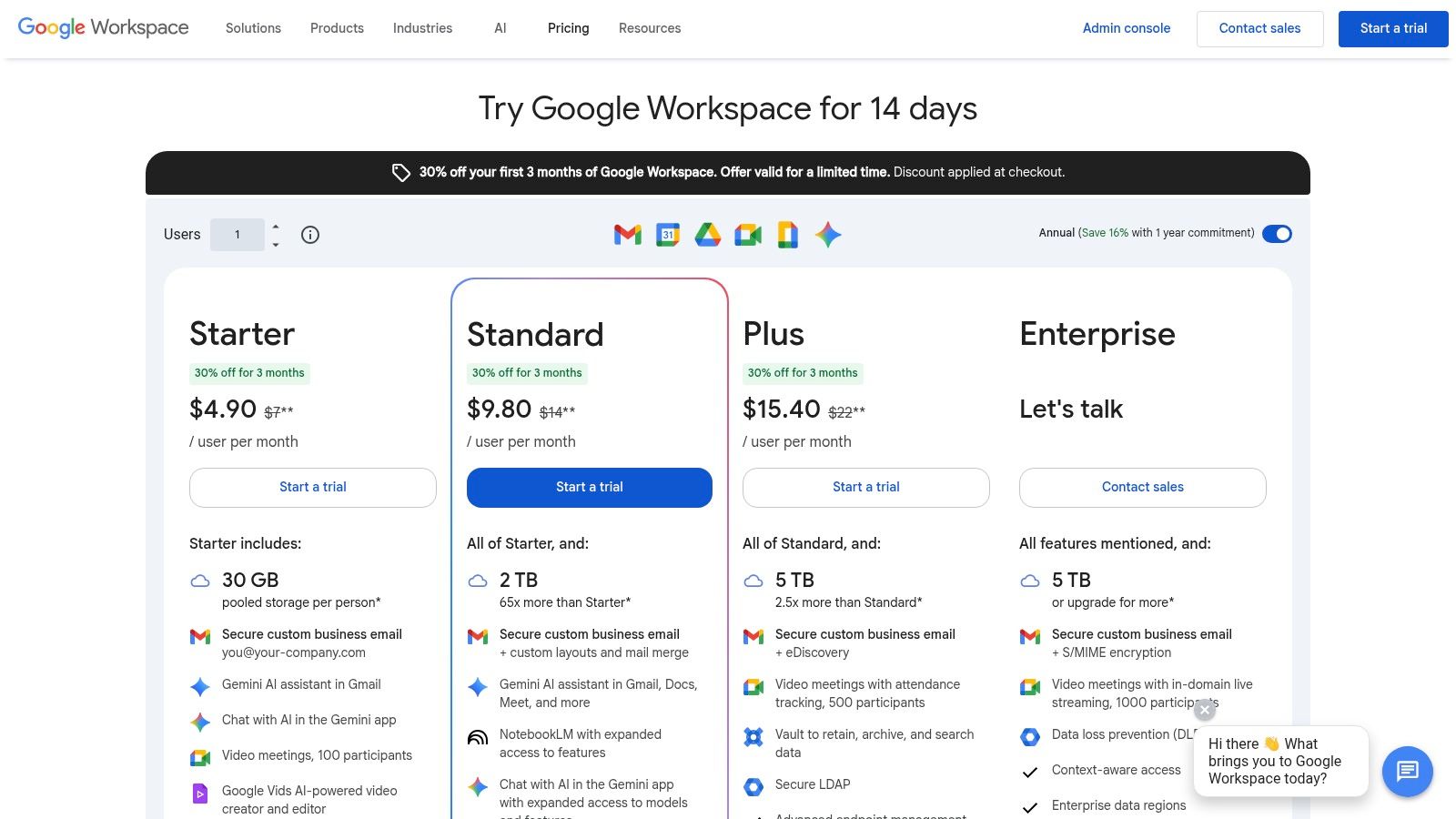
The primary advantage is its deep integration; Gemini can take meeting notes, generate summaries, and identify action items directly within Google Meet, with outputs readily available in Google Docs. This native approach eliminates the need for bots to join calls, a common friction point with other services. While tools like Notize AI excel at transforming meeting content into diverse formats like blog posts or study guides, Google’s strength lies in enhancing existing productivity workflows. The AI assistance extends beyond meetings to help draft emails in Gmail and organize data in Sheets, providing value across the entire Workspace suite.
Key Features & Considerations
Platform Support: Native functionality within Google Meet, with outputs integrated into Google Docs, Gmail, and other Workspace apps.
Admin Controls: Leverages existing Google Workspace admin console for security, data policies, and user management.
Workflow Automation: AI capabilities are woven directly into the daily tools of Workspace users, requiring no complex setup.
Pricing: Included in many Google Workspace Business and Enterprise plans without a separate add-on fee, though pricing structures are subject to change.
Limitations: The most significant benefits are realized by organizations fully committed to the Google Workspace ecosystem. Its focus is on core productivity enhancement rather than specialized content repurposing, which is a key feature of Notize AI.
Website: https://workspace.google.com/pricing.html
7. Fathom
Fathom has carved out a strong reputation by offering a surprisingly generous free plan, making it an excellent AI meeting assistant for individuals, freelancers, and small teams. It focuses on delivering core meeting functions like recording, transcribing, and summarizing without an initial financial commitment. This makes it an accessible entry point for users wanting to test the waters of AI-powered meeting productivity before committing to a paid service.
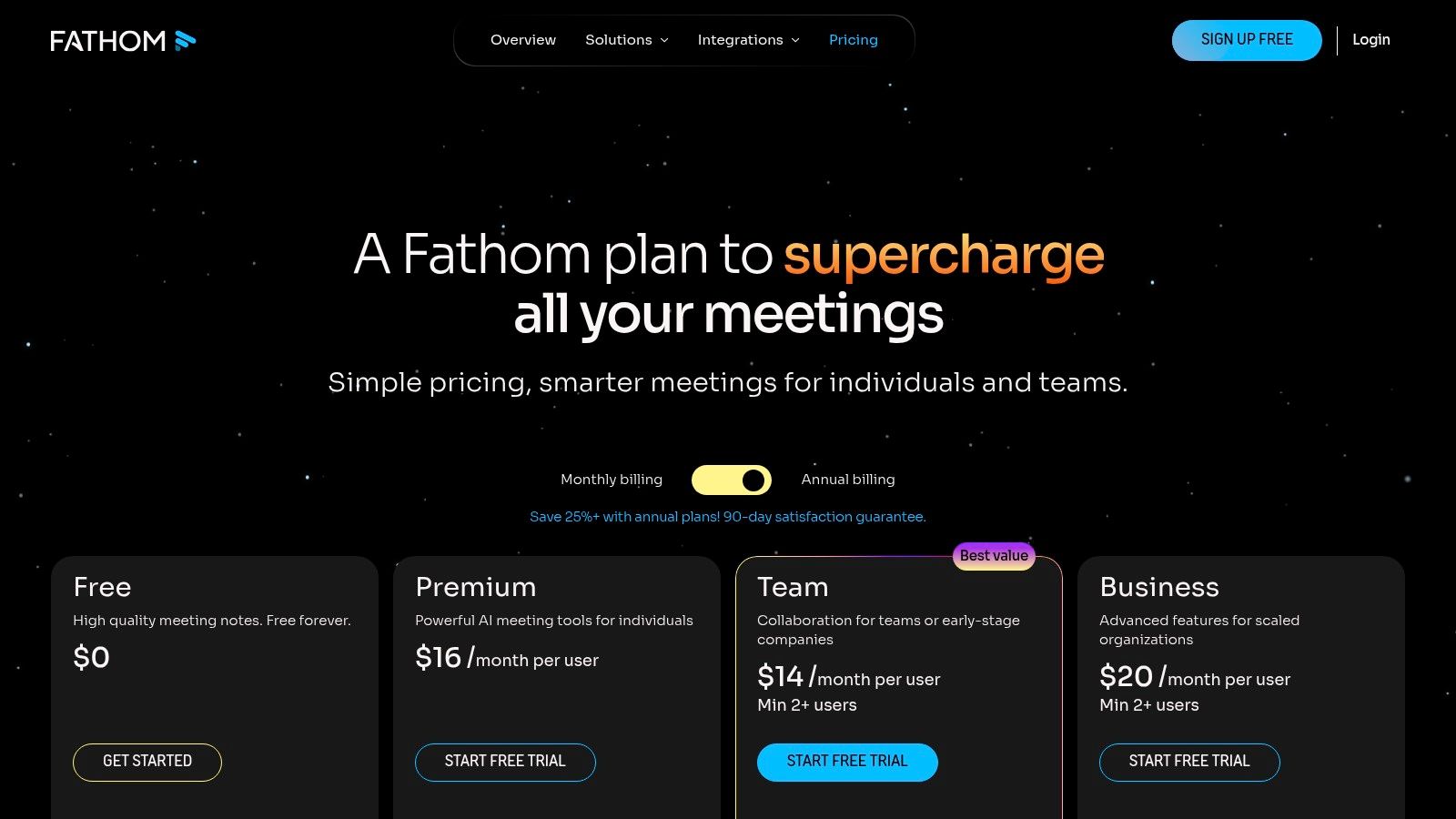
The platform’s standout feature is its free tier, which provides unlimited recordings and transcripts, a rarity in the market. Fathom joins your Zoom, Google Meet, or Microsoft Teams calls, generating instant summaries, highlights, and searchable transcripts as soon as the meeting ends. Users can create playlists of key moments from calls, perfect for sales coaching or sharing customer feedback. While Fathom is excellent for immediate post-meeting summaries, tools like Notize AI take the next step by helping users transform that raw meeting content into diverse assets like blog posts, study guides, or step-by-step tutorials, catering to broader content creation needs.
Key Features & Considerations
Platform Support: Seamlessly integrates with Zoom, Google Meet, and Microsoft Teams.
Generous Free Plan: Offers unlimited recordings, transcripts, and summaries at no cost, which is its primary differentiator.
Workflow Automation: Integrates with CRMs like Salesforce and HubSpot, plus Slack and Zapier for custom workflows.
Pricing: A powerful free plan is available. The paid Team Edition unlocks centralized management, advanced CRM integrations, and additional team-focused features.
Limitations: The bot-join model can feel intrusive in certain corporate environments or client-facing calls. While the core features are free, advanced team analytics and deeper CRM syncing are reserved for the paid plan.
Website: https://www.fathom.ai/pricing
8. Sembly AI
Sembly AI goes beyond simple transcription and summarization, positioning itself as an intelligent team-wide meeting workspace. It's designed for project and operations teams that need structured outputs and deeper analytics from their discussions. Sembly excels at identifying not just action items but also risks, issues, and key events, making it a powerful tool for governance and strategic oversight.
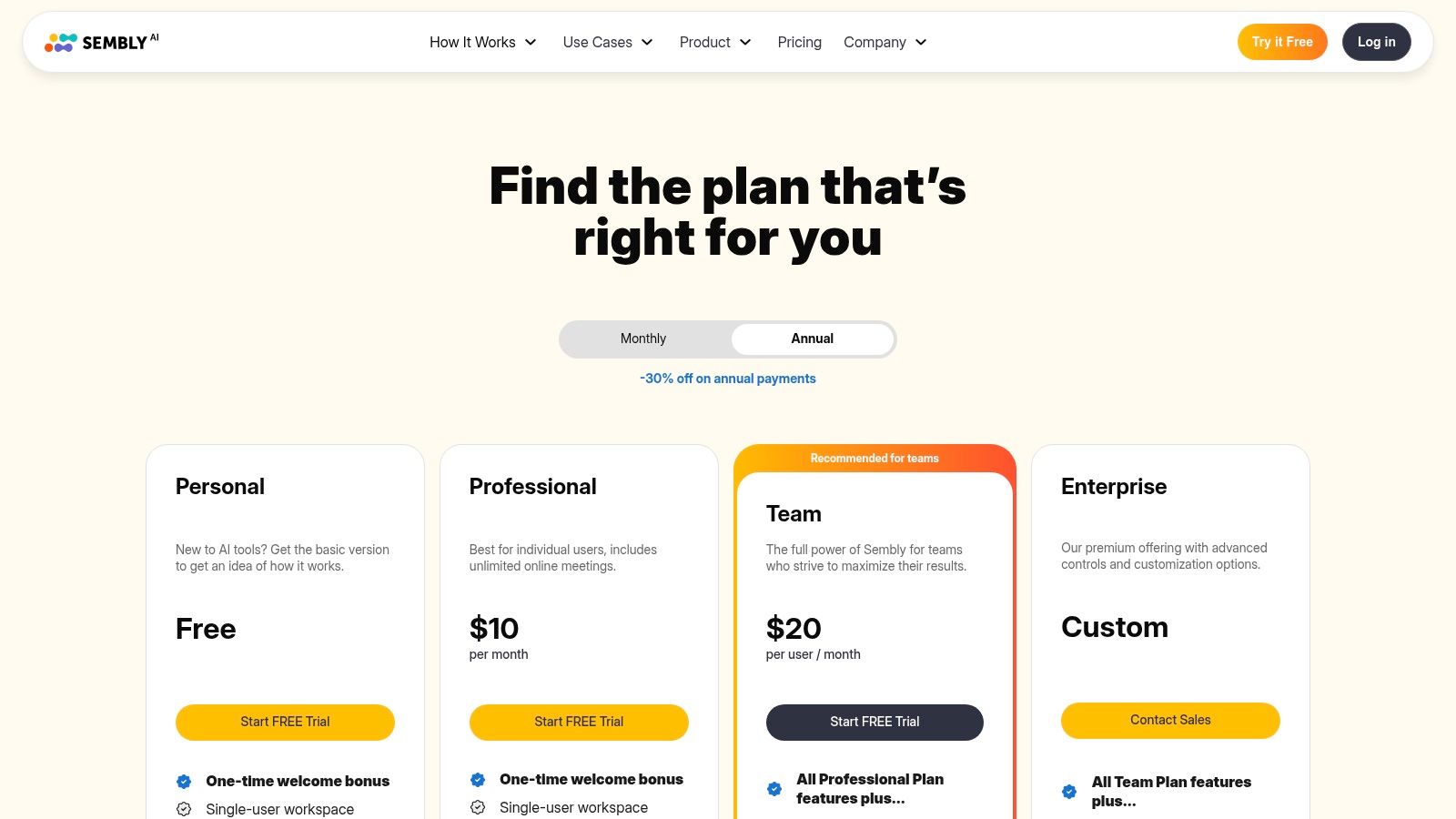
The platform’s standout feature is "Semblian," an AI chat that can analyze insights across multiple meetings, allowing teams to ask questions like "What were the main risks discussed this quarter?" This multi-meeting perspective provides a level of intelligence that few competitors offer. While tools like Notize AI focus on turning a single meeting into diverse content formats like blog posts or study guides, Sembly AI provides a holistic view of team conversations over time, generating high-level strategic insights. It's a strong contender for the best AI meeting assistant for teams that prioritize structured data and project management.
Key Features & Considerations
Platform Support: Integrates with all major platforms, including Zoom, Google Meet, Microsoft Teams, and Webex, with hybrid capture options.
Structured Insights: Automatically extracts and categorizes tasks, risks, issues, and important decisions from meeting transcripts.
Team Analytics: Provides workspaces with multi-meeting chat and analytics to track team performance and discussion trends over time.
Pricing: Offers a free plan with limited recording minutes per month. Paid plans (Professional, Team, Enterprise) unlock advanced features, increased limits, and stronger governance controls like SOC 2 compliance.
Limitations: The free tier is quite restrictive in its monthly recording and upload limits. The most powerful team analytics and multi-meeting chat capabilities are reserved for the higher-cost Team and Enterprise plans.
Website: https://www.sembly.ai/pricing/
9. Supernormal
Supernormal offers a flexible and user-friendly approach to meeting documentation, making it a strong candidate for the best AI meeting assistant, especially for teams wary of visible bots. It emphasizes creating fast, well-structured notes using customizable templates, ensuring consistency across all your meetings. This platform gives users a choice: either have a notetaker bot join your calls or use a discreet Chrome extension to capture the meeting without an extra participant appearing in the list.
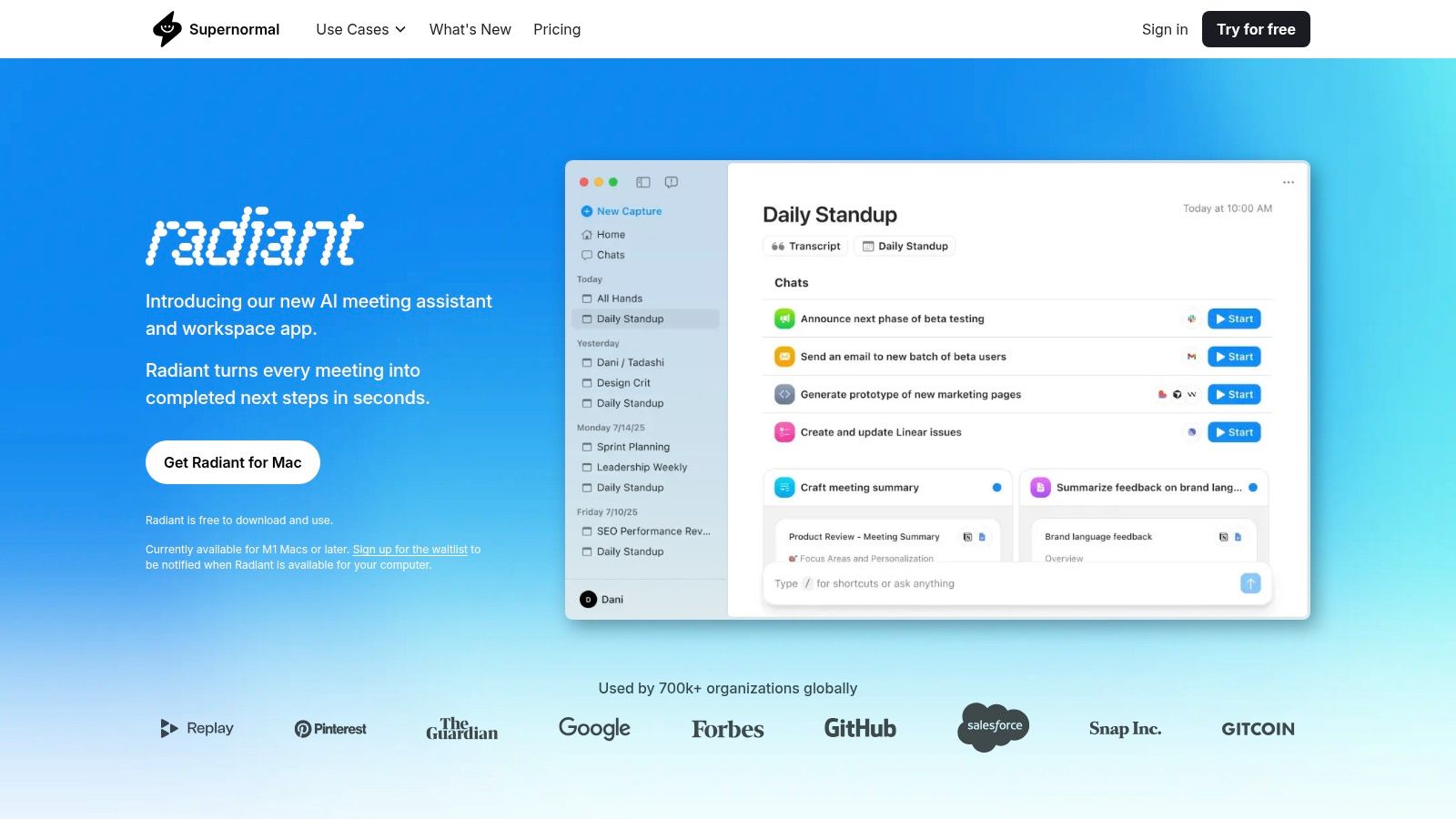
This dual-capture option is Supernormal’s standout feature, catering to different corporate cultures and privacy preferences. Once a meeting concludes, the platform quickly generates a transcript, a concise summary, and a clear list of action items. Its strength lies in its templates, which allow teams to standardize outputs for different meeting types like sales calls, project stand-ups, or interviews. While tools like Notize AI are built to repurpose meeting content into diverse formats like blog posts or study guides, Supernormal excels at streamlining the core task of generating consistent, high-quality meeting notes for internal workflows. The platform’s robust security, including SOC 2 compliance and end-to-end encryption, provides peace of mind for organizations handling sensitive information.
Key Features & Considerations
Platform Support: Works with Google Meet, Zoom, and Microsoft Teams.
Unique Capture Method: Offers both a traditional bot join and a "bot-less" Chrome extension to record meetings discreetly.
Workflow Automation: Integrates with Slack, HubSpot, Salesforce, and Zapier to push notes and action items into your existing tools.
Pricing: Provides a free starter plan, with paid plans (Pro, Business) unlocking unlimited meetings, advanced templates, and deeper CRM integrations.
Limitations: Configuring advanced automations and CRM workflows may require some initial setup. The free plan is limited in the number of meetings it can process per month.
Website: https://www.supernormal.com
10. Avoma
Avoma positions itself as an end-to-end meeting lifecycle platform, designed for go-to-market teams that need more than just a transcript. It combines a powerful AI meeting assistant with revenue intelligence and coaching tools, making it a strong candidate for the best AI meeting assistant for sales and customer success departments. Its core function is to automate note-taking, update CRMs, and provide deep analytics on customer conversations.
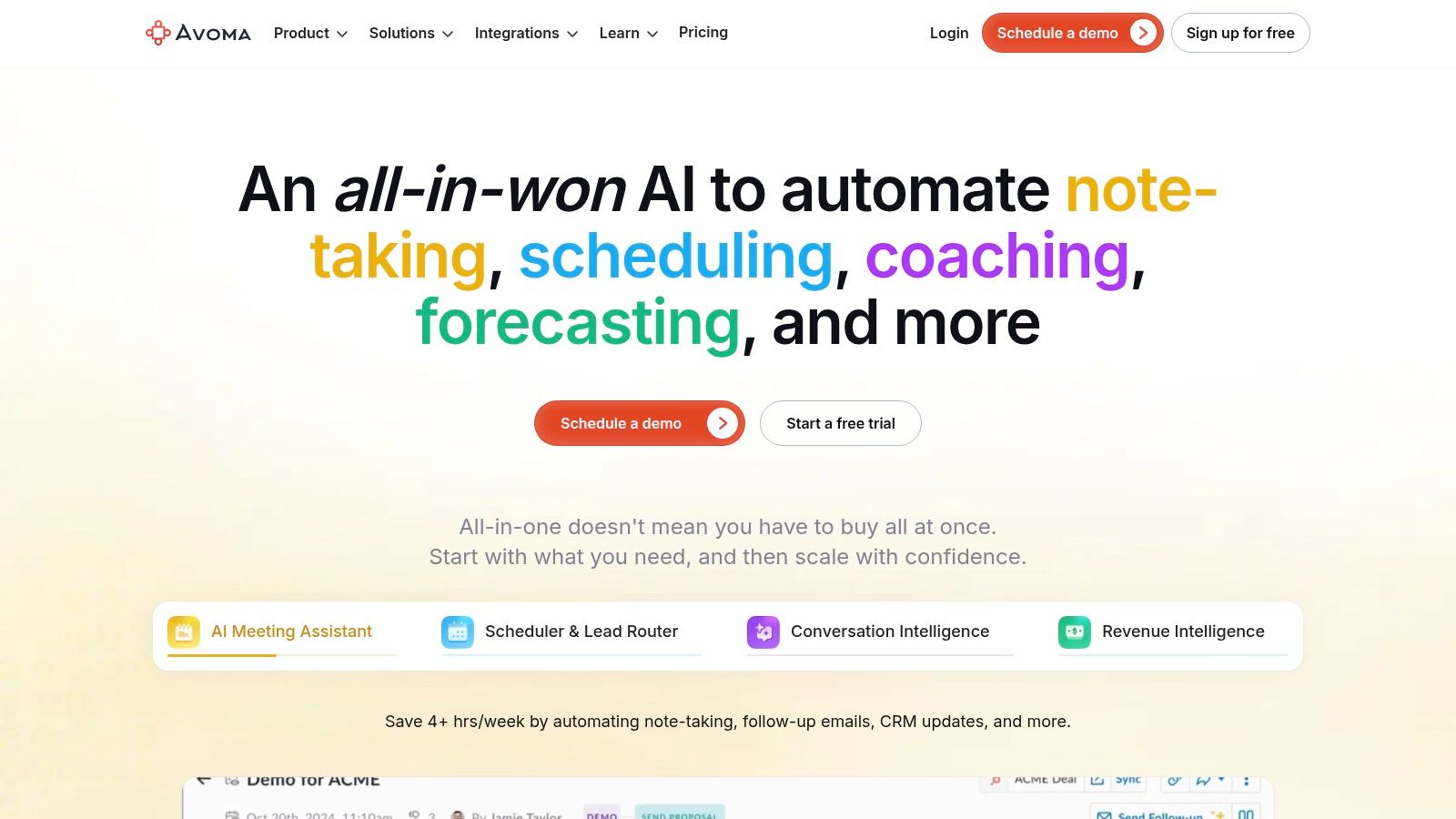
The platform's key differentiator is its modular approach. Teams can start with the core AI assistant for notes and summaries and later add conversation intelligence modules for deeper insights. Avoma provides agenda templates to structure meetings and automatically populates your CRM with meeting notes and action items, saving significant administrative time. While tools like Notize AI are built to transform meeting recordings into versatile content like study guides or blog posts, Avoma is laser-focused on optimizing the sales and customer interaction workflow, from meeting prep to post-call analysis and coaching. Its emphasis on CRM integration and revenue intelligence makes it a specialized tool for business growth.
Key Features & Considerations
Platform Support: Integrates with Zoom, Google Meet, Microsoft Teams, and various CRM platforms like Salesforce and HubSpot.
Modular Design: Offers flexible licensing, allowing teams to pay only for the features they need, such as the AI assistant, conversation intelligence, or coaching add-ons.
Workflow Automation: Excels at automatically updating CRM records with notes, summaries, and identified action items, which is a major benefit for sales teams.
Pricing: Provides various plans with a unique model that includes free view-only seats for collaborators, making it easy to share insights across an organization.
Limitations: The most powerful conversation intelligence and revenue coaching features require more expensive add-ons. The pricing structure can seem complex, so it's best to confirm the current plan details directly.
Website: https://www.avoma.com
11. tl;dv
For teams requiring robust multilingual support and deep sales-focused integrations, tl;dv stands out as a powerful contender for the best AI meeting assistant. It excels at capturing, transcribing, and summarizing meetings in over 30 languages, making it a go-to choice for global sales teams and customer success organizations. The platform's primary strength lies in its ability to not only document meetings but also to feed critical insights directly into CRMs and sales coaching workflows.
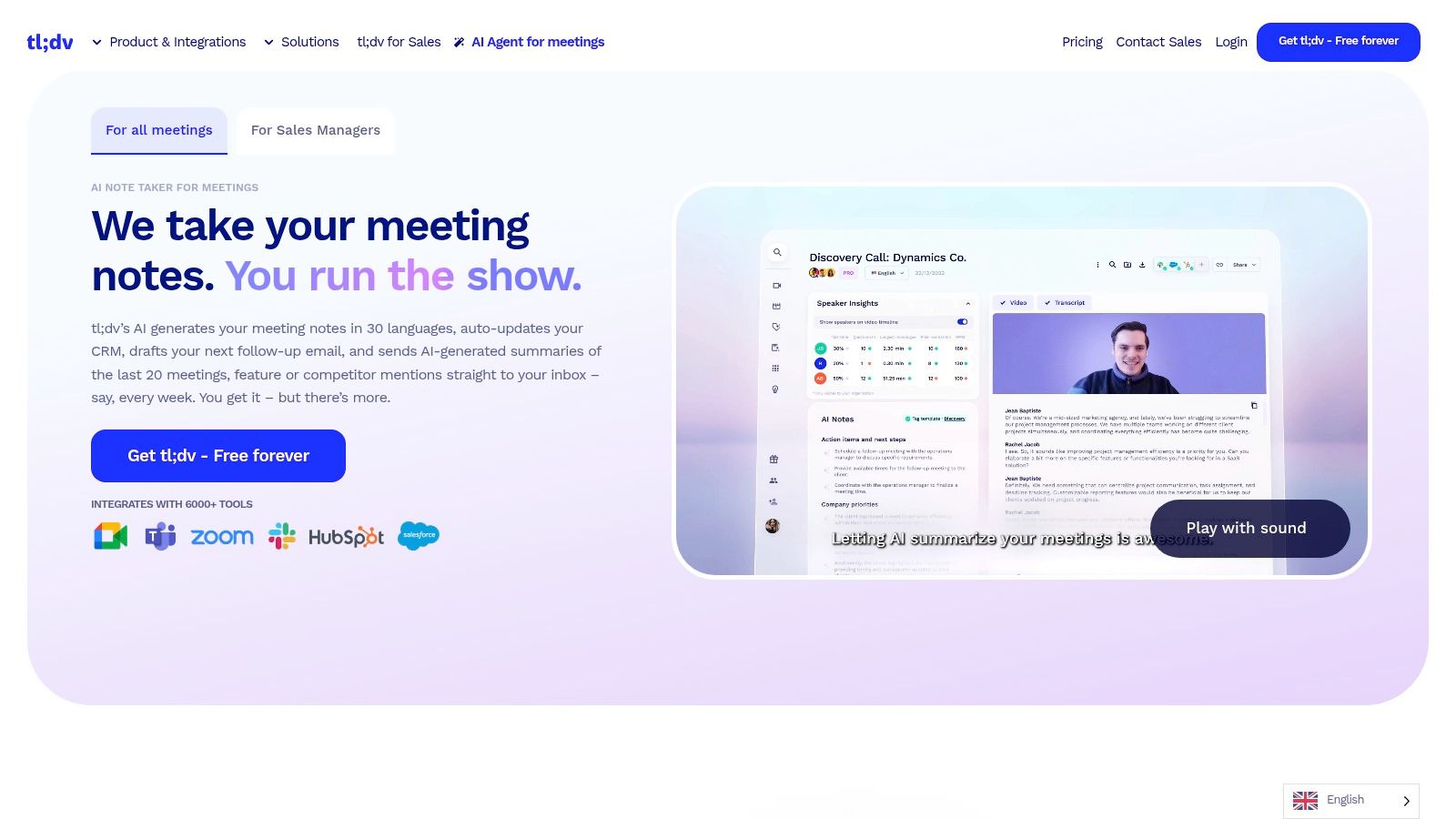
The standout feature of tl;dv is its generous "Free Forever" plan, offering unlimited recordings and transcriptions, a rare find in this market. This makes it highly accessible for small teams or individuals just starting to explore AI notetakers. Beyond basic transcription, tl;dv provides AI-driven summaries and aggregated reports across multiple meetings, helping leaders spot trends. It also offers sales playbook adherence analytics and automates CRM logging, reducing administrative tasks for sales reps. While tools like Notize AI are built for versatile content repurposing, such as turning meeting discussions into blog posts or study guides, tl;dv is laser-focused on optimizing the sales cycle and coaching processes.
Key Features & Considerations
Multilingual Support: Industry-leading transcription and summary capabilities in over 30 languages.
Sales & CRM Integration: Automatically drafts follow-ups and logs meeting notes in CRMs like HubSpot and Salesforce.
Coaching Analytics: Provides insights into sales playbook adherence and helps train sales teams more effectively.
Pricing: A highly attractive Free Forever plan with unlimited recordings is available. Paid plans (Pro, Enterprise) unlock advanced analytics, integrations, and security features like SOC 2 and EU hosting.
Limitations: Lacks a native mobile application, requiring workarounds for on-the-go access. Some of the most valuable sales and team analytics are reserved for higher-tier paid plans.
Website: https://tldv.io
12. G2: AI Meeting Assistants Category
Instead of a single product, G2’s AI Meeting Assistants category is a resource hub for comparing the entire market. It serves as an excellent starting point for anyone looking to find the best AI meeting assistant, providing a vendor-neutral space to evaluate tools based on real user reviews and satisfaction ratings. This makes it an invaluable resource for shortlisting candidates before diving into free trials or demos.
The platform allows you to discover trending products and new entrants you might otherwise miss. G2 aggregates data and presents it in a digestible format, helping you understand which tools are leaders in specific market segments (e.g., small business vs. enterprise) and how they stack up on key features like transcription accuracy, integrations, and user experience. While a tool like Notize AI excels at turning meeting content into blog posts or study guides, G2 helps you see how its core meeting features compare against dozens of competitors in the eyes of actual users.
Key Features & Considerations
Platform Support: Not a tool itself, but a directory that provides direct links to vendor websites where you can verify platform compatibility for tools like Zoom, Teams, and Google Meet.
User Reviews: Its core strength is providing social proof through a large volume of verified user reviews and satisfaction scores.
Advanced Filtering: You can filter and sort assistants by features, market segment, pricing models, and supported languages to narrow down your choices effectively.
Pricing: Provides links to vendor pricing pages, but does not display pricing directly. You must visit individual sites for details.
Limitations: Be aware that sponsored placements and vendor-provided badges can influence a tool's visibility. It’s a starting point for research; you still need to conduct your own due diligence on the vendor's site.
Website: https://www.g2.com/categories/ai-meeting-assistants
Top 12 AI Meeting Assistants: Feature Comparison
Product | Core features | UX & quality | Value / Unique selling points | Target audience | Pricing |
|---|---|---|---|---|---|
🏆 Notize AI | Transcripts, summaries, action items, AI chat, content repurposing | ★★★★☆ Fast, accurate, supports media/docs | ✨ Central content hub for all media, turns info into assets | 👥 Professionals, creators, students, teams | 💰 Starter Free; Growth $15/mo; Enterprise $100/yr |
Otter.ai | Live transcription, auto-summaries, calendar & mobile apps | ★★★★☆ Mature cross-platform UX | ✨ Otter Assistant auto-joins & Q&A | 👥 Teams needing reliable meeting capture & governance | 💰 Free → Pro/Business/Enterprise |
Fireflies.ai | Auto-join bot, AI summaries, talk-time analytics, API | ★★★★ Robust multi-language support | ✨ 100+ languages, AskFred conversational assistant | 👥 Global teams, scaling orgs | 💰 Free/paid; unlimited on paid tiers |
Zoom AI Companion (Workplace) | Meeting notes, agentic tasks, AI Studio, recorder | ★★★★ Native Zoom experience | ✨ Integrated agentic actions & knowledge collections | 👥 Organizations standardized on Zoom | 💰 Included in Zoom Workplace; Custom AI add-on |
Microsoft 365 Copilot | Meeting recaps across Teams, Copilot Studio, security | ★★★★★ Enterprise-grade security & governance | ✨ Work-grounded AI tied to M365 data & policies | 👥 Enterprises on Microsoft 365/Teams | 💰 Per-user Copilot add-on (varies) |
Google Workspace w/ Gemini | Meet summaries, AI in Docs/Gmail/Sheets, NotebookLM | ★★★★ Seamless Workspace integration | ✨ Native Gemini assistance + translation/captions | 👥 Google Workspace organizations | 💰 Included in many Business/Enterprise plans |
Fathom | Instant summaries, highlights, searchable transcripts | ★★★★☆ Fast turnaround; highly rated | ✨ Free plan with unlimited recordings | 👥 Individuals, small teams, interviewers | 💰 Free Forever; paid tiers for advanced features |
Sembly AI | Multi-meeting chat, risks/issues extraction, analytics | ★★★★ Structured insights for ops | ✨ Focus on risks, multi-meeting AI chat, governance | 👥 Project & operations teams | 💰 Free tier limits; Team/Enterprise paid |
Supernormal | Transcription, templates, screen/video context capture | ★★★★ Template-focused, SOC 2 | ✨ Chrome extension capture (no visible bot) | 👥 Teams needing structured, template-based notes | 💰 Free/paid; paid for automation & CRM |
Avoma | Notes, agendas, CRM updates, conversation intelligence | ★★★★ Modular for GTM workflows | ✨ Revenue intelligence & coaching add-ons | 👥 GTM/sales teams, coaches, ops | 💰 Modular pricing; add-ons for intelligence |
tl;dv | AI summaries, CRM logging, multilingual support | ★★★★ Strong for sales & multilingual capture | ✨ Free Forever with unlimited recordings; EU hosting options | 👥 Small teams, creators, sales reps | 💰 Free Forever; paid tiers for extras |
G2: AI Meeting Assistants Category | Vendor listings, reviews, filters, sizing | ★★★★ Varies by vendor & reviews | ✨ Up-to-date social proof, filters, vendor links | 👥 Buyers researching vendors | 💰 Free to browse; links to vendor pricing |
Choosing the Right AI Assistant to Maximize Your Productivity
The journey through the landscape of AI meeting assistants reveals a clear and powerful trend: automation is no longer a luxury but a fundamental component of modern productivity. We've explored a dozen powerful contenders, from enterprise-grade giants like Microsoft 365 Copilot and Google Workspace with Gemini to specialized, meeting-focused tools like Fathom and tl;dv. Each platform offers a unique approach to solving the universal problem of meeting fatigue and information overload.
Your final decision hinges on moving beyond a simple feature-for-feature comparison and instead focusing on your team's specific workflow and ecosystem. For teams deeply embedded in the Microsoft or Google suites, the native AI companions offer unparalleled integration and convenience. Conversely, platforms like Fireflies.ai and Otter.ai provide robust, platform-agnostic solutions with powerful analytics and customization, making them ideal for organizations that use a diverse set of communication tools. A versatile tool like Notize AI is perfect for users who need to process more than just meetings, including videos, lectures, and documents.
Key Takeaways and Your Next Steps
As you weigh your options, reflect on the core pain points you aim to solve. Are you primarily looking to eliminate manual note-taking, or do you need a tool that actively participates in strategic post-meeting workflows? The best AI meeting assistant is the one that seamlessly integrates into your daily operations and delivers a tangible return on investment, measured in hours saved and insights gained.
To make an informed choice, consider the following actionable steps:
Define Your Primary Use Case: Is your main goal transcription accuracy for technical discussions, like for a product team? Or is it generating creative content from brainstorming sessions, a common need for marketing teams and creators? Notize AI is designed for the latter, helping turn any media into actionable output.
Audit Your Existing Tech Stack: Assess which video conferencing platforms (Zoom, Google Meet, Microsoft Teams) and collaboration tools (Slack, Asana, Jira) your team relies on. Prioritize an assistant with deep, native integrations to avoid creating data silos and workflow friction.
Evaluate Security and Compliance: For organizations handling sensitive client or internal data, security is non-negotiable. Scrutinize each provider's security protocols, data residency policies, and compliance certifications (like SOC 2 and GDPR).
Run a Pilot Program: Before committing to a company-wide rollout, select a small, representative group to test your top two or three choices. Gather direct feedback on usability, accuracy, and the overall impact on their productivity.
Beyond Meetings: A Holistic Approach with Notize AI
While many tools excel at capturing what happens within a meeting, a truly transformative solution recognizes that valuable information exists in many forms. This is where a holistic content intelligence platform like Notize AI distinguishes itself. It’s designed not just as an AI meeting assistant but as a comprehensive knowledge hub for everyone.
For professionals, creators, and students, the need to process information extends far beyond a scheduled call. It includes webinars, YouTube tutorials, lectures, podcasts, and even documents. Notize AI addresses this by unifying these disparate sources, allowing you to transform a client meeting into an actionable project plan, a YouTube video into a detailed blog post, and a lengthy lecture into a concise study guide. By centralizing and repurposing all forms of media, Notize AI ensures no insight is ever lost, turning passive consumption into active, structured knowledge.
Ultimately, selecting the best AI meeting assistant is an investment in your team's most valuable asset: its time. By automating the mundane, you unlock the creative and strategic potential that drives real innovation. Choose the tool that not only records your conversations but actively helps you build upon them.
Ready to see how an AI assistant can transform your entire content workflow, not just your meetings? Notize AI centralizes your meetings, videos, and documents into one intelligent, searchable library, turning every piece of information into actionable output. Start your free trial of Notize AI today and experience a smarter way to work.
The 12 Best AI Meeting Assistant Tools for 2025




