In a world saturated with information from meetings, lectures, and endless online content, the way we capture and process knowledge is more critical than ever. Standard note-taking often fails, leaving us with pages of text but little real understanding or actionable follow-up. The key isn't to write more, but to engage with information smarter. Finding the right system can mean the difference between disorganized thoughts and a powerful, searchable knowledge base that fuels your work and learning.
This guide explores 10 different types of note taking methods, each with unique strengths tailored for specific goals. We'll break down how structured systems like the Cornell Method, visual approaches like Mind Mapping, and modern digital workflows can transform how you retain information and generate ideas. Whether you are a professional in back-to-back meetings, a student recording lectures, or a creator processing video content, the right technique ensures you capture what’s important without getting lost in the details.
More importantly, we will demonstrate how to supercharge each method with tools like Notize AI. Imagine attending a meeting and focusing completely on the conversation, knowing that Notize AI is automatically generating a full transcript, a structured summary, and a list of action items for you. Notize AI handles the heavy lifting of capturing information, freeing you to apply these powerful note-taking methods to analyze, connect, and understand the content on a deeper level. This article provides the blueprint to not only find your ideal method but also to integrate it with intelligent automation, revolutionizing your productivity.
1. The Cornell Method: Structure and Strategy for Deep Learning
Developed by Cornell education professor Walter Pauk, the Cornell Method is a systematic format for condensing and organizing notes. Far more than just a layout, it's one of the most effective types of note taking methods because it builds active recall and synthesis directly into the process. The page is divided into three distinct sections, turning passive listening into a powerful learning and retention tool.
How It Works
You divide your page into three parts before a lecture, meeting, or training session begins:
Main Notes Column (Right): This is the largest section. During the session, you'll jot down notes here using any style you prefer, like the sentence or outline method. Focus on capturing key ideas, concepts, and data.
Cues Column (Left): This narrower column is for post-session review. As you go over your main notes, pull out keywords, key questions, or prompts that correspond to the information on the right. This step is crucial for engaging your memory.
Summary Section (Bottom): After reviewing your notes and filling in the cues, synthesize the entire page's content into a one or two-sentence summary at the bottom. This forces you to grasp the core message.
Best Use Cases & Practical Tips
The Cornell Method excels in structured learning environments like university lectures, corporate training, or detailed project briefings where you need to absorb and recall specific information later.
For Professionals: After a project kickoff meeting recorded with Notize AI, use the generated transcript to populate the main notes column. Team members can then individually fill out the cues and summary sections to ensure a unified understanding of project goals and action items.
Pro Tip: Cover the main notes column and try to answer the questions or define the keywords in your cues column. This self-quizzing technique is a highly effective way to prepare for exams or recall key meeting details.
Integrating Notize AI
The Cornell Method pairs perfectly with Notize AI. After a meeting or lecture, upload the recording to Notize AI. Use the auto-generated summary as a starting point for your bottom summary section. Then, pull key discussion points and insights from the AI report to populate your main notes, and create your cues from there. This workflow ensures you capture 100% of the information without the pressure of writing everything down live, letting you focus on the structure.
2. Mind Mapping: Visualizing Connections for Creative Insight
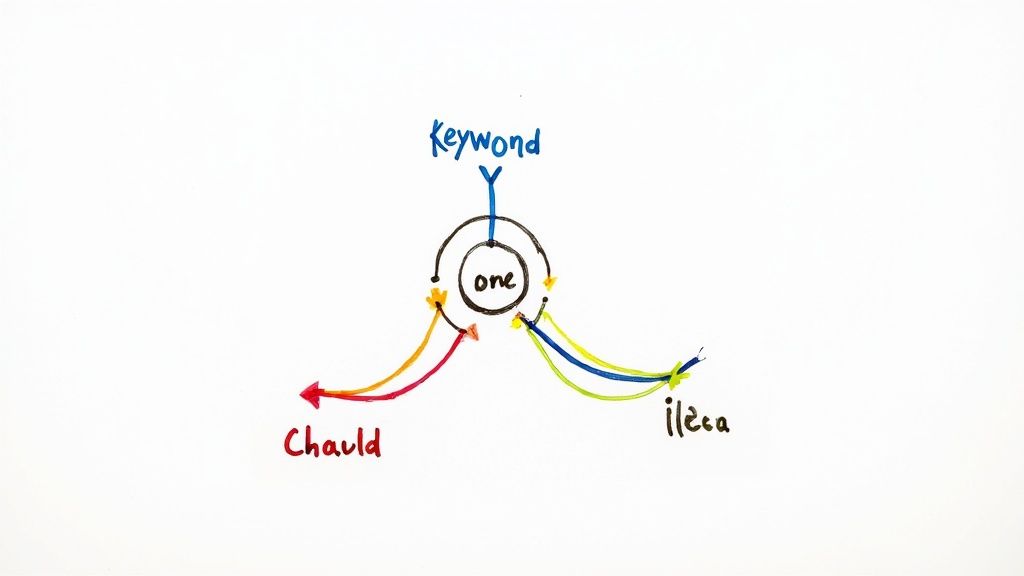
Mind Mapping is a highly visual and non-linear note-taking method that mirrors the brain's natural way of thinking. Popularized by author and consultant Tony Buzan, it involves starting with a central concept and radiating outward with associated ideas, keywords, and images. Unlike linear methods, this approach is one of the most dynamic types of note taking methods because it encourages free-flowing thought and helps uncover relationships between different pieces of information.
How It Works
Creating a mind map is an organic process designed to capture thoughts as they emerge:
Central Idea: Begin by writing your main topic or idea in the center of a blank page and enclosing it in a circle or unique shape.
Main Branches: Draw branches radiating from the central idea. Each branch represents a major sub-topic or key theme related to the main concept.
Sub-Branches: From these main branches, draw smaller, thinner "twig" branches to add supporting details, keywords, or examples. Use single words or short phrases for clarity.
Add Visuals: Enhance your map with colors, symbols, and images. Color-coding different branches helps to group and distinguish related ideas, making the map easier to scan and remember.
Best Use Cases & Practical Tips
Mind mapping is exceptionally effective for brainstorming sessions, project planning, organizing complex subjects, or developing creative ideas. It allows teams to see the big picture and all its components at a glance.
For Creators: Kick off a new content series by using Notize AI to record and transcribe the initial brainstorming meeting. The AI-generated key discussion points can become the main branches of your mind map. You can then build out sub-branches to detail video topics, blog post angles, and social media messaging, creating a comprehensive visual plan.
Pro Tip: Use curved lines instead of straight ones. The brain finds them more visually engaging and less rigid, which can help stimulate creative thinking and make connections feel more natural.
Integrating Notize AI
Mind mapping and AI form a powerful combination for turning scattered conversations into structured plans. After a project strategy session, upload the recording to Notize AI. The platform's summary will help you define the central idea for your mind map. You can then use the extracted insights and action items to populate your main branches and sub-branches, ensuring no critical detail from the discussion is lost. With Notize AI, an unstructured brainstorm becomes a clear, actionable visual document.
3. The Outline Method: Hierarchical Clarity for Complex Ideas
The Outline Method is a traditional yet powerful system for organizing information hierarchically. It uses indentation with numbers, letters, and bullet points to create a logical structure of main topics and supporting subtopics. This classic approach is one of the most intuitive types of note taking methods, excelling at showing the relationship between pieces of information and establishing a clear priority of ideas.
How It Works
This method organizes notes into a linear, structured format. You start with main ideas and progressively add layers of detail underneath them, creating a clear visual skeleton of the content.
Main Topics: These are your highest-level points. They are typically designated with Roman numerals (I, II, III) and are aligned to the far left.
Subtopics: Under each main topic, you indent and list related points, often using capital letters (A, B, C). These break down the main idea into smaller, more manageable components.
Supporting Details: Further indentation with numbers (1, 2, 3) and then lowercase letters (a, b, c) is used for specific facts, examples, or evidence that support your subtopics.
Best Use Cases & Practical Tips
The Outline Method is ideal for organizing content that has a clear, inherent structure, such as preparing for business presentations, organizing research papers, or taking notes from a well-structured textbook or lecture.
For Teams: When planning a multi-stage project, a team lead can create an initial outline. Team members can use Notize AI’s shared folder structure to access meeting recordings and pull specific details to flesh out their respective sections, ensuring everyone is aligned. For more insights on structured note-taking in a team setting, explore how to take meeting notes effectively.
Pro Tip: Keep your hierarchy shallow, limiting it to three or four levels of indentation. A deep, overly complex outline can become more confusing than helpful. Stick to the core structure to maintain clarity.
Integrating Notize AI
The Outline Method’s strength in structure pairs perfectly with AI-powered analysis. After a team brainstorming session or a project briefing, upload the recording to Notize AI. The platform can automatically generate a structured summary with key discussion points. Use these points as your top-level main topics (I, II, III). Then, review the detailed, speaker-attributed notes in the AI report to fill in the subtopics (A, B) and supporting details (1, 2), creating a comprehensive and logically organized outline without missing a single detail.
4. The Charting/Table Method: Comparative Analysis at a Glance
The Charting Method, also known as the Table Method, is one of the most organized types of note taking methods for information that needs to be compared and contrasted. It uses a matrix-like structure with columns and rows to sort data into specific categories. This layout makes it exceptionally easy to see relationships, patterns, and differences between multiple items at a glance.
How It Works
Before the session starts, you pre-define the categories you want to track and create a table or grid. As information is presented, you fill in the corresponding cells.
Define Categories (Columns): Determine the key aspects you want to compare. These will become the headers for your columns (e.g., "Features," "Pros," "Cons," "Cost").
List Items (Rows): Each row will represent a specific subject or item you are analyzing (e.g., Competitor A, Competitor B, Competitor C).
Populate the Cells: During the lecture or meeting, listen for information that fits into your predefined categories and concisely fill in the cells. This requires active listening to categorize information as you hear it.
Best Use Cases & Practical Tips
This method is ideal for subjects with dense, factual information that can be easily categorized, such as comparing historical events, scientific theories, business competitors, or software features. It is less effective for abstract or narrative-heavy content.
For Professionals: During a competitive analysis meeting, use the charting method to compare your product against others. After the meeting, use Notize AI to transcribe the discussion. The AI-generated key insights can then be used to quickly populate the table, ensuring no data points are missed and providing a clear, shareable artifact for strategic planning.
Pro Tip: Don't be afraid to leave cells blank. A blank cell can be just as informative as a full one, indicating a lack of information or a feature that a particular item is missing.
Integrating Notize AI
The Charting Method is significantly enhanced with Notize AI. Record a product demo or a market analysis webinar and upload it to Notize AI. The platform can extract all mentions of specific features, pricing, and user feedback. Use this structured data to rapidly and accurately fill your chart, transforming a lengthy video into an organized table of comparative insights without manual scrubbing. This lets your team focus on analysis rather than transcription.
5. The Sentence Method: Simplicity and Clarity in Every Line
The Sentence Method is one of the most straightforward types of note taking methods, prioritizing clarity and directness. It involves capturing each new thought, concept, or piece of data as a separate, complete sentence. Each sentence is typically numbered, creating a linear and easy-to-follow record of the information presented in a lecture, meeting, or while reading. This approach prevents you from writing down half-formed ideas, ensuring every note is a coherent piece of information.
How It Works
This method is incredibly easy to adopt because it follows the natural flow of information. There is no complex page setup required before you begin.
Listen and Identify: Pay close attention to the information being presented and identify distinct facts, ideas, or arguments.
Write One Sentence: For each new piece of information, write a single, concise sentence. For example, instead of just "marketing budget Q3," you would write, "1. The marketing budget for Q3 has been approved at $50,000."
Number Each Sentence: Assign a number to each sentence sequentially. This makes it simple to reference specific points later during review or discussion.
Start a New Line: Begin a new line for every new sentence to keep the notes organized and legible.
Best Use Cases & Practical Tips
The Sentence Method shines in fast-paced environments where information is delivered sequentially, like lectures, detailed meeting minutes, or summarizing interview transcripts. It’s excellent for subjects that are heavy on facts and narrative, such as history or law.
For Journalists: When documenting client calls or project status meetings, the Sentence Method provides an unambiguous log of what was said. After a call, a journalist can upload the recording to Notize AI and use its speaker-attributed transcript to quickly convert key dialogue into numbered sentences, creating an objective and shareable record of the conversation.
Pro Tip: Use abbreviations and symbols to keep up with the speaker's pace, but make sure you have a key or can remember what they mean. Review your notes the same day to fill in any gaps and ensure everything is clear.
Integrating Notize AI
The Sentence Method can feel overwhelming in real-time if a speaker is very fast. Notize AI removes this pressure. Simply record your meeting or lecture, and let the tool generate a highly accurate transcript. Afterward, you can review the transcript at your own pace and pull out the most important points, crafting each one into a perfectly formed sentence. This workflow combines the clarity of the Sentence Method with the comprehensive capture of Notize AI, ensuring you miss nothing.
6. The Feynman Technique: Mastering Concepts by Teaching Them
Named after Nobel Prize-winning physicist Richard Feynman, this method is less about capturing information and more about deeply understanding it. The Feynman Technique is a powerful mental model that transforms note-taking into an active learning process. By forcing you to simplify complex topics into plain language, it quickly reveals gaps in your knowledge, making it one of the most effective types of note taking methods for true comprehension.
How It Works
This technique follows a simple, four-step loop designed to deconstruct and rebuild your understanding of a concept until it becomes second nature:
Choose and Study a Concept: Start by identifying a single topic you want to master. Study your source material, whether it's a lecture, a book, or a technical document.
Explain It to a Beginner: On a fresh page, write down an explanation of the concept as if you were teaching it to a child. Use simple language, analogies, and avoid jargon.
Identify Knowledge Gaps: As you write, you will inevitably stumble or find areas where your explanation is weak or relies on complicated terms. These are your knowledge gaps. Return to your source material to fill them.
Review and Simplify: Refine your explanation, smoothing out the rough spots and simplifying your language even further. Repeat this process until you have a clear, concise, and simple explanation.
Best Use Cases & Practical Tips
The Feynman Technique is ideal for mastering difficult subjects like physics or complex software documentation, preparing for exams, or developing a new professional skill. It is best used for post-lecture study rather than live note-taking.
For Students: When tackling a difficult subject, use Notize AI to transcribe a lecture. Have the student apply the Feynman Technique to the transcript to explain a key concept. This quickly assesses their understanding and highlights areas needing clarification. They can even upload PDFs or slides to Notize AI for a complete analysis.
Pro Tip: Don't just pretend to teach; actually try explaining the concept out loud to a friend or colleague who knows nothing about it. Their questions will instantly reveal where your explanation is unclear.
Integrating Notize AI
The Feynman Technique and Notize AI form a powerful combination for deep learning. After attending a webinar or online course, upload the video link to Notize AI. Use its detailed, speaker-attributed transcript as your primary source material. As you work through your Feynman explanation, use the AI chat feature to ask clarifying questions about specific parts of the content, getting simplified explanations instantly without having to re-watch the entire video. This accelerates the learning loop, helping you master complex information faster.
7. The Digital/Typing Method: Speed, Searchability, and Synthesis
The Digital/Typing Method involves using a computer, tablet, or smartphone to record information directly into applications like Notion, Evernote, or OneNote. Far more than just typing, this modern approach is one of the most flexible types of note taking methods, offering unparalleled organization, searchability, and multimedia integration. This method transforms notes from static records into a dynamic, interconnected personal knowledge base.
How It Works
This method leverages software to capture and structure information, adapting to virtually any context. The core process involves:
Capturing Information: During a meeting, lecture, or brainstorming session, you type notes directly into a digital document or a dedicated app. This allows for rapid entry, keeping pace with fast-moving discussions.
Organizing and Structuring: After the session, you use the software’s features to organize the notes. This includes creating folders, applying tags for discoverability, and formatting with headings, bullet points, and checklists.
Connecting and Enhancing: The true power of digital notes lies in linking. You can create connections between related notes, embed links to external resources, and attach files, images, or audio clips to provide deeper context.
Best Use Cases & Practical Tips
The Digital/Typing Method is ideal for professional knowledge management, academic research, and complex project planning where information needs to be accessed, searched, and updated over time. It excels in collaborative environments and for building a long-term knowledge repository.
For Teams: For a project debrief, use Notize AI to record the session. The platform automatically generates a detailed summary and action items. Copy this structured output into a shared digital notebook, allowing team members to add their own comments, link to relevant documents, and track progress on assigned tasks.
Pro Tip: Don't just collect; connect. Use features like bi-directional linking in apps like Obsidian or Roam Research to build a web of knowledge. When you review a note, you can see all the other notes that reference it, revealing hidden connections between ideas.
Integrating Notize AI
Digital note-taking becomes even more powerful when paired with Notize AI. Instead of typing frantically during a meeting, focus on listening and let Notize AI handle the capture. Afterward, you can export the full transcript, AI-generated summary, and key discussion points directly into your preferred note-taking app. This creates a comprehensive, accurate, and searchable record without any manual effort. Learn more about the advantages of using an AI meeting note taker to streamline your digital workflow.
8. The Handwriting/Analog Method: Engaging the Brain for Better Retention
In an age of digital everything, the classic pen-and-paper approach remains one of the most powerful types of note taking methods. The Handwriting or Analog Method involves physically writing notes, which cognitive science has shown enhances memory and comprehension. The act of writing forces your brain to process information more deeply, as you must listen, synthesize, and summarize in real-time rather than just typing verbatim.

How It Works
This method is less about a specific layout and more about the physical process. It leverages the connection between hand movement and neural pathways to create stronger memory traces.
Select Your Tools: Choose a notebook and pen that you find comfortable to use. Quality tools can make the experience more enjoyable and encourage consistency.
Listen and Synthesize: During a lecture, meeting, or while reading, focus on understanding the core concepts. You cannot write as fast as someone speaks, which forces you to be selective about what you record.
Use Visual Cues: Incorporate symbols, sketches, and different colors to highlight important information. This engages the visual part of your brain and makes your notes more scannable during review.
Organize and Review: After the session, review your notes to fill in gaps and reinforce the information. Adding titles, dates, and a brief summary helps with future retrieval.
Best Use Cases & Practical Tips
The analog method excels in creative brainstorming sessions, personal journaling, and any learning environment where deep conceptual understanding is more important than capturing every word. It's ideal for university lectures, professional seminars, and one-on-one interviews.
For Teams: Encourage team members to take analog notes during a creative kickoff or a strategic planning session. The physical act can spark different ideas than typing. Afterward, individuals can use Notize AI to get a full transcript of the meeting to check against their handwritten notes and fill in any gaps.
Pro Tip: Develop a personal shorthand or abbreviation system to speed up your writing. Use consistent symbols for action items (e.g., a square box), questions (?), or key ideas (*) to quickly organize information as you write.
Integrating Notize AI
Bridge the gap between analog depth and digital convenience. Use your phone to record a meeting or lecture with Notize AI while you take handwritten notes. Afterward, you get a full transcript and a detailed AI-generated summary. You can then compare your handwritten notes against the transcript, filling in any critical details you might have missed. This dual approach gives you the cognitive benefits of handwriting without sacrificing the comprehensiveness and searchability of a digital record from Notize AI.
9. The Active Recall and Interleaving Method: A Scientific Approach to Retention
Instead of just a format, this is a cognitive science-backed strategy that transforms your notes from a passive record into an active learning tool. This entry in our list of different types of note taking methods combines note-taking with two powerful principles: Active Recall (retrieving information from memory) and Interleaving (mixing different topics during study). It shifts the focus from simply writing things down to systematically embedding knowledge in your long-term memory.
How It Works
This method integrates the note-taking process with a specific review strategy. The initial note-taking can be done using any format, but the real work happens afterward.
Capture and Condense: Take notes during a lecture, meeting, or while reading. The goal is to capture key concepts, formulas, or ideas. After the session, condense these notes into question-and-answer pairs, flashcards, or simple cue prompts.
Practice Active Recall: Regularly review your notes by testing yourself. Look at a cue or question and try to recall the corresponding information from memory before looking at the answer. This struggle to retrieve information is what strengthens neural pathways.
Implement Interleaving: Instead of studying one topic for a long block of time (blocking), mix different subjects or problem types in a single study session. This forces your brain to constantly switch gears and identify the correct strategy for each problem, which improves problem-solving skills and retention.
Best Use Cases & Practical Tips
The Active Recall and Interleaving Method is unparalleled for subjects requiring deep, long-term knowledge retention, such as medical or law school, professional certifications, or language learning.
For Students: A marketing student can use Notize AI to transcribe a series of training webinars on different analytics platforms. They can create flashcards from each transcript's key insights. During review sessions, they can interleave questions about Google Analytics, SEMrush, and social media metrics to build a more flexible and robust understanding.
Pro Tip: Use a spaced repetition system (SRS) like Anki or Quizlet. These apps automatically schedule your review sessions, showing you a concept right before you’re about to forget it, which maximizes learning efficiency.
Integrating Notize AI
Notize AI automates the most tedious part of this method: creating study materials. Upload lecture recordings or meeting videos, and Notize AI will generate structured notes and summaries. Use the AI-generated key insights to instantly create your recall prompts or flashcards. You can even use the "Chat with AI" feature to ask the system to formulate questions based on the transcript, turning raw information into a powerful study guide without manual effort. Notize AI is the perfect study companion.
10. The Hybrid/Integrated Method: A Personalized System for Total Recall
The Hybrid or Integrated Method isn’t a single, rigid system but rather a philosophy of personalizing your approach. It’s one of the most powerful types of note taking methods because it acknowledges that no single technique is perfect for every situation. This approach involves combining elements from different methods, like mind mapping, outlining, and digital tools, to create a custom workflow that fits your unique brain and specific context.
How It Works
This method is built on flexibility and self-awareness. You cherry-pick the best features from various techniques to create a cohesive process that works for you. The goal is to build a system where the whole is greater than the sum of its parts.
Identify the Context: First, determine the nature of the information. Is it a creative brainstorming session, a structured lecture, or a collaborative project meeting?
Select Your Tools: Choose the best method for the task. You might use a mind map to brainstorm initial ideas for a project, then switch to an outline to structure the formal proposal.
Integrate and Organize: Use a central hub, often a digital tool like Notize AI, to bring all your different notes together. For example, you might scan a handwritten mind map and attach it to a project page in your digital notebook alongside typed meeting minutes.
Best Use Cases & Practical Tips
The Hybrid Method is ideal for complex, multi-faceted work like graduate student research, professional knowledge management, and creative projects. It empowers lifelong learners and interdisciplinary consultants who deal with diverse information formats daily.
For Content Creators: A blogger can use this method to manage their workflow. They might watch a YouTube video, use Notize AI to get an instant summary and key takeaways, brainstorm ideas with a mind map, and then write the final article using a structured outline—all while organizing their files in Notize AI.
Pro Tip: Start small by combining just two methods, such as using the Cornell Method for lectures and mind mapping for study sessions. Regularly review your system and ask yourself what's working and what isn't, then be willing to evolve your approach.
Integrating Notize AI
Notize AI is the ultimate digital hub for a powerful hybrid system. You can record meetings, lectures, and brainstorming sessions, and let the AI handle the initial capture. Use the auto-generated summaries, key insights, and detailed notes as raw material to feed into your preferred methods. For example, populate a mind map with keywords from a Notize AI report or structure an outline using its identified discussion points. This integration streamlines the process of organizing meeting notes and ensures your personalized system is built on a complete and accurate foundation of information.
10 Note-Taking Methods Comparison
Method | 🔄 Implementation complexity | ⚡ Resources & efficiency | ⭐ Expected effectiveness | 📊 Typical results / impact | 💡 Ideal use cases |
|---|---|---|---|---|---|
Cornell Method | Medium — structured template + post-lecture review | Moderate — notebook/template, time for summaries | ⭐⭐⭐⭐ | Organized, high-recall study notes | Lectures, exam prep, dense courses |
Mind Mapping | High — non-linear visual design and layout | Moderate — pens or mapping software; can be time-consuming | ⭐⭐⭐ | Strong idea connections and creativity | Brainstorming, planning, creative projects |
Outline Method | Low — simple hierarchical formatting | High efficiency — minimal tools, fast to write | ⭐⭐⭐ | Clear, scannable notes for sequential content | Linear lectures, reports, document planning |
Charting / Table Method | Medium — requires category planning and setup | Slow to build but fast to scan — tables or spreadsheets | ⭐⭐⭐ | Excellent comparative clarity; good for data | Comparative analyses, vocab, science tables |
Sentence Method | Low — simple sequential sentences | Fast capture but time-consuming to review | ⭐⭐ | Detailed but verbose notes; harder to synthesize | Fast-paced lectures, meeting minutes, transcripts |
Feynman Technique | High — iterative simplification and teaching | Slow — reflective time, minimal tools needed | ⭐⭐⭐⭐ | Deep conceptual mastery; exposes gaps | Complex concepts, self-study, teaching prep |
Digital / Typing Method | Medium — learning apps and organization workflows | Fast & scalable — devices, cloud, multimedia integration | ⭐⭐⭐ | Searchable, linked knowledge base; collaborative | Research, project management, KM systems |
Handwriting / Analog Method | Low–Medium — manual formatting and selective capture | Moderate — notebooks, pens; no tech required | ⭐⭐⭐⭐ | Strong memory encoding and focused notes | Deep learning, reflection, creative thinking |
Active Recall & Interleaving | High — requires scheduling, spaced practice | Moderate — flashcards/apps and time investment | ⭐⭐⭐⭐⭐ | Superior long-term retention and transfer | Exam prep, language learning, professional certs |
Hybrid / Integrated Method | High — system design and ongoing maintenance | Variable — combines analog + digital tools | ⭐⭐⭐⭐ | Flexible, personalized system optimized per user | Graduate research, knowledge workers, creatives |
Beyond Methods: How Notize AI Transforms Note-Taking Itself
We’ve explored a comprehensive landscape of different types of note taking methods, from the analytical rigor of the Cornell and Charting methods to the creative freedom of Mind Mapping. We've seen how structured approaches like the Outline Method bring order to complexity, while techniques like Active Recall and the Feynman Technique transform note-taking from passive recording into an active learning process. Each method offers a unique pathway to capturing, organizing, and understanding information.
The core lesson is clear: there is no single "best" method. The ideal system is the one that aligns with your specific context, your learning style, and your ultimate goal. A project manager might favor the structured clarity of the Charting Method for tracking team progress, while a content creator might use Notize AI to turn a video into a blog post. The power lies in building a versatile toolkit and knowing which tool to deploy for the task at hand.
However, the conversation about effective note-taking in the modern era has evolved beyond manual techniques alone. The true challenge isn't just how you write your notes; it's managing the overwhelming volume of information and finding the time to process it all meaningfully. This is where the paradigm shifts from simply taking notes to generating knowledge, and it’s where a tool like Notize AI becomes an indispensable partner.
The True Revolution: From Manual Capture to Automated Insight
Every method discussed, whether digital or analog, shares a common prerequisite: you must first capture the information. This initial step is often the biggest bottleneck. While you’re busy scribbling notes in a meeting or lecture, you’re dividing your attention, potentially missing subtle cues, and sacrificing your ability to engage fully with the discussion.
Notize AI fundamentally solves this problem by automating the capture phase entirely. Imagine leading a critical client meeting. Instead of frantically typing to keep up, you can focus completely on the conversation, confident that Notize AI is creating a perfect, speaker-attributed transcript in the background. Immediately after, you receive a structured summary, a list of action items, and a searchable record of the entire discussion. This frees you to apply your chosen note-taking method to the output of Notize AI, not the raw, chaotic input.
Integrating AI to Supercharge Your Chosen Method
Let’s re-examine a few of our different types of note taking methods through the lens of AI integration with Notize AI:
Cornell Method with Notize AI: After a meeting, use the auto-generated summary from Notize AI as your main notes. Your task then becomes strategic: pull key terms for the 'Cues' column and write your high-level summary at the bottom. The heavy lifting is done, allowing you to focus on synthesis.
Mind Mapping with Notize AI: Instead of trying to mind map in real-time, let Notize AI transcribe a brainstorming session or a YouTube video. Then, use the extracted key themes and insights as the central nodes for a far more comprehensive and well-structured mind map.
Active Recall with Notize AI: Record your lectures with Notize AI. Later, use the generated transcript to create flashcards or questions for active recall practice. If you get stuck, you can instantly search the transcript and jump to the exact moment the professor explained the concept.
This integration transforms note-taking from a chore into a high-value strategic activity. Notize AI handles the transcription and initial summarization, giving you a powerful, organized foundation to build upon. For teams, this ensures a single source of truth for every meeting, eliminating confusion and aligning everyone on key decisions and action items. For creators and students, it turns hours of video or audio content into digestible, actionable knowledge in seconds.
The future of productivity isn't about finding the one perfect manual method; it's about building an intelligent system where Notize AI handles the tedious work, empowering you to think, create, and connect ideas on a deeper level.
Ready to stop just taking notes and start generating knowledge? See how Notize AI can integrate with your favorite note-taking method to save you time, unlock deeper insights, and transform your productivity. Explore the platform and start your first transcription for free at Notize AI.
10 Different Types of Note Taking Methods to Master in 2025




