Action item tracking is simply the system you use to capture, assign, and follow up on tasks that pop up in meetings. Think of it as the essential link between talking about doing something and actually getting it done. It's how you turn a conversation into a concrete plan with clear owners and deadlines.
From Forgotten Notes to Flawless Follow-Up
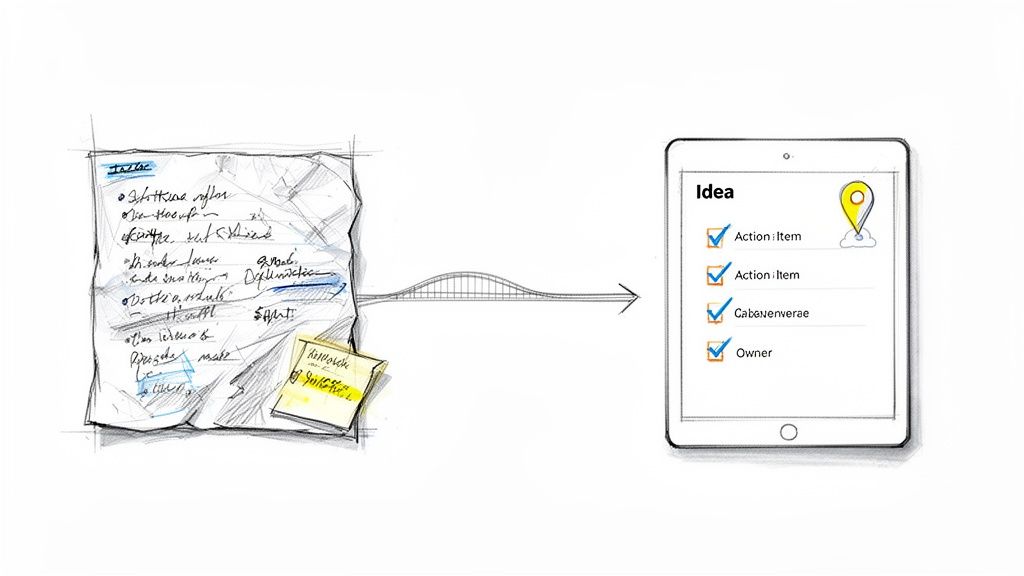
We've all been there: a fantastic meeting filled with brilliant ideas, and then... nothing. Those great thoughts seem to vanish into thin air. This happens when productive conversations don't lead to real-world outcomes, usually because there's no solid system for capturing and managing what was agreed upon.
In the past, this meant furiously scribbling notes on a legal pad. It felt like trying to navigate a cross-country road trip with a crumpled paper map—messy, manual, and way too easy to get lost.
The cost of this disorganization is huge. It leads directly to missed deadlines, stalled projects, and a culture where no one feels accountable. When tasks get dropped or ownership is fuzzy, all that forward momentum just dies. This isn't a small problem; it can genuinely impact whether a business succeeds or fails. Consider this: back around 2010, when only about 20% of companies used digital task trackers, poor follow-up was a major contributor to high startup failure rates. You can see more on how execution affects survival in this in-depth analysis of GTM rules.
The Modern Solution to an Old Problem
Thankfully, technology gives us a much better way to handle this today. Instead of relying on handwritten notes, smart systems now act like a GPS for your team’s commitments, making sure nothing falls through the cracks. A modern approach to action item tracking closes the gap between discussion and doing.
For busy professionals, this change is a game-changer. A tool like Notize AI can automate this whole messy process. You just hit record at the start of a meeting, and when it's over, Notize AI instantly gives you:
A full, structured meeting summary with key insights.
A clean list of all action items and to-dos, automatically extracted.
Highlighted decisions and follow-up tasks with speaker attribution.
A timeline of important moments for quick review.
This kind of smart capture means every commitment is logged without anyone having to be the designated note-taker. If your team wants to get better at this, learning how to organize meeting notes is a great place to start. With a platform like Notize AI, you can finally turn chaotic follow-ups into a smooth, automated system where great ideas actually become real, measurable results.
Where Traditional Action Item Tracking Breaks Down
Ever walk out of a meeting buzzing with great ideas, only to find a week later that nothing has actually happened? That familiar feeling of "I thought someone was handling that" is the classic sign of a broken action item tracking system. Old-school methods that rely on scattered notes and human memory just can't keep up, and they usually crumble right when the pressure is on.
The breakdown isn't always a big, dramatic failure. It’s more of a slow leak, a quiet bleed-out of productivity caused by a few common culprits. These are the issues that stop teams from turning a great conversation into real-world results, trapping them in a frustrating cycle of talk-but-no-action.
Information Decay and Lost Context
The first killer is what I call information decay. It starts the second the meeting ends. Think about it: when you're manually scribbling notes, you’re already behind. You're trying to capture what was just said, but in doing so, you miss the next crucial point or the subtle non-verbal cues in the room. The most important thing to go? The context—the why behind the task.
Imagine a developer trying to jot down a complex feature request while also trying to contribute to the discussion. Inevitably, details get oversimplified, and the strategic reasoning behind the request gets lost. By the time those notes are typed up and shared, they’re a pale imitation of the actual conversation, leading to work that misses the mark. With Notize AI, you can jump directly to the exact moment a topic was discussed, preserving the full context forever.
A task without context is just a chore. When people understand the purpose behind their work, they’re more invested and produce far better outcomes. Without it, they're just checking off a box.
The Black Hole of Ownership Ambiguity
Next up is the black hole of ownership ambiguity. This is where accountability goes to die. You've seen it happen: someone says, "We should probably update the client on this," and everyone nods in agreement. But because no single person was assigned the task, everyone assumes someone else has it covered. And just like that, the momentum is gone.
Vague assignments are productivity poison. They breed confusion and paralysis. Without a clear owner and a firm deadline, even the most critical action items will drift into oblivion. This is one of the biggest, yet most avoidable, reasons for project delays—the team is waiting for a hero to emerge, but no one steps up because responsibility was never clearly handed off.
Workflow Fragmentation and Silos
Finally, there’s workflow fragmentation. Traditional methods force us to piece together a puzzle from a dozen different places. Action items end up scattered across emails, personal sticky notes, random Slack threads, and forgotten tabs in a shared spreadsheet. It’s a chaotic mess.
This fragmentation creates information silos that are impossible to bridge. The project manager's master spreadsheet has no idea what’s on the designer’s to-do list, and a key decision made in a quick follow-up call never gets documented. A tool like Notize AI is built to fix this. It automatically captures, organizes, and assigns every action item directly from your meeting recordings, creating a single source of truth for everyone. By bringing it all together, Notize AI stops the decay, ambiguity, and fragmentation, making sure every good idea actually goes somewhere.
A Modern Workflow for Perfect Action Item Tracking
Ready for a system that actually works? Let's ditch the chaotic mix of spreadsheets, sticky notes, and wishful thinking. A truly effective action item tracking workflow is built on four simple, repeatable stages that guide a task from a rough idea all the way to completion. This modern approach is about transforming messy follow-ups into a clean process that guarantees things get done.
The first step is moving from theory to a practical, step-by-step system. Whether you're a project manager, a student, or a creative, a structured workflow is what keeps important tasks from falling through the cracks. By breaking down the process, you create clarity and build momentum, making sure every commitment is honored.
The Four Stages of Flawless Execution
A modern workflow is all about smart automation, turning the tedious manual chores into seamless, background processes. The system is designed to be straightforward, with each stage building on the last to ensure nothing gets missed. The goal here is to create a reliable command center for all your team's commitments.
Here’s the breakdown of the four essential stages:
Capture: This is the foundation. It’s where potential action items are identified and recorded. Instead of frantically scribbling notes during a meeting, this stage should feel effortless.
Organize: Once you've captured the tasks, they need context. This stage is about sorting and categorizing action items—by project, priority, or team—to make sense of the workload.
Assign: A task without an owner is a task that will never get done. Simple as that. This stage creates clear accountability by assigning each item to a specific person with a firm deadline.
Follow-Up: The final stage is all about monitoring progress and ensuring completion. This means tracking status updates and sending gentle reminders to keep everything moving forward.
This system is designed to head off the common problems that derail projects. Things like information getting lost, nobody knowing who's responsible for what, and a general lack of visibility.
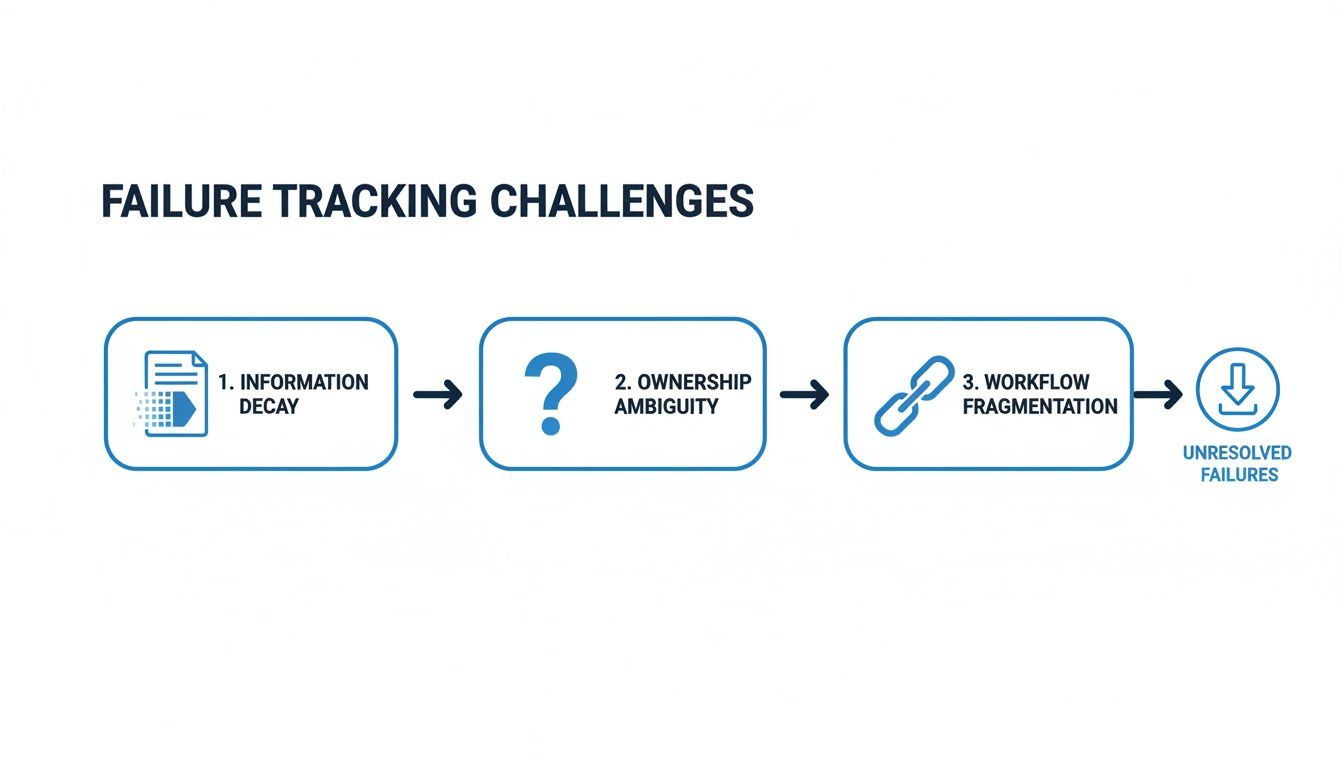
As you can see, a breakdown in any of the early stages can quickly lead to fragmented workflows and unresolved tasks down the line.
Putting the Workflow Into Practice with Notize AI
This four-stage process isn't just a concept; it's a practical blueprint you can implement right away with the right tools. When you use a platform like Notize AI, each step becomes automated and connected, creating a single source of truth for your entire team.
For instance, during the Capture stage, you can simply record your meeting or upload a video. Notize AI gets to work, automatically transcribing the conversation and pulling out a clear list of action items, key decisions, and a full summary. This virtually eliminates human error and ensures nothing is missed.
Then comes the Organize phase. Notize AI lets you use folders and team structures to sort these automatically generated tasks. You can easily group all action items related to a specific project or client, making it simple to see what needs attention. For those looking to build a more disciplined approach to their responsibilities, exploring strategies for task mastery and staying organized is a fantastic starting point.
Finally, the Assign and Follow-Up stages are handled right inside Notize AI. You can delegate tasks to team members with clear deadlines and watch progress without having to constantly check in. It turns chaotic follow-ups into a smooth, automated system.
The difference between wrestling with manual methods and letting a smart tool do the heavy lifting is night and day.
Manual vs Automated Action Item Tracking with Notize AI
Tracking Stage | Manual Method (The Old Way) | Automated with Notize AI (The New Way) |
|---|---|---|
Capture | Frantic, error-prone note-taking during meetings. Relies on memory and often misses details. | Record or upload audio/video. AI automatically transcribes and extracts every action item accurately. |
Organize | Manually copying and pasting tasks into spreadsheets or project management tools. Prone to duplicates and version control issues. | AI-generated tasks are automatically sorted into relevant projects or folders based on context. |
Assign | Requires a separate step to email or message team members, assign tasks in another tool, and set manual reminders. | Assign tasks with due dates directly within the platform. Notifications are sent automatically. |
Follow-Up | Chasing people for updates via email or chat. Status is often unclear and requires constant manual check-ins. | Real-time progress tracking with automated reminders. A clear, centralized view of all task statuses. |
Ultimately, automating these stages with Notize AI frees up your team's time and mental energy to focus on the work that actually matters, not the administrative overhead of tracking it.
How Different Professionals Automate Their Action Items
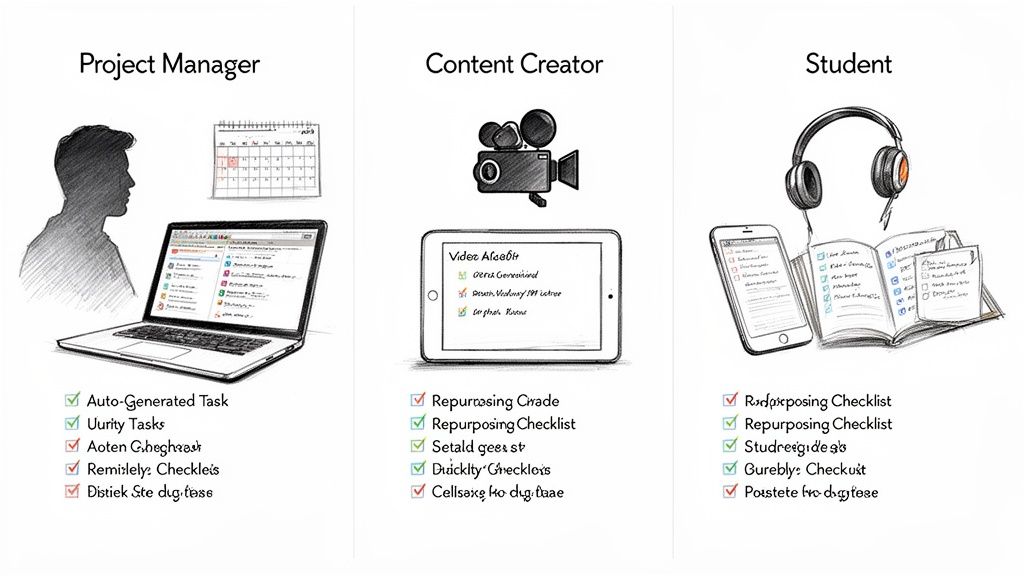
The truth is, action item tracking looks different for everyone. A project manager juggling deadlines has completely different needs than a student cramming for an exam. But the core idea is always the same: turn conversations and ideas into concrete, trackable tasks. Automation is what makes this possible for any workflow, and a platform like Notize AI makes it a game-changer for getting things done.
This isn't just a trend; it's a fundamental shift in how we work. Gartner predicts that 60% of repetitive data management tasks—like pulling action items from meetings—will be fully automated soon. That’s a huge leap from just 25% today, showing just how essential this has become.
For Project Managers and Teams
For anyone who lives in meetings, the biggest challenge is capturing every single commitment without derailing the conversation. Picture a project manager on a crucial client call. Instead of having someone furiously type notes in the background, they can just hit record in Notize AI.
The moment the call wraps up, Notize AI generates a clean, organized list of every action item and follow-up task. Every client request, every internal deadline—it's all captured, assigned, and ready to be tracked. It’s like having an infallible AI meeting note taker on your team, which pretty much eliminates the risk of a milestone slipping through the cracks because of human error.
For Content Creators and Marketers
Content creators are always looking for smarter ways to repurpose their work. Imagine taking a long YouTube video or podcast recording, uploading it to Notize AI, and getting a complete content plan back in minutes.
The platform can instantly suggest action items like "draft a blog post based on the first half" or "cut three short social media clips from these key moments." Notize AI can even generate a draft blog post in a specific tone—professional, friendly, or conversational—and help creators build and publish directly from the app. This simple step transforms a single piece of content into an entire multi-platform campaign, with clear tasks for writing, editing, and publishing already laid out.
Key Takeaway: Automation customizes action item tracking to fit your job. It turns passive recordings and videos into active, results-driven to-do lists.
For Students and Researchers
A student can sit through a dense, two-hour lecture without worrying about missing a single detail. By recording the session with Notize AI, the platform can transcribe the whole thing and automatically create an interactive study guide.
It will pull out key concepts and generate a checklist of topics to review, turning a passive listening session into a focused, actionable study plan. Students can even upload PDFs, lecture slides, and other documents to analyze. If a concept is unclear, they can chat with the AI to ask questions and get simplified explanations, freeing them up to actually understand the material in the moment.
Measuring the Success of Your Tracking System
So you've got an action item tracking system in place. Great. But if you can't measure it, you can’t improve it. Just ticking boxes off a list doesn’t tell you the whole story. Real success is about seeing a tangible, measurable impact on how your team gets work done.
To get there, we need to look past simple completion rates and dig into the Key Performance Indicators (KPIs) that truly show how healthy your workflow is. Think of it like a fitness tracker for your team's productivity—it’s not just about whether you finished the workout, but how fast, how consistent, and how effective you were. This is how a simple administrative habit becomes a powerful strategic advantage.
Key Metrics to Monitor
To get a clear picture of what’s working (and what’s not), focus on a few core KPIs. These numbers give you direct feedback on your team's velocity, accountability, and reliability, helping you spot bottlenecks before they turn into full-blown crises.
Task Resolution Time: How long does it take, on average, to close out an action item from the moment it’s assigned? If this number is going down, your team is getting more efficient. Simple as that.
Accountability Ratio: What percentage of action items have a clear owner and a firm due date? You’re aiming for 100%. Anything less means tasks are floating around in ambiguity, just waiting to be forgotten.
Project Slippage Rate: How often are deadlines actually missed? A little slippage is bound to happen, but if this rate is consistently high, it’s a red flag for problems with workload, planning, or resource allocation.
Using Data to Drive Improvement
This is where a tool like Notize AI really shines. When your action items are automatically pulled from meeting recordings, the platform can track these KPIs for you without any manual data entry. You get an instant dashboard of your team's performance, making it easy to spot trends and make smart, data-driven decisions to fix your workflows.
And this isn't just about feeling more organized—it has a real financial impact. We've seen that strong action item tracking directly influences business outcomes, especially in customer success and operations. High-performing teams often see 20-30% conversion rates from trials to paid users simply by keeping a close eye on feature adoption and follow-up tasks.
By making these metrics a priority, companies can boost customer health scores by as much as 35%, which dramatically cuts down on churn. You can discover more about tracking key customer success metrics on gainsight.com. With clear insights from Notize AI, you're no longer guessing; you're actively fine-tuning your process to make sure every single action pushes you closer to your goals.
Start Turning Your Conversations Into Results
At the end of the day, effective action item tracking is what separates high-performing teams from the rest. It’s the engine that turns great discussions into real, tangible outcomes.
We've walked through all the classic pitfalls of doing things manually—the forgotten promises, the "I thought you were doing that" moments, the vague next steps. The solution is pretty clear: a centralized, automated system isn't just a nice-to-have; it's essential. In a world packed with back-to-back meetings, the teams that actually win are the ones that follow through.
The journey from raw information to results often involves expertly analyzing data to turn it into actionable insights that can be tracked. It’s time to stop letting valuable commitments and brilliant ideas simply fade away after the call ends. An automated workflow, powered by a tool like Notize AI, can completely change your team's productivity game.
The greatest gap in business is the one between knowing and doing. Effective action item tracking is the bridge that closes that gap, turning strategy sessions into measurable achievements.
Ready to see for yourself how easy it is to turn every conversation into a concrete result? For a practical next step, check out our guide on building a powerful meeting action items template.
Or even better, just give Notize AI a try. You'll see firsthand how every single meeting can become a genuine catalyst for progress.
Frequently Asked Questions
Switching to a modern way of tracking action items usually brings up a few questions. Let's tackle some of the most common ones to help you and your team make the transition smoothly.
Action Items Vs. To-Do Lists
So, what really separates an action item from a simple to-do list? It all comes down to context.
A to-do list is usually a personal brain dump—tasks like "buy groceries" or "finish report." An action item, on the other hand, is born from a specific conversation, meeting, or decision. It comes pre-packaged with context, has a clear owner, and includes a deadline that the team has agreed upon.
Here's another way to think about it: a to-do list is what you need to do. An action item is what the team agreed must get done. That distinction is the bedrock of real accountability. A random task is easy to push aside, but an action item linked directly to a meeting decision—a core feature in Notize AI—has weight and purpose.
Ensuring Team Adoption of a New Tool
How do I get my team to actually use a new tracking tool? The trick is to make the new process easier than the old one. People don't resist new software just for the sake of it; they resist the hassle of changing their habits.
If your team has to manually copy notes from a meeting and paste them into another app, they’re going to fall back on their trusty spreadsheets or notebooks. It’s just human nature.
This is where automation completely changes the dynamic. A tool like Notize AI eliminates that friction by working right inside your meeting flow. Your team doesn't have to do any extra work. They just have their conversation, and Notize AI handles the rest—capturing, summarizing, and organizing the action items automatically. When the tool does the heavy lifting, adoption feels effortless, not forced.
Must-Have Features in a Tracking Tool
What are the non-negotiable features for an action item tracking tool? To build a system that sticks, you need features that cut out the manual work and create one central hub for everything.
Keep an eye out for these key capabilities:
Automatic Capture: The tool should be able to pull action items straight from audio or video recordings. No more missed tasks.
AI-Powered Context: It needs to provide summaries that explain the "why" behind each task, so the owner has all the clarity they need.
Clear Ownership and Deadlines: Assigning tasks and setting due dates should be incredibly simple and intuitive.
A Centralized Dashboard: Everyone needs a single screen to see all open action items, check their status, and know who’s responsible for what.
These features are the foundation of the Notize AI platform, designed to make sure the system serves you, not the other way around.
Ready to stop letting great ideas and critical tasks slip through the cracks? See how Notize AI can automatically turn your team's conversations into clear, trackable action items. Try Notize AI today!
Boost Productivity with Action Item Tracking: A Quick Guide to Results




