If you've ever felt like your meeting notes are a black hole where good ideas go to die, you're not alone. The goal isn't just to write things down; it's to create a system that reliably turns conversations into concrete actions. Honestly, the best way to get there is to let technology do the heavy lifting. A tool like Notize AI is designed for teams and professionals to handle the summaries, action items, and transcripts for you, so you can actually focus on the meeting.
Why Your Current Note-Taking System Is Failing You
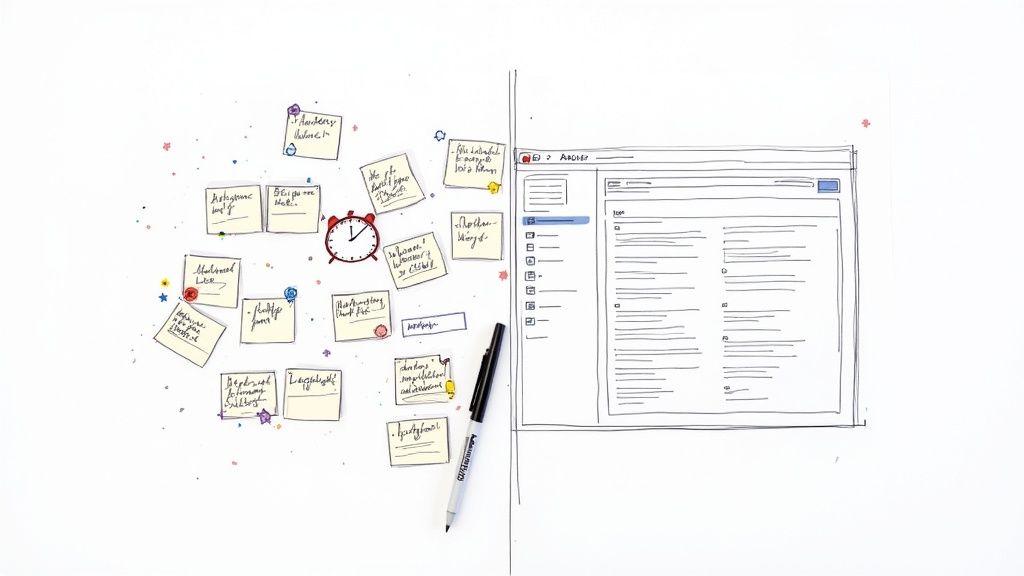
Let's face it: the old way of taking notes is broken. We're all in back-to-back virtual meetings, trying to type or scribble fast enough to catch everything. It's a recipe for disaster. You're either half-listening while you type or fully engaged with a page of half-baked notes at the end. Either way, something important gets missed.
This isn't just a minor annoyance. It's a genuine productivity killer. The real struggle is turning those scattered notes into a single source of truth everyone on your team can depend on. When your notes are trapped in a random document on your desktop or spread across a dozen different apps, they’re practically useless.
The Hidden Costs of Disorganized Notes
A messy note-taking system creates problems that echo across the entire organization. It's not just about one person forgetting one task; it's about a fundamental inefficiency that slows everyone down.
When your notes are a mess, you'll inevitably run into:
Team Misalignment: If everyone walks away with a slightly different version of the meeting's decisions, you get chaos. People end up working on the wrong things or, worse, against each other.
Lost Knowledge: Brilliant ideas, key decisions, and customer feedback just... disappear. When there's no searchable archive, future teams can't learn from past conversations, and you're stuck reinventing the wheel.
Lack of Accountability: Without a clear, shared record of who is doing what by when, follow-through becomes a game of chance. Important projects stall out because no one is truly on the hook.
A Modern Approach to Organizing Meeting Notes
The fix is to stop thinking of note-taking as a chore and start treating it like the strategic asset it is. This has become even more critical as we've all shifted to remote work. Between 2020 and 2022, the share of virtual meetings jumped from 48% to 77%. With unproductive meetings costing U.S. businesses an estimated $399 billion each year, we can't afford to keep doing things the old way. You can dive deeper into these meeting trend studies to see the full picture.
The most effective way to organize meeting notes is to automate the process from the start. A system that captures, transcribes, summarizes, and organizes information for you eliminates human error and saves countless hours.
This is exactly where a tool like Notize AI shines. Think of it as your personal meeting assistant. You just record your call, and minutes after it ends, Notize AI automatically produces a full summary, key discussion points, and a breakdown of every action item. Your messy notes are instantly transformed into a searchable, shareable knowledge base that keeps everyone on the same page.
To see just how different the two approaches are, here's a quick comparison:
Manual vs Automated Meeting Note Organization
Feature | Manual Note-Taking | Automated with Notize AI |
|---|---|---|
Capture Method | Frantic typing or handwriting | Hands-free audio recording & transcription |
Accuracy | Prone to human error and bias | Highly accurate, verbatim transcript |
Summarization | Time-consuming; often inconsistent | Instant, AI-generated summaries and key points |
Action Items | Easily missed or poorly defined | Automatically identified, assigned, and tracked |
Searchability | Difficult; depends on folder structure | Fully searchable by keyword, topic, or speaker |
Sharing | Requires manual formatting and distribution | Instant, shareable links to notes and clips |
Simply put, automating your note organization isn't a luxury anymore—it's a necessity for any team that wants to move faster and stay aligned.
Set the Stage for Success Before the Meeting Starts
Great organization isn't a happy accident; it’s a conscious choice you make long before anyone joins the meeting. We’ve all been in those meetings that start without a clear purpose, quickly devolving into a meandering conversation that wastes everyone's time. By laying the proper groundwork beforehand, you can stop scrambling to keep up and start guiding the conversation.
This pre-meeting prep is your secret weapon. It provides a natural skeleton for your notes, frames the entire discussion, and ensures every minute is spent moving forward. A solid plan doesn't just make capturing information easier—it dramatically improves the quality of the meeting itself.
Build a Structured Agenda with Clear Objectives
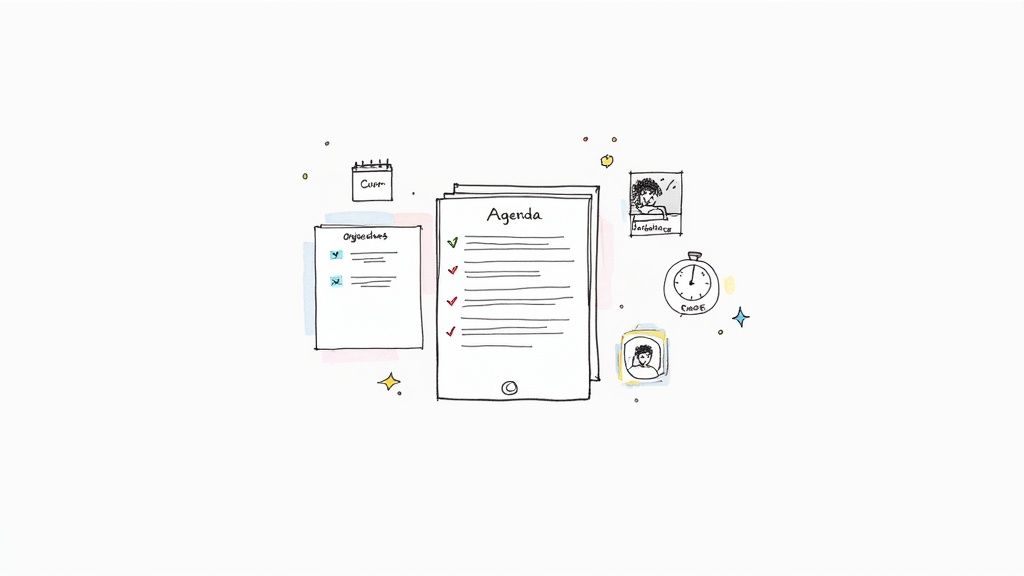
If you do only one thing, do this: create a detailed agenda and share it ahead of time. An agenda is more than a simple list of topics. It’s the roadmap for the entire discussion and, conveniently, a ready-made outline for your notes.
For each item, define a clear objective. Don't just write "Project Update." Get specific. Try something like, "Review Q3 Marketing KPIs and Decide on Q4 Budget Allocation." This small change forces you to think about the desired outcome before anyone even logs on.
When you structure your agenda this way, taking notes becomes almost effortless. You’re no longer trying to figure out the point of the conversation in real-time. Instead, you're just filling in the blanks under predefined headings, capturing decisions and action items as they happen.
Prepare Your Digital Workspace
Once your agenda is set, get your digital environment ready. This means moving beyond a blank document and preparing a dedicated, organized space where your notes will live. This simple habit prevents the post-meeting scramble to figure out where to save everything.
For teams looking for a seamless, automated way to capture information, this is where a tool like Notize AI really shines. Before your meeting starts, you can create a dedicated folder for your project or team right inside the app. For example:
Project Folders: You might create a folder named "Project Phoenix" to house all related meeting recordings and summaries.
Team Spaces: Or you could set up a "Marketing Team" folder for all your weekly syncs and campaign planning sessions.
By prepping Notize AI for your meeting, its output is automatically filed away the moment the recording ends. The platform generates a full summary, key discussion points, and a to-do list, all neatly organized in the correct folder without any extra work from you. This simple prep builds a searchable, organized archive over time.
The average employee spends around 392 hours a year in meetings, and a staggering 72% report that most of those gatherings are ineffective. Defining objectives and using a consistent system is how you combat that. You can learn more about the staggering cost of unproductive meetings to see just why preparation is so critical.
Standardize Your Note-Taking Template
Consistency is the bedrock of good organization. When you use a standardized template for every meeting, you ensure all the essential information is captured in the same format, making it easy for anyone on your team to find what they need later.
A good template doesn't need to be complicated. It just needs to include a few basic fields that provide context and structure. Here’s a simple but effective structure you can adapt:
Meeting Title: [Project Name] - [Meeting Topic]
Date & Time: YYYY-MM-DD, HH:MM
Attendees: List of all participants
Agenda Item 1 (Objective):
Key Discussion Points:
Decisions Made:
Action Items: (Owner, Due Date)
Agenda Item 2 (Objective):
...and so on.
When you use a tool like Notize AI, this structure is essentially created for you automatically. The platform identifies who was speaking, pinpoints decisions, and pulls out action items, presenting it all in a clean, organized report. This automated approach ensures nothing falls through the cracks and gives your team a reliable record to work from.
Capture Every Detail Without Losing Focus
The meeting starts, and instantly, you’re pulled in two directions. You need to listen, think, and contribute, but you also have to scribble down notes, trying not to miss anything important. It’s a classic juggling act, and it’s usually where key context gets lost. The real secret isn't to get better at multitasking; it's to have a system that handles the grunt work for you.
You're not going to win by becoming a faster typist. The real win is letting technology capture every word, which frees up your brain to actually think and engage with the people in the room. When you stop worrying about missing a key decision, you can start driving the conversation forward.
Let Automation Do the Heavy Lifting
Honestly, the biggest improvement you can make to your note-taking is to stop doing it manually. Modern tools don’t just record audio anymore—they can hand you a complete, structured record of the entire conversation almost as soon as the meeting ends.
This is exactly what platforms like Notize AI were built for. Instead of fumbling with a notepad or a blank document, you just hit record in the app when the meeting kicks off. That's it. You can now give the discussion your full attention, knowing nothing is slipping through the cracks.
The central problem with taking notes in a meeting is that you’re forced to choose between participating and documenting. You simply can't do both well at the same time. Handing the documentation off to an AI solves this conflict, making you better at both.
Once your meeting wraps up, Notize AI kicks into gear. It processes the entire conversation and generates a polished, organized output that would have taken you hours to pull together by hand. And we're not talking about a raw transcript here; it’s a fully functional meeting record.
What You Get from an Automated System
Using a tool like Notize AI doesn’t just spit out a wall of text. It intelligently breaks down the conversation and gives you a report you can actually use. For anyone with a packed schedule, this is a total game-changer.
Here's what Notize AI generates for you automatically:
A Full, Structured Summary: Instantly get the gist of the meeting—its purpose, main topics, and results—without wading through pages of dialogue.
Detailed, Attributed Notes: The conversation is segmented and tagged by speaker, so you'll always have a clear record of who said what.
Action Items and To-Do Lists: The AI is smart enough to identify specific tasks and assign them to the right people, creating a clean, actionable checklist.
Highlighted Decisions: No more "wait, what did we decide?" moments. Key decisions are automatically flagged so everyone is on the same page.
An Interactive Timeline: You can see a timeline of important moments and jump directly to that part of the discussion for a quick refresh.
This whole process means your record isn't just complete—it's organized and ready to share from the get-go.
Stay Present While Creating a Perfect Record
Ultimately, a better note-taking system should lead to better meetings. When your team is fully present, conversations are more productive, solutions come faster, and the ideas are just plain better. Automating the capture part is the fastest way to get there.
Think about a project manager on a client call. Instead of interrupting the flow to write down a new feature request, they can use Notize AI to stay completely focused on the client. They can ask follow-up questions and build a stronger relationship, all while the AI flags that request as a key point and a potential action item. You can see for yourself how an AI meeting note taker can completely reshape your workflow.
This hands-free approach changes the entire dynamic. You’re no longer the team stenographer; you’re a strategic participant. You can guide the conversation, connect dots, and keep things on track, all while a perfect, searchable record is being built for you in the background.
Transform Raw Notes Into Actionable Intelligence
So the meeting's over. You've got pages of scribbled notes or a raw transcript. Now what? This is the point where the real work begins—turning a messy conversation into a strategic asset. Getting this right is what separates notes that get filed and forgotten from notes that actually drive progress.
Let’s be honest, manually sifting through a recording is a huge time sink. You have to rewind to catch key moments, figure out who said what, and meticulously pull out every single task and decision. It's not just tedious; it's a recipe for mistakes. It's so easy to miss a quiet commitment or misremember a final decision when you're just trying to get it done.
From Raw Transcript to Polished Summary
The first thing you need is a tight, structured summary. This isn't just a shorter version of the transcript; it's the highlight reel. A good summary should give anyone who missed the meeting the full picture in two minutes, not sixty.
This is where a tool like Notize AI can be a game-changer. As soon as your meeting ends, it automatically generates a clean summary covering:
The meeting's main goals
Key topics discussed
Final decisions and outcomes
With Notize AI, you can skip the manual review entirely. The AI digests the whole conversation and hands you a polished, shareable summary. This ensures everyone is on the same page without you lifting a finger.
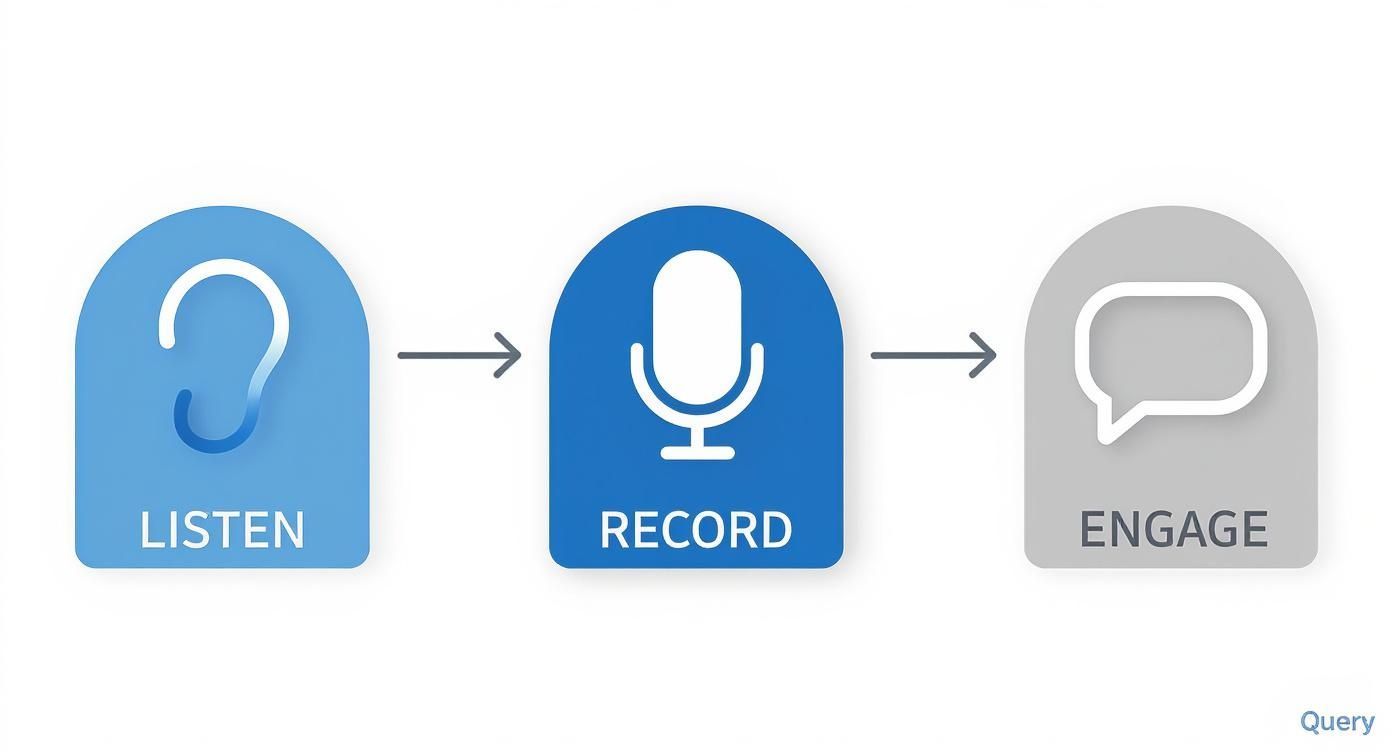
This simple flow—listen, record, engage—shows how modern tools handle the heavy lifting of capturing information so you can focus on the conversation itself.
Nail Down Action Items and Decisions
A meeting without clear takeaways is just a chat. The most crucial part of organizing notes is pinning down who is doing what, and by when. Doing this by hand means scanning the text for phrases like "I'll handle that" or "So we agree to..."
Here again, automation is your friend. Notize AI is built to automatically spot and extract these critical outputs. The platform intelligently flags:
Action Items: Instantly creating a to-do list from the discussion.
Decisions Made: Highlighting key resolutions to avoid any "I thought we decided..." confusion later.
Follow-up Tasks: Pinpointing the next steps needed to keep the ball rolling.
This creates an immediate accountability loop. No more crossing your fingers hoping everyone remembered their tasks. Instead, you get a clean list ready to be shared right after the call. For inspiration on structuring these outputs effectively, check out these great meeting minutes format examples.
Build a Searchable, Long-Term Archive
Over time, your collection of meeting notes becomes an incredible knowledge base for your company. But that knowledge is useless if you can't find anything.
A messy archive is just as bad as no archive at all. This is why having solid filing habits is non-negotiable for anyone serious about keeping their meeting notes organized.
The real power of a note-taking system isn’t just in capturing what happened today, but in its ability to instantly surface what was decided six months ago. A searchable archive turns past conversations into a strategic resource for future decisions.
Start with a dead-simple naming convention. A standardized format helps everyone find what they need at a glance. I’ve found this sortable format works wonders:
YYYY-MM-DD_[ProjectName]_[MeetingTopic]
A file named 2024-10-28_ProjectOrion_Q4-Launch-Plan tells you everything you need to know before you even open it.
Next, use a logical folder structure. Grouping notes by project, team, or quarter keeps things tidy. In a tool like Notize AI, you can set up these folders right in the app, and every summary and transcript will be filed away automatically.
The biggest win here is searchability. With a powerful keyword search, you can scan across every meeting you’ve ever recorded. Need to find the exact moment the "Project Orion" budget was approved? Just type it into the search bar. The system will find the term and let you jump directly to that point in the video, turning your archive from a dusty digital cabinet into a living knowledge hub.
Share and Archive Notes to Build a Team Knowledge Base
Meeting notes aren't much good if they're stuck in a private document on your laptop. Their real value is unlocked only when they're shared. When you turn your team's meeting history into a living, centralized knowledge hub, you create alignment, prevent redundant conversations, and build a powerful asset for the entire company.
Getting the outcomes into everyone's hands quickly is the first step. Forget spending an hour after every meeting cleaning up, formatting, and emailing your notes. A tool like Notize AI can do the heavy lifting for you in seconds. With just a click, you can send out a complete meeting report with a summary, action items, and the full transcript.
This immediate follow-up gets everyone on the same page right away. It cuts through the "he said, she said" confusion that can derail progress after a big call. No one is left relying on memory, and accountability for next steps is perfectly clear.
Create a Single Source of Truth
With so many teams working remotely, asynchronous communication is no longer a luxury—it's essential. In fact, nearly one-third of all meetings now span multiple time zones, making it critical to have a system that works for everyone, regardless of where they are. Team members who couldn't attend a live call need a reliable way to catch up without missing key details. You can find more stats on this trend in this breakdown of remote meetings on archieapp.co.
This is where Notize AI really shines. It generates time-stamped highlights and a highly accurate transcript, allowing anyone to review the most important moments on their own schedule. Someone six hours ahead can wake up and be just as informed as the people who were in the meeting.
The goal is to build a team knowledge base—a single, searchable place where every decision, discussion, and action item is recorded. This turns your meeting history from a collection of static files into a powerful strategic asset.
Over time, this archive becomes your company’s institutional memory. Instead of pinging three different people to figure out why a decision was made six months ago, anyone can simply search for it and get the context they need instantly.
Turn Your Archive Into an Intelligent Database
The true magic of a well-organized archive is how easily you can find things. Imagine needing to pinpoint the exact moment a specific budget was approved or when a client gave that crucial piece of feedback on a new feature. Trying to sift through old documents or scrub through video recordings manually would be a nightmare.
This is where Notize AI fundamentally changes how you organize meeting notes. The platform doesn't just store your meetings; it makes them intelligent. Its powerful keyword search scans across every single conversation you've ever recorded.
For example, a product manager could search for "Q4 launch timeline" and instantly pull up every meeting where that topic was discussed. Even better, they can jump directly to the precise moment in the recording when the final dates were confirmed.
This incredible level of detail is only possible because the platform is built on high-quality transcription. If you're curious about the technology that makes this work, our guide on automated transcription services offers a much deeper look.
Ultimately, this transforms your archive from a simple storage folder into an active knowledge base that helps your team make better, faster decisions. New hires can get up to speed in days, not weeks. Teams can reference past discussions to inform future strategy. And crucial knowledge is never lost when an employee moves on.
Got Questions About Organizing Meeting Notes?
Even with a perfect plan on paper, you're bound to hit a few real-world snags. That's completely normal. Let's tackle some of the most common questions that pop up when people start getting serious about their meeting note workflow.
Think of this as the final piece of the puzzle—the part that helps you build a system that actually sticks.
What’s the Best Format for Meeting Notes?
The most effective format is whatever gets used consistently. At a bare minimum, you need the basics: date, attendees, agenda topics, key decisions, and a list of action items with names and deadlines attached. Consistency is king because it makes your notes predictable and scannable for everyone.
But let's be honest, the best format is the one you don't have to build yourself. This is where a tool like Notize AI changes the game. It doesn't just help you take notes; it generates a perfectly structured report for you—a concise summary, a clean to-do list, and a full, searchable transcript. You get all the benefits of a great format without any of the manual labor.
How Can I Possibly Keep Up with Back-to-Back Meetings?
This is the classic scenario that sends even the most organized person into a tailspin. Trying to frantically clean up notes from one meeting just as the next one starts is a recipe for burnout and forgotten details. The only sustainable fix is to get automation on your side.
Instead of typing, you just record each meeting. A tool like Notize AI does the heavy lifting in the background, transcribing and organizing everything. You can even set up project folders ahead of time, so every summary and action list gets filed in the right place the moment it’s ready. This frees you up to walk into your next meeting with a clear head, fully present, knowing the admin work is already handled.
The real problem with back-to-back meetings isn't capturing the notes—it's the mad rush to process them without losing focus on what's next. A system that organizes for you in the background is the only way to win.
What's the Smartest Way to Store and Find Old Notes?
Your goal should be a single, centralized, and—most importantly—searchable digital hub. The old way of scattering docs across local drives, shared folders, and email threads just creates information silos that make finding anything a nightmare.
This is another spot where Notize AI really shines. It doesn't just store your notes; it turns them into an intelligent archive. The search function is incredibly powerful, letting you scan every single word from every meeting you’ve ever recorded.
Imagine needing to recall a specific comment a client made three months ago. You just type in a keyword, and Notize AI will not only find the right meeting but take you to the exact moment that topic was discussed. Your archive is no longer a dusty digital filing cabinet; it’s a living knowledge base you can query on demand. Students find this just as valuable, as they can instantly find where a specific concept was explained in a long lecture.
How Do I Get My Team to Actually Use a New System?
Getting team buy-in is always the biggest hurdle. From my experience, it boils down to two things: make it dead simple to use and show them the undeniable value, fast. People naturally resist change, especially if it feels like more work.
The beauty of a tool like Notize AI is that it removes the friction right from the start. There's no complex setup, and since the note-taking itself is automated, the biggest barrier to entry is already gone.
To show them its value, start weaving the outputs into your daily routines:
Daily Stand-ups: Pull up the automatically generated action item list from Notize AI to review who’s doing what.
Follow-up Emails: Ditch the long, manual recap. Just share the link to the Notize AI meeting summary.
Project Kickoffs: Need to remember why a decision was made? Search the archive to pull up the exact context for the new team.
When your team sees firsthand how this new way provides instant clarity, enforces accountability, and actually saves them time, you won’t need to convince them. They’ll start using it because it makes their jobs easier.
Ready to stop chasing down meeting notes and start building an intelligent knowledge base? Notize AI automates the entire process—from recording and transcribing to summarizing and organizing—so your team can stay focused, aligned, and productive. Discover how much time you can save.
How to Organize Meeting Notes for Maximum Productivity




