
You know that feeling? You walk out of a meeting that seemed productive, but an hour later, nobody can quite remember who agreed to do what. It’s a common story, and it's where good intentions go to die.
A solid meeting action items template is your secret weapon against this ambiguity. It’s a simple, structured way to capture every task, assign it to the right person, and set a clear deadline. Think of it as the bridge between talking about work and actually getting it done. Without that bridge, even the best ideas can fall into the void.
Why Most Meetings Fail Without Clear Action Items
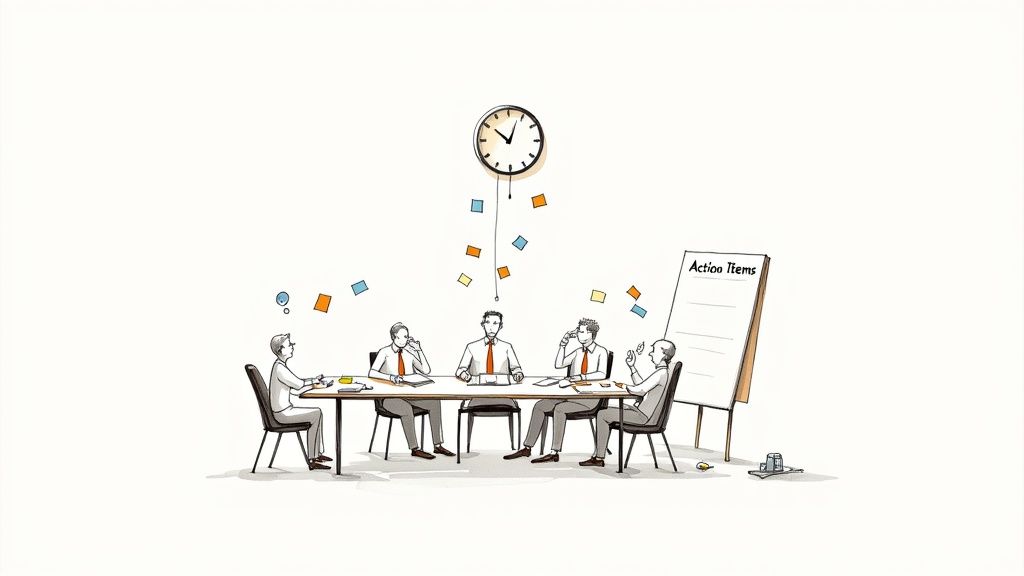
We’ve all been there. You leave a meeting feeling energized, but the initial momentum quickly fades into a haze of vague "next steps." Before you know it, projects have stalled, deadlines have sailed by, and you're having the same conversation all over again next week. This cycle of inaction is exactly what happens when discussions aren't nailed down into a concrete plan.
The root of the problem is a total lack of accountability. When tasks aren't written down, they're just whispers in the wind. A casual, "Yeah, someone should look into that," is a guaranteed path to nothing getting done. Who is "someone"? When do they need to do it? How will anyone know it's complete? This kind of ambiguity is a productivity killer.
The Hidden Cost of Unproductive Meetings
This isn't just an annoyance; it's a massive financial drain. Globally, an estimated 24 billion hours are squandered in unproductive meetings every single year. A huge chunk of that waste comes directly from failing to document decisions and follow up on them.
Considering that only 37% of meetings even start with a clear agenda, it’s no wonder so many end without clear outcomes. This leads to endless follow-up meetings just to re-hash the same topics.
From Manual Notes to Automated Clarity
Using a meeting action items template is a fantastic first step. It forces the team to get specific: what needs doing, who's doing it, and when is it due? But let's be honest, manually stopping a great conversation to scribble down notes can kill the flow.
That's where a tool like Notize AI changes the game. Instead of dividing your attention between participating and taking notes, you can stay fully engaged. Just start recording in the Notize AI app when your meeting begins. Once it ends, the platform automatically produces a full, structured meeting summary, detailed notes, and a clear list of action items and to-do lists.
It transforms meetings from a passive exercise into a system for accountability, making sure no task or commitment ever slips through the cracks. If you're looking for more ways to manage this information, our guide on how to organize meeting notes has some great tips.
Your Free Meeting Action Items Template
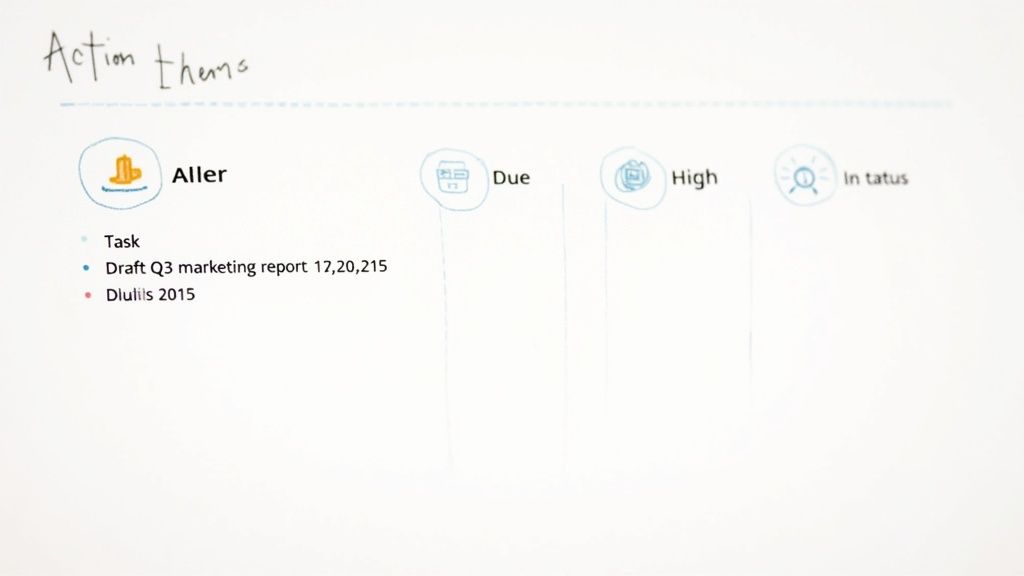
A solid action items template shouldn't be complicated. The best ones are clean, simple, and get straight to the point, giving everyone immediate clarity on what needs to happen next. I've put together a practical, no-fluff template you can download and start using right away.
It's available in Google Docs, Word, and PDF formats, so you can easily share it and fit it into your team's existing workflow. The whole point is to capture every task with enough precision to kill that classic end-of-meeting confusion about who's doing what.
Making the Template Work for You
Having the template is one thing; using it effectively is another. It’s the small details in how you fill it out that transform a simple list into a powerful accountability tool. Let’s walk through each part.
Task Description: Get specific and use action verbs. Don’t just write "Marketing report." Instead, try: "Draft Q3 marketing performance report for the executive team." There’s absolutely no room for misinterpretation there.
Owner: Assign tasks to a single person. This is crucial. When a task is assigned to a whole team, it easily becomes nobody's responsibility. One name means one person is accountable.
Due Date: Ambiguous deadlines like "next week" are a recipe for delays. Put a real date on it, like October 26th. This creates a clear, firm target.
Priority: A simple High, Medium, or Low scale works wonders. It helps the team see what needs immediate attention and what can wait, which is a huge help in preventing overwhelm.
Status: This is your follow-up secret weapon. Use simple statuses like Not Started, In Progress, and Completed. Kicking off your next meeting with a quick review of this column keeps everyone perfectly aligned.
A well-defined action item is a commitment, not just a suggestion. It should be so clear that someone who missed the meeting could read it and know exactly what to do, who’s doing it, and when it's due.
The Effortless Alternative: Notize AI
Even with the best template, manually taking notes and assigning tasks takes effort. It can pull your attention away from the actual conversation. This is exactly where a tool like Notize AI creates a much smarter workflow.
Instead of pausing the discussion to type everything out, you can just have Notize AI running during your meeting.
Once the call is over, Notize AI automatically digests the entire conversation and generates a perfectly structured list of action items for you. It’s smart enough to identify the specific tasks, figure out who they were assigned to, and even catch deadlines that were mentioned casually.
For anyone juggling back-to-back meetings, this is a game-changer. Imagine wrapping up a call and finding a complete, accurate to-do list already waiting in your inbox, all generated by Notize AI. No manual entry, no risk of forgetting a critical decision, and no need to nominate someone as the designated note-taker. The entire process becomes automated and efficient, freeing your team to actually focus on the conversation, not the paperwork.
Capturing Action Items on the Fly
Having a solid action items template is a great start, but the real magic happens in the meeting itself. It's about skillfully capturing tasks as they surface in a fast-moving conversation. If you’ve ever tried to manually log every promise while also trying to contribute, you know it feels like trying to catch rain in a thimble. You end up missing key parts of the discussion.
The trick is to train your ear to listen for commitment language. Over time, you start to recognize the verbal cues that signal a task is about to be created.
"We should definitely look into..."
"Let's make sure we follow up on..."
"Can someone take point on...?"
"The next step here is to..."
"I'll get that sent out by..."
When you hear phrases like these, your ears should perk up. That's your cue to gently step in and clarify the details before the conversation races ahead. A simple, "Great, just to confirm—who's owning that, and what's a realistic deadline?" is all it takes to turn a fuzzy idea into a trackable task.
Reading the Room: Different Meetings, Different Tactics
This skill isn't one-size-fits-all; you have to adapt to the meeting's energy. A high-energy creative brainstorm is different from a formal project check-in. In a brainstorm, you might let ideas flow freely and then circle back at the end to assign owners to the most promising ones. For a weekly sync, though, you’ll want to pin down each action item as it comes up to keep everything tight and on schedule.
Your role isn't just to be a scribe—it's to be a facilitator of accountability. You're the one making sure every great idea and critical decision leaves the room with a clear owner and a path forward.
With the explosion of virtual meetings—jumping from 48% of all meetings in 2020 to 77% by 2022—capturing everything in real-time has gotten even trickier. But the shift to digital also opens the door to better tools. You can find more stats on this shift in workplace collaboration and see how meeting statistics highlight this trend.
Let AI Be Your Second Brain
This is where technology can be a game-changer. Instead of juggling listening, speaking, and frantically typing, you can offload the note-taking to an AI meeting note taker.
A tool like Notize AI basically acts as your personal scribe. It records and transcribes the entire conversation, so you can stop typing and start participating fully.
There's no need to interrupt the flow or worry you missed something important. Once the meeting is over, Notize AI gets to work. It processes the recording and hands you a clean, structured summary with all the key points, decisions, and a perfectly organized list of action items. It's smart enough to figure out who said what, assign tasks to the right person, and even pull out deadlines mentioned in the chat.
This whole process means nothing falls through the cracks, and your team gets to focus on the actual conversation, not the paperwork. If you want to see how this works, you can learn more about how to use an AI meeting note taker to make every meeting more productive.
Moving From Manual Lists to Automated Workflows
A solid meeting action items template is a great starting point, but let's be honest—it's still a manual process. True efficiency comes when you move beyond static lists and embrace an automated workflow. This shift is how you turn good conversations into real, trackable progress without someone having to furiously type notes the entire time.
Think of it this way: automation removes the friction between talking about doing something and actually getting it done. Instead of one person being the designated scribe, trying to listen and type simultaneously (and inevitably missing things), you get a system that captures every commitment perfectly.
Traditionally, capturing an action item is a three-part dance: you have to listen for the task, clarify the details, and then document it accurately.
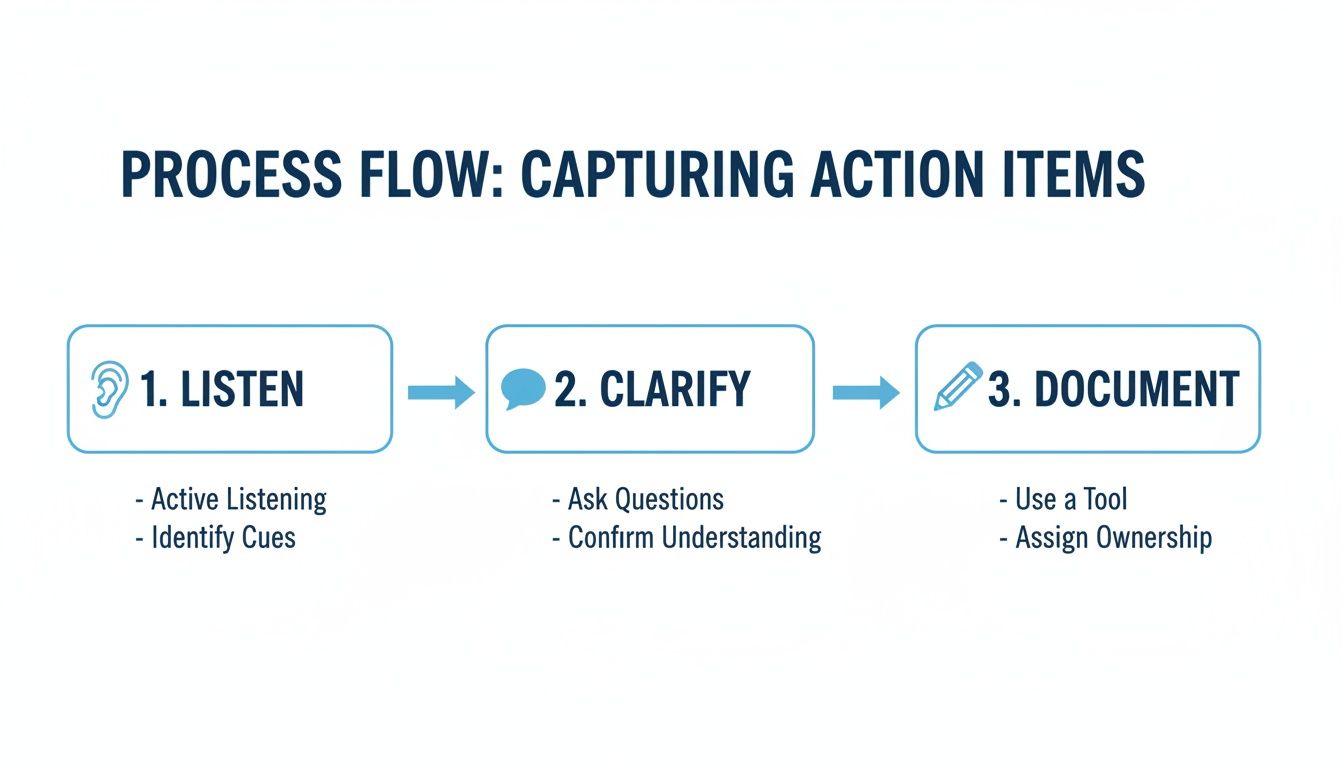
This classic approach works, but it creates a major bottleneck. The person documenting is always a step behind the conversation. Automated tools, on the other hand, handle all three steps at once, letting everyone in the room stay focused on the discussion.
The Power of an AI-Driven System
This is where a tool like Notize AI completely changes the game. It’s not just a fancy transcription service; it's a genuine meeting intelligence platform.
Imagine your marketing team is brainstorming campaign ideas. In the middle of the discussion, someone says, "Okay, Sarah will update the ad copy with the new stats by Friday."
In a manual setup, someone has to catch that, scribble it down, and hope they remember to format it properly in the meeting notes later. With Notize AI, that casual comment is automatically identified, pulled out, and turned into a perfectly structured action item. The system understands that "Sarah" is the owner, "update the ad copy" is the task, and "Friday" is the deadline. Simple.
This does more than just save a few minutes. It creates an undeniable system of record. No more "who-said-what" debates, because Notize AI lets you click right to the exact moment in the meeting recording where that commitment was made.
Automation ensures that every single commitment, no matter how small, gets captured and tracked. It turns spoken words into a transparent, accountable workflow that keeps projects moving without any of the manual busywork.
A Growing Trend Toward Smarter Meetings
This isn't just a niche idea; it's a major industry shift. The market for meeting intelligence software is booming, projected to jump from $1.1 billion in 2020 to a massive $4.8 billion by 2027. This incredible growth is fueled by the need for AI that can handle transcription, analysis, and—most importantly—action item tracking to make teams more productive. If you're curious, you can learn more about the future of meeting productivity on Superagi.com.
Manual Template vs Notize AI Automation
While a template is a step up from a blank page, comparing it to an automated AI tool shows just how much more efficient your process can be.
Feature | Manual Template | Notize AI |
|---|---|---|
Capture Method | Manual note-taking by a person | Automatic detection and extraction |
Accuracy | Prone to human error and missed details | Highly accurate with a verbatim record |
Effort | Requires a dedicated, focused note-taker | Fully automated, runs in the background |
Accountability | Relies on notes being shared and read | Assigns tasks and deadlines automatically |
Integration | Manual transfer to project tools | Direct integrations with your workflow |
Searchability | Can only search text within the document | Searchable transcript linked to audio/video |
The takeaway is clear: automation doesn't just make the process faster, it makes it more reliable and frees up your team to focus on high-value work.
Notize AI in Action
So, how does this look in the real world for different people?
For Professionals and Teams: Just hit record when your meeting starts. When it's over, Notize AI sends a complete summary, highlights key discussion points, and provides a clean to-do list with owners and deadlines already assigned.
For Students: Record a long lecture in Notize AI and get an instant study guide with all the important concepts flagged. You can even ask the AI questions about the material and jump to the exact moment the professor explained a tricky topic.
For Content Creators: Upload an interview recording. Notize AI transcribes the entire thing and then generates a draft blog post, pulling out key takeaways and powerful quotes for you. It even helps you build your own blog to publish directly.
By taking over the tedious job of capturing action items, Notize AI makes sure nothing ever falls through the cracks again. It creates a reliable, searchable, and shareable record of every decision, helping your team stay perfectly aligned and accountable without all the administrative headaches.
Following Up and Keeping Everyone Accountable
Let's be honest: creating a list of action items is the easy part. The real work begins after the meeting ends. An action item is completely useless if no one follows up on it, and true accountability comes from building consistent follow-up into your team's rhythm.
If you do nothing else, adopt this one habit: start every meeting by reviewing the open action items from the last one. Before a single new topic is introduced, pull up the list. Go through each item and get a quick status update. This simple, two-minute ritual sends a powerful message that commitments matter and tasks won't just fade away.
Create a Single Source of Truth
For follow-up to actually work, everyone needs to be on the same page, looking at the same list. When action items are scattered across personal notebooks, random documents, and old email threads, you get chaos, not clarity. That’s why a centralized "source of truth" isn't just a nice-to-have; it's essential.
When all your meeting outcomes live in one accessible place, there’s no room for debate about what was decided. This is where a tool like Notize AI can make accountability almost effortless. It automatically organizes all your meeting notes, summaries, and action item lists into shared team folders.
Now, everyone on the team has access to the exact same record. This transparency is what prevents tasks from slipping through the cracks.
A task that isn't tracked is a task that won't get done. Consistent follow-up turns your action items from a simple list into a dynamic system that drives real progress and fosters a culture of ownership.
Find What You Need in Seconds
Accountability also means being able to quickly find the why behind a decision made weeks or even months ago. Think about trying to remember the specific context around a choice from last quarter. Digging through a mountain of old emails and documents is a monumental waste of time.
With Notize AI, you can use a simple keyword search to find exactly what you're looking for across all of your past meetings. Need to recall why a particular budget was approved? Just type in a keyword, and you can jump directly to the moment in the meeting recording where that discussion took place. Nothing gets lost in translation.
For a deeper look into structuring these records, our guide on choosing a meeting minutes format with examples can provide some great ideas. By combining a solid process with the right tools, you create a system where every commitment is captured, tracked, and seen through to completion. This is how you stop just having meetings and start using them to make real progress.
Common Questions About Managing Action Items
As you start getting serious about tracking action items, a few questions always seem to come up. Let's walk through some of the most common ones I hear, so you can build a process that actually works.
How Detailed Should a Meeting Action Item Be?
The goal is clarity, not a novel. Think of it this way: a well-written action item should be specific enough that someone who wasn't even in the meeting could understand exactly what needs to be done.
Vague descriptions are the enemy here. For example, "Marketing report" is useless. Instead, try something like: "Draft the Q3 marketing performance report and share it with the leadership team for feedback." See the difference? There's no room for misinterpretation. Aim for tasks that are specific, measurable, achievable, relevant, and time-bound (SMART).
An action item's level of detail should match its importance. For mission-critical tasks, you're better off providing more context to make sure nothing falls through the cracks.
Who Is Responsible for Tracking These Tasks?
Traditionally, this burden falls on the meeting host or a project manager. While that system can work, it often turns one person into a professional nag. A much better approach is to build a culture of shared ownership.
This is where modern tools really change the game. With a platform like Notize AI, accountability becomes a team sport. When Notize AI automatically creates and shares the action list with everyone, each person can see their own tasks and the status of everyone else's. That kind of transparency makes accountability a collective responsibility, not just one person's headache.
Can This Template Work for Different Meetings?
Absolutely. A good meeting action items template is built to be flexible. The core principles—clear tasks, specific owners, firm deadlines—are universal. It doesn't matter if you're in a freewheeling creative brainstorm, a formal board meeting, or a quick client sync.
The structure is simple to adapt. For instance, Notize AI adapts just as seamlessly, pulling out crucial action items no matter how formal or informal the meeting is. It's designed to identify tasks from any kind of conversation, giving you a consistent, reliable record every single time. That versatility is what makes it such a powerful tool for anyone trying to turn talk into action.
Ready to stop chasing down tasks and start automating accountability? Notize AI transforms your meeting conversations into structured summaries, clear to-do lists, and searchable records. Experience the future of productive meetings by visiting https://notize.ai to learn more.
A Meeting Action Items Template That Actually Works




