
In today's fast-paced environment, scattered information is a hidden tax on productivity. Teams waste countless hours searching for meeting notes, project updates, and critical insights buried in emails, chat logs, and disparate documents. This information chaos leads to duplicated work, missed opportunities, and misaligned teams. Effective knowledge management isn't just about storing files; it's about creating a living ecosystem where information is captured effortlessly, organized intelligently, and accessed instantly.
A robust strategy transforms raw data into actionable intelligence, empowering teams to make smarter, faster decisions. This guide moves beyond outdated methods to outline 10 essential best practices for knowledge management that leverage automation and AI. We'll explore how modern tools can streamline these practices, turning everything from a 60-minute meeting to a customer call into a structured, searchable asset.
For example, a platform like Notize AI automatically transcribes meetings, generates summaries, and extracts action items, ensuring no critical detail is ever lost. Professionals can record meetings and get instant notes, decisions, and follow-up tasks, while students can record lectures and get study guides. This approach makes information immediately useful and discoverable. By implementing the strategies in this article, you can build a single source of truth that fuels collaboration, innovation, and growth, ensuring your team’s collective intelligence becomes its greatest asset.
1. Centralized Knowledge Repository
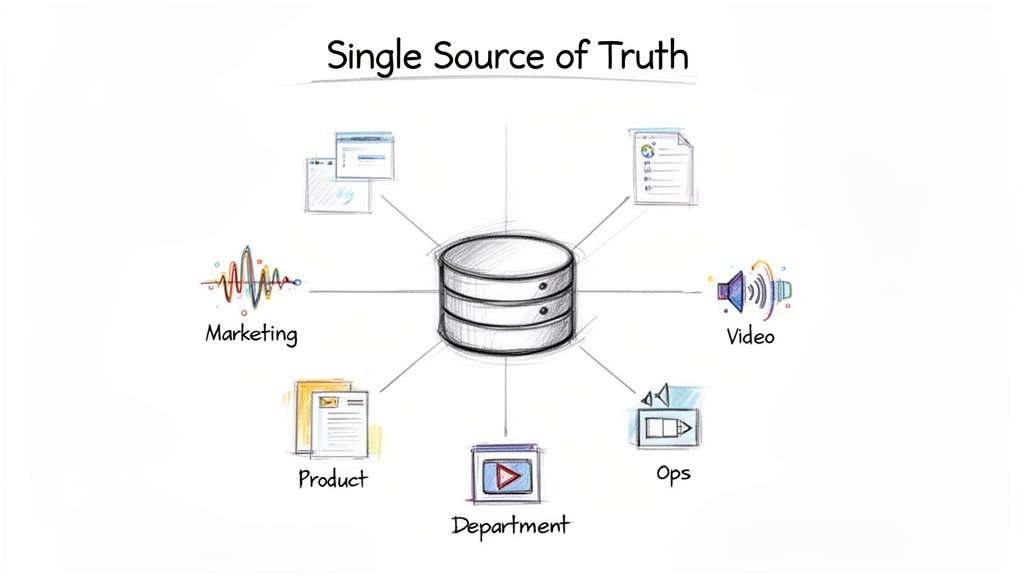
One of the most impactful best practices for knowledge management is establishing a centralized knowledge repository. This is a single, unified platform where all organizational knowledge, documents, files, and insights are stored, organized, and indexed. It acts as the "single source of truth," eliminating information silos and ensuring teams access the same authoritative sources across departments, which prevents confusion and redundant work.
For modern organizations, a centralized repository is more than just a shared drive; it’s an active, intelligent hub. For instance, teams using a tool like Notize AI can automatically consolidate transcriptions, summaries, and extracted insights from meetings on Zoom, Teams, and even YouTube videos into one searchable library. This means a critical decision made in a marketing meeting is instantly accessible to the product team without anyone having to manually upload notes.
Why It’s a Best Practice
A centralized system directly addresses the chaos of scattered information. When knowledge lives in separate email threads, private chat messages, and local hard drives, teams waste valuable time searching for information and often work with outdated data. A central hub ensures consistency, improves collaboration, and accelerates decision-making by making information discovery seamless. This approach is fundamental to creating a scalable and efficient knowledge-sharing culture.
How to Implement It
Start Small and Scale: Begin by migrating high-priority content like project documentation, standard operating procedures (SOPs), and recent meeting notes. Once the core framework is established, expand to include other knowledge assets.
Establish Clear Governance: Create and enforce strict naming conventions and a comprehensive tagging system from day one. This makes the repository searchable and prevents it from becoming a disorganized data dump.
Automate Knowledge Capture: Use tools that automatically populate the repository. For example, configure Notize AI to send all meeting summaries and action items directly to a designated folder, eliminating the need for manual effort and ensuring no insights are lost.
Prioritize Team Training: Conduct training sessions to familiarize your team with the repository's structure, search functions, and contribution guidelines. Consistent adoption is key to its success. For a deeper dive into structuring your repository, learn more about document management system best practices.
2. Automated Transcription and Summarization
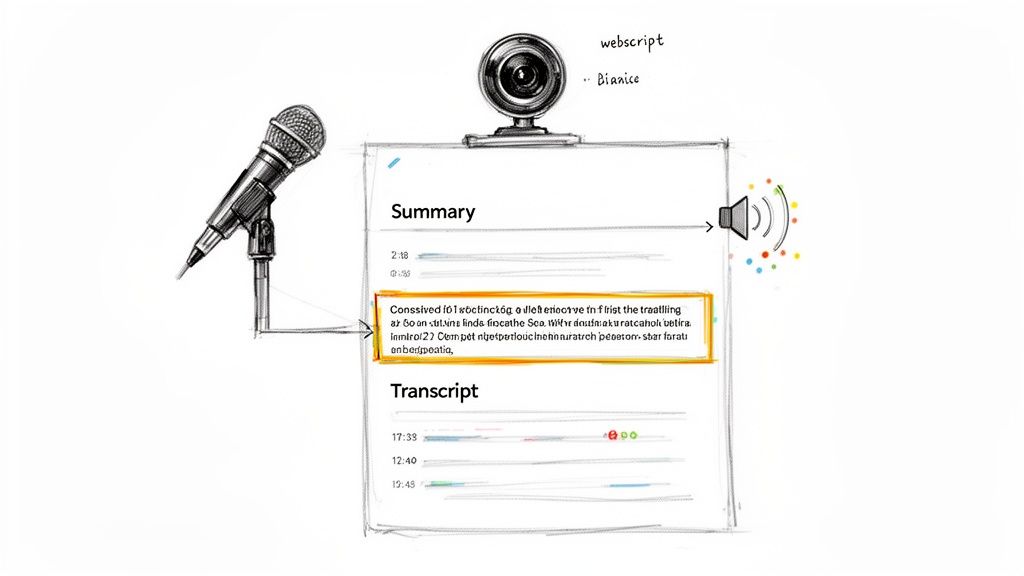
A cornerstone of modern knowledge management involves leveraging AI to automatically convert audio and video into text and create concise summaries. This practice eliminates manual note-taking, a time-consuming and error-prone task, ensuring that valuable insights from meetings, webinars, and training sessions are captured accurately and consistently. It makes unstructured audio and video content instantly searchable and accessible.
For example, a team using a tool like Notize AI can automatically process recordings from Zoom, Teams, or even a YouTube tutorial. The platform generates a full transcription, a structured summary with key discussion points, and a list of action items. A project manager can review decisions from a one-hour meeting without re-watching it, a creator can turn a video into a blog post, and a student can convert a lecture into a study guide, all saving significant time.
Why It’s a Best Practice
Automated transcription turns spoken conversations into permanent, searchable knowledge assets. Without it, critical decisions and context are lost as soon as a meeting ends. This practice democratizes access to information, allowing team members who couldn't attend a live session to catch up quickly and thoroughly. It also establishes a consistent standard for documentation, which is vital for compliance, training, and operational continuity.
How to Implement It
Integrate with Existing Workflows: Choose a tool that connects directly with your meeting platforms (like Zoom or Google Meet). Notize AI, for instance, can be configured to automatically process recordings as they become available and even analyze content from YouTube or TikTok links.
Establish a Review Process: While AI is highly accurate, it's good practice to have a human briefly review and edit generated summaries before they are shared widely, especially for high-stakes decisions.
Tag and Organize Outputs: Immediately tag action items with owners and due dates. Organize all transcriptions and summaries within your central repository using a consistent folder structure to make them easy to find later.
Train the AI on Your Vocabulary: For better accuracy, use tools that can learn company-specific jargon, acronyms, and product names over time. This customization significantly improves the quality of the output.
Leverage Timestamps for Quick Reference: Use the timestamp markers in transcriptions to jump directly to the exact moment a specific topic was discussed in a video or audio file. Notize AI enables users to ask the AI questions and get pointed to the precise moment in a video where the answer lies. This is a powerful feature for quick verification and review.
3. Knowledge Tagging and Metadata Classification
Beyond simply storing information, one of the most critical best practices for knowledge management involves making that information discoverable. This is achieved through systematic knowledge tagging and metadata classification, which organizes assets by topic, project, department, or custom attributes, freeing teams from the limitations of rigid folder structures. This approach turns a static repository into a dynamic, searchable library where context is king.
For instance, a tool like Notize AI can automatically process a recorded project kickoff meeting and auto-tag the summary with relevant keywords like "Q3 Launch," "Budget Allocation," and the names of attendees. This allows anyone on the team to later find all discussions related to the Q3 launch, regardless of which folder the meeting notes were saved in. This multi-dimensional organization ensures valuable insights are never lost.
Why It’s a Best Practice
A robust tagging and metadata system transforms information retrieval from a frustrating search into an intuitive discovery process. Without it, employees rely on memory or precise file names to find what they need, a system that quickly breaks down as an organization grows. Effective classification ensures that knowledge is accessible based on its content and context, not just its location. This dramatically reduces search time, prevents duplicate work, and allows for more powerful data analysis across different knowledge assets.
How to Implement It
Develop a Clear Tagging Taxonomy: Before you start, create a standardized list of core tags related to departments, projects, clients, and content types. Involve multiple teams in this process to ensure the taxonomy is comprehensive and intuitive for everyone.
Implement AI-Powered Auto-Tagging: Leverage tools that can automatically suggest or apply tags based on content analysis. Notize AI, for example, can identify key topics and entities in meeting transcripts and summaries, reducing the manual burden on your team while ensuring consistency.
Create Tagging Templates: For recurring content types like client calls, weekly check-ins, or product reviews, establish a template of required tags. This ensures all essential metadata is captured every time, making future searches more reliable.
Regularly Audit and Consolidate: Schedule periodic reviews of your tag library to merge duplicates (e.g., "marketing" and "mktg") and remove unused tags. This prevents "tag sprawl" and keeps your system clean and efficient.
4. Quick Insight Extraction and Key Point Identification
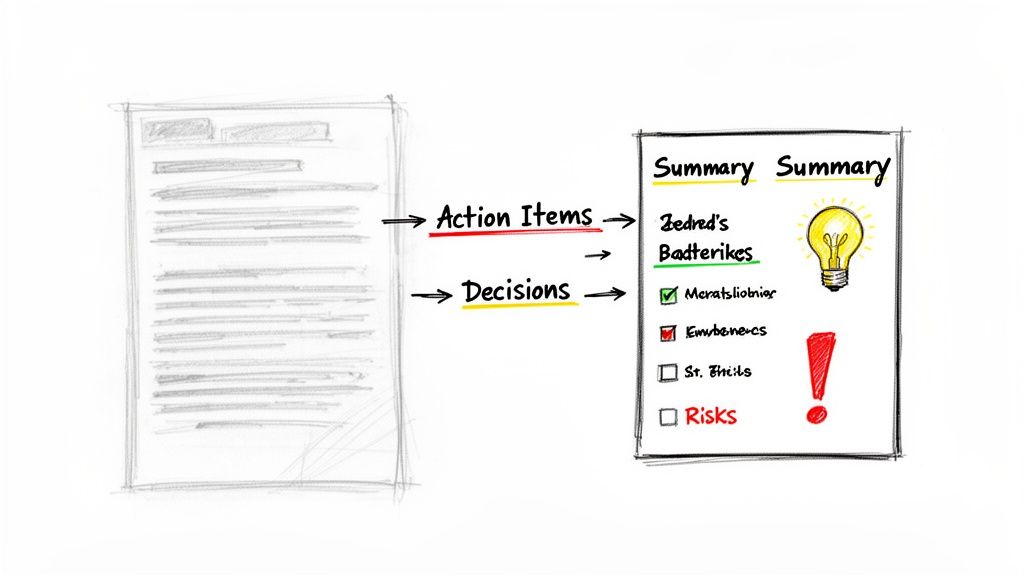
Information overload is a major obstacle to effective knowledge management. A crucial best practice is to leverage technology that automatically extracts key insights from vast amounts of information. Instead of requiring team members to read lengthy documents or watch entire meeting recordings, AI-powered tools can instantly surface critical decisions, action items, risks, and important discussion points. This accelerates information discovery and ensures stakeholders stay informed without being overwhelmed.
For example, a project manager can use a tool like Notize AI to process a one-hour project kickoff meeting recording. Within minutes, the system generates a concise summary, a list of assigned action items, and key decisions made. A content consumer can do the same with a long YouTube video, getting key takeaways in seconds. This automated extraction ensures that no critical task or decision is lost in the raw, unstructured data.
Why It’s a Best Practice
This practice directly combats inefficiency by filtering signal from noise. Manually reviewing hours of video, audio, or hundreds of pages of text is not a scalable use of employee time. By automating insight extraction, organizations empower their teams to focus on high-value activities and strategic decision-making rather than on the tedious task of information retrieval. This leads to faster response times, better alignment, and a more agile operational workflow.
How to Implement It
Define Extraction Priorities: Identify the most critical information types for your team, such as action items, deadlines, decisions, or customer feedback. Configure your tools to specifically look for and tag these items.
Integrate AI into Existing Workflows: Choose tools that seamlessly fit into your current processes. For instance, platforms like Notize AI can automatically process meeting recordings from Zoom or Teams, or even content from social media links, making insight extraction an effortless, background activity.
Combine AI with Human Review: For highly sensitive or complex decisions, use AI-generated summaries as a first draft. A human expert can then quickly review and validate the key points, combining the speed of automation with the nuance of human judgment.
Set Up Automated Alerts: Configure your system to send real-time notifications when critical keywords (like "risk," "blocker," or "urgent decision") are identified. This ensures that key stakeholders are immediately aware of high-priority issues. To learn more about how this technology works, explore the capabilities of an AI meeting note taker.
5. Regular Knowledge Audits and Content Maintenance
A powerful knowledge management system is not a "set it and forget it" tool; it requires ongoing curation to remain valuable. Regular knowledge audits and content maintenance are critical best practices that involve periodically reviewing, validating, and updating information to ensure it remains accurate, relevant, and trustworthy. This process actively combats "knowledge debt," where outdated or incorrect information clogs the system and erodes user confidence.
This practice keeps your knowledge base from becoming a digital junkyard. For example, a software team must regularly update its documentation with each new release. Similarly, a content creator using a tool like Notize AI can leverage analytics to see how their audience interacts with published posts generated from their media. This allows them to make informed decisions about archiving old content while keeping high-impact articles easily accessible.
Why It’s a Best Practice
Without regular maintenance, even the most organized knowledge repository loses its integrity. Outdated procedures, old project files, and duplicated documents create confusion and lead to costly mistakes. A systematic audit process ensures that your team is always working with the most current and reliable information, which is fundamental to efficient operations, accurate decision-making, and maintaining a high standard of quality in all work outputs.
How to Implement It
Establish a Content Lifecycle Policy: Define clear stages for knowledge assets, including creation, a scheduled review date, and an archiving or deprecation plan. Assign ownership for each key category of information.
Use Analytics to Guide Your Audit: Leverage system analytics to identify low-engagement or outdated content. Notize AI’s dashboard, for example, can highlight which meeting insights or published blog posts are no longer being referenced, flagging them as prime candidates for an audit.
Schedule and Assign Regular Audits: Implement a recurring schedule for content review, such as quarterly or semi-annually. Assign specific teams or individuals to audit the knowledge areas they are experts in, ensuring accountability.
Archive, Don't Just Delete: When information is no longer current but may be needed for historical context, archive it in a separate, clearly marked section of your repository. This preserves institutional memory without cluttering active workflows.
6. Collaborative Documentation and Crowd-Sourced Knowledge
Effective knowledge management is not a top-down process; it’s a living, breathing ecosystem built on collective intelligence. This is where collaborative documentation and crowd-sourced knowledge become essential. Instead of relying on a few subject matter experts to create and maintain information, this practice empowers everyone on the team to contribute, edit, and refine knowledge assets collectively. It transforms static documents into dynamic resources that reflect the organization's evolving expertise.
Platforms that facilitate this approach, like Notion or Confluence, allow teams to maintain product documentation or project plans together. When a support agent discovers a new customer workaround, they can directly update the official knowledge base article. Similarly, after a project retrospective, team members can collaboratively add insights to a shared lessons-learned document. This model spreads ownership and keeps information far more current than siloed alternatives.
Why It’s a Best Practice
This collaborative approach directly combats the problem of stale, outdated, or incomplete information. When knowledge is owned by a single person, it risks becoming irrelevant the moment they switch roles or leave the company. A crowd-sourced model ensures continuity and accuracy, as content is peer-reviewed and updated in real time by those who use it daily. This fosters a culture of shared responsibility and continuous improvement, making your knowledge base a reliable and truly collective asset.
How to Implement It
Start with Low-Stakes Content: Begin by encouraging collaborative editing on less critical documents, such as team meeting notes or internal brainstorming docs. This helps build the habit and cultural comfort with peer contributions.
Establish Clear Contribution Guidelines: Create simple protocols for editing, versioning, and leaving comments. Define who has final approval rights for official documentation to maintain quality while still encouraging widespread input.
Recognize and Reward Contributors: Publicly acknowledge team members who actively update and improve shared knowledge. Simple recognition can significantly boost participation and reinforce the value of their contributions.
Use Tools That Foster Collaboration: Leverage features like @mentions and notifications in your knowledge platform to pull relevant stakeholders into discussions and reviews, ensuring the right people are involved at the right time.
Automate the Starting Point: Use a tool like Notize AI to generate a detailed summary and transcript from a meeting. Share this AI-generated document as a starting point and invite the team to collaboratively refine it, adding context and correcting details. This lowers the barrier to entry for creating shared knowledge assets.
7. Analytics and Usage-Driven Knowledge Optimization
One of the most advanced best practices for knowledge management involves using data analytics to understand how knowledge is accessed, used, and valued across the organization. This data-driven approach moves beyond assumptions, revealing which content performs best, what teams struggle to find, and where documentation gaps exist. It transforms a static repository into a living system that continuously adapts to user needs.
This practice is crucial for optimizing your knowledge base based on real-world behavior. For instance, a platform like Notize AI includes an analytics dashboard that shows which meeting summaries are most viewed or which project folders are most active. For creators, it shows how their audience interacts with published posts. This helps managers identify high-impact discussions and content creators understand audience engagement, allowing for data-driven decisions.
Why It’s a Best Practice
Without analytics, improving a knowledge base is just guesswork. Analytics provide concrete evidence of what’s working and what isn’t, allowing you to allocate resources effectively. By identifying high-demand topics, you can create more of the content your team needs. Conversely, by spotting underused or hard-to-find resources, you can improve organization and accessibility, directly boosting productivity and reducing frustration.
How to Implement It
Define Clear KPIs: Establish key performance indicators (KPIs) tied to business goals. Examples include a reduction in support ticket volume, faster employee onboarding, or an increase in the adoption rate of a new process document.
Leverage Built-In Analytics: Use the analytics dashboards within your tools. Monitor Notize AI for meeting and content engagement, Slack for channel activity, and your CMS for popular help articles to get a holistic view of knowledge flow.
Analyze Search Queries: Regularly review search analytics to identify common queries that yield no results. These "search failures" are a goldmine for identifying content gaps and topics your team needs information on.
Test and Measure Different Formats: Experiment with various content types like video summaries, text-based guides, and infographics. Use analytics to measure which formats drive the most engagement for different topics and audiences.
Share Insights with Content Creators: Create a feedback loop by sharing usage data with the teams responsible for creating and maintaining knowledge. This empowers them to produce more relevant and effective documentation.
8. Searchability and Smart Discovery Features
A knowledge base is only as good as the information you can find within it. Implementing powerful searchability and smart discovery features is a critical best practice for knowledge management because it transforms a static repository into a dynamic, responsive resource. This means going beyond basic keyword matching to include full-text search, AI-powered recommendations, and intuitive navigation that anticipates user needs.
These features ensure that knowledge actually gets used rather than remaining hidden. For instance, a professional using Notize AI can instantly search across hundreds of transcribed meetings to find the exact moment a specific budget decision was made. A student can upload lecture notes and PDFs, then use the AI chat to ask specific questions about the content. Instead of manually scrubbing through files, they can type a query and get an instant answer, complete with a source reference. This level of granular, intelligent search makes information retrieval effortless.
Why It’s a Best Practice
Poor search functionality is one of the biggest barriers to knowledge management adoption. When users can't find what they need quickly, they become frustrated, revert to asking colleagues for information, and lose faith in the system. Smart discovery reduces this friction, shortens the time from query to answer, and increases the ROI of your knowledge assets. It fosters a culture of self-service and ensures that the valuable insights you capture are always accessible and actionable.
How to Implement It
Implement Full-Text and NLP Search: Choose a system that can search the entire content of documents, transcripts, and notes, not just titles or tags. Natural Language Processing (NLP) helps the system understand user intent, delivering more relevant results.
Use AI for Content Recommendations: Leverage AI to suggest related articles, meeting summaries, or documents based on a user’s search history and role. Notize AI, for example, can connect insights from a sales call to relevant product documentation, creating a web of interconnected knowledge.
Create Curated Collections: Organize knowledge into logical collections or "playlists" based on topics, projects, or teams. This helps guide users to high-value content without them needing to search for it.
Analyze Search Queries: Regularly review search analytics to identify common queries, failed searches, and content gaps. Use this data to optimize existing content and create new resources that address your team's most pressing questions.
9. Documentation Standards and Knowledge Templates
Establishing documentation standards and templates is a critical practice for creating a high-quality, consistent, and easily navigable knowledge base. Templates provide a predefined structure for different types of knowledge artifacts, such as meeting notes, project plans, decision logs, and process guides. This standardization ensures that all essential information is captured uniformly every time.
Using templates significantly reduces the cognitive load on content creators, allowing them to focus on the substance of the information rather than its format. For instance, a standardized meeting notes template ensures action items and decisions are always recorded the same way. Tools like Notize AI automatically generate meeting summaries in a structured format and can even create customizable blog posts in any writing style—professional, friendly, or personalized—making it effortless to maintain consistency.
Why It’s a Best Practice
Inconsistent documentation is a major barrier to effective knowledge management. When every document looks different, users waste time deciphering formats and searching for key information. Standardization creates a predictable and intuitive user experience, making knowledge easier to consume, compare, and act upon. It also lays the groundwork for automation, as structured data is easier for systems to process, index, and analyze, improving searchability and content discovery across the entire organization.
How to Implement It
Identify High-Value Document Types: Start by creating templates for the most frequently created and referenced documents, like project kick-off briefs, standard operating procedures (SOPs), and meeting summaries.
Design User-Centric Templates: Build templates based on how your teams actually work and what information they need. Keep them simple at first and only add complexity as clear needs arise.
Automate Template Application: Configure tools to use templates by default. In Notize AI, for example, you can ensure every meeting summary follows a consistent structure, or that generated blog posts from a video consistently match your brand's tone.
Provide Clear Guidance and Examples: Alongside each template, offer a completed example and brief guidelines on how to fill it out. This removes ambiguity and encourages proper use. To learn more about structuring meeting documentation effectively, explore these meeting minutes format examples.
10. Cross-Functional Knowledge Sharing and Community Building
Effective knowledge management extends beyond static repositories; it thrives on active, cross-functional knowledge sharing and community building. This practice involves creating dedicated spaces where employees from different departments can connect, ask questions, and share insights around specific topics or disciplines. These "communities of practice" break down organizational silos, preventing duplicated work and fostering a culture of collective problem-solving.
This approach transforms knowledge from a stored asset into a living, evolving resource. For instance, a marketing team and a product team might join a 'customer-feedback' community. Instead of relying on formal reports, they can discuss real-time insights from customer calls. A tool like Notize AI can capture key discussion points from a customer success meeting, and the summary can be instantly shared in the community channel, giving both teams immediate, unfiltered access to the customer's voice.
Why It’s a Best Practice
Siloed knowledge is a major barrier to innovation and efficiency. When teams operate in isolation, they often solve the same problems independently, wasting time and resources. Communities of practice create a network effect where expertise is amplified and accessible to everyone. This collaborative environment not only accelerates learning and problem-solving but also builds stronger interpersonal connections, improving overall organizational cohesion and making it a vital best practice for knowledge management.
How to Implement It
Start with High-Value Topics: Launch your first communities around critical business areas like "product innovation," "customer experience," or "content strategy." Focus on topics with high engagement potential and clear business impact.
Appoint Community Leaders: Designate moderators or champions for each community. Their role is to facilitate discussions, encourage participation, and ensure the conversations remain productive and on-topic.
Automate Insight Sharing: Integrate tools that make sharing easy. Use Notize AI to automatically post summaries and action items from relevant team meetings into the appropriate community spaces, ensuring valuable conversations aren't lost.
Celebrate Contributors: Publicly recognize and reward employees who actively share their expertise. This reinforces the desired behavior and motivates others to participate, creating a self-sustaining cycle of knowledge exchange.
10-Point Comparison of Knowledge Management Best Practices
Solution | Implementation Complexity 🔄 | Resource Requirements ⚡ | Expected Outcomes ⭐📊 | Ideal Use Cases 💡 | Key Advantages ⭐ |
|---|---|---|---|---|---|
Centralized Knowledge Repository | 🔄 Medium–High: setup, migration, integrations | ⚡ Moderate–High: storage, integrations, governance teams | ⭐📊 High: unified access, faster onboarding, consistent sources | 💡 Organizations needing cross-departmental single source of truth | ⭐ Centralizes content, improves alignment, searchable indexed library |
Automated Transcription and Summarization | 🔄 Low–Medium: integrate ASR and summarization workflows | ⚡ Moderate: compute for ASR, storage for media, model tuning | ⭐📊 High: searchable records, time saved, documented decisions | 💡 Frequent meetings, webinars, podcasters, customer calls | ⭐ Eliminates manual notes, extracts action items and speakers |
Knowledge Tagging and Metadata Classification | 🔄 Medium: taxonomy design and training required | ⚡ Low–Moderate: tagging tools, AI suggestion services | ⭐📊 High: improved discoverability and cross-functional reuse | 💡 Diverse media libraries and multi-project organizations | ⭐ Faster search, reduced duplication, faceted discovery |
Quick Insight Extraction & Key Point Identification | 🔄 Low–Medium: define extraction rules and validation | ⚡ Low–Moderate: models plus reviewer verification | ⭐📊 High: rapid decisions, lower cognitive load, flagged risks | 💡 Leaders needing fast summaries, risk flags, action items | ⭐ Surfaces decisions/actions, highlights risks and quotes |
Regular Knowledge Audits & Content Maintenance | 🔄 Medium: policy design, scheduled review processes | ⚡ Moderate: people, audit tooling, analytics | ⭐📊 High: maintained accuracy, reduced knowledge debt | 💡 Large KBs, regulated industries, long-lived documentation | ⭐ Keeps content current, deduplicates, improves search quality |
Collaborative Documentation & Crowd-Sourced Knowledge | 🔄 Low–Medium: platform setup and governance | ⚡ Low: collaboration tools, moderation effort | ⭐📊 Medium–High: up-to-date content, higher engagement | 💡 Cross-functional teams, tacit-knowledge capture scenarios | ⭐ Distributes ownership, improves quality via peer review |
Analytics & Usage-Driven Knowledge Optimization | 🔄 Medium–High: tracking, dashboards, KPI design | ⚡ Moderate–High: analytics stack and analyst capacity | ⭐📊 High: data-driven improvements, measured ROI, gap ID | 💡 Content teams optimizing impact and adoption strategies | ⭐ Reveals high-value content, guides content strategy |
Searchability & Smart Discovery Features | 🔄 Medium–High: indexing, semantic models, tuning | ⚡ Moderate: search infra, NLP models, metadata hygiene | ⭐📊 High: much faster retrieval, higher utilization of content | 💡 Organizations with large/mixed-content repositories | ⭐ Reduces time-to-answer, improves discovery and recommendations |
Documentation Standards & Knowledge Templates | 🔄 Low: create templates and enforce standards | ⚡ Low: template management and adoption efforts | ⭐📊 Medium–High: consistent, scannable content; easier automation | 💡 Teams creating recurring artifacts (meeting notes, guides) | ⭐ Speeds authoring, ensures consistent structure and metadata |
Cross-Functional Knowledge Sharing & Community Building | 🔄 Low–Medium: culture shift, facilitation and moderation | ⚡ Low–Moderate: community platforms, time for events | ⭐📊 Medium–High: reduced silos, accelerated organizational learning | 💡 Organizations seeking collaboration across departments | ⭐ Encourages peer learning, builds institutional memory and innovation |
From Chaos to Clarity: Activating Your Knowledge Ecosystem
Embarking on a journey to refine your organization's knowledge management is not merely an administrative cleanup; it's a strategic overhaul that transforms dormant information into a dynamic, competitive asset. Throughout this guide, we've explored ten essential best practices for knowledge management, moving from foundational principles like establishing a centralized repository to advanced strategies such as analytics-driven optimization and fostering a community of shared wisdom. The path from information chaos to operational clarity is paved with intentional, systematic action.
Adopting these practices means you are building more than just a library of documents. You are engineering an intelligent ecosystem where knowledge is captured effortlessly, organized intuitively, and discovered instantly. The core theme connecting these strategies is the shift from manual, siloed efforts to an automated, integrated system. Practices like Automated Transcription and Summarization and Quick Insight Extraction are no longer futuristic ideals; they are accessible, everyday tools that eliminate administrative bottlenecks and unlock the value hidden within your team's conversations and media.
The Synthesis of Strategy and Technology
The most successful knowledge management frameworks are those where robust strategy meets powerful technology. Consider the synergy between the practices we've discussed:
A Centralized Knowledge Repository (Practice #1) becomes exponentially more valuable when enhanced with Searchability and Smart Discovery Features (Practice #8), allowing users to find what they need in seconds, not hours.
Collaborative Documentation (Practice #6) is supercharged when paired with Documentation Standards and Templates (Practice #9), ensuring consistency and quality across all contributions.
Regular Knowledge Audits (Practice #5) are made far more effective when informed by Analytics and Usage-Driven Optimization (Practice #7), helping you focus maintenance efforts on what truly matters to your team.
This interplay highlights a critical takeaway: implementing these best practices for knowledge management is not about picking one or two favorites. It's about creating a holistic system where each component reinforces the others. The goal is to create a virtuous cycle where knowledge is continuously captured, refined, shared, and leveraged to drive innovation and efficiency.
Your Actionable Path Forward
The transition to a sophisticated knowledge ecosystem may seem daunting, but it begins with small, deliberate steps. You don't need to implement all ten practices overnight. Start by identifying your organization's most significant pain point.
Are your meetings "black holes" where valuable decisions and action items disappear? Focus on Automated Transcription and Summarization using a tool like Notize AI to create an instant, searchable record of every discussion.
Is your team struggling to find existing information, leading to redundant work? Prioritize building a Centralized Knowledge Repository with robust Tagging and Metadata Classification.
Does institutional knowledge reside only in the minds of a few key individuals? Launch an initiative around Cross-Functional Knowledge Sharing to build a more resilient, collaborative culture.
By implementing even one of these best practices for knowledge management, you initiate a powerful shift. You empower your team, whether they are project managers needing clear meeting outcomes, creators repurposing video content into blog posts, or students seeking to master complex lecture topics. You equip them with the clarity and access needed to perform at their best, turning your collective knowledge from a liability into your greatest operational advantage. The journey from chaos to clarity is an ongoing process of refinement, but with these principles as your guide, you are well-equipped to build a thriving, intelligent knowledge ecosystem that fuels growth and success.
Ready to stop losing valuable insights and start building a truly intelligent knowledge base? See how Notize AI can automate the capture, summarization, and organization of your meetings, videos, and documents, turning these best practices into your daily reality. Explore what's possible and begin your journey to effortless knowledge management at Notize AI today.
10 Actionable Best Practices for Knowledge Management in 2026




