
Ever leave a meeting wondering what was actually decided? You're not alone. Poorly structured or nonexistent meeting minutes lead to missed deadlines, team confusion, and wasted effort. The right format, however, transforms a simple record into a powerful tool for accountability and progress, ensuring that every discussion drives clear, actionable outcomes. A well-chosen template keeps everyone aligned and focused on what matters most.
This guide breaks down seven distinct meeting minutes format examples, complete with templates and strategic analysis, to help you capture crucial information effectively. We'll explore formats tailored for everything from quick stand-ups to formal board meetings, giving you the specific tools needed for any situation. We'll also show you how to choose the best structure for your team's goals.
Furthermore, we'll cover how innovative tools like Notize AI can automate this entire process. Instead of manual note-taking, Notize AI records your meetings and instantly generates structured summaries, key discussion points, and detailed notes with speaker-attributed segments. This guide will provide both the manual templates for immediate use and the pathway to effortless, automated documentation. Let’s find the format that will make your meetings more productive, starting now.
1. Traditional Narrative Format
The traditional narrative format is one of the most comprehensive and formal meeting minutes format examples. It involves documenting the meeting's proceedings in a detailed, paragraph-based style that reads like a story. This format captures the flow of conversation chronologically, detailing not just what was decided but also the discussions that led to those decisions, including key arguments and contributions from specific attendees.
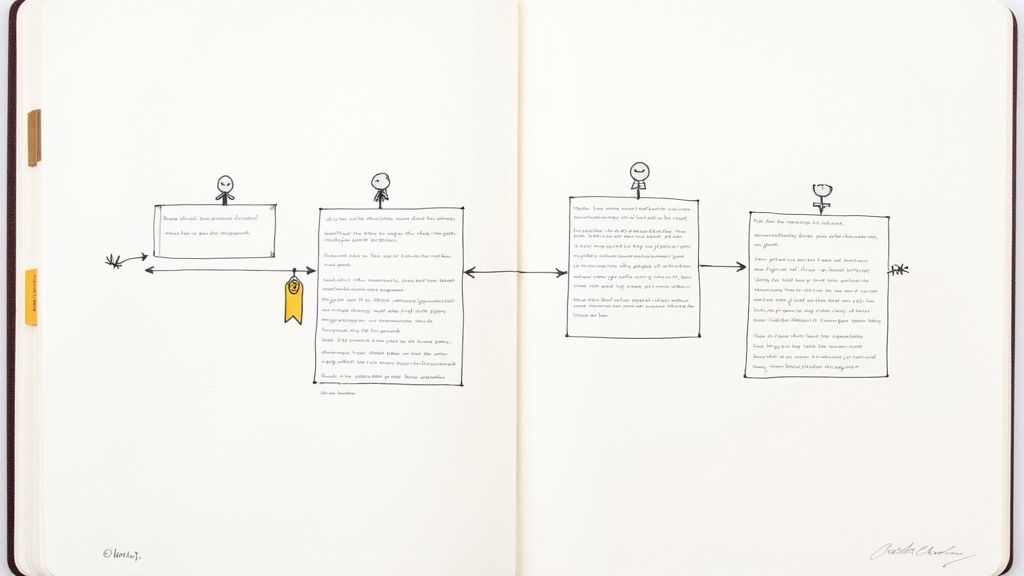
This method is ideal for formal settings where a complete, official record is non-negotiable. Its primary benefit is providing deep context, which is crucial for legal compliance, corporate governance, and historical record-keeping. For boards of directors, government agencies, or academic committees, this level of detail ensures that the rationale behind every decision is transparent and well-documented.
Analysis & Strategic Takeaways
The strength of the narrative format is its thoroughness, but this is also its biggest challenge. Capturing detailed discussions manually is difficult and prone to human error or bias.
Key Insight: This format demands high accuracy and objectivity. The minute-taker must be skilled at summarizing complex conversations without losing critical details or injecting personal interpretation.
Actionable Tip: To maintain accuracy, use a tool like Notize AI to record and transcribe the meeting. Notize AI creates a searchable, verbatim record you can reference to draft the narrative minutes, ensuring nothing is missed and allowing you to jump to the exact moment a topic was discussed. You can learn more about converting audio to text to streamline this process.
When to Use This Format
Choose the traditional narrative format for high-stakes meetings where context is as important as the outcome.
Board of Directors Meetings: Provides an official, legally sound record of governance and strategic decisions.
Legal Proceedings: Essential for creating a detailed account for depositions or court records.
Formal Committee Meetings: Ensures transparency and accountability for decisions that may have long-term consequences.
While less common for agile team check-ins or creative brainstorms, its value in formal, regulated environments is unmatched.
2. Action-Item-Focused Format
The action-item-focused format is a highly efficient and modern approach among meeting minutes format examples. It shifts the focus from documenting conversations to capturing actionable outcomes. This format structures the minutes around a clear list of tasks, assigning each one to a specific owner and setting a firm deadline. It is perfect for fast-paced, project-based environments where accountability and momentum are critical.
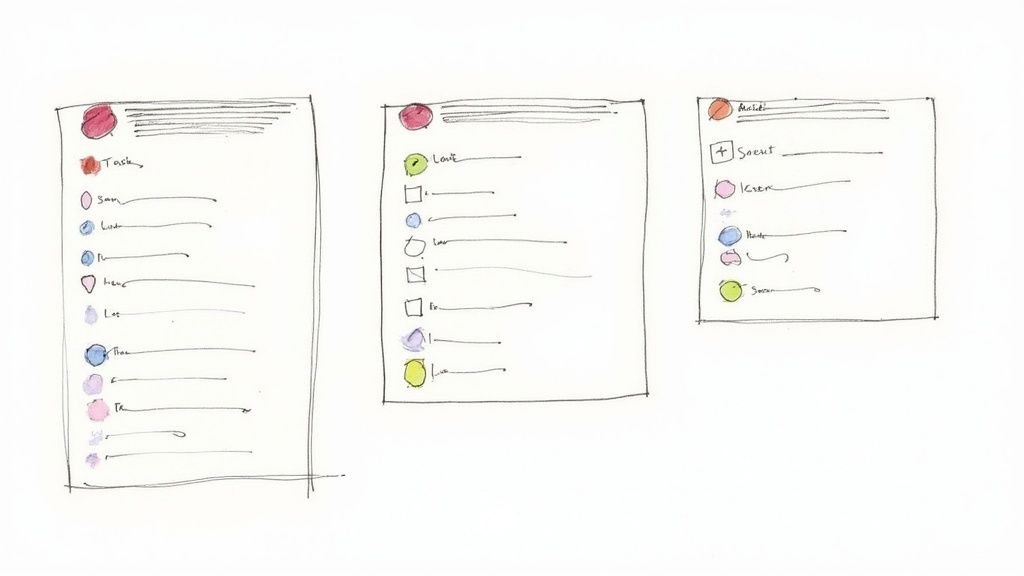
Popularized by agile methodologies and the Scrum framework, this format prioritizes forward movement over historical detail. Instead of paragraphs of discussion, the output is a clean, organized to-do list that functions as both a record and a project management tool. This clarity ensures that every participant leaves the meeting knowing exactly what is expected of them and by when, drastically reducing ambiguity and the risk of tasks falling through the cracks.
Analysis & Strategic Takeaways
The primary strength of the action-item-focused format is its direct link to productivity, but its effectiveness depends on accurately capturing and assigning tasks. Overlooking a key decision or misattributing an action item can derail progress.
Key Insight: This format transforms meeting minutes from a passive record into an active tracking document. Success hinges on the ability to isolate specific, measurable, and achievable tasks from the broader discussion.
Actionable Tip: Use a tool like Notize AI to automatically record, transcribe, and identify action items from the conversation. The AI in Notize AI generates a structured to-do list with suggested owners and tasks, which the meeting facilitator can then quickly verify and finalize, ensuring no commitments are missed.
When to Use This Format
Opt for the action-item-focused format in any meeting where the main goal is to drive progress and assign responsibilities.
Agile Sprint Planning: Ideal for capturing user stories, tasks, and assignments for the upcoming sprint.
Project Status Updates: Quickly documents progress, identifies blockers, and outlines the next steps needed to stay on schedule.
Team Debriefs: Perfect for creating a clear follow-up plan based on a project retrospective or sales call analysis.
While it lacks the deep contextual detail of narrative formats, its focus on execution makes it indispensable for teams that value speed and accountability.
3. Decision Log Format
The decision log format is one of the most action-oriented meeting minutes format examples. Instead of capturing the entire conversational flow, it focuses exclusively on documenting the choices made, the rationale behind them, and who is responsible for their implementation. This format creates a clear, searchable record of pivotal moments.
This method is ideal for teams where clarity on outcomes and accountability is paramount. Its primary benefit is creating a transparent and easily referenced history of why certain paths were chosen over others. For product development, executive leadership, and strategic planning teams, this format prevents confusion and ensures alignment by making the what, why, and who of every decision explicit.
Analysis & Strategic Takeaways
The strength of the decision log format is its sharp focus on outcomes, but this can sometimes omit valuable discussion context. It excels at tracking progress and holding teams accountable for what was agreed upon.
Key Insight: This format creates a powerful, high-signal record that cuts through the noise of day-to-day discussions. It's designed for action, not just archival.
Actionable Tip: Use a tool like Notize AI to automatically record meetings and generate a full transcript. The platform can then identify and highlight key decisions, making it simple to populate your decision log accurately. With Notize AI, you can even search across all past meetings to instantly find the rationale behind a specific choice. You can learn more about using automated transcription services to streamline this process.
When to Use This Format
Choose the decision log format for meetings where the primary goal is to make and record clear, binding choices.
Product Strategy Meetings: Essential for documenting feature prioritization, roadmap changes, and go-to-market strategies.
Executive Leadership Meetings: Provides a clear record of high-level strategic, financial, and operational decisions.
Technical Architecture Reviews: Perfect for creating Architectural Decision Records (ADRs) that document key technology choices and their justifications.
While not suited for creative brainstorming sessions, this format is indispensable for driving projects forward and ensuring strategic alignment.
4. Outline/Bullet-Point Format
The outline or bullet-point format is one of the most versatile and scannable meeting minutes format examples. It structures meeting discussions hierarchically using bullet points and indentation, organized by topic. This approach creates a clear, logical flow that highlights key points, decisions, and action items without the density of a full narrative.
This format provides an excellent middle ground between a comprehensive story-like record and a bare-bones action item list. It's highly readable and allows attendees to quickly grasp the main takeaways from each agenda item. The structure makes it easy to see how supporting details relate to larger discussion topics, offering sufficient context while remaining concise.
Analysis & Strategic Takeaways
The primary strength of the outline format is its balance of clarity and detail. However, its effectiveness depends entirely on logical organization and consistent formatting from the minute-taker.
Key Insight: This format excels at showing relationships between ideas. Sub-bullets can detail discussions, arguments, or data points that led to a main-bullet decision, providing context without becoming verbose.
Actionable Tip: Manually organizing notes into a clean outline during a live meeting can be challenging. Use a tool like Notize AI to record the conversation. Afterward, its AI-generated summary and key discussion points provide a perfectly structured foundation that you can quickly adapt into a polished bullet-point format, ensuring a clear and logical record every time.
When to Use This Format
Choose the outline format for most internal meetings where clarity, speed, and easy reference are more important than a legally defensible, verbatim record.
Team Status Meetings: Perfect for quickly documenting updates, blockers, and next steps for each project or team member.
Departmental Briefings: Effectively organizes information presented across different sub-teams or functions.
Committee Meetings: Captures key discussion points and decisions in a structured manner that is easy for all members to review.
5. Consent Agenda with Brief Summary Format
The consent agenda format is one of the most efficient meeting minutes format examples for organizations that need to balance routine approvals with substantive discussions. This method bundles recurring, non-controversial items (like previous minutes, standard financial reports, or routine appointments) into a single "consent agenda" that is approved with one motion, without individual discussion. Detailed minutes are then reserved only for the agenda items that require active deliberation.
This approach dramatically shortens meeting times by streamlining the approval of predictable business. It's ideal for boards, committees, and councils that have a mix of standard operational tasks and complex strategic topics. By pre-distributing consent items for review, members arrive prepared to focus their energy on what truly matters, rather than rubber-stamping routine matters one by one.
Analysis & Strategic Takeaways
The power of the consent agenda lies in its ability to reclaim valuable meeting time. However, its effectiveness hinges on clear protocols and trust among members.
Key Insight: This format requires discipline. Members must review materials beforehand, and leadership must clearly define what qualifies as a "consent" item to avoid controversy. It is a tool for efficiency, not for bypassing important scrutiny.
Actionable Tip: To ensure transparency and maintain a complete record, use a tool like Notize AI to record the entire meeting. Even though consent items are not discussed, having a recording confirms the unanimous approval and captures any brief procedural comments for the official record, all stored and searchable within the Notize AI platform.
When to Use This Format
Adopt the consent agenda format when your meetings are bogged down by repetitive, procedural tasks that distract from strategic goals.
Corporate Board Meetings: Perfect for approving previous minutes, committee reports, and standard operational updates quickly.
City Council and Government Meetings: Streamlines the approval of permits, ordinances on second reading, and routine resolutions.
Non-Profit Association Meetings: Efficiently handles membership approvals, financial statements, and event logistics, freeing up time for mission-critical discussions.
This format is less suitable for new teams or meetings where every item is expected to generate significant debate, but for established groups, it is an essential tool for maximizing productivity.
6. RACI Matrix Format
The RACI matrix format is a highly structured approach to documenting meeting outcomes, focusing on role clarity and accountability. This one of the most effective meeting minutes format examples for action-oriented meetings, as it explicitly defines who is Responsible, Accountable, Consulted, and Informed for every task. Rather than just listing what needs to be done, it creates a clear framework that prevents ambiguity in complex, cross-functional projects.
This format moves beyond simple action items to build a mini-charter for every decision made. It is ideal for project management environments where multiple teams and stakeholders are involved. By clearly assigning roles, the RACI matrix ensures that every task has a designated owner and that communication flows to the right people at the right time, minimizing confusion and keeping projects on track.
Analysis & Strategic Takeaways
The strength of the RACI format is its ability to create immediate alignment and eliminate the common "I thought someone else was doing that" problem. However, its effectiveness depends entirely on the clarity of the discussion and the accuracy of the assignments made during the meeting.
Key Insight: This format is only as good as the conversation that creates it. Accurately capturing who agreed to which role (Responsible, Accountable, etc.) is critical for the matrix to function as intended.
Actionable Tip: Use a tool like Notize AI to record your project meetings. It can automatically generate detailed meeting notes with speaker-attributed segments, so you can easily verify who committed to each role when filling out the RACI chart. This creates a reliable source of truth to support your project documentation.
When to Use This Format
Choose the RACI matrix format for meetings that involve complex initiatives with overlapping responsibilities. It is particularly useful for kickoff meetings and major project milestones.
Enterprise Software Implementations: Defines roles for technical teams, business stakeholders, and vendors.
Product Launch Initiatives: Clarifies responsibilities across marketing, sales, engineering, and support teams.
Organizational Restructuring Efforts: Ensures every aspect of the transition has clear ownership and communication lines.
7. Digital Collaborative Format (Real-Time Shared Document)
The digital collaborative format is one of the most dynamic and modern meeting minutes format examples. This approach uses shared documents in platforms like Google Docs, Notion, or Microsoft Teams, allowing multiple participants to contribute to the minutes in real-time during the meeting itself. It transforms note-taking from a solitary task into a live, collective effort.
This method thrives in agile, fast-paced environments, particularly for remote-first companies and tech teams. Its core benefit is immediacy: the minutes are created and finalized by the end of the call, eliminating post-meeting write-ups and enabling instant distribution. This fosters unparalleled transparency and accountability, as everyone can see decisions and action items documented as they happen.
Analysis & Strategic Takeaways
The strength of the collaborative format is its efficiency and engagement, but it can lead to disorganized or incomplete notes if not managed properly. A clear structure and designated roles are key to harnessing its full potential.
Key Insight: This format decentralizes note-taking, which increases participation but requires a strong template and a primary facilitator to guide the process. Without structure, the document can become chaotic.
Actionable Tip: Even with real-time collaboration, use an AI meeting note-taker like Notize AI to record the session in the background. This provides a complete, unbiased record to fill any gaps, generate structured summaries, and automatically assign action items, ensuring nothing is lost in the collaborative shuffle. You can learn more about how an AI meeting note-taker enhances this process.
When to Use This Format
Choose the digital collaborative format for interactive meetings where speed, alignment, and immediate access to information are top priorities.
Agile Team Stand-ups and Retrospectives: Perfect for capturing quick updates, roadblocks, and action items in a living document.
Remote Team Syncs: Enables distributed team members to contribute equally and stay aligned on decisions and next steps.
Startup Strategy Sessions: Ideal for brainstorming and documenting ideas collaboratively, turning a fluid conversation into an organized plan instantly.
Meeting Minutes Formats: 7-Point Comparison
Format | 🔄 Implementation Complexity | ⚡ Resource Requirements & Efficiency | ⭐📊 Expected Outcomes | Ideal Use Cases | 💡 Key Advantages / Tips |
|---|---|---|---|---|---|
Traditional Narrative Format | High 🔄; requires skilled note-taker; time-consuming | High time and reading cost; low quick-scan efficiency ⚡ | High-quality, comprehensive record; legally defensible 📊⭐ | Formal boards, legal/compliance, academic/government meetings | Bold key decisions; include summary and timestamps; use clear topic transitions 💡 |
Action-Item-Focused Format | Low–Medium 🔄; simple structure, repeatable | Low documentation time; integrates with PM tools; fast follow-up ⚡ | Strong accountability and task completion; outcome-focused 📊⭐ | Agile sprints, project status updates, product teams | List owners & deadlines; integrate with Asana/Jira; color-code priorities 💡 |
Decision Log Format | Medium–High 🔄; needs discipline and templates | Moderate time to document decisions; needs searchable repo ⚡ | Clear decision trail and rationale; supports audits and onboarding 📊⭐ | Strategic planning, ADRs, high-impact technical choices | Use structured templates (ADRs); record alternatives, dates, and owners 💡 |
Outline / Bullet-Point Format | Low–Medium 🔄; requires good organization | Low time to produce; easy to scan and convert ⚡ | Balanced brevity and completeness; quick reference for teams 📊⭐ | Team status meetings, stand-ups, department briefings | Keep 1 idea per bullet; consistent indentation; bold critical items 💡 |
Consent Agenda with Brief Summary Format | Medium 🔄; requires pre-meeting prep and alignment | Low meeting-time overhead; prep-heavy upfront; efficient overall ⚡ | Reduced meeting length; detailed records only for substantive items 📊⭐ | Boards, councils, non-profits, frequent-meeting organizations | Distribute consent items in advance; allow item pulls; define criteria clearly 💡 |
RACI Matrix Format | Medium–High 🔄; requires cross-functional buy-in and mapping | Moderate effort to build and maintain; needs updates as scope changes ⚡ | Clear role ownership and reduced ambiguity; scales for large initiatives 📊⭐ | Enterprise projects, product launches, org restructures | Limit Accountable role to one; develop collaboratively; review regularly 💡 |
Digital Collaborative Format (Real-Time Shared Document) | Low–Medium 🔄; needs tooling and basic process (designate note-taker) | Moderate tech dependency; instant assignment and versioning; accessible ⚡ | Accurate, real-time notes; searchable living record; faster follow-up 📊⭐ | Remote-first teams, distributed stand-ups, startups, education | Use templates; enable comments; assign a primary note-taker; test tools beforehand 💡 |
Automate Your Meeting Minutes and Reclaim Your Time with Notize AI
Throughout this guide, we've explored a variety of powerful meeting minutes format examples, each tailored to different contexts and objectives. From the detailed Traditional Narrative Format ideal for formal board meetings to the agile, Action-Item-Focused Format perfect for fast-paced project teams, the right structure is crucial. Choosing the correct template ensures clarity, drives accountability, and creates a reliable record of your team's progress.
We analyzed how a Decision Log crystallizes critical outcomes, while the Outline/Bullet-Point Format offers scannable clarity for status updates. The strategic use of a RACI Matrix assigns unambiguous ownership, and a Digital Collaborative Format fosters real-time alignment. Mastering these formats is the first step toward transforming your meetings from simple discussions into engines of productivity. But capturing this information accurately and efficiently remains the biggest challenge.
From Manual Effort to Automated Excellence
The core lesson from these examples is that effective minutes are about more than just recording what was said; they are about capturing what matters. The true value lies in extracting key decisions, assigning clear action items, and providing a summary that anyone can understand in seconds. However, the manual process of listening, typing, and organizing this information is a significant productivity drain. It forces at least one person to be a scribe instead of a full participant, risking missed nuances and inaccuracies.
This is precisely where the manual approach falls short and where automation becomes a game-changer. Imagine running a client call and, instead of frantically typing, focusing completely on the conversation, knowing that every detail is being captured. What if your post-project retrospective notes were automatically organized into themes, insights, and actionable follow-ups? This level of efficiency is no longer a futuristic concept; it's a practical reality with tools like Notize AI.
How Notize AI Elevates Every Meeting Format
Notize AI isn’t just a transcription tool; it's an intelligent meeting assistant that automates the entire documentation process, seamlessly aligning with the principles we've discussed. Simply record your meeting in the app, and Notize AI instantly produces:
A full, structured summary that captures the essence of the discussion.
Detailed notes with speaker-attributed segments for perfect clarity.
An organized list of action items and highlighted key decisions.
A searchable archive of all your past meetings, allowing you to find specific information in seconds.
Whether your team prefers a RACI matrix or a simple bullet-point list, Notize AI provides the raw, perfectly organized content you need to populate any template in a fraction of the time. Stop letting manual note-taking be the bottleneck. By automating the documentation, you empower your entire team to stay engaged, contribute their best ideas, and focus on strategic collaboration rather than administrative tasks.
Ready to move beyond manual note-taking and unlock truly productive meetings? See how Notize AI can automatically generate perfect minutes in any format, giving you back valuable time to focus on what truly matters. Try Notize AI today and transform your meeting workflow forever.
7 Essential Meeting Minutes Format Examples for 2025




