In a world of constant information flow, documents are no longer just static files. They are dynamic assets: meeting recordings, video clips, podcast audio, transcripts, and collaborative notes. Traditional document management systems, designed for a text-based world, struggle to keep up. This leads to lost information, wasted time searching for critical moments in recordings, and disconnected teams struggling to maintain a single source of truth. The solution isn't just better folder structures; it's a strategic shift toward intelligent content handling with platforms like Notize AI.
This guide outlines ten essential document management system best practices that transform chaos into clarity. We will move beyond basic filing and explore how modern platforms, like Notize AI, are revolutionizing how teams capture, analyze, and act on information. Instead of just storing files, you can automatically transcribe meetings, generate summaries from long videos, and create a searchable knowledge base from your entire content library. With Notize AI, professionals can get structured meeting summaries and action items automatically, while creators can turn a single video into a high-quality blog post.
You will learn how to build a system that not only organizes your files but also unlocks the value within them. Whether you're a project manager trying to track action items from a Zoom call, a content creator repurposing a video for a blog post, or a student creating study guides from recorded lectures, mastering these practices is critical. The following strategies will help you save time, improve collaboration, and turn your repository of digital assets into a powerful engine for insight and productivity. We will provide actionable steps to implement a centralized repository, automate content extraction, establish clear governance, and integrate these processes into your daily workflows.
1. Implement a Centralized Repository with Unified Search Capabilities
One of the most foundational document management system best practices is consolidating all digital assets into a single, centralized repository. Dispersed files across local drives, cloud storage accounts, and various communication apps create information silos, making it nearly impossible to find what you need quickly. A centralized system eliminates this chaos by creating a single source of truth for every document, meeting recording, media file, and transcript.
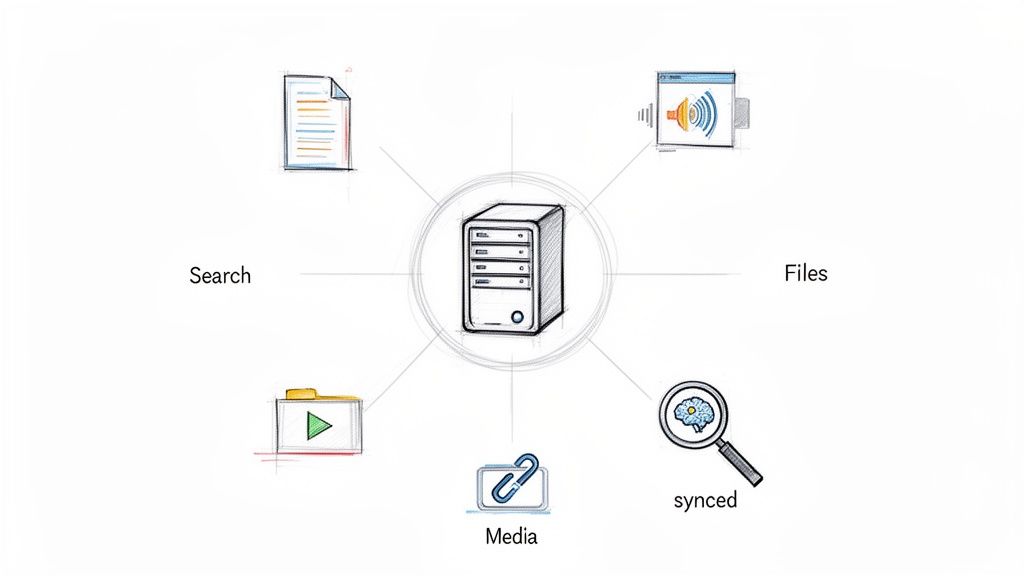
This approach goes beyond simple storage. Modern platforms like Notize AI enhance centralization with unified, AI-powered search. Instead of just searching by filename, users can search the content of their files, including the spoken words within video or audio recordings. For instance, a product team using Notize AI can instantly search across all past meetings and imported documents for a specific feature request. The platform’s keyword search allows them to jump directly to the exact moment a topic was discussed, saving hours of manual review.
How to Implement a Centralized System
Audit and Consolidate: Begin by identifying where all your team's documents and media currently live. Create a plan to migrate them into your new system.
Establish Governance Early: Before migrating, define clear naming conventions and tagging protocols. This ensures that assets are organized and searchable from day one.
Automate Ingestion: Set up automated imports from frequently used platforms. For example, a journalist using Notize AI can link their YouTube or TikTok account to automatically pull in new videos for analysis.
Train Your Team: Conduct training sessions focused on leveraging the full power of unified search, including how to use keywords, metadata filters, and content-based queries.
Regularly Maintain: Schedule regular audits to archive outdated content. This keeps the system clean and ensures search performance remains high.
2. Automate Transcription and Content Extraction from Multimedia
In today's media-rich environment, a significant portion of valuable information is locked within audio and video files like meeting recordings, webinars, and customer interviews. An essential document management system best practice is to automate the transcription and intelligent extraction of this content. This process uses AI to convert spoken words into searchable, editable text, transforming unstructured multimedia into highly accessible and actionable assets.
This goes far beyond simple speech-to-text. Advanced platforms like Notize AI not only transcribe recordings with high accuracy but also generate structured meeting summaries, identify key discussion points, and extract assigned action items. For example, a marketing team using Notize AI can upload customer interviews and instantly receive transcripts alongside summaries of key feedback and pain points. Bloggers and creators can use it to generate customizable blog posts in their chosen writing style—professional, friendly, or conversational—and publish directly to their own blog within the app.
How to Implement Automated Transcription and Extraction
Prioritize Audio Quality: Ensure recordings are clear with minimal background noise for optimal transcription accuracy. Good microphone practices are the first step to good data.
Configure Speaker Identification: In Notize AI, you can record meetings directly in the app to get speaker-attributed segments automatically. This is critical for understanding who said what in team meetings.
Review and Refine: AI is powerful, but a quick human review is crucial for correcting technical terms, brand names, or industry-specific jargon that the system may not recognize.
Leverage AI Summaries: Use the automatically generated key points and summaries as a starting point. Edit and enhance them rather than creating meeting notes from scratch.
Automate Action Item Tracking: Configure your system to automatically create tasks or send notifications for action items mentioned during meetings, ensuring accountability and follow-through. Learn more about how to transcribe audio to text effectively and integrate it into your workflow.
3. Establish Clear Information Architecture and Taxonomy
Without a logical structure, a document management system quickly becomes a digital junk drawer. One of the most critical document management system best practices is establishing a clear information architecture and taxonomy. This framework uses consistent folder hierarchies, naming conventions, and metadata to organize documents predictably, making retrieval efficient for both humans and AI. A well-defined taxonomy is the backbone of a searchable, scalable, and user-friendly system.
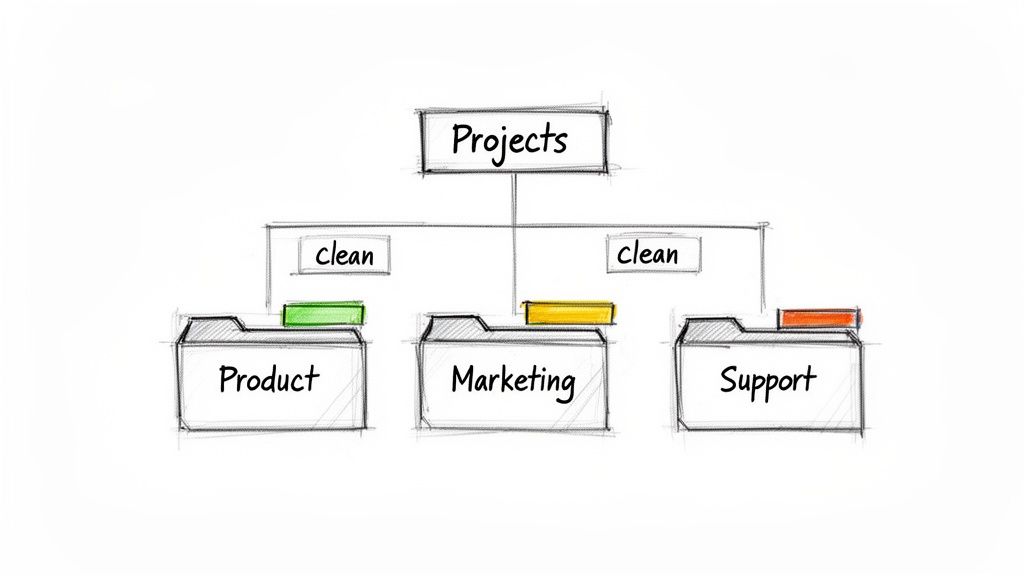
A strong taxonomy directly improves discoverability and helps new team members find what they need without extensive training. For example, a marketing team using Notize AI can organize all its media assets by content type (e.g., webinar, podcast, video), campaign name, and quarter. The app's customizable folder structures make it easy for anyone on the team to quickly locate all recordings and transcripts related to the "Q3 Product Launch" campaign. Students can use the same feature to organize academic materials by course, topic, or semester.
How to Implement a Clear Taxonomy
Involve Stakeholders: Collaborate with every team that will use the system to design a taxonomy that meets everyone's needs. This ensures universal adoption and prevents siloing.
Start Broad, Then Refine: Begin with high-level categories (e.g., Projects, Clients, Marketing) and add sub-folders and metadata tags based on actual usage patterns.
Document and Share: Create a clear, accessible guide that outlines the folder structure, naming conventions, and tagging protocols. Make this document easy for all users to find.
Automate Classification: Use your document management system's features to automatically tag or file content. For instance, Notize AI users can set rules to automatically place all Zoom meeting recordings into a "Team Meetings" folder.
Schedule Regular Reviews: Revisit your taxonomy annually to ensure it still aligns with your business goals and content types. Archive or restructure categories as needed to keep the system clean.
4. Implement Intelligent Summarization and Key Point Extraction
Modern document management systems are evolving from simple storage into active intelligence hubs. A key element of this transformation is implementing AI-powered summarization, which automatically generates concise overviews of documents, meeting recordings, and long-form video content. This practice extracts key points, decisions, and action items, allowing stakeholders to grasp crucial information in minutes instead of hours.
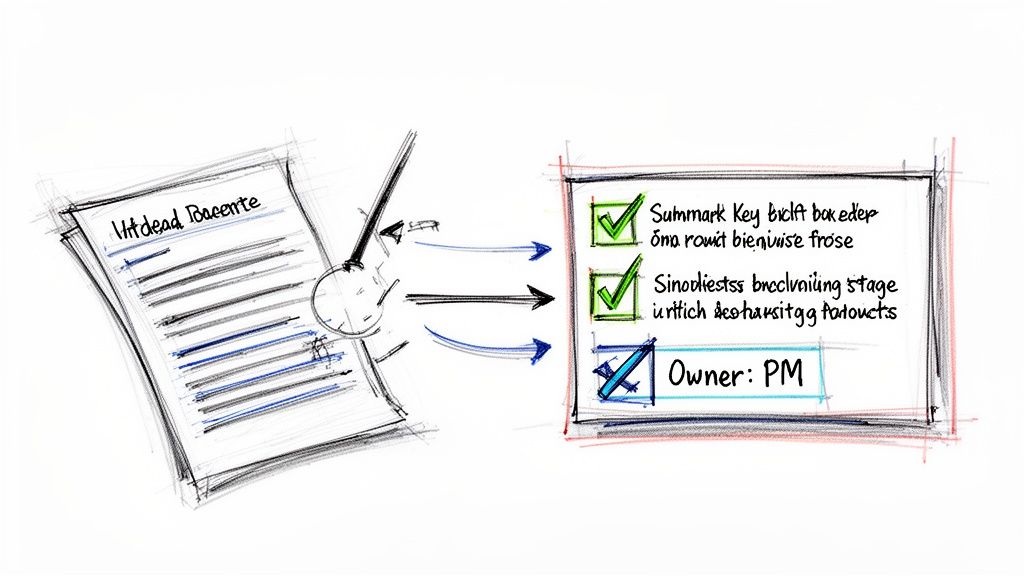
This intelligent processing turns passive content into actionable insights, a core principle of document management system best practices. Platforms like Notize AI excel at this by analyzing content and producing structured summaries that highlight what matters most. For example, a project manager can record a one-hour kickoff meeting in the app and instantly receive a summary with a timeline of important moments, all agreed-upon deadlines, and assigned tasks. Students using Notize AI can summarize long lectures in seconds or turn tutorial videos into step-by-step guides.
How to Implement Intelligent Summarization
Configure Summary Settings: Tailor the AI's focus to what your team values most. Configure it to prioritize extracting decisions, risks, action items, or customer feedback.
Automate Distribution: Set up workflows that automatically send meeting summaries to relevant stakeholders via email or team messaging apps as soon as a meeting concludes.
Integrate with Project Management: Use a tool like Notize AI to extract action items from meetings and automatically feed them into your project management system, ensuring no task is forgotten.
Train for Better AI Comprehension: Coach your team to structure conversations clearly during meetings. Clearly stating "The decision is..." or "The action item for John is..." helps the AI capture these points with higher accuracy.
Review and Refine: Initially, have a team member review the AI-generated summaries to ensure they align with the team's needs and provide feedback to fine-tune the system.
5. Establish Content Governance, Quality, and Security Standards
A document management system is only as reliable as the rules that govern it. Establishing clear content governance, quality control, and security standards is a critical best practice that ensures consistency, prevents misinformation, and protects sensitive information. This framework defines who can create, review, and access content, creating a secure and trustworthy single source of truth for your entire organization.
Without these standards, valuable data is vulnerable to unauthorized access, and content quality can degrade, eroding trust in the system. A robust governance plan combines role-based access controls, editorial workflows, and security protocols like encryption and audit trails. For example, a financial services firm can use a secure DMS to implement automated compliance reviews, while a marketing team using Notize AI can establish a mandatory fact-checking workflow for blog posts generated from expert interviews. The app securely stores all media, ensuring content is protected.
How to Implement Governance, Quality, and Security
Define Roles and Permissions: Implement the principle of least privilege by granting users access only to the information necessary for their roles. This minimizes the risk of accidental data exposure.
Document Content Standards: Create and share an accessible style guide that outlines tone, formatting, and quality requirements. For instance, a media company using Notize AI to repurpose interview transcripts into articles can set rules for citation and attribution.
Enforce Security Protocols: Mandate strong passwords, enable multi-factor authentication, and ensure your DMS provider meets high security standards, such as SOC 2 compliance. Platforms like Notize AI are built with enterprise-grade encryption to protect all stored data, from meeting notes to confidential documents.
Automate Compliance Checks: Use automation to enforce routine checks, such as verifying that all public-facing documents include necessary legal disclaimers or that all internal meeting summaries are distributed only to the correct teams.
Conduct Regular Audits and Training: Schedule annual security reviews and regularly audit access logs to identify unusual activity. Supplement this with mandatory security training for all team members on proper data handling and protection practices.
6. Create a Searchable Knowledge Base from Historical Content
An effective document management system does more than just store active files; it transforms your historical content into a living, searchable knowledge base. By indexing and categorizing past meetings, project documents, and customer calls, you create a powerful self-service resource. This practice preserves invaluable institutional knowledge that would otherwise be lost in email archives or forgotten folders, directly combating knowledge drain.
This approach turns your DMS into an organizational brain. For instance, a student using Notize AI can upload PDFs, Word documents, and lecture recordings to build a comprehensive study hub. They can then chat with the AI to ask specific questions about the content, like "Explain the main points of last week's lecture," and get instant answers without re-watching the entire video. This capability accelerates learning and ensures that valuable information from the past is always accessible, a core principle of effective document management system best practices.
How to Build a Knowledge Base from Your Content
Prioritize Recent History: Begin by processing content from the last 2-3 years, as this is typically the most relevant. Focus on high-value assets like strategic meetings, project retrospectives, and customer interviews.
Automate Transcription and Indexing: Use a tool like Notize AI to automatically transcribe and index the content of all your video and audio files. This makes spoken words as searchable as text in a document. Learn more about building an effective knowledge management system to get started.
Implement Consistent Tagging: From day one, establish and enforce a consistent tagging protocol for all new content. Tags like "customer-feedback," "Q3-roadmap," or "competitor-analysis" make retrieval fast and accurate.
Integrate with Communication Tools: Connect your knowledge base search function to platforms like Slack or Microsoft Teams. This allows team members to find answers without leaving their primary workspace.
Promote and Reward Contribution: Encourage employees to actively use and contribute to the knowledge base. Recognize team members who add valuable content or help update outdated information.
7. Establish Analytics and Performance Metrics for Content
A modern document management system should do more than just store files; it should provide strategic insights. One of the most impactful document management system best practices is to apply systematic analytics to track document usage, engagement, and performance. This transforms your repository from a passive storage unit into an active tool for making data-driven decisions about what content to create, repurpose, or archive.
Tracking performance metrics helps you understand which assets are truly valuable to your organization. For instance, a marketing team can see which case studies are downloaded most frequently before sales calls. Platforms like Notize AI provide built-in analytics, allowing creators to see how their audience interacts with their posts. A blogger using the platform to publish content generated from their videos can quickly identify which topics resonate most by tracking views and engagement, directly informing their future content strategy.
How to Implement Content Analytics
Define Success Metrics First: Before you start tracking, align your metrics with specific business goals. Is success measured by views, downloads, shares, or time spent on a document?
Focus on Actionable Data: Avoid vanity metrics. Instead of just counting views, track metrics that inform decisions, such as which documents are most frequently accessed by the sales team.
Inform Your Content Calendar: Use analytics to identify your top-performing content. If a particular topic from a meeting summary gains significant traction, double down on creating more content around that subject.
Track Trends Over Time: Don't make decisions based on a single data point. Track metrics over a 3-6 month period to identify meaningful performance trends and seasonal patterns.
Justify Content Investment: Use concrete data to demonstrate the value of your content efforts to leadership. Show how specific documents contribute to project success or lead generation.
8. Implement Multi-Channel Content Distribution from a Single Source
A truly effective document management system transcends simple storage; it becomes a content engine. One of the most advanced document management system best practices involves creating a single source of truth from which you can distribute tailored content across multiple channels. This eliminates redundant work, ensures message consistency, and maximizes the return on your most valuable assets, from internal meetings to published content.
This strategy moves beyond storing a file to actively repurposing its core insights. With modern platforms like Notize AI, a single source asset, such as a customer interview recording, can be automatically transformed into various formats. The system can extract key quotes for social media, generate a detailed summary for an internal newsletter, and even draft a long-form blog post based on the conversation's main themes. Notize AI can even suggest stronger wording and more compelling storytelling techniques, helping creators produce polished content effortlessly.
How to Implement Multi-Channel Distribution
Identify High-Value Sources: Pinpoint the content that holds the most potential for repurposing. Common examples include webinar recordings, customer feedback calls, podcast episodes, and internal strategy meetings.
Create Channel-Specific Templates: Define standard formats for each distribution channel. For example, create a template for a LinkedIn post, a short-form video script, a blog post outline, and an internal project update.
Automate Extraction and Generation: Use tools like Notize AI to automate the heavy lifting. A marketing team can upload a webinar recording and have the system automatically generate a transcript, a summary, five key takeaways for an email, and several compelling quotes for social media graphics.
Plan Distribution in Advance: Integrate your multi-channel distribution strategy directly into your content creation calendar. For every primary piece of content, schedule the creation and publication of its derivative assets.
Track and Optimize: Monitor the performance of your repurposed content on each channel. Analyze which formats and messages resonate most with different audiences to refine your templates and distribution strategy over time.
9. Enable Real-Time Collaboration and Version Control
Modern work is a team sport, and a static document management system that forces sequential access is a significant bottleneck. One of the most critical document management system best practices is enabling real-time collaboration with robust version control. This transforms documents from isolated files into dynamic, shared workspaces where multiple team members can edit, comment, and contribute simultaneously, regardless of their location. This approach eliminates the delays and confusion caused by emailing different versions back and forth.
Platforms like Notize AI integrate this collaborative spirit directly into knowledge assets. Instead of just storing a meeting transcript, teams can work within it together. For example, a product team can use Notize AI to collaborate on a meeting summary in real-time, instantly sharing reports with colleagues. This ensures everyone has a clear and consistent understanding of what happened, dramatically improving alignment and accelerating project timelines.
How to Implement Real-Time Collaboration and Version Control
Establish Clear Guidelines: Create and share rules for collaboration. Define how to use threaded comments, @-mentions for specific feedback, and how to mark comments as resolved to keep the workspace clean.
Assign Section Ownership: For large or complex documents, assign clear ownership of different sections to specific team members. This prevents overlapping edits and ensures accountability.
Leverage Version History: Train your team to use the version history feature not just for rollbacks but as an audit trail. It's a powerful tool to understand how a document evolved and why certain decisions were made.
Integrate with Communication Tools: Connect your document management system with platforms like Slack or Microsoft Teams. This allows for instant notifications when a team member is mentioned or a document is updated, keeping projects moving forward.
Promote Collaborative Etiquette: Encourage a culture of constructive feedback and timely responses. Learn more about how to improve team collaboration to foster a more efficient and positive work environment.
10. Integrate Document Management with Existing Tools and Workflows
A document management system should not exist in a vacuum. One of the most critical document management system best practices is ensuring your platform integrates seamlessly with the tools your teams already depend on. When a DMS connects with your email, CRM, and project management software, it becomes a natural extension of your daily operations rather than another siloed destination. This approach dramatically reduces friction, boosts user adoption, and creates a unified ecosystem where information flows effortlessly.
Without integration, employees are forced into constant context-switching and manual data entry, such as copying meeting notes into a CRM or downloading files to re-upload them elsewhere. A well-integrated system automates these tasks, embedding DMS functionality directly into existing workflows. For example, a sales team using Notize AI can have customer call summaries and key action items automatically synced to the corresponding contact record in their CRM. This ensures that valuable context is never lost and is always available where it's most needed.
How to Implement a Well-Integrated System
Map Essential Workflows: Identify the core applications your teams use daily (e.g., Slack, Asana, Salesforce). Prioritize integrations that eliminate the most time-consuming manual data transfer tasks.
Leverage Native and No-Code Solutions: Start with the DMS’s built-in native integrations. For more complex connections, use no-code platforms like Zapier or Make to link systems without requiring developer resources.
Automate Information Distribution: Set up automated triggers to push information where it needs to go. For instance, configure Notize AI to send meeting summaries directly to a specific Slack channel or create tasks in a project management tool based on identified action items.
Test and Document: Thoroughly test each integration to ensure data syncs accurately and reliably. Document the setup process and create simple user guides to help your team understand how the connected systems work together.
Monitor and Maintain: APIs and software platforms change over time. Schedule regular checks to confirm integrations are still functioning correctly and update them as needed to prevent data flow disruptions.
10-Point DMS Best Practices Comparison
Item | Implementation Complexity 🔄 | Resource Requirements ⚡ | Expected Outcomes 📊⭐ | Ideal Use Cases 💡 | Key Advantages ⭐ |
|---|---|---|---|---|---|
Implement a Centralized Repository with Unified Search Capabilities | Medium–High 🔄🔄 — migration, integrations, indexing | Storage & indexing infrastructure; integration effort; user training ⚡ | Faster retrieval (40–60% time saved); single source of truth 📊⭐ | Distributed teams, enterprise content ops, onboarding | Cross-format search; consistent access; compliance support ⭐ |
Automate Transcription and Content Extraction from Multimedia | Medium 🔄🔄 — speech models, language support, tuning | Compute for ASR; review time for accuracy; platform integrations ⚡ | 60–70% time savings on documentation; searchable transcripts & action items 📊⭐ | Frequent meetings, podcasts, customer interviews | Converts media to editable text; extracts key points & actions ⭐ |
Establish Clear Information Architecture and Taxonomy | High 🔄🔄🔄 — planning, stakeholder alignment, governance | Workshops, governance roles, periodic maintenance; metadata design ⚡ | Improved discoverability; scales to thousands of docs; reduces search failures 📊⭐ | Large volumes of content; scaling organizations; cross-team collaboration | Predictable navigation; supports automation and long-term consistency ⭐ |
Implement Intelligent Summarization and Key Point Extraction | Medium 🔄🔄 — model tuning, format configuration | AI inference + reviewer checks; integration with workflows ⚡ | Saves 30–40% review time; clear decisions and assigned action items 📊⭐ | Exec briefings, meeting follow-ups, fast decision contexts | Rapid comprehension; multi-level summaries; action extraction ⭐ |
Establish Content Governance, Quality, and Security Standards | High 🔄🔄🔄 — policy design, RBAC, compliance workflows | Security tooling (encryption, 2FA), legal/compliance, training, audits ⚡ | Compliance, reduced risk, audit trails; protects reputation 📊⭐ | Regulated industries (finance, healthcare, legal); enterprise security | Ensures compliance and accountability; prevents data breaches ⭐ |
Create a Searchable Knowledge Base from Historical Content | Medium–High 🔄🔄 — tagging, cleanup, indexing legacy content | Significant initial curation effort; indexing and ongoing updates ⚡ | Reduces repeated questions (70%+); faster content creation (20–30%) 📊⭐ | Onboarding, customer success, product decision history | Preserves institutional knowledge; self-service answers ⭐ |
Establish Analytics and Performance Metrics for Content | Medium 🔄🔄 — metric design, instrumentation | Analytics platform, data collection, analyst time ⚡ | Data-driven decisions; 40% faster editorial choices; ROI visibility 📊⭐ | Content strategy, marketing ops, optimization teams | Reveals high-impact content; informs repurposing and archiving ⭐ |
Implement Multi-Channel Content Distribution from Single Source | Medium 🔄🔄 — template creation, channel configs | Automation tooling, templates, scheduling systems ⚡ | 3–4x reach with same effort; >50% reduction in content time 📊⭐ | Marketing, repurposing webinars/podcasts, social teams | Consistent messaging; scalable distribution; higher ROI ⭐ |
Enable Real-Time Collaboration and Version Control | Low–Medium 🔄🔄 — cultural change and tooling | Collaboration platform, training on etiquette, versioning tools ⚡ | Review cycles reduce from days to hours; clear version history 📊⭐ | Remote teams, editorial review, cross-functional docs | Eliminates version confusion; live co-editing and rollback ⭐ |
Integrate Document Management with Existing Tools and Workflows | Medium–High 🔄🔄 — multiple API integrations, mapping data flows | Integration engineers or no-code tools; monitoring and maintenance ⚡ | 30–40% less admin overhead; unified information flow across systems 📊⭐ | Teams using CRMs, PM tools, messaging platforms | Reduces context switching; automates data syncs; improves adoption ⭐ |
Turn Your Documents into Your Greatest Asset
The journey to mastering your organization's information doesn't end with choosing a piece of software; it begins with implementing a strategic framework. The document management system best practices we've explored in this guide are not just isolated tips, they are interconnected pillars supporting a new operational reality. By moving beyond outdated concepts of digital filing cabinets, you can transform your scattered, static files into a dynamic, intelligent, and highly accessible knowledge engine that actively works for you. This is the fundamental shift from passive storage to active intelligence.
Think of the value currently locked away in your unstructured data. Hours of meeting recordings, insightful video tutorials, and libraries of academic lectures contain critical decisions, brilliant ideas, and core educational concepts. Without a modern system, this value remains dormant. Implementing a centralized repository with automated transcription and intelligent summarization, as discussed, is the key to unlocking it. It turns a one-hour project kickoff meeting into a searchable list of action items, key decisions, and follow-up tasks, all generated automatically. Tools like Notize AI are designed for this exact purpose, ensuring no critical detail is ever lost in translation or forgotten.
From Chaos to Clarity: The Real-World Impact
Adopting these best practices creates a ripple effect across your entire organization.
For Professionals and Teams: Imagine finishing a strategy session and having a complete, structured summary with speaker-attributed notes and a to-do list in your inbox before you even get back to your desk. This is the power of a tool like Notize AI. It eliminates the administrative burden of note-taking and ensures perfect alignment.
For Content Creators: Consider the efficiency of turning a single podcast recording or YouTube video into a high-quality blog post, a series of social media snippets, and a step-by-step guide. With Notize AI, you can establish a system for multi-channel distribution from a single source, amplifying your reach without multiplying your effort.
For Students and Researchers: The ability to upload a lecture video or a dense PDF and instantly receive a summary, a study guide, and the ability to ask the content questions is a complete game-changer. Notize AI transforms study time from a passive review into an active, engaging learning experience.
The core takeaway is this: A successful document management strategy is proactive, not reactive. It’s about building a living ecosystem where information is easy to find, understand, and act upon. This requires a commitment to establishing clear governance, a logical information architecture, and robust security protocols. More importantly, it requires embracing tools that support today's media-rich reality. Your "documents" are no longer just text files; they are audio recordings, video streams, and collaborative discussions. Your management system must reflect that.
By implementing these document management system best practices, you are not just cleaning up a messy server. You are building a competitive advantage. You are fostering a culture of clarity, accelerating decision-making, and empowering every member of your team, from project managers to content creators, with the information they need, precisely when they need it. You are turning your documents, in all their modern forms, into your organization's greatest and most valuable asset.
Ready to stop managing files and start unlocking intelligence? See how Notize AI brings these document management system best practices to life with automated transcription, AI-powered summaries, and a centralized hub for all your media. Transform your meetings, videos, and audio into actionable knowledge today by visiting Notize AI.
Document management system best practices: Boost Efficiency and Security




