Back to blog
Improve Collaboration: how to take effective meeting notes that drive action
Jan 12, 2026
Ever walked out of a meeting with that sinking feeling of, "Wait, what did we actually decide?" If so, you're in good company. The secret to taking effective meeting notes isn't about learning to type faster; it's about shifting from manual scribbling to smart, automated systems. Forget trying to listen and frantically type at the same time. Tools like Notize AI can handle the heavy lifting by recording, transcribing, and summarizing everything for you, so you never miss a key decision or action item again.
Why Most Meeting Notes Just Don’t Work
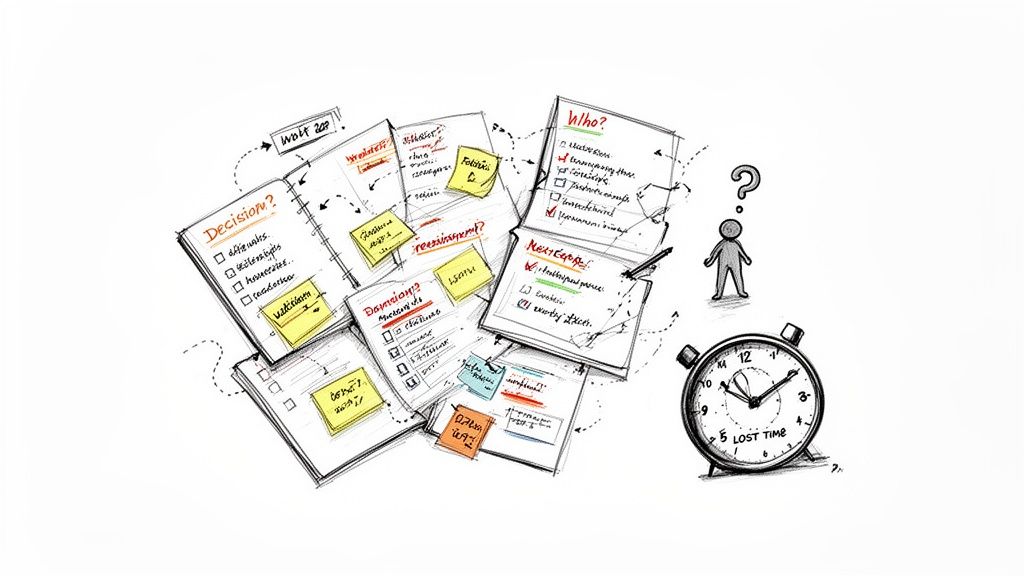
Let’s be honest. Trying to stitch together a clear plan from three different people’s notes after a call is a recipe for disaster. It’s a common frustration that leads to confusion and multiple, conflicting "sources of truth." This isn't just annoying—it actively wastes time and kills team alignment.
The problem runs deeper than just messy handwriting. The data paints a clear picture: only 37% of meetings in the workplace actually use an agenda, even though a whopping 73% of professionals agree they’re essential. This lack of structure directly contributes to shoddy documentation, with 51% of attendees taking their own fragmented notes that often create more problems than they solve.
The Pitfalls of Doing It All By Hand
When you’re taking notes manually, you’re forced to make a choice: do you fully engage in the discussion, or do you put your head down and capture every word? It's almost impossible to do both effectively. The usual outcome is a set of incomplete records, missed action items, and a fuzzy memory of what was actually agreed upon. This old-school approach simply can't keep up with the pace of modern work.
If you’re looking for a deeper dive into improving your fundamental skills, this guide on how to take better meeting notes offers some great strategies.
This is exactly where an automated tool like Notize AI completely changes the dynamic. By recording directly in the app, it frees up every person in the room to contribute their best ideas, confident that a perfect, searchable record is being created in the background. It's about working smarter, not harder.
Of course, a tool is only as good as the process around it. Setting clear ground rules is crucial. You can explore our guide on establishing effective norms for meetings to help build a stronger foundation for your team's collaboration. In the rest of this guide, we'll unpack the common pain points of old-school methods and show you a modern, reliable way to create clarity from conversation.
Setting the Stage Before the Meeting Starts
Let’s be honest: great meeting notes aren't about what happens during the call. They're a direct result of the work you do before it even starts. The real secret is solid preparation. It’s what transforms a rambling, unfocused chat into a productive, decision-making session.
Think of it this way: you’re not just showing up to take notes; you’re arriving with a game plan. What's the one big thing we need to decide? What absolutely has to be accomplished by the time we sign off? Knowing the answers to these questions ahead of time completely changes how you listen and what you write down.
Building Your Pre-Meeting Checklist
Having a simple, repeatable routine is key. This isn’t about creating busy work; it’s about making the time you spend in the meeting actually count.
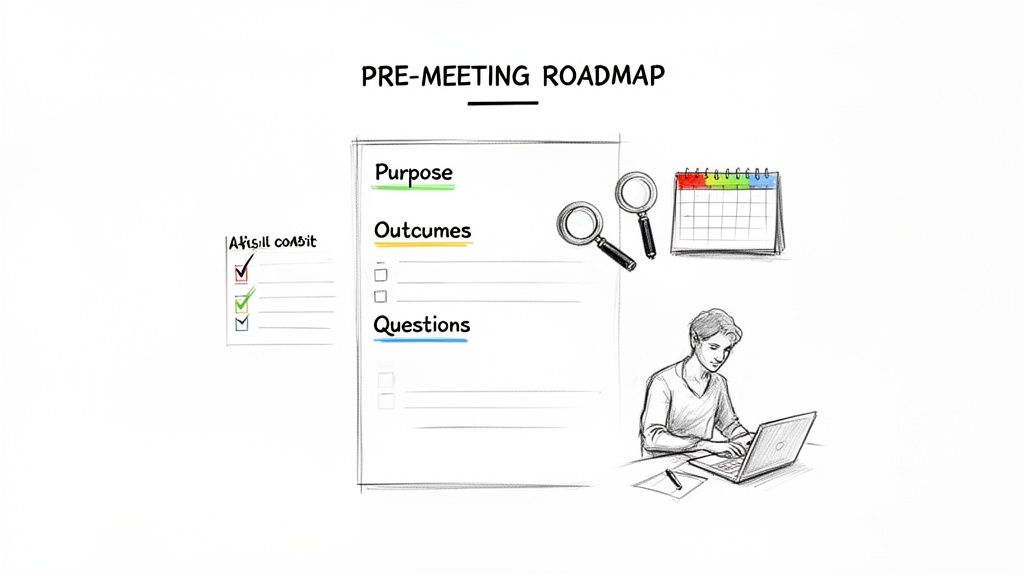
Before every meeting, I make sure to run through a quick checklist:
Define the Primary Goal: What is the single most important objective? Are we here to greenlight a budget, brainstorm campaign ideas, or solve a tricky production bug? I write it at the very top of my notes.
List the Must-Answer Questions: I jot down the key questions that need answers. This keeps the conversation from drifting and ensures I’m listening for the specific information that matters.
Gather All the Context: Nobody wants to be the person who says, "Hang on, let me find that link." Pull together all the relevant documents, reports, and notes from past conversations.
This is where having the right tools makes a world of difference. For example, instead of digging through old emails, a user of Notize AI can instantly search their entire meeting history. Need to recall a decision made three months ago? A quick keyword search brings it right up, preventing the team from covering the same ground over and over. With Notize AI, everything is organized in one central hub, so finding context takes seconds, not minutes.
A well-prepared agenda isn't just a list of topics; it's a strategic tool. It primes everyone to focus on what actually needs to get done.
Using Tools for Smarter Prep
Modern tools can do a lot of the heavy lifting for you. With Notize AI, for instance, you can organize all your meetings into specific folders for different teams or projects. You can even upload existing PDFs, Word documents, or slides for analysis before the meeting starts. This simple act of organization means the context you need is always right where you expect it to be.
When you walk into a meeting fully prepared, you’re not just ready to type. You’re ready to capture intelligence. You know exactly what to listen for, which comments are critical, and how this specific conversation moves the project forward. This is the first, and most important, step toward taking notes that actually drive action.
Capturing What Matters During the Conversation
Alright, the meeting is underway. You've got your agenda, and now comes the tricky part: catching all the important stuff as it happens. This is where so many of us get bogged down, trying to type every single word while also trying to sound smart and contribute.
Let's be clear: the goal isn't to be a court stenographer. It's about capturing the insights, the decisions, and the path forward.
And how you do that really depends on the kind of meeting you're in.
Choosing Your Note-Taking Method
There's no magic bullet for taking notes. A freewheeling creative brainstorm needs a totally different approach than a formal project review where every detail counts. Getting familiar with a few methods means you can adapt on the fly.
Mind Mapping: This is a lifesaver for visual thinkers, especially during brainstorming. Pop the main topic in the center and just branch out with ideas, questions, and connections as they come up. It's all about capturing the flow of inspiration, not a rigid, linear order.
The Quadrant Method: I love this one for its sheer simplicity and power. Just divide your page into four boxes: General Notes, Action Items, Key Questions, and Decisions. This simple structure forces you to categorize information as you hear it, which is incredibly helpful for staying organized.
The Cornell Method: A bit more structured, this one is gold for meetings where decisions are being made. You create a wide column for your main notes and a narrower one on the side for keywords and questions. The real magic happens afterward when you use the bottom section to write a quick summary, giving you a perfect, one-page cheat sheet.
The goal isn't a perfect transcript. It's a reliable record of what was decided, who's doing what, and what comes next.
Shifting from Note-Taker to Participant
Here's the biggest problem with taking notes by hand: it yanks you right out of the conversation.
While your head is down, focused on typing, you miss the perfect moment to ask a critical question or offer that one idea that could change everything. It’s a huge trade-off, and it doesn't just affect you—it can impact the entire outcome of the meeting.
This is where you can completely change the game with a tool like Notize AI. Instead of having to choose between documenting and participating, you can finally do both. Before the meeting kicks off, you just hit record.
As the conversation flows, Notize AI is quietly working in the background. It's doing more than just recording the audio; it's actively processing the discussion to:
Generate a full, highly accurate transcript.
Identify who said what, attributing comments to each speaker.
Automatically flag potential action items and key decisions.
This is a complete game-changer. It frees you up to actually be in the meeting—to engage, challenge ideas, and lend your expertise, knowing that a perfect record is being created for you. You’re no longer the designated scribe; you're a strategic participant again. To see exactly how this works, check out our guide on using an AI meeting note taker.
With Notize AI, nothing falls through the cracks, and your team can focus on the one thing that actually moves the needle: the conversation itself.
Turning Raw Notes into Actionable Intelligence
Let's be honest, the real value of meeting notes doesn't come from scribbling them down during the call. It's what you do with them afterward that matters. A page of raw, jumbled notes is just a starting point; the real work is turning that mess into a clear, actionable plan that keeps your projects moving.
If you skip this step, even the most detailed notes end up in a digital graveyard, forgotten. The whole point is to move from a simple record of what was said to a strategic tool for what needs to be done.
From Manual Mess to Automated Clarity
The post-meeting process is where the old way of doing things really falls apart. Manually sifting through your own shorthand, piecing together decisions, and then spending another hour formatting it all into a decent summary is a grind. It’s tedious, and it’s a massive time sink.
With remote work, this problem has exploded. Employees are now sitting through an average of 10.1 virtual meetings every week, and the time spent on manual note-taking adds up fast. I've seen project managers lose 8-10 hours a week just trying to keep up.
This is where AI notetakers completely change the game. Teams using them see 70% fewer follow-up meetings, and project owners get back up to 5 hours per week because the whole process is automated. If you're curious, Flowtrace has some eye-opening stats on how collaboration has changed.
The modern workflow with Notize AI is refreshingly simple: you record, you participate, and you get an instant summary.
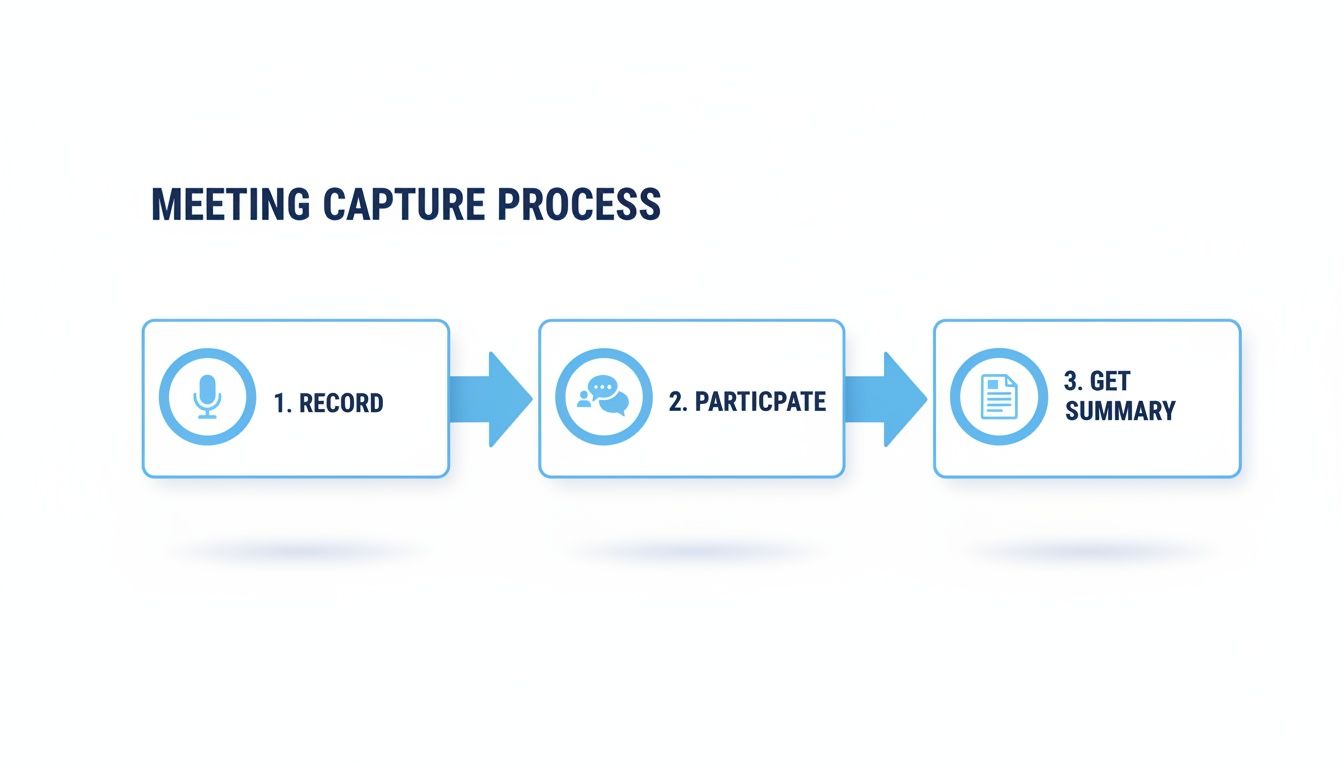
This simple flow shows how you can cut out all the manual friction and turn a chore into a seamless part of your day.
Structuring Your Summary for Maximum Impact
A great meeting summary has to be scannable and immediately useful. Whether you're cleaning up your notes by hand or using an AI-generated report from a tool like Notize AI, a consistent structure is your best friend. Your team should know exactly where to look for the info they need without having to hunt for it.
Here’s what every solid summary should include:
Key Decisions Made: A simple, direct list of all final decisions. No ambiguity allowed.
Action Items with Owners and Deadlines: This is the most important part. Every task needs a name and a date next to it.
Key Discussion Points: A quick overview of the main topics to give context for the decisions and action items.
Next Steps: A clear outline of what happens now, including the date and time of the next meeting if one was set.
The purpose of a summary isn't just to inform; it's to align. It’s the single source of truth that ensures every person, from the sales lead to the product team, is working from the same playbook.
With a tool like Notize AI, this whole structure is built for you automatically. The second your meeting ends, a polished, organized report is ready to go. You get a full summary, detailed notes showing who said what, a to-do list, and even a timeline of important moments you can click on.
This cuts out the grunt work and lets you share a perfect summary with a single click. For more on this, check out our guide on creating a clear meeting action items template. It's all about making sure everyone knows what happened, what was decided, and who's on the hook for what's next.
Building a Searchable Knowledge Hub for Your Team
Let's be honest, most meeting notes are where good ideas go to die. They get filed away in some forgotten folder, never to be seen again. But what if they could be more? What if they formed the foundation of your team's collective memory?
When you treat your meeting notes not as simple records but as building blocks, they transform from static documents into a dynamic, searchable knowledge hub. This isn't just about good organization; it's a strategic asset.
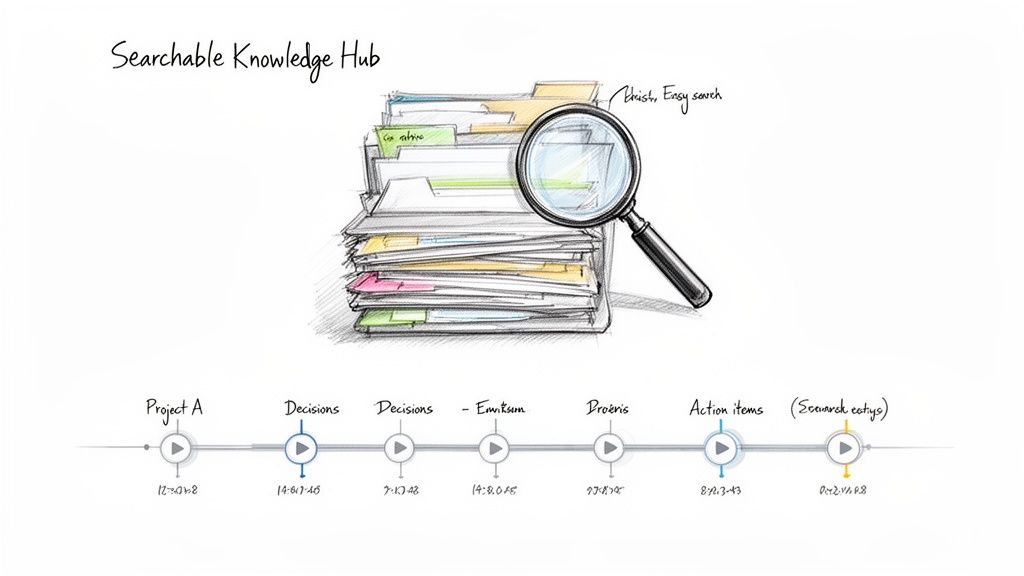
Think about this real-world scenario: a product lead needs to pull all customer feedback discussed over the last quarter. The old way involves digging through countless documents and email threads. The new way? Using a tool like Notize AI to run a quick keyword search across every meeting transcript and get the exact information in seconds. That's the power of turning conversations into accessible data.
Turning Conversations into Searchable Data
The real breakthrough happens when every conversation becomes a searchable data point. An AI-powered tool like Notize AI doesn’t just store notes—it indexes them, creating an intelligent archive where finding information is effortless.
This is more important than ever. Meeting frequency is expected to jump by 34% within five years, and trying to keep up manually is a recipe for failure. AI-driven tools can cut documentation time by a staggering 60%, automatically generate action items, and ensure decisions are based on complete records. By centralizing all discussions, platforms like Notize AI finally solve the problem of team misalignment caused by everyone having their own fragmented version of what happened.
With Notize AI, your team can:
Use Keyword Search: Instantly find any mention of a project, client name, or critical decision across all your past meetings.
Jump to Key Moments: Go directly to the exact point in a recording where a topic was discussed. No more scrubbing through hour-long videos.
Organize by Project or Team: Keep everything tidy by structuring meetings into dedicated folders for each initiative.
Your meeting archive should be a tool for acceleration, not an obstacle course. If finding a past decision takes more than a minute, your system is broken.
Building Your Team’s Collective Brain
A searchable archive is more than just a database; it’s your team’s collective brain. It's always on and accessible to everyone.
A new hire can get up to speed on a project's history in an afternoon. An operations director can track commitments and follow-ups across multiple teams without chasing anyone down. Nothing falls through the cracks.
This centralized hub is the ultimate destination for your meeting notes. If you're looking for a practical guide on getting started, check out this excellent resource on how to build a knowledge base that your team will actually use.
By using a tool like Notize AI, you’re doing more than just taking better notes. You're building an intelligent asset that helps your team make smarter, faster decisions based on a complete history of their own conversations.
Your Top Questions About Meeting Notes, Answered
Even with a solid game plan, teams often have questions when they start overhauling their approach to meeting notes. Let's tackle some of the most common ones I hear, with straightforward answers to help you get it right.
What Should I Absolutely Be Writing Down?
When you cut through all the noise, two things matter more than anything else: decisions and action items. Everything else is just supporting detail.
A well-documented decision isn't just the outcome; it includes a sentence or two on the why behind it. This saves you from re-litigating the same issue weeks later. And an action item is useless without three key ingredients: what needs to be done, who is responsible for doing it, and when it's due. No ambiguity, no excuses.
This is exactly where a tool like Notize AI really shines. It's trained to listen for those specific conversational cues that signal a decision has been made or a task has been assigned, pulling them out automatically so nothing slips through the cracks.
How Fast Do I Need to Send Out the Notes?
The golden rule is to get the summary or notes out within 24 hours. Honestly, the faster, the better.
Timing is everything here. The conversation is still fresh in everyone's memory, so if you've missed something or need a quick clarification, you can get it sorted out immediately. If you wait a few days, people's memories get fuzzy, and all that valuable context starts to fade.
My two cents: Don't let sharing the notes become the next bottleneck. The whole point is to keep the momentum going, not to add another administrative chore to someone's plate.
This is one of the biggest wins with an automated platform like Notize AI. The delay simply vanishes. You get a clean summary, a full transcript, and a neat list of action items almost instantly. You can go from hanging up the call to sharing a professional report with colleagues in just a few minutes, which radically accelerates how quickly your team can act.
Can AI Actually Do a Better Job Than a Person?
For most day-to-day business meetings? Absolutely. In fact, I'd argue that AI doesn't just replace a human note-taker—it completely elevates the process.
Think about it. An AI tool like Notize AI creates a perfect, word-for-word transcript and knows exactly who said what, without getting tired or distracted. But the real magic is what it does for the people in the meeting. It frees them up.
When no one is stuck with the job of being the official scribe, everyone can actually focus on the conversation. They can brainstorm, challenge ideas, and be fully present. Your meeting shifts from a documentation chore to a real, collaborative working session. That's a huge difference.
Ready to stop taking notes and start driving action? See how Notize AI can automate your meeting summaries, organize your discussions, and give your team a searchable knowledge hub. Get started with Notize AI today!
Improve Collaboration: how to take effective meeting notes that drive action




