
Taking effective meeting minutes is crucial for accountability and ensuring everyone is aligned on decisions and action items. However, creating a clear, organized record from scratch for every meeting is time-consuming and often inconsistent. A well-structured meeting minutes template sample provides a solid foundation, saving you time while standardizing your documentation process. This guide cuts through the noise to bring you the best platforms and downloadable templates for any situation.
We’ve curated a list of the top resources, from traditional word processors to advanced AI tools. Each entry includes a strategic breakdown of its strengths, filled-in examples, and direct links to help you get started immediately. For those who prefer a completely automated approach, tools like Notize AI can record, transcribe, and generate structured meeting summaries, action items, and key decisions automatically. For teams and professionals, this means no one needs to take notes manually, ensuring a clear and consistent understanding of every meeting outcome.
Whether you need a formal board meeting record, a simple project check-in, or an automated solution, this list has you covered. Exploring different approaches to building robust note templates can also provide valuable insights into structuring information effectively for your specific needs. Let's find the perfect template to streamline your workflow.
1. Notize AI
Notize AI establishes itself as a premier, all-in-one solution for teams seeking to move beyond traditional minute-taking. Instead of offering a static meeting minutes template sample, it provides a dynamic, AI-powered platform that automates the entire documentation process, from recording to generating actionable insights. This positions Notize AI as a comprehensive workflow tool rather than just a template source, ideal for professionals who need to capture, summarize, and act on meeting discussions with maximum efficiency. Its core value lies in transforming raw meeting audio or video into structured, searchable assets almost instantly.
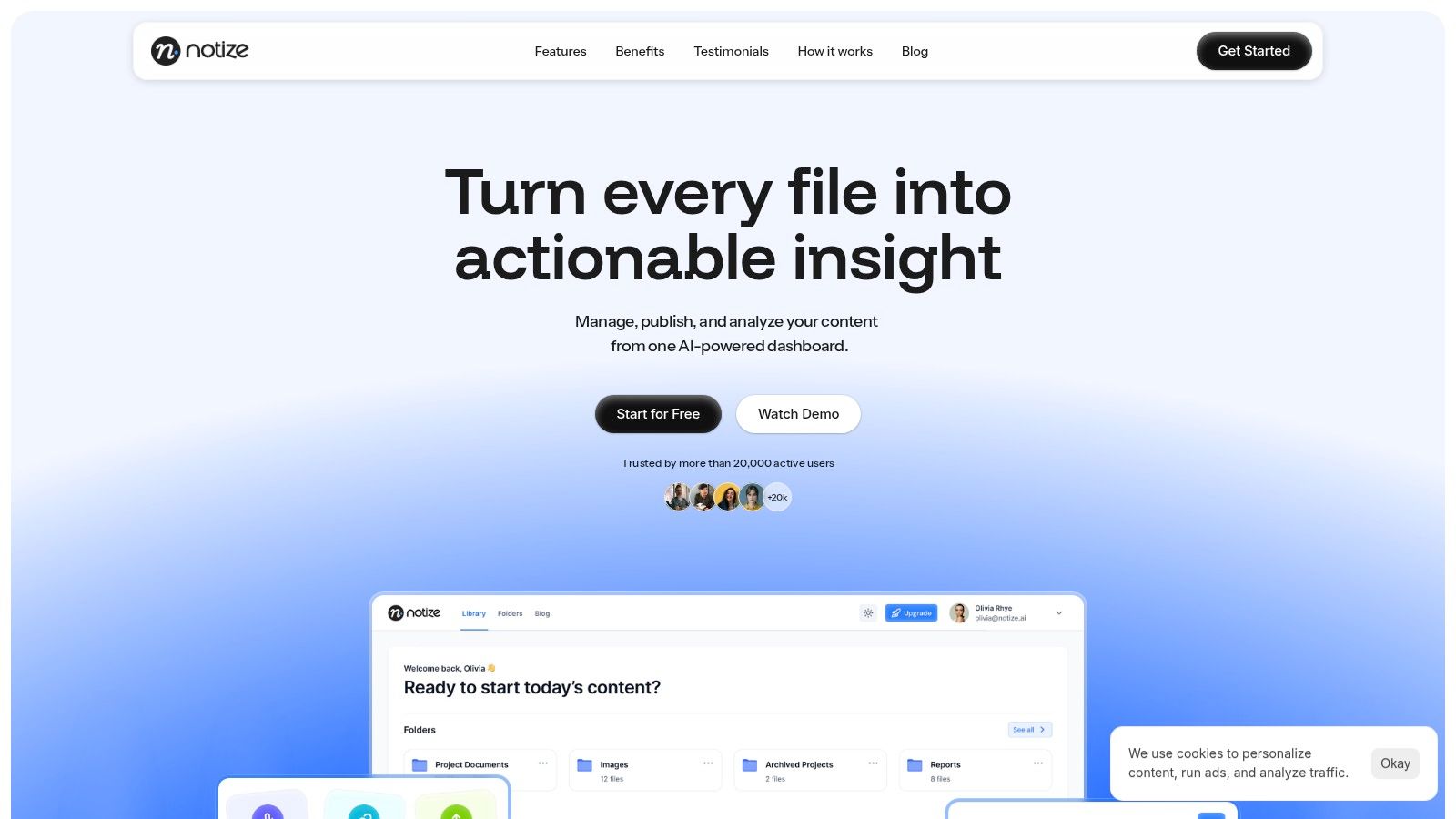
Trusted by over 20,000 active users, the platform is engineered for speed and simplicity. It allows teams to import recordings from Zoom, Google Meet, and Microsoft Teams, upload existing files, or record live. Once the meeting ends, Notize AI automatically produces a full, structured meeting summary, detailed notes with speaker-attributed segments, highlighted decisions, and a clear list of action items. This makes it an indispensable tool for busy professionals who want a seamless, automated way to capture, understand, and distribute meeting information without anyone needing to take notes manually.
Strategic Advantage: From Passive Notes to Active Intelligence
What truly sets Notize AI apart is its ability to turn meeting content into an intelligent, searchable library. The platform doesn't just produce a text document; it creates a rich media asset that you can analyze. For project managers, this means easily finding the exact moment a key decision was made. For students, it means jumping directly to the moment a specific topic was explained in a lecture. For journalists and creators, Notize AI can even turn recorded interviews into high-quality transcriptions and customizable blog posts.
Actionable Takeaway: Use the built-in searchable media library to track project milestones or client feedback across multiple meetings. Instead of digging through old documents, a simple keyword search in Notize AI can surface every relevant discussion, decision, and action item instantly, providing a complete historical context.
Key Features and Practical Applications
Notize AI offers a suite of features designed to streamline post-meeting workflows:
Automated Summaries & Action Items: The AI extracts the most critical information, generating structured notes that highlight decisions and assignable tasks.
Multi-Platform Integration: Directly import links from YouTube, Zoom, Meet, and Teams, centralizing all your meeting content.
Flexible Export Options: Share insights effortlessly by exporting summaries, transcripts, or key points as PDF, Docs, or Text files.
Built-in Analytics: Track engagement on shared content to understand what resonates most with your team or stakeholders.
For professionals, the practical benefits are significant. As Product Lead Daniel Ortiz notes, the platform “saves me from note chaos” by ensuring every meeting is transcribed and summarized within minutes. This automation allows teams to focus on strategic execution rather than administrative tasks.
Pricing and Accessibility
Notize AI provides a straightforward and accessible pricing structure:
Starter Plan: Free for up to 5 content uploads, allowing users to test the full capabilities.
Growth Plan: $15/month for unlimited content processing, exports, and priority processing.
Enterprise Plan: $100/year for unlimited features with the benefit of annual billing.
The generous free tier makes it easy to evaluate Notize AI and understand its value before committing, removing any barrier to entry for teams of all sizes.
Website: https://notize.ai
2. Microsoft Word (Microsoft 365)
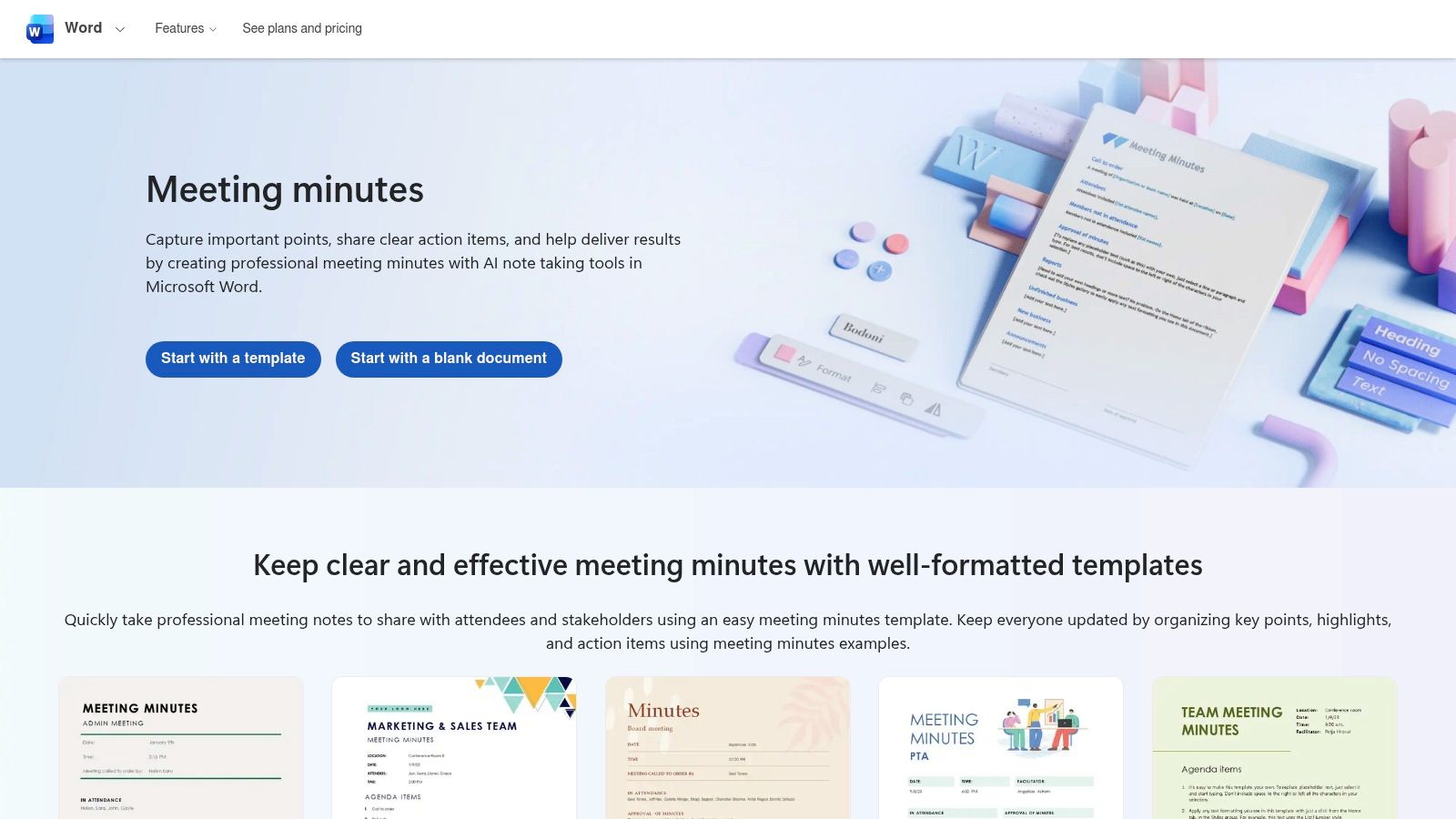
For teams deeply integrated into the Microsoft ecosystem, turning to Word for a meeting minutes template sample is a natural first step. Its biggest advantage is familiarity; millions of professionals use Word daily, eliminating any learning curve. Microsoft provides a gallery of professionally designed, ready-to-use templates that can be launched directly from the desktop app or Word for the web, ensuring a polished, consistent look for official records.
Strategic Analysis
Microsoft Word excels at producing formal, branded documentation. Unlike more modern, collaborative-first platforms, Word's strength lies in its robust formatting and layout tools. You can easily insert company logos, customize headers and footers, and adhere to strict corporate branding guidelines, making it ideal for board meetings, legal proceedings, or official project sign-offs where the final document's appearance is crucial.
The integration of Copilot for Microsoft 365 elevates its capabilities. For teams with the appropriate subscription, Copilot can transform a raw meeting transcript from Teams into a structured set of minutes. However, the quality of this output relies heavily on the transcript's accuracy. This is where tools like Notize AI can be a superior alternative. Notize AI offers high-accuracy transcription and more detailed, AI-generated summaries and action items, which can then be pasted into a Word template for final formatting, combining AI efficiency with professional design. For guidance on structuring your notes effectively, explore these tips for taking effective meeting notes.
Actionable Takeaways
Access and Cost: Word’s templates are free to access for anyone with a Microsoft account (via Word for the web) or a Microsoft 365 subscription. Advanced features like Copilot require a premium business subscription.
Best For: Formal meetings where branding and a professional, print-ready format are top priorities. It's the go-to for organizations standardized on Microsoft 365.
Pro Tip: Create a master template with your organization’s branding (logo, fonts, colors) and save it as a
.dotxfile. This ensures every set of minutes produced across the company maintains a consistent, professional look.
Find your template at: Microsoft Word Templates
3. Google Docs (Google Workspace)
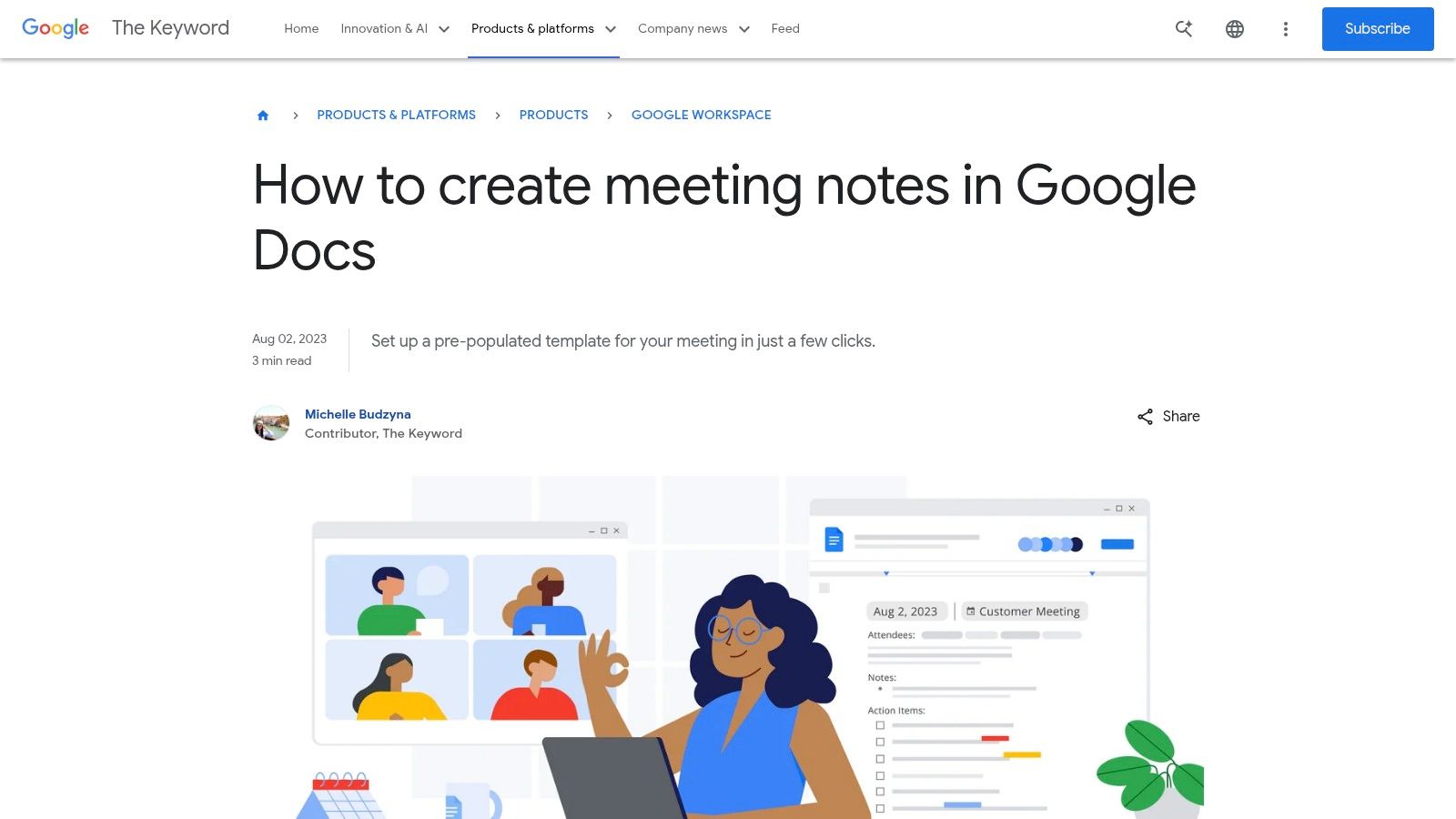
For teams living within the Google Workspace ecosystem, Google Docs provides a fast, integrated solution for meeting minutes. Its core strength is its frictionless, cloud-native collaboration. The platform's standout feature is the @ menu, which allows users to insert a "Meeting notes" smart chip that automatically pulls in event details like title, date, and attendees directly from a linked Google Calendar event.
Strategic Analysis
Google Docs is designed for speed and real-time teamwork rather than the formal, print-focused document creation found in Word. The ability to tag colleagues, assign tasks with checkboxes, and leave comments directly in the document makes it an interactive workspace. One-click sharing and the option to email the minutes to all attendees directly from the Doc streamlines the post-meeting workflow, ensuring information is distributed instantly.
While Google Docs excels at collaborative note-taking, it relies on manual input. For teams seeking to automate the entire process, this is a significant limitation. An AI-powered tool like Notize AI offers a more advanced approach by recording, transcribing, and automatically generating a full meeting summary, key discussion points, and a list of action items. Users can then copy this structured output from Notize AI into a Google Docs template for final collaborative review, combining AI efficiency with the familiar Google Workspace environment for the best of both worlds.
Actionable Takeaways
Access and Cost: The meeting notes feature is free for all users with a personal Google account or a Google Workspace subscription. More advanced AI features in Google Meet may require a premium subscription or add-on.
Best For: Agile teams, startups, and any organization deeply integrated with Google Workspace that prioritizes real-time collaboration and rapid information sharing over formal document design.
Pro Tip: Use the
@shortcut to its full potential. You can tag people to assign action items (@name), link to other Google Docs (@document-name), or embed Google Slides presentations to create a comprehensive, interconnected record of your project.
Find your template at: Google Docs (use the @ > Meeting notes feature in a new document)
4. Canva
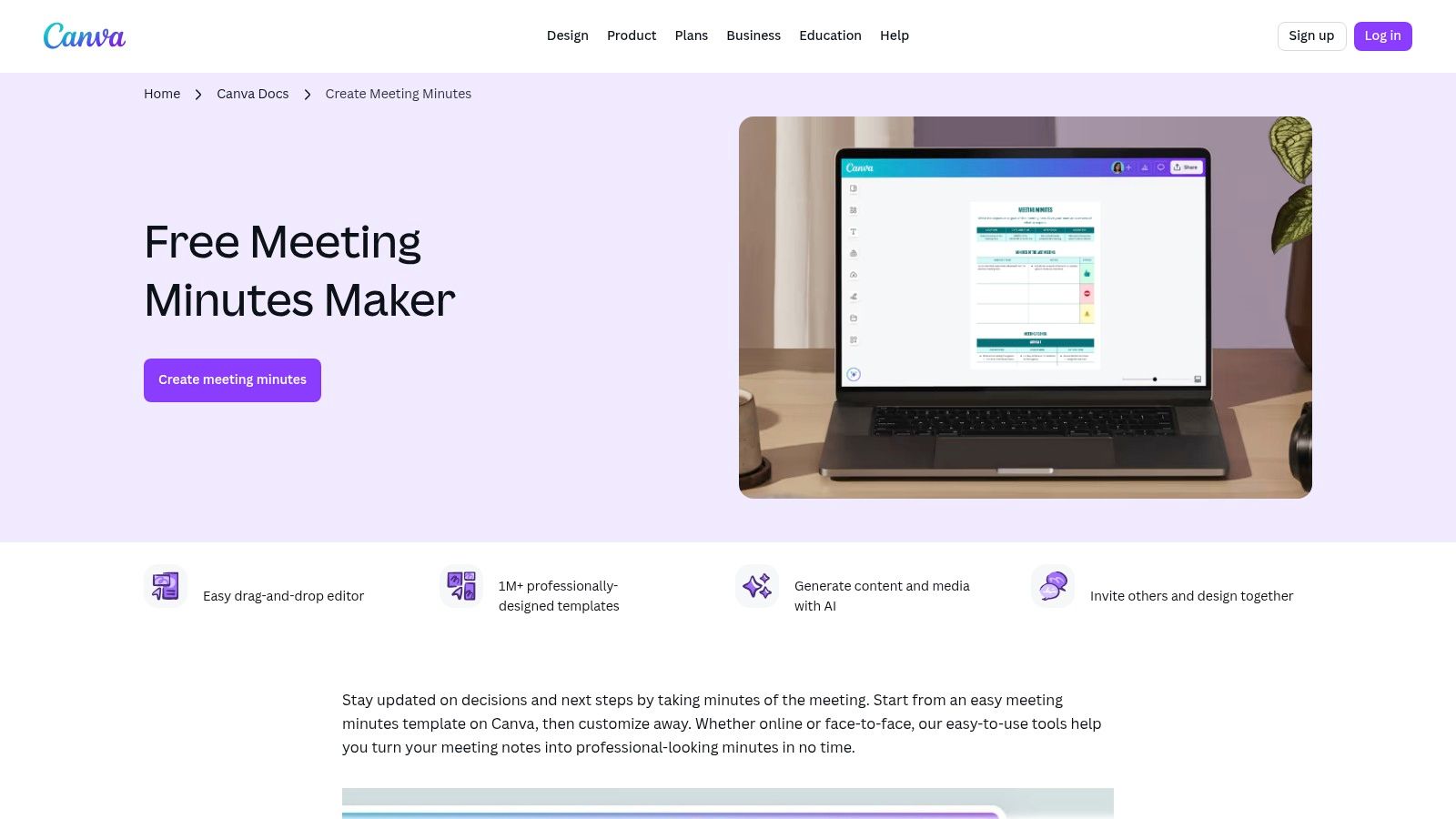
For teams that prioritize visual communication and brand consistency, Canva is an excellent platform for creating a meeting minutes template sample. It moves beyond the traditional text-document format, offering a vast library of professionally designed, highly visual templates. Its drag-and-drop editor makes customization intuitive and fast, allowing anyone to produce polished, attractive minutes without needing graphic design skills.
Strategic Analysis
Canva’s core strength lies in its ability to quickly produce visually engaging and easily shareable documents. Unlike text-heavy processors like Word or Docs, Canva excels at creating minutes that are meant to be seen, not just filed away. This is ideal for creative teams, marketing departments, or any organization wanting to present information in a more digestible, branded format. With features like Brand Kits, teams can ensure every document, including meeting minutes, perfectly aligns with company colors, fonts, and logos.
While Canva provides a great visual framework, the content still needs to be captured and structured. This is where an AI tool like Notize AI becomes a powerful partner. By recording your meeting with Notize AI, you get an automatic, high-accuracy transcript, a structured summary, and a pre-organized list of action items. You can then copy this AI-generated content and paste it directly into a beautiful Canva template, merging automated efficiency with high-quality visual design. This workflow saves significant time on both note-taking and formatting.
Actionable Takeaways
Access and Cost: Canva offers a robust free plan with thousands of templates. Advanced features like Brand Kits, premium templates, and Magic Write (AI assistant) require a Canva Pro or Canva for Teams subscription.
Best For: Creative teams, marketing meetings, and public-facing summaries where visual appeal and brand consistency are as important as the content itself.
Pro Tip: Use Canva’s sharing features to your advantage. Instead of emailing a static PDF, share a view-only link to the live Canva document. This allows you to make real-time corrections or updates that are instantly visible to everyone with the link.
Find your template at: Canva Meeting Minutes Templates
5. Smartsheet
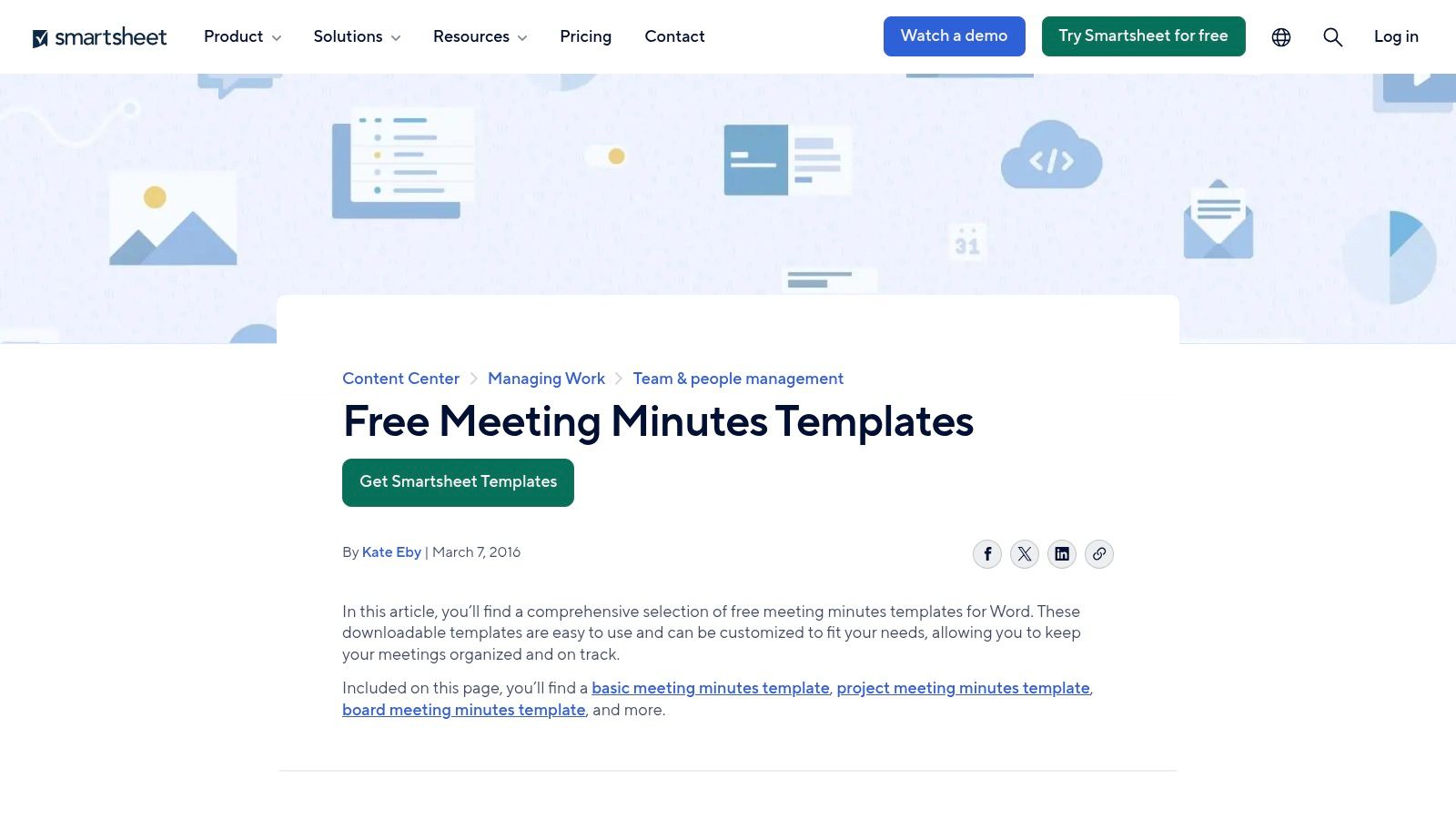
For project and operations teams looking for a structured starting point, Smartsheet offers a comprehensive hub of free meeting minutes templates. Its main advantage is variety and accessibility; it provides dozens of specialized variants for board meetings, project status updates, and informal staff huddles. Crucially, each meeting minutes template sample is available in multiple formats, including Word, Google Docs, Excel, and PDF, ensuring compatibility with nearly any team’s existing toolkit.
Strategic Analysis
Smartsheet’s template library is strategically designed as an on-ramp to its core work management platform. While the templates are free and highly functional on their own, they are presented alongside extensive documentation and best-practice guides that subtly introduce users to Smartsheet’s paid project management features. This makes it an excellent resource for teams that need a reliable template now but are also exploring more powerful, integrated solutions for the future. The templates themselves are clear, logically structured, and focused on operational clarity.
While these templates provide an excellent structure, the process of filling them out still relies on manual note-taking. This is where an AI-powered tool like Notize AI can transform the workflow. Instead of typing frantically during a call, you can simply record the meeting in Notize AI, which then automatically generates a full summary, key discussion points, and a detailed list of action items. This AI-generated output can be copied directly into your chosen Smartsheet template, combining a professional format with perfectly captured, objective meeting data. To better organize these outputs, consider reviewing a guide on how to structure your meeting action items.
Actionable Takeaways
Access and Cost: All downloadable templates (Word, Google Docs, Excel, PDF) are completely free. Adopting the full Smartsheet work management platform requires a paid subscription.
Best For: Project managers and operations teams who value having a wide variety of specialized, well-documented templates to choose from and may be considering a move to a more integrated project management tool.
Pro Tip: Download the Excel version of a template to easily track action items with deadlines and assigned owners. You can use conditional formatting to color-code tasks by status (e.g., green for complete, red for overdue) for a quick visual overview.
Find your template at: Smartsheet Free Meeting Minutes Templates
6. Etsy (Digital Template Marketplace)
For those seeking a more aesthetic or highly specific meeting minutes template sample, the creative marketplace Etsy is an unexpected but incredibly valuable resource. Instead of a single platform's style, Etsy offers thousands of unique designs from independent creators. This is the go-to destination for finding polished, niche formats for everything from nonprofit board meetings to informal team check-ins, often with a visual flair that standard corporate tools lack.
Strategic Analysis
Etsy's core strength is variety and specialization. While platforms like Word offer functional templates, Etsy sellers provide templates designed for specific contexts and visual appeal, available in multiple file types like DOCX, Google Docs, Canva, and fillable PDFs. You can find a template that perfectly matches your team’s workflow or branding without needing any design skills yourself. User reviews and seller ratings provide social proof, helping you vet quality before purchasing.
This marketplace approach is ideal for teams that want a professional-looking document without the time investment of creating one from scratch. While Etsy provides the structure, filling it effectively remains key. An AI tool like Notize AI is the perfect companion here. You can record your meeting in Notize AI to automatically generate a detailed summary, key decisions, and action items. This AI-generated content can then be quickly copied into your purchased Etsy template, combining a beautiful, custom design with accurate, automated meeting notes. If you're considering creating and selling your own unique meeting minutes templates, understanding the best platforms to sell digital products can be incredibly helpful.
Actionable Takeaways
Access and Cost: Templates are extremely affordable, often costing just a few dollars for an instant digital download. Prices are set by individual sellers.
Best For: Teams and individuals looking for visually appealing, highly specific, or non-traditional meeting minutes templates that are ready to use immediately.
Pro Tip: Use Etsy's search filters to narrow down by file type (e.g., "Google Docs meeting minutes") to ensure the template you buy is compatible with your preferred software. Always check recent reviews for comments on ease of use and seller support.
Find your template at: Etsy Meeting Minutes Templates
7. Atlassian Confluence (Template Gallery)
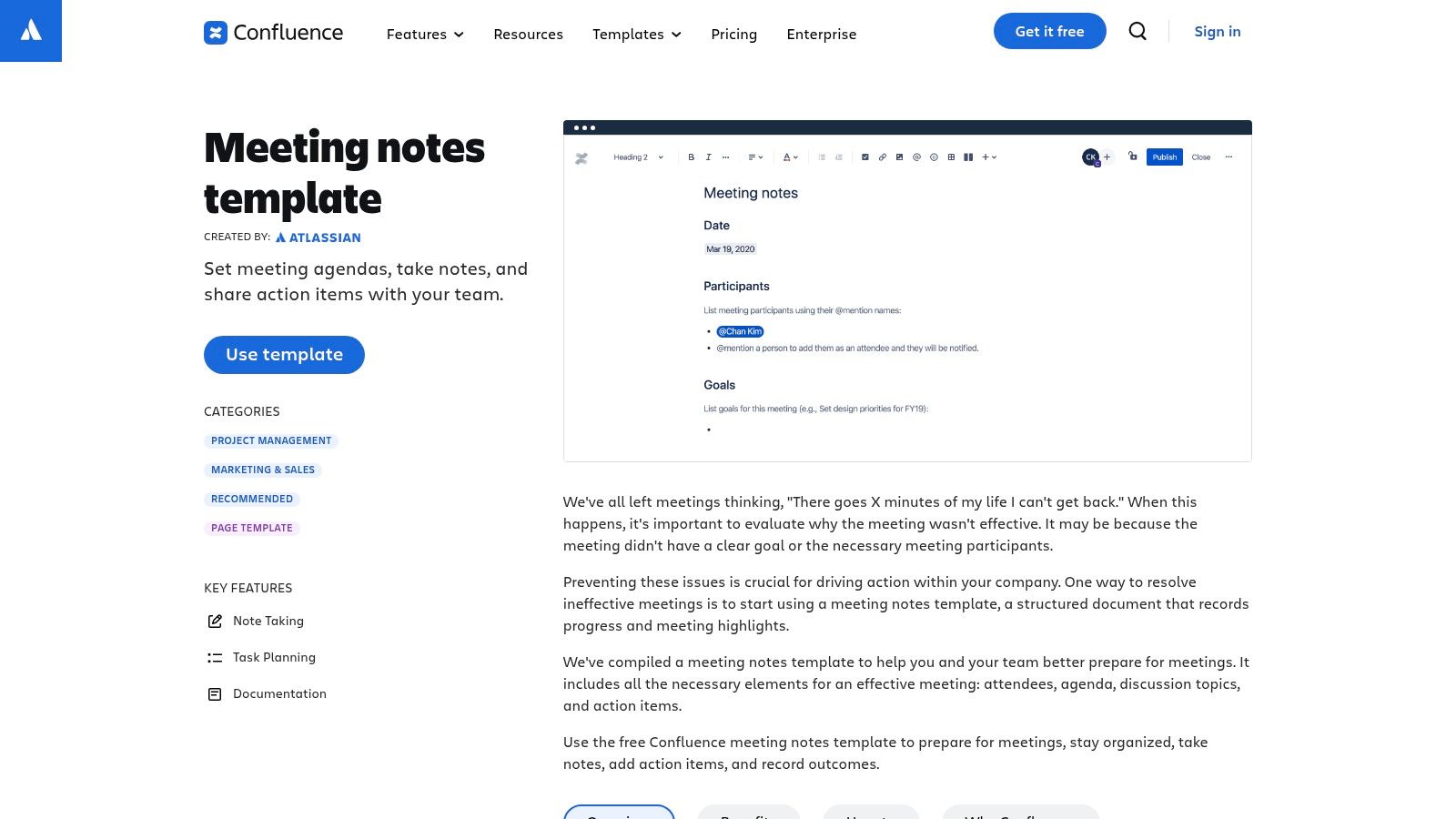
For agile, engineering, and product teams living within the Atlassian ecosystem, Confluence is the default home for all documentation, including meeting minutes. Its templates are not just static documents but dynamic, interconnected pages within a larger knowledge base. This approach transforms meeting notes from isolated files into a centralized, searchable, and actionable part of a project’s history.
Strategic Analysis
Confluence’s core strength is traceability. A meeting minutes template sample in Confluence is designed for action, not just record-keeping. Using features like @mentions, you can assign tasks directly to team members, while the task list macro creates trackable action items. Most importantly, its seamless integration with Jira allows you to create new tickets or link to existing ones directly from the meeting notes, ensuring decisions and action items are tied to the actual work being done.
This system creates a powerful, living record. However, it still relies on someone manually capturing everything during the meeting. This is where an AI tool like Notize AI adds significant value. You can record the meeting in Notize AI to get a full transcript, an AI-generated summary, and a pre-sorted list of decisions and action items. This perfectly structured output can then be copied into your Confluence template, saving time and ensuring no critical detail is missed. For more ideas on structuring your notes, you can explore various meeting minutes formats and examples.
Actionable Takeaways
Access and Cost: Templates are included free with all Confluence plans, including the Free tier for up to 10 users. Paid plans offer more features and user capacity.
Best For: Product, engineering, and agile teams already using Jira and Confluence who need to keep meeting outcomes tightly integrated with their project management workflow.
Pro Tip: Customize the default meeting notes template for specific recurring meetings (e.g., Sprint Retrospective, Daily Stand-up). Add custom sections or prompts relevant to that ceremony and save it as a new template for your team to use, ensuring consistency.
Find your template at: Atlassian Confluence Templates
Meeting Minutes Template — Top 7 Tool Comparison
Tool | 🔄 Implementation complexity | ⚡ Resource & tooling requirements | 📊 Expected outcomes | 💡 Ideal use cases | ⭐ Key advantages |
|---|---|---|---|---|---|
Notize AI | Low — plug‑and‑play web dashboard, minimal setup | Web access + audio/video sources (YouTube/Zoom/Meet/Teams); paid plans for high volume | Fast transcriptions, concise summaries, searchable media & engagement analytics | Content teams, product/project teams, podcasts, students, customer ops needing quick meeting-to-action flow | Centralized transcription→summary→publish workflow; analytics-driven content optimization |
Microsoft Word (Microsoft 365) | Low — familiar UI; Copilot adds complexity | Microsoft 365 subscription; Copilot for transcript-to-minutes; OneDrive/SharePoint for collaboration | Professionally formatted, brand-consistent minutes; limited automation without Copilot | Formal org-wide documents, branded minutes, compliance-oriented teams | Strong formatting, templates, Copilot integration for structured minutes |
Google Docs (Google Workspace) | Low — simple building block insertion | Google account or Workspace; Calendar/Meet integration for auto-populate | Real-time collaborative minutes with auto-filled event details | Teams using Google Calendar/Meet that need live collaboration | Seamless Calendar integration, one-click sharing and commenting |
Canva | Low to moderate — drag-and-drop visual editing | Canva account; brand kit for best results; some premium assets require paid plan | Visually polished, shareable minutes and public-facing summaries | Marketing, client-facing reports, visually oriented teams | Large template library, fast visual customization and branding |
Smartsheet | Low — download templates; moderate if adopting platform | Web access; templates in multiple formats; paid Smartsheet for platform features | Wide selection of templates and guidance; operational readiness | Ops and project teams needing ready-made templates across formats | Dozens of downloadable templates and best-practice guidance in multiple file types |
Etsy (Digital Marketplace) | Very low — purchase and download; quality varies | Small purchase; varying file formats (DOCX, Google links, PDFs, Canva) | Niche, polished templates with variable consistency and licensing limits | Small orgs or individuals seeking low-cost, specialized templates | Huge variety, inexpensive, instant digital delivery |
Atlassian Confluence | Moderate — best when Confluence is already adopted | Confluence Cloud (or self-managed) subscription; Jira for deeper integration | Centralized, traceable notes with built-in task/decision tracking | Product, engineering, and cross-functional teams needing traceability | Structured templates, @mentions, task lists, and Jira integration for follow-up |
Final Thoughts
Navigating the world of meeting documentation can feel overwhelming, but as we've explored, the right template can transform chaos into clarity. Throughout this guide, we've dissected a variety of meeting minutes template sample options, from the powerful, automated capabilities of Notize AI to the familiar structures of Microsoft Word and Google Docs, and the visual appeal of Canva. Each tool offers a unique approach to capturing the essence of a discussion, ensuring that no critical detail is lost.
The core takeaway is this: a template is more than just a fill-in-the-blank document. It's a strategic framework that enforces consistency, drives accountability, and creates a single source of truth for your entire team. By standardizing how you record decisions, action items, and key discussion points, you eliminate ambiguity and empower your team to move forward with a unified vision. The difference between an effective meeting and a forgotten one often lies in the quality of its documentation.
Key Insights and Actionable Next Steps
To truly elevate your meeting process, consider these final points:
Adaptability is Key: The most effective template is one that is customized to your team's specific needs. Don't hesitate to modify the examples we've shared. Add, remove, or reorder sections to better reflect your meeting flow, whether it's for a formal board meeting, a creative brainstorm, or a daily stand-up.
Prioritize Action Over Transcription: While a detailed record is useful, the ultimate goal of meeting minutes is to drive action. Ensure your chosen template prominently features sections for action items, owners, and deadlines. This focus on accountability is what turns discussion into tangible progress.
Consider Automation for Efficiency: Manually typing minutes is time-consuming and prone to human error. For teams looking to maximize productivity, automated solutions like Notize AI are a game-changer. By handling the transcription, summarization, and action item extraction automatically, these tools free up participants to engage fully in the conversation, knowing the record-keeping is taken care of.
Choosing Your Path Forward
Your choice of tool should align directly with your team’s workflow and objectives. If your organization is deeply integrated with Google Workspace or Microsoft 365, starting with their native templates is a logical first step. For teams that value visual communication and brand consistency, Canva provides an excellent platform.
However, if your primary goal is to save time, increase accuracy, and create a searchable archive of all your discussions, a dedicated AI tool is the superior choice. An automated meeting minutes template sample generated by a tool like Notize AI not only captures what was said but also provides structured summaries, speaker-attributed notes, and a clear list of follow-up tasks without any manual effort. This approach future-proofs your meeting records, making them an accessible and valuable asset for your entire organization.
Ultimately, the best meeting minutes template sample is the one your team will use consistently. Experiment with the options, gather feedback, and implement a system that makes information capture seamless and reliable. By doing so, you'll ensure every meeting concludes with a clear, actionable path forward.
Ready to move beyond manual templates and automate your meeting documentation? Notize AI transforms your spoken discussions into perfectly structured summaries, notes, and action items in seconds. Stop typing and start collaborating by trying Notize AI today to see how effortless and accurate your meeting minutes can be.
7 Meeting Minutes Template Samples You Should Know




