
A good recap of a meeting is so much more than just a quick list of notes. Think of it as a strategic tool—it’s what ensures everyone is on the same page, holds people accountable, and turns a simple conversation into real, measurable action. When you skip it, or do it poorly, you lose all that momentum.
Why Your Meeting Recaps Aren't Working
Let's be real for a second. Most meeting recaps are an afterthought. They end up as a jumble of bullet points thrown into an email that everyone immediately archives (or ignores). This isn't just a minor inconvenience; it's a habit that quietly kills your team's productivity.
When a recap of a meeting is weak, it becomes a breeding ground for problems. Priorities get muddled, deadlines are missed, and important decisions simply fade away. Everyone walks away with their own version of what was decided, and with no official record to check, there’s no way to get back on track. That kind of ambiguity is a massive, hidden cost.
The True Cost of Inefficient Meetings
The time you spend in meetings is one thing, but the real damage happens when there's no solid follow-up. It’s a huge problem, and the financial impact is staggering.
Workplace analytics show employees spend a shocking amount of time in meetings that go nowhere. The average knowledge worker is in meetings for about 11.3 hours per week, and get this—up to 70% of professionals feel that time is completely wasted. All that inefficiency adds up to an estimated $37 billion loss to the U.S. economy every single year. You can dig into more of these striking meeting statistics to see the full picture.
This chart really puts the scale of the problem into perspective.
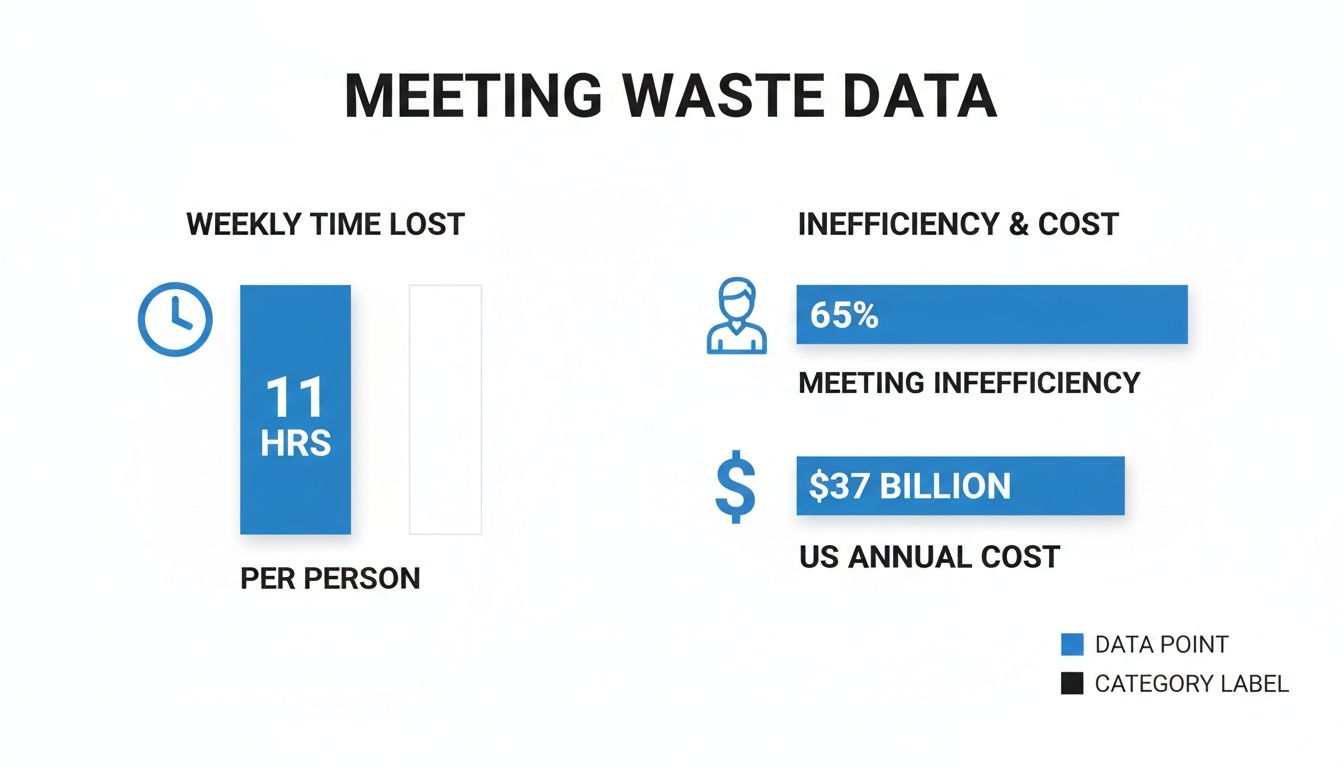
It’s a massive drain on resources, but it's a problem that a well-structured recap process can actually help solve.
From Manual Notes to Intelligent Recaps
The root of the problem is that trying to take notes by hand just doesn't work. It’s nearly impossible for one person to jot down every key decision and action item with perfect accuracy while also trying to contribute to the discussion. You’re guaranteed to miss important context.
An intelligent recap does something different. It takes a messy, unstructured conversation and turns it into a clear, searchable, and actionable record. It’s not just about writing down what was said; it’s about creating an asset that helps your team move forward.
This is where AI-powered tools like Notize AI are changing the game. Trying to create a detailed recap manually is a frustrating process, but automating it makes a world of difference.
Here’s a quick look at how the old way stacks up against using a modern tool.
Manual vs Automated Meeting Recaps
Feature | Manual Recap (Traditional Method) | Automated Recap (with Notize AI) |
|---|---|---|
Accuracy | Prone to human error, missed details, and personal bias. | Highly accurate, word-for-word transcription and unbiased summaries. |
Completeness | Often misses nuances, context, and non-verbal cues. | Captures the entire conversation, including who said what. |
Time Investment | Requires significant time both during and after the meeting to compile. | Frees up participants to focus; recap is generated in minutes. |
Action Items | Action items can be vague or missed entirely. | Automatically identifies and assigns clear, speaker-attributed action items. |
Accessibility | Notes are often siloed in emails or personal documents. | Creates a centralized, searchable, and easily shareable record for everyone. |
The difference is clear. While manual notes have their place, they can’t compete with the speed, accuracy, and clarity of an automated system.
This is exactly the problem that a tool like Notize AI was built to solve. It automatically records, transcribes, and summarizes your meetings, so nothing ever falls through the cracks again. It pulls out the key discussion points and assigns action items to the right people, giving you a perfect recap of a meeting every time.
With Notize AI, your team finally gets that single source of truth, closing the communication loop and making sure everyone is aligned and ready to act.
What Makes a Great Meeting Recap?
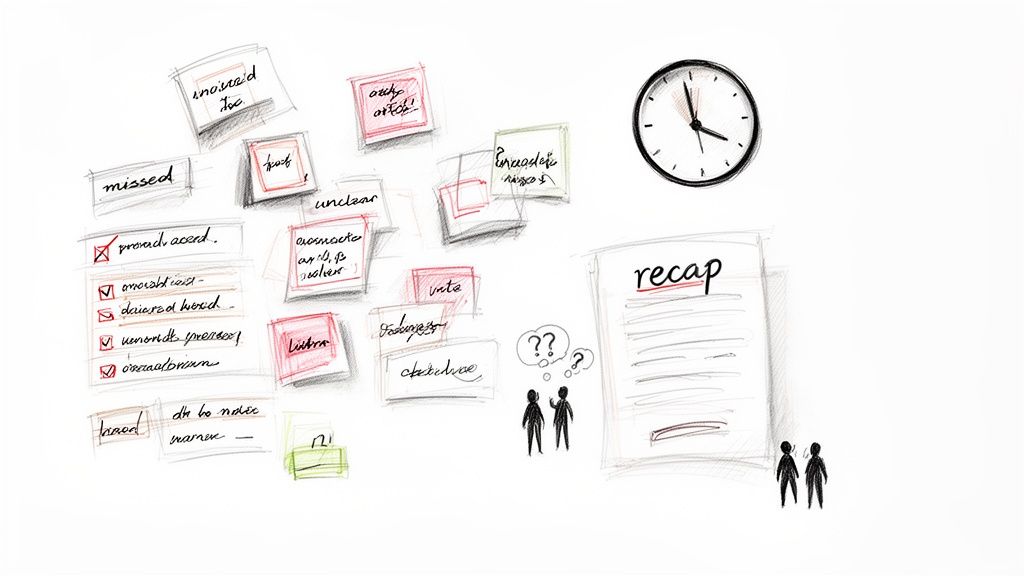
Let's be honest: a truly useful recap of a meeting isn't just a transcript or a roll call of who showed up. It’s a strategic tool. Its entire purpose is to spark action and push projects forward. I like to think of it as the blueprint for what happens after everyone leaves the room, turning all that talk into real, measurable progress.
The best recaps I've ever seen are all built on two things: clarity and accountability. They cut through the noise and make sure every single person—especially those who couldn't make it—knows what was decided, who's doing what, and why it all matters. This is the fine line between a recap that’s immediately archived and one that your team actually uses.
Nail Down the Key Decisions
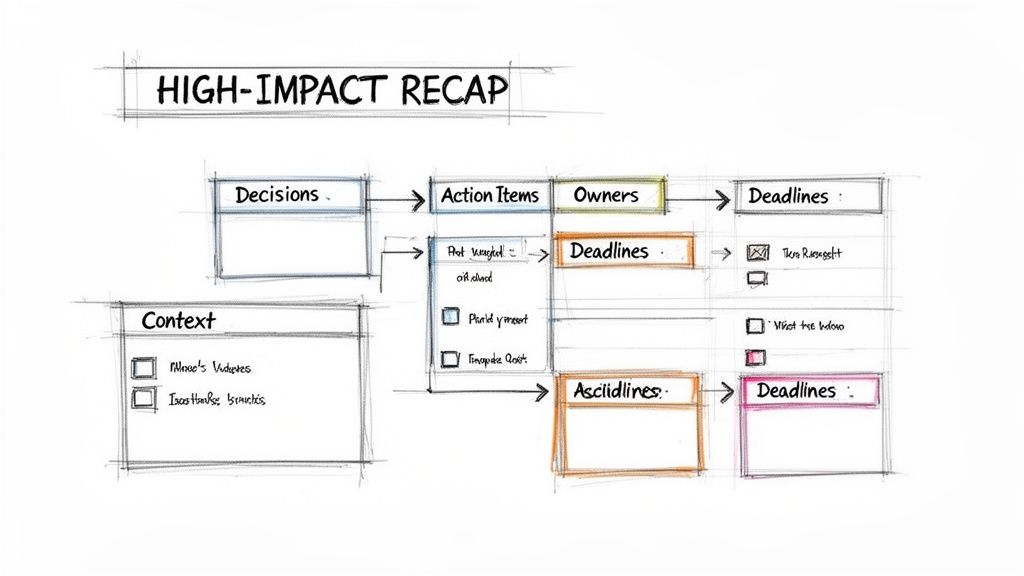
First things first, you have to clearly state every decision that was made. Be direct. Leave absolutely no room for someone to misinterpret what happened. This isn't the place for vague language.
For instance, don't just write, "We talked about the marketing budget." That helps no one. A high-impact recap gets specific: "The marketing budget for Q3 was officially approved at $50,000, with those funds earmarked for the new social media campaign." That level of precision is what keeps everyone on the same page.
This is exactly where a tool like Notize AI can be a huge help. It listens in and automatically pulls out the key decisions, putting them front and center in your summary. You get all the credit without having to sift through your notes.
Turn Talk into Actionable Tasks
A decision without an action plan is just a nice idea. Every solid recap needs to translate those big-picture discussions into a crystal-clear list of tasks. I've seen too many projects stall because of vague to-do items like "look into website issue." It’s a recipe for failure.
A well-defined task needs three ingredients:
A specific action: What, precisely, needs to get done?
An owner: Who is on the hook for this?
A deadline: By when does it need to be completed?
Think of it like this: "Action Item: Sarah to finalize the Q3 budget report and share it with the leadership team by EOD Friday." See? There’s no ambiguity there. This creates instant accountability. Manually assigning these can be a slog, which is why Notize AI is so useful—it automatically identifies action items and connects them to the right person, building your to-do list as the meeting happens.
If you want to dig deeper into structuring this part of your notes, our guide on how to organize meeting notes has some great tips.
Here's my rule of thumb: a recap should be so clear that someone who missed the meeting can read it and know exactly what they need to do. If you hit that mark, you’ve nailed it.
Don't Forget the 'Why'
Finally, a great recap gives a little context. You don't need to write a novel, but briefly explaining the reasoning behind a major decision is incredibly powerful. It's especially crucial for stakeholders who weren't in the meeting, as it helps them get on board with the strategic thinking.
Just adding a short "Background" or "Discussion Highlights" section can do the trick. It reinforces team buy-in and makes sure everyone feels included in the process. Since Notize AI captures the entire conversation, you can quickly revisit the key moments to add that context, making your recap not just actionable, but genuinely informative.
Want to Put Your Meeting Recaps on Autopilot?
Let's be honest: manually writing a detailed recap of a meeting is a tedious, time-consuming task. It pulls your focus away from the actual conversation, where it really belongs. This is where moving from theory to practice—by bringing in the right technology—makes all the difference.
Think about it. What if you could just hit 'record' when a meeting starts and, moments after it ends, receive a perfect summary? That’s not a futuristic concept; it’s quickly becoming the new standard for high-performing teams. Automation isn't just another tool; it's a way to get your team’s most valuable resource back: their attention.
Why Automated Recaps Are Becoming the Norm
The shift away from manual note-taking is happening fast. With meeting volume tripling since 2020, the documentation burden has exploded right alongside it. It's no surprise that by 2025, about 50% of meeting professionals see AI as a top priority. In fact, up to 74% of organizers are planning to boost their spending on virtual meeting tech, according to a recent outlook on corporate meetings.
This is exactly where a platform like Notize AI steps in. Think of it as an automated assistant whose only job is to capture every key detail, making sure no decision or action item ever slips through the cracks.
How Notize AI Changes the Game
Using Notize AI is refreshingly simple. For teams and professionals, you just start recording from the app when your meeting begins. As soon as you hang up, the platform does the heavy lifting, generating a structured, comprehensive output almost instantly.
Here's a quick look at what Notize AI delivers automatically:
A full, structured meeting summary that cuts right to the heart of the discussion.
Key discussion points and insights so the most critical takeaways stand out.
Detailed meeting notes, neatly segmented and attributed to each speaker.
Crystal-clear action items and to-do lists, so everyone is aligned on what comes next.
This kind of automation means every recap of a meeting is consistent, accurate, and ready to go when you are. If you want to dig deeper, you can see how an AI meeting note taker can truly act as the perfect digital sidekick for any professional.
The real win with an automated system isn't just about saving time. It's about creating a single, searchable source of truth for your entire team's collective knowledge.
Your Entire Meeting History, Instantly Searchable
Beyond just summarizing one-off meetings, Notize AI builds an incredibly powerful, searchable library of all your past conversations. This is a massive advantage for long-term project continuity and keeping everyone on the same page.
For example, you can use a simple keyword search to find any topic, decision, or comment across all your previous meetings. Need to recall the final decision on the Q3 budget from three months back? Just type "Q3 budget" into the search bar, and Notize AI will instantly surface every relevant discussion.
It gets better. The platform also gives you a timeline of key moments, allowing you to jump directly to the precise point in a recording where a specific topic was debated. That feature alone can save you from hours of digging and debate. With Notize AI, your team can finally stop worrying about taking notes and start focusing on the conversation.
Sharing and Following Up for Real Accountability
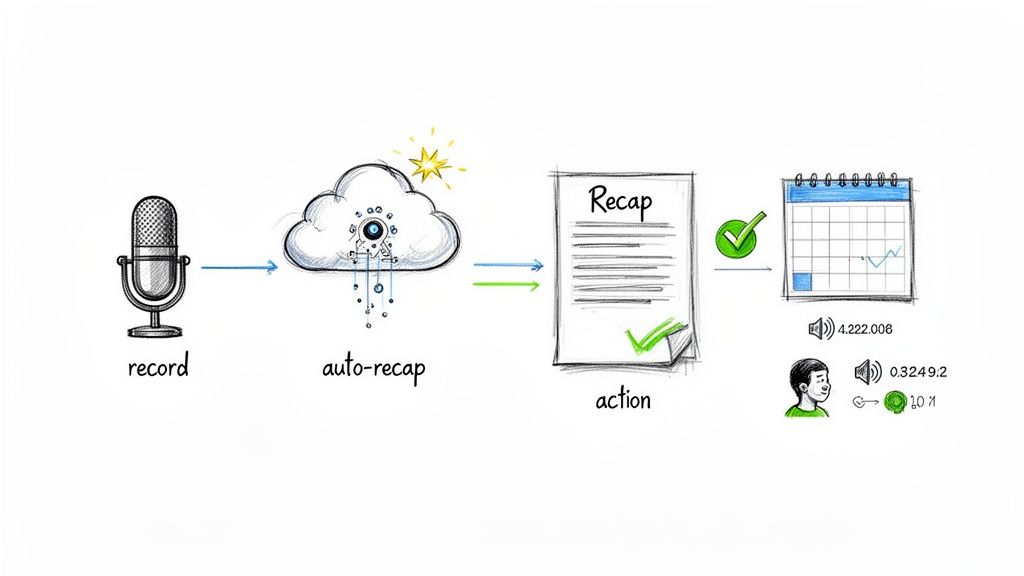
Let's be honest: creating a brilliant recap of a meeting is only half the battle. If it just sits in an inbox, unseen and unread, you've wasted your time. The real magic happens next, with smart distribution and consistent follow-up. This is what turns a simple document into a powerful tool for accountability.
The goal is simple: get the key takeaways and action items to everyone who needs them, fast. That obviously includes attendees, but it’s even more critical for stakeholders who couldn't make it. They need to get the gist without sitting through a second-hand summary.
Choosing the Right Channels for Distribution
Where you share your recap is just as important as what’s in it. Email is the go-to for most, but let's face it—it's often where important information goes to die. To make sure your recap actually gets seen, you have to meet your team where they're already working.
Here are a few places that work much better than a crowded inbox:
Project Management Tools: I’m a huge fan of this. Drop the recap directly into the relevant task or project in Asana, Trello, or Jira. This keeps the meeting's outcomes tied directly to the work itself.
Team Chat Channels: For quick visibility, nothing beats sharing a link in a dedicated Slack or Microsoft Teams channel. It’s perfect for getting immediate eyes on it and answering any quick questions.
Centralized Knowledge Hubs: If you have a company wiki like Confluence or even just a shared drive, create a folder for meeting notes. Over time, this builds an incredibly valuable, searchable archive of decisions.
This is where a tool like Notize AI really helps. It lets you instantly share reports or organize meetings into specific team and project folders right within the app. You end up with a single source of truth everyone trusts, which cuts out all the confusion from scattered notes and conflicting versions.
A recap is most powerful within the first 24 hours of a meeting. The longer you wait, the more context is lost and the less likely people are to act on their assigned tasks.
Creating a System for Follow-Up
Sending out the recap is step one. Following up is what ensures things actually get done. This doesn't have to be some complex, micromanaged headache. A simple and consistent system is all you need to keep the momentum going.
First, make sure every single action item from the recap of a meeting is formally logged somewhere. That could mean creating new tasks in your project management tool or adding them to a shared to-do list. Having a dedicated place to track these items is the foundation of accountability. We've got a great framework for this in our guide on creating a meeting action items template.
Next, set up brief, automated check-ins. A simple reminder sent a day or two before a deadline can make all the difference. This small, proactive step keeps tasks from falling through the cracks and turns your well-crafted recap into a real catalyst for progress.
Turning Your Meeting Notes into Content Gold
Your meeting recap shouldn't just be a record of what happened; think of it as the first draft of your next great piece of content. When you start seeing your meeting notes as raw material, you unlock a massive, often-overlooked source of value from conversations your team is already having.
Every discussion is a potential asset. That project kickoff call? The summary is the perfect skeleton for an internal blog post to build company-wide excitement. A deep-dive technical session with the engineering team can easily become a detailed knowledge base article, saving your support folks from answering the same questions on repeat.
From Conversation to Creation
This is where you shift from simply documenting meetings to building a content engine. The insights, decisions, and expertise shared in a meeting are often too valuable to be locked away in a recap document sent to a handful of people.
Think about it: a sales call where a client lays out all their pain points is pure gold for your marketing team. The recap from that conversation can become the bedrock of a compelling case study, a series of social media posts, or even a script for a new product video.
This is where a tool like Notize AI really shines, going way beyond simple summaries. For anyone who creates content—journalists, bloggers, marketers—its ability to automatically spin a recording into a polished blog post is a huge time-saver.
When you start treating every meeting as a potential content source, you build an ever-growing library of institutional knowledge. Your recaps become the foundation.
Put Your Content Workflow on Autopilot with Notize AI
Let's be real: manually turning an hour-long discussion into a well-structured blog post is a slog. With Notize AI, that entire workflow becomes practically effortless.
A content creator can just record an interview or upload an audio file, and Notize AI delivers a high-quality transcription alongside a blog post that's ready to be tweaked. You can even select different writing styles—like professional, friendly, or conversational—to make sure the output actually sounds like you.
This makes Notize AI more than just a meeting assistant; it's a content creation hub. Here’s what that looks like in the real world:
Marketing teams can turn a brainstorming session into a series of blog drafts in one click.
Journalists can get an interview transcribed and summarized into a publish-ready article in minutes, not hours.
Creators can repurpose a YouTube video into a detailed, step-by-step guide for their blog, all without leaving the Notize AI platform.
The system is smart enough to adapt to your tone, even suggesting stronger phrasing and more engaging storytelling hooks. With Notize AI, just hitting "record" on a conversation is the first step to creating consistent, high-quality content. Your meeting recap is no longer the end of the road—it’s just the beginning.
Keeping Your Global Team in Sync
In the new world of hybrid work, asynchronous communication has gone from a nice-to-have to an absolute must. For teams spread across the globe, a solid meeting recap is the glue holding everything together, making sure everyone is on the same page without forcing people into late-night or early-morning calls.
This isn't just a hunch; the data backs it up. Calendar analytics show that nearly a third of all meetings now stretch across multiple time zones—a staggering 35% jump since 2021. On top of that, remote employees are in 50% more meetings than their in-office colleagues, which is a perfect recipe for burnout and creating information silos. You can dig deeper into these meeting trends and statistics to see just how big the challenge has become.
For any modern, global team, a smart recap strategy is simply non-negotiable. It’s about fostering an inclusive culture where every single person has equal access to information, no matter where they are or when they work.
Powering Up Your Asynchronous Collaboration
This is where automation really shines. A tool like Notize AI can turn a standard meeting summary into a powerful resource for your whole team. Instead of feeling like they have to be in every single meeting, people can catch up on their own time, when it makes sense for them.
Think of what Notize AI brings to the table for a distributed team:
Searchable Transcripts: Need to find that one specific comment about the project budget? Just search the transcript for a keyword instead of scrubbing through an hour-long recording.
Timestamped Recordings: The timeline is broken down into key moments, so you can click and jump straight to the part where a final decision was made or when a task was assigned.
Instant Sharing: As soon as the meeting ends, you can send the summary and report to colleagues in other time zones, so no one is ever left playing catch-up.
For a global team, a meeting recap isn’t just about what happened. It’s a tool for equity, ensuring that the team member in another time zone has the same context and clarity as someone who was in the room.
By bringing a tool like Notize AI into your workflow, you give your team the freedom to step away from the relentless cycle of back-to-back meetings while staying completely in the loop. It’s a move that respects people’s time, cuts down on meeting fatigue, and keeps your entire team moving forward as one.
Got More Questions? We've Got Answers
You've got the basics down, but a few questions might still be lingering. Let's tackle some of the most common ones we hear about getting meeting recaps just right.
How Long Is Too Long for a Recap?
There's no magic word count, but the best rule of thumb is to keep it scannable. Think five minutes, max. Your goal is to deliver a quick, clear snapshot of what happened and what's next, not a transcript.
This is where a tool like Notize AI really shines. It's designed to pull out only the most important points, giving you a structured summary that's both brief and comprehensive. It does the hard work of trimming the fat so your team gets a recap that’s actually easy to read.
What’s the Best Way to Format a Recap?
While there's no single "perfect" format, consistency is everything. When your team knows exactly where to look for key information, they’re more likely to engage with it. A solid, dependable structure is your best friend.
A great recap always includes these three things:
A quick summary of what was discussed.
A clear list of the final decisions made.
An organized table of action items, complete with who owns them and when they're due.
This is another spot where having a system pays off. Platforms like Notize AI automatically structure your notes into these clean, logical sections. You get a professional, predictable format after every single call, without having to fuss with templates.
Is It Possible to Create a Recap Without Taking Notes by Hand?
Absolutely, and honestly, you should be. Trying to manually jot down notes while also participating in the conversation means you're not doing either task very well. You're splitting your focus, and important details are bound to fall through the cracks.
This is precisely the problem AI tools were built to solve.
With Notize AI, for instance, you just have the platform record your meeting. As soon as it’s over, you get a full transcript, a summary of key decisions, and a list of action items—all generated automatically. Students can even use it for lectures, getting instant study guides and the ability to ask the AI questions about complex topics. You can stay completely present and engaged in the conversation, knowing a perfect record is being created for you. It’s a complete game-changer for anyone who needs an accurate recap of a meeting without the distraction of note-taking.
Ready to stop taking notes and start driving action? Notize AI turns your meetings into clear summaries, actionable tasks, and a searchable knowledge base automatically. Try it today and see how effortless a perfect recap can be. Learn more at notize.ai.
How to Write a Recap of a Meeting That Actually Drives Action




