
A well-written summary of a meeting is the essential link between a great conversation and real, tangible action. Think of it as the official record that turns ideas into a concrete plan, making sure everyone—attendees and absentees alike—is on the same page about key decisions and next steps.
This clarity is what keeps projects from hitting a wall.
Why a Great Meeting Summary Is a Productivity Superpower
Let’s be honest, meetings are the heartbeat of most organizations. But when they end without a clear path forward, they feel like a massive waste of time. We’ve all been there, hanging up from a call and thinking, "So, what are we actually doing now?"
That moment of uncertainty is where momentum dies. It’s how deadlines get missed and why you end up having the same conversation three times. A good meeting summary isn't just admin work; it’s a strategic tool for accountability and alignment.
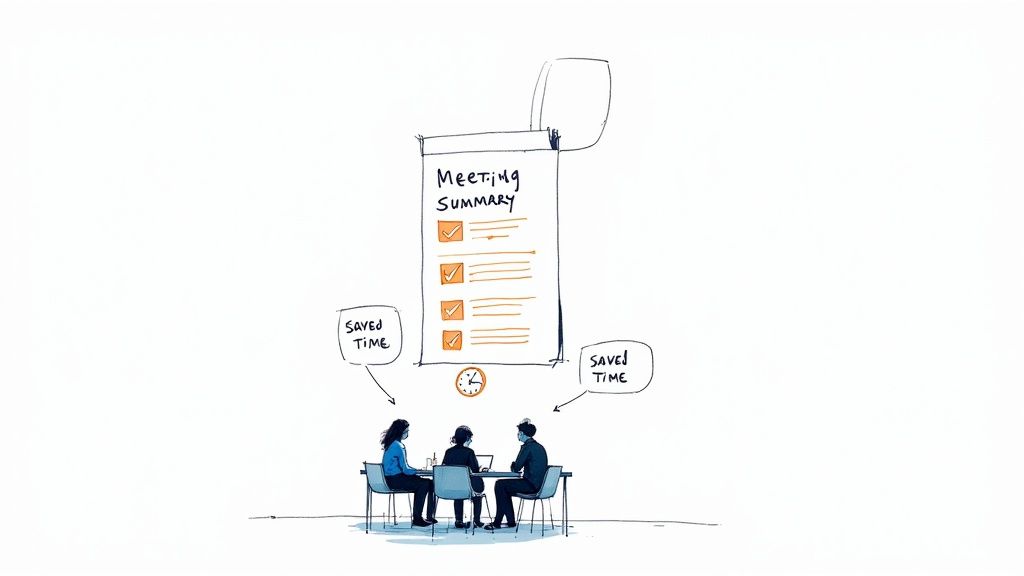
The scale of this problem is staggering. There are up to 56 million meetings every single day in the U.S., and the ineffective ones drain an estimated $37 billion from the economy each year. With remote work causing a 192% jump in Teams meetings since 2020, the need for a reliable summary has never been more critical. You can dive deeper into these numbers over at MyHours.com.
The Real Cost of a Bad Summary
When a meeting summary is vague, late, or just doesn't happen, the fallout is felt across the entire team. People are left to rely on their own memories, which almost always results in slightly different versions of what was decided.
This confusion creates friction and leads to the dreaded "meeting to clarify the last meeting." A truly great summary, however, acts as the single source of truth.
It Creates Clarity: No more guessing games. Decisions are documented in black and white.
It Drives Accountability: Everyone knows exactly who is doing what, and by when.
It Saves Time: Need a quick refresher or missed the call? The summary has you covered.
It Builds Momentum: It’s the official handoff from discussion to execution, keeping the project moving.
Automating Alignment with Notize AI
The classic challenge is that someone has to sacrifice their full attention to take notes. Then, they have to spend even more time cleaning up those notes and sending them out.
This is exactly the gap Notize AI fills for busy teams. Just record your meeting, and it automatically creates a polished, structured summary. You get the key discussion points, detailed notes with speaker attribution, and a neatly organized to-do list—complete with owners and deadlines.
Instead of pulling someone out of the conversation to be the designated scribe, everyone can stay fully present and engaged. You can trust that Notize AI is capturing an accurate, unbiased record. It’s how smart teams make sure every meeting is a productive one, without adding more manual work to their plates.
The Anatomy of a Powerful Meeting Summary
Forget about scribbled notes on a legal pad. A truly useful meeting summary isn't just a recap; it's a structured document, an action plan that keeps everyone aligned and pushes projects forward. Nailing these core components is the difference between a summary that gets glanced at and forgotten, and one that becomes your team's single source of truth.
Think of it this way: your meeting summary is the blueprint for what happens next. If the blueprint is missing pieces or the measurements are off, you can’t build anything sturdy. The same goes for your summary.
To make sure your summary does the heavy lifting, we need to look at its essential parts. This quick-reference table lays out the non-negotiables every great meeting summary needs.
Essential Elements of a Meeting Summary
Component | Purpose | Example |
|---|---|---|
Objective | Sets the context and states the meeting's goal. | "Finalize the Q4 product launch plan." |
Key Decisions | Documents the concrete outcomes and final agreements. | "Decision: The launch date is confirmed for November 15." |
Action Items | Assigns clear tasks with owners and deadlines. | "Action: Sarah to draft the launch announcement by EOD." |
Attendees | Lists who was present for context and accountability. | "Attendees: John, Sarah, Mike, Chloe." |
Getting this structure right ensures anyone, whether they attended or not, can understand what happened and what needs to be done. Let's dig a little deeper into each of these.
Start with the "Why": Objectives and Key Decisions
Every meeting needs a clear purpose, and your summary should state it right at the top. This immediately frames the conversation for anyone reading it. What was the point of getting everyone together? Answering that question first gives everything else context.
From there, you get to the most critical part: the key decisions. This isn't a play-by-play of the debate. It's the final verdict. "We discussed the marketing budget" is useless. What you need is clarity.
Be specific: "Decision: The Q4 marketing budget is approved at $50,000, with funds allocated to the new social media campaign." There's zero room for misinterpretation there. Trying to capture this perfectly while also participating in the conversation is a real challenge. This is where a tool like Notize AI can be a game-changer, automatically identifying and pulling out those critical decision points so nothing gets lost in translation.
Turn Talk into Action: Owners and Deadlines
Decisions without action are just ideas. This next section is arguably the most important because it’s where the work actually gets assigned. Every single action item needs two things: a name and a date.
An ambiguous to-do list is a recipe for stalled projects and missed opportunities. Look at the difference:
Vague: "Someone needs to look into the website bug."
Actionable: "Action: Alex to investigate the login page bug and report findings by Friday, Oct 25."
By clearly defining who does what by when, you build a culture of accountability right into your process. The summary becomes a public record of commitments that everyone can see and track.
This is precisely the kind of tedious work Notize AI was built to handle. It listens to the conversation and automatically generates a clean list of tasks with the right people assigned, making follow-up almost effortless.
Don't Forget the Context: Attendees and Discussion Points
Finally, including a quick list of who was in the room provides important context. You don't need job titles—just names. This is incredibly helpful for anyone who missed the meeting and needs to know who to ask for more details.
It can also be useful to jot down a few bullet points on key discussion points that shaped the final decisions. These aren't decisions themselves, but they provide the "why" behind them. For example: "The team agreed that customer feedback on the beta feature was overwhelmingly positive, influencing the decision to move up the launch."
These elements all work together to create a document that doesn't just inform, but empowers your team to act. While you can certainly master this structure with practice, tools like Notize AI are designed to do it for you. The app records your meeting and instantly crafts a structured, actionable summary with all these essential pieces perfectly in place.
Crafting Your Summary Before the Meeting Ends
If you're writing a meeting summary by hand, you need to shift your mindset. You’re not a court stenographer trying to capture every word. Think of yourself as a filter, catching only the crucial details that will push the project forward. This work actually starts before anyone even joins the meeting.
Set yourself up for success with a little prep. Spend just five minutes with the agenda beforehand. This simple habit gets your brain ready to listen for specific outcomes tied to each topic. You’ll walk in already knowing what you’re listening for.
Once the meeting starts, your real job is active listening. I don't just mean hearing people talk; I mean listening for the signals that matter. Train your ear for phrases like, "Okay, so we've decided to..." or "Let's agree that..." Those are your gold nuggets—the key decisions. The same goes for action items. When you hear, "I can take that on," or "Who's going to handle X?", that's your cue to write it down.
The Problem with Juggling Two Jobs at Once
Here’s the biggest challenge with taking notes manually: you're trying to do two things at once. You’re expected to contribute to the discussion and document it accurately. Research on cognitive load tells us this multitasking usually leads to a breakdown somewhere. Either your participation takes a hit, or your notes end up full of holes.
It's a classic bind for modern teams. An engaged participant is invaluable, but so is a reliable record of what happened. The old-school manual process forces you to choose, and that’s where mistakes and missed details happen.
The trick to capturing a solid summary of a meeting in real-time is intense focus. The second you get distracted thinking about what you want to say next, you could easily miss a key deadline or who just got assigned a critical task.
This flow shows what you should really be zeroing in on—moving from the 'why' of the meeting to the 'what' and 'who' of the follow-up.
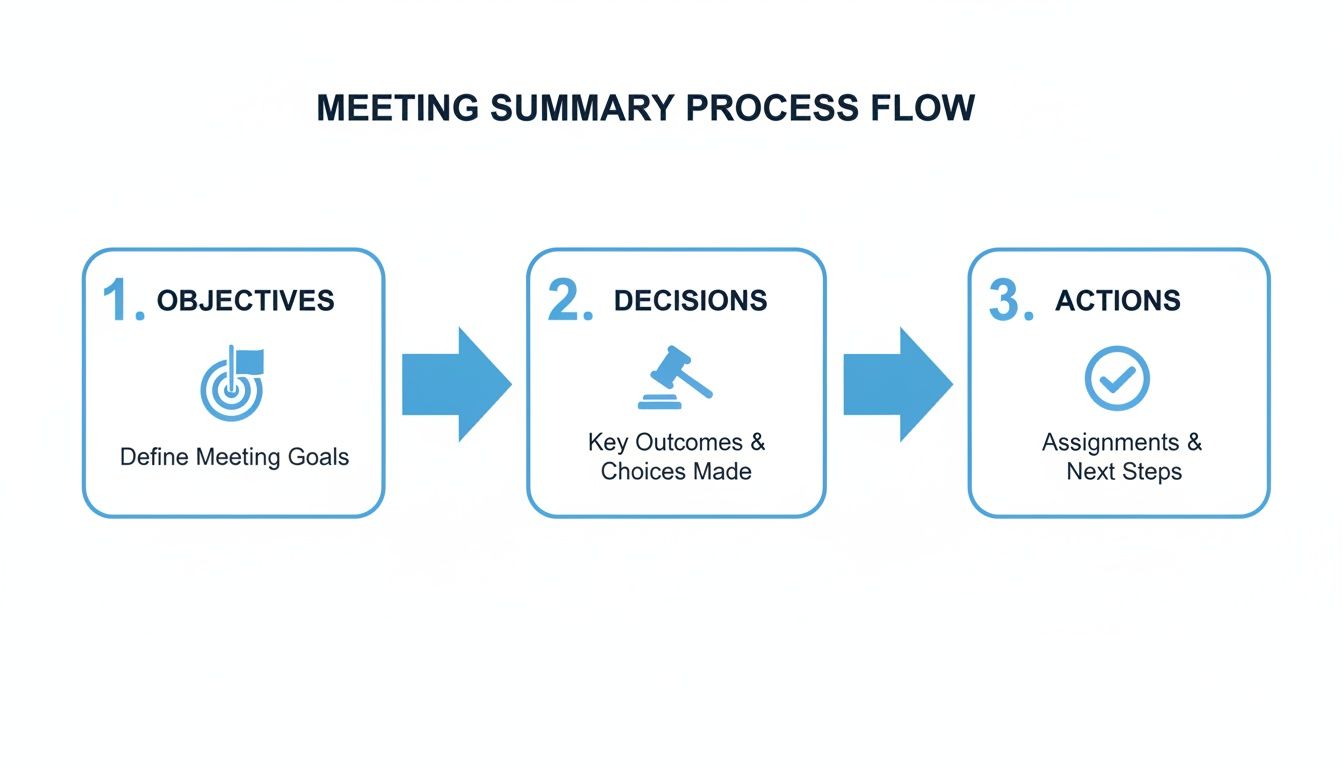
This diagram really drives home the point: cut through the noise and focus only on the objectives, the decisions made, and the actions that will get you to the next step.
Write It Up While It's Still Fresh
As soon as the meeting wraps up, start drafting your summary. Don't put it off. The details are sharpest right after the conversation, but they can get fuzzy in just a couple of hours. Pull up your notes and immediately start organizing them into the key sections.
To make your summary easy to read and genuinely useful, stick to these ground rules:
Lead with Strong Verbs: Kick off your action items with words like "Create," "Send," "Investigate," or "Finalize." This leaves no room for confusion.
Be Brutally Concise: Use bullet points. No one has time to read a novel. If a sentence doesn't state a decision or a next step, cut it.
Focus on the Outcome, Not the Journey: It can be tempting to recap the entire debate, but don't. The summary is about where you landed, not the winding road you took to get there.
Getting these steps right can seriously elevate the quality of your summaries. If you're looking to get even better at the note-taking part, we have a helpful guide that digs into different types of note-taking methods.
At the end of the day, the manual process shows a real pain point in how we work. It’s a necessary task that steals time and focus from actual collaboration. This is exactly why so many teams are now leaning on tools like Notize AI, which can handle the note-taking perfectly so everyone in the room can just focus on the conversation.
Putting Your Meeting Summaries on Autopilot with Notize AI
Let's be honest, taking notes manually is a drag. You're constantly juggling listening, filtering out the noise, typing, and trying to actually participate in the conversation. It's a recipe for missed details and human error.
A much better way forward is to let technology handle the grunt work. This frees up your team to do what they're actually in the meeting for: to think, collaborate, and solve problems.
The demand for this kind of tech is exploding. In fact, 50% of professionals already see AI and mobile apps as critical tools for improving meetings. With AI already being used for content creation (41%) and tracking engagement (39%), automating the summary of a meeting is the obvious next step.
This is exactly why we built Notize AI. Think of it as your team’s dedicated, intelligent scribe—one that frees everyone from the burden of taking notes.
How Notize AI Changes the Game for Professionals
Imagine this: you start a meeting, hit "record" in Notize AI, and then forget about it. You can fully engage in the discussion, knowing that the moment the call ends, a perfectly structured and comprehensive summary of a meeting will be ready and waiting. That’s not a future concept; that's how Notize AI works today.
The whole platform is built for busy professionals who need to turn conversations into action, without getting bogged down in administrative tasks.
Just record your meeting in Notize AI, and the system gets to work, automatically generating:
A complete, structured summary that gets right to the point.
Key discussion points and insights, so you can quickly recall important context.
Detailed meeting notes that show you exactly who said what.
A crystal-clear list of action items and to-dos, with owners and deadlines assigned.
Highlighted decisions and follow-up tasks to keep everyone accountable.
A timeline of important moments for quick review and reference.
This isn’t just about saving a few minutes. It's about fundamentally improving the quality and accuracy of your team's documentation.
With Notize AI, every team member gets the same, unbiased record of what was discussed and decided. It completely eliminates the "he said, she said" confusion that plagues meetings when everyone relies on their own scribbled notes.
Go Deeper When You Need To
Notize AI does more than just spit out a summary. It builds a rich, searchable library of every conversation your team has.
Say you need to recall the specifics of a budget decision from a meeting three weeks ago. Instead of digging through old documents or rewatching an hour-long recording, you just search for a keyword. Notize AI will instantly find what you're looking for across all your past meetings.
One of the most powerful features is the ability to jump directly to the exact moment a topic was discussed in the recording. With a single click, you can listen to the original audio or watch the video clip. This is a game-changer for clarifying nuance or understanding a complex technical point that a text summary might oversimplify. To see more on how this works, check out our post on the power of an AI meeting note taker.
Ultimately, Notize AI helps create a world where no one has to take meeting notes again. It keeps your team aligned and accountable with automated, accurate, and instantly shareable reports. Meetings get more productive, follow-up is seamless, and your team can finally focus their brainpower on moving the business forward instead of just documenting it.
Getting Your Summary in Front of the Right Eyes (And Following Up)
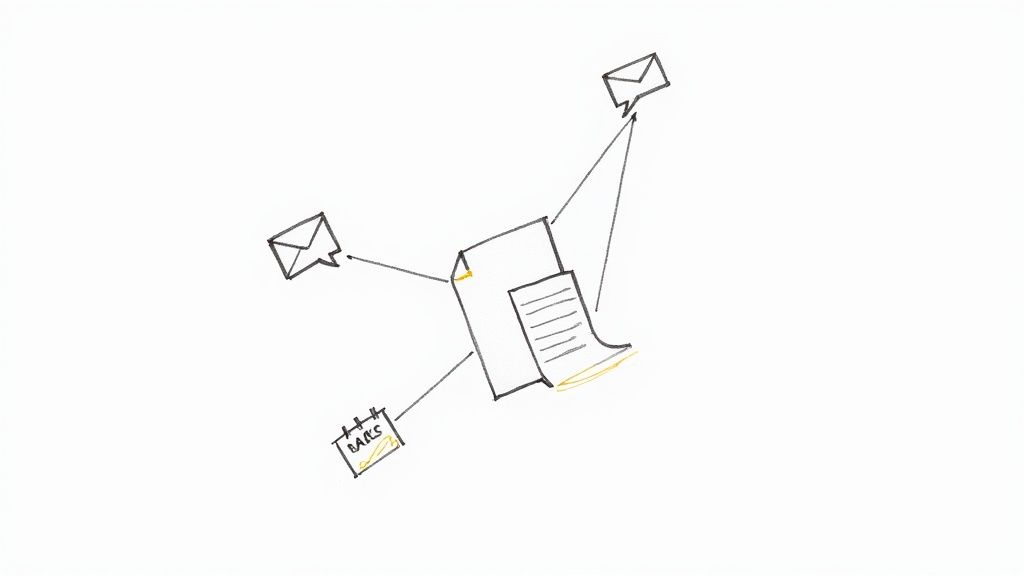
Crafting a brilliant summary of a meeting is a great start, but it’s only half the job. A summary that nobody reads is just as useless as not having one at all. Its real power is unlocked in the moments after you hit send.
The most important rule? Be fast. You need to get that summary out within 24 hours of the meeting. Any longer, and the details start to fade from everyone’s memory. Sending it quickly keeps the energy high and shows that the meeting actually mattered.
Where Should You Send It?
Think about where your team actually lives and works online. The goal is to put the summary right in their path, not to let it get lost in the digital noise of a packed inbox.
Here are a few common-sense options:
Email: Still the gold standard for reaching all attendees and looping in stakeholders who couldn't make it. It’s formal and creates a clear paper trail.
Slack or Microsoft Teams: Perfect for a quick, informal drop. It’s great for getting immediate eyes on the action items and sparking any follow-up questions.
Project Management Tools: This is my personal favorite for project-specific meetings. Attaching the summary to a card in Trello, a task in Asana, or an issue in Jira connects the conversation directly to the work that needs to get done.
If you’re using a tool like Notize AI, this part is a breeze. The summary is generated automatically right after the call, so you can share it with the team instantly. No more delays means everyone is on the same page from the get-go.
The Gentle Art of the Nudge
Sending the summary is step one; following up is what makes people take action. This doesn't mean you have to be a nag. A simple, friendly reminder a day or two before a deadline is often all it takes to keep things on track.
In today's world of hybrid work, this is more critical than ever. With 86% of global workers in meetings that include remote colleagues, a clear, well-distributed summary is the key to keeping everyone aligned, no matter where they are. You can find more stats on modern meetings over at archieapp.co.
Remember, today’s summary of a meeting is the blueprint for your next one. The "Action Items" section should be the first thing you look at when building the next agenda. It creates a natural feedback loop: discuss, decide, document, and then review. If you need a hand structuring that part, our guide on creating a meeting action items template is a great resource.
This simple cycle—summarize, share, and follow up—is what turns your meetings from just talking shops into real engines for progress.
Got Questions About Meeting Summaries? We've Got Answers.
Even after you've mastered the basics, a few tricky questions always seem to pop up when it's time to actually write a meeting summary. Getting these details right can make all the difference, so let's clear up some of the most common points of confusion I hear from teams.
How Long Should a Meeting Summary Be?
Think short and sharp. The ideal summary should be scannable in under two minutes. No one wants to read a novel; they just need the highlights.
Your goal isn't to create a word-for-word transcript. Instead, focus on distilling the conversation down to its most critical parts. Use bullet points for decisions and action items to make them jump off the page. This is where a tool like Notize AI really shines—it's designed to automatically boil down lengthy discussions into a perfectly concise summary, so you never have to guess about the right length.
Who's Actually Supposed to Write This Thing?
Traditionally, this job gets dumped on the meeting organizer or a designated (and often reluctant) note-taker. The problem? This pulls one person out of the conversation and puts the quality of the summary entirely on their shoulders.
A much better approach for modern teams is to take the task off everyone's plate. Automating the process with something like Notize AI means an accurate, unbiased summary gets created without anyone having to sacrifice their participation. Everyone can stay fully engaged, knowing the important details are being captured for them.
The best summary is the one nobody had to stress about writing. When you automate the process, you get a complete, objective record every single time, making the meeting more productive for the entire team.
Wait, Isn't This Just "Meeting Minutes"?
Ah, the classic question. People use these terms interchangeably, but they are fundamentally different things.
Meeting minutes are the formal, detailed, and sometimes legally required record of a meeting. Think of them as a play-by-play that documents everything that was said, often for compliance or official record-keeping.
A meeting summary, on the other hand, is all about action. It’s a less formal, more practical tool designed to drive alignment and accountability. It answers the question, "What did we decide, and what do we do next?" For the vast majority of your team's daily meetings, a summary is what you actually need. Notize AI is built specifically to create these action-oriented summaries, giving your team the clarity they need to get things done.
Ready to stop worrying about these details and put your meeting follow-ups on autopilot? Notize AI handles the entire process—recording, transcribing, and generating a perfect, actionable summary in seconds. Get started with Notize AI today and start turning your conversations into concrete outcomes.
How to Write a Perfect Summary of a Meeting Every Time




