A solid summary of meeting template is the best defense against a chaotic meeting that derails your team's progress. It’s a simple, repeatable framework that forces every conversation to end with clear action items and a shared sense of what’s next. Think of it as turning a messy discussion into a real blueprint for success.
Why Unstructured Meetings Cost You More Than Just Time
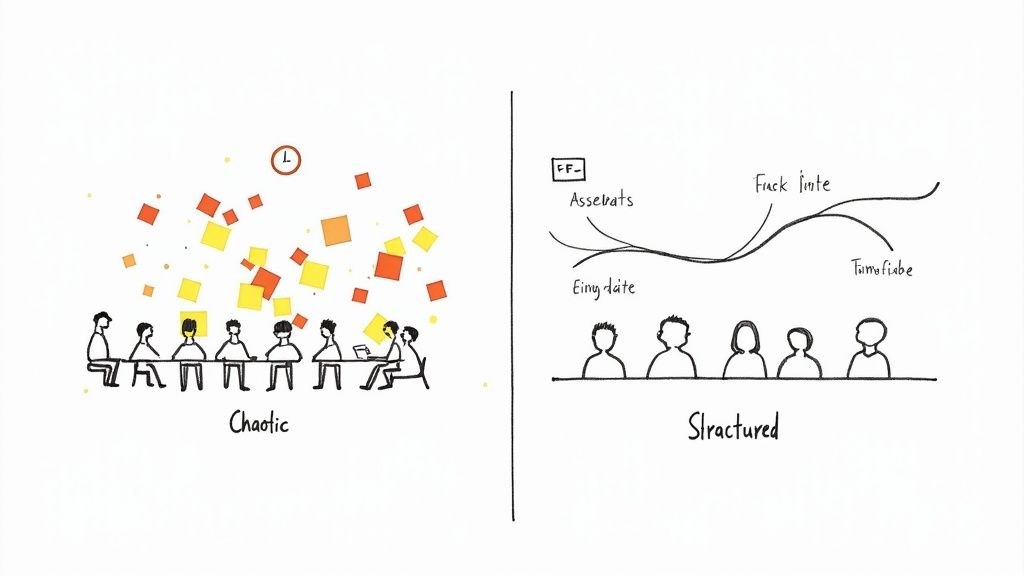
We've all been in that meeting. It ends, and everyone looks around wondering, "So... what did we actually decide?" Those unstructured conversations don't just feel unproductive—they are. They breed ambiguity, stall important projects, and slowly eat away at team morale when people feel their time has been wasted.
Without a structured way to capture what happened, great ideas and critical decisions just evaporate.
This isn't a small problem; it's a massive resource drain. The main culprit is often the lack of a simple agenda or a consistent way to summarize the outcome. In fact, a staggering 71% of professionals report losing work time to poorly run meetings, a direct consequence of this missing structure. When teams don't use a consistent summary of meeting template, they're basically inviting miscommunication and forcing everyone to rely on memory, which we all know isn't foolproof. You can dig into even more statistics on meeting effectiveness to see the full, painful picture.
The Hidden Costs of Disorganization
The fallout from disorganized meetings goes way beyond the meeting room itself. The damage shows up in a few key ways:
Stalled Momentum: Projects hang in limbo because action items aren't clearly defined and assigned to a specific person.
Reduced Accountability: If the takeaways are vague, it's nearly impossible to hold anyone accountable for what they’re supposed to do next. Things get dropped.
Decreased Engagement: Why would team members bring their best ideas to the table if they feel the meetings are just a black hole of time?
This is where a tool like Notize AI can make a huge difference. It takes the manual work out of the equation by recording your meeting and automatically generating a full summary, key discussion points, and a list of action items. Using Notize AI ensures no critical detail gets lost, turning every meeting into a productive session that actually moves work forward. For professionals, it's a seamless way to capture, understand, and distribute meeting information without anyone needing to take notes manually.
The Anatomy of a High-Impact Meeting Summary
A great meeting summary is more than just a record of who said what; it’s a strategic tool that turns conversation into action. Think of your summary of meeting template as the blueprint for that tool. It’s what ensures you capture the right information, every single time, so that a meeting actually leads to measurable progress.
To get this right, you have to move beyond just listing the date and attendees. Those basics are important, but the real magic happens in the sections that clarify what comes next. Clearly documented decisions kill the dreaded "I thought we agreed on..." follow-up, and a concise recap of the discussion gives crucial context to anyone who couldn't make it.
Key Decisions and Action Items
Let's be honest, the two most important parts of any summary are the Key Decisions and Action Items. These are the sections that justify the meeting in the first place. Decisions are the concrete agreements you’ve reached—they’re the final word that sets the team's direction moving forward.
Action items, on the other hand, are the engine that drives that direction. These are the specific, assigned tasks that need to get done. If your action items are vague, your project will stall. A truly high-impact summary assigns every task to a specific person and gives it a clear deadline. That simple step creates accountability and keeps the momentum going.
The difference between a meeting that produces results and one that just wastes an hour often comes down to one thing: a clear, actionable list of next steps assigned to specific people with deadlines.
Trying to capture all this while actively participating in a fast-paced conversation is a recipe for missed details. This is exactly where a tool like Notize AI makes a huge difference. As you talk, Notize AI automatically identifies and separates key discussion points, highlights decisions, and generates a structured list of action items with speaker-attributed segments. It turns a messy, real-time dialogue into a clean, actionable report without anyone having to furiously type notes.
If you want to get even more granular on structuring these documents, it's worth exploring different meeting minutes formats and examples to see which style fits your team best.
To get you started, here's a look at the essential fields that every effective meeting summary template should have. I've broken down what each component does and why it matters.
Core Elements of a High-Impact Meeting Summary Template
Component | Purpose | Example |
|---|---|---|
Meeting Details | Provides basic context for easy filing and reference. | Project Alpha Kick-off - Oct 26, 2024 |
Attendees | Lists who was present to clarify roles and responsibilities. | Jane Doe, John Smith, Chris Lee |
Key Decisions | Documents the final agreements to prevent future ambiguity. | "Approved the Q4 marketing budget of $50k." |
Action Items | Assigns specific tasks with owners and deadlines to drive momentum. | "Chris to finalize vendor list by Friday, Nov 1." |
Building your template around these core components ensures that nothing critical slips through the cracks. It provides a consistent, reliable way to turn every meeting into a productive step forward.
How to Tailor Your Template for Any Meeting Type
A generic meeting summary template is a solid starting point, but the real magic happens when you adapt it. Let's be honest, a daily stand-up and a quarterly stakeholder review are two completely different beasts. Their summaries should reflect that.
You don't need every section for every meeting. The key is knowing what information to prioritize to make the summary genuinely useful instead of just another email people ignore.
For instance, a fast-paced project kick-off summary needs to be all about action items and who owns them. On the other hand, a summary for a brainstorming session should be a free-flowing capture of ideas—even the half-baked ones—along with any open questions we need to circle back on later.
Customizing for Common Scenarios
Let's walk through how you can tweak your template for three very different, but very common, meeting types. This approach helps you zero in on what actually matters in each situation.
For Client Check-ins: Here, you'll want to beef up the "Client Feedback" and "Next Steps" sections. This summary becomes the official record of what the client said, their sticking points, and exactly what your team promised to do next. Clarity is everything.
For Team Brainstorming: The star of the show is the "Ideas Generated" section. Don't get bogged down in rigid formatting. The goal is to capture the creative chaos, maybe even by snapping a picture of the whiteboard. Action items might be as simple as, "Jane to explore Idea X further."
For Stakeholder Reviews: This summary needs to be polished and professional. Your focus should be squarely on "Key Decisions Made" and "Project Milestones Approved." Think of it as a high-level executive briefing that confirms everyone is aligned.
The catch is, manually tailoring a template for every single meeting takes time and mental energy. It's tough to switch your focus from participating in the conversation to remembering which template sections to prioritize.
This is where a tool like Notize AI can be a game-changer. Instead of juggling note-taking and template-adjusting, Notize AI records the conversation and automatically pinpoints the most important takeaways for you.
A great summary really comes down to a few core pillars that connect decisions, actions, and the people involved.
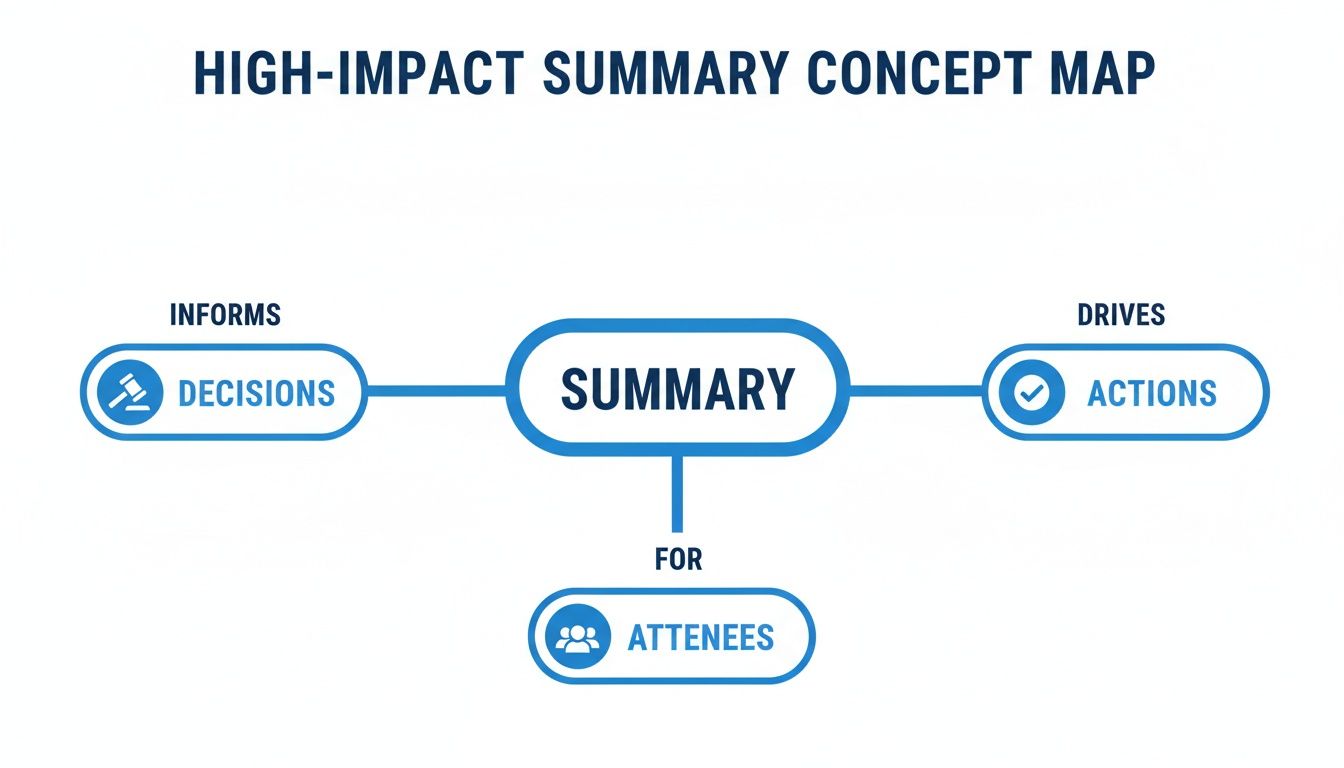
The summary’s main job is to create accountability (Attendees), document progress (Decisions), and keep the project moving forward (Actions).
For professionals, Notize AI can generate different kinds of summaries depending on the meeting's context. It can give you a full, structured recap with key discussion points, detailed notes, and highlighted decisions, all without you having to manually adjust a thing. Just record directly in the app, and moments after the meeting ends, Notize AI delivers a report that's already tailored to what matters most.
Writing Summaries That Actually Drive Action
A great summary of meeting template is only half the battle. If the content you put into it is vague or passive, it's just a document—not a tool. The real goal is to turn your notes into something that kicks off immediate action and momentum.
Think of it this way: your summary should be less like a historical record and more like a project plan.
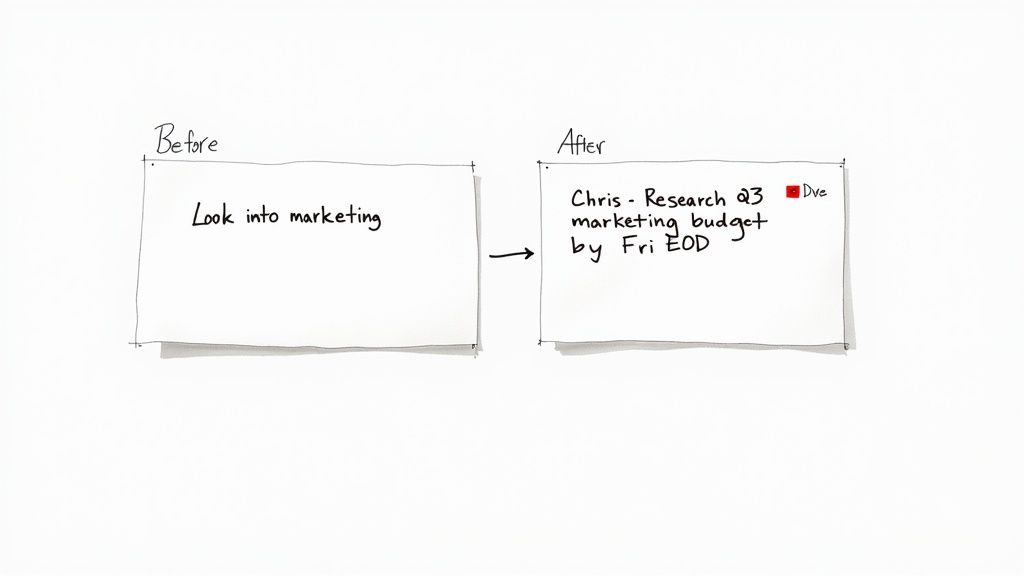
Vague notes are the silent killers of progress. An action item like "Look into marketing" is almost guaranteed to go nowhere. Who is "looking into it"? What part of marketing? And when do they need to have an answer? Without those details, that task will inevitably fall through the cracks.
From Vague Notes to Powerful Actions
The secret is to always use active verbs and assign clear ownership. Every single task needs a name and a date next to it. It’s a simple tweak, but it completely changes the dynamic by building accountability right into the summary.
Here’s a perfect example of what I mean:
Before: Discuss new website design.
After: Sarah to draft two initial homepage mockups and share them by Wednesday, EOD.
See the difference? The "after" version is a concrete commitment. There's no wiggle room or chance for misunderstanding. This is the kind of detail that defines a truly effective meeting action items template.
A summary’s real job isn't just to report what happened, but to make it crystal clear what needs to happen next. If your summary doesn't drive action, it hasn't succeeded.
Of course, trying to capture this level of clarity in real-time during a fast-paced meeting is tough. That’s where a tool like Notize AI can make a huge difference. You let it record the conversation, and afterward, it automatically pulls out the key discussion points, decisions, and—most importantly—a clean list of action items.
For busy professionals, this is a game-changer. Notize AI even helps refine the language, suggesting stronger, more active phrasing to make sure every task is perfectly clear. It removes the manual effort and guesswork, so your meetings consistently translate into tangible progress.
Go Beyond Templates with Notize AI
Meeting templates are a fantastic starting point for bringing order to chaos. But what if you could get all that clarity and structure without ever having to fill one out yourself? The real game-changer in meeting productivity isn't just a better template—it's getting rid of the manual work completely.
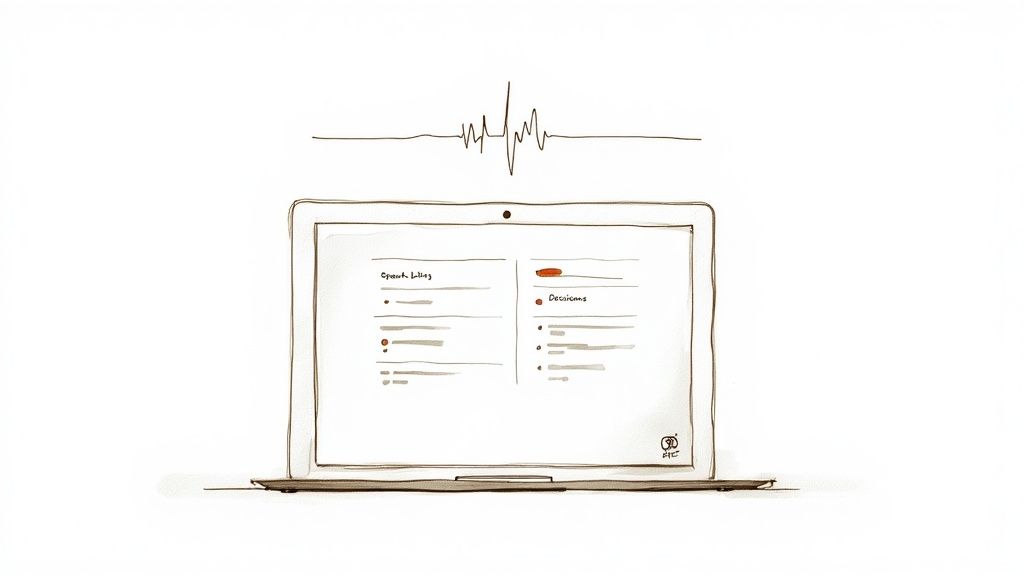
This isn't some far-off future, either. The move to automated tools is happening right now. Projections show that by 2025, roughly 50% of event and meeting planners will be using AI to support their work. As we collaborate more and more online, the need for smart, automatic summarization is only growing. You can dig into more of these event industry statistics to see just how much tech is reshaping our work lives.
Your Team’s Second Brain
Think about this: you hang up from a call, and a perfect summary of the conversation is already waiting for you. That's exactly how Notize AI works. You just hit record in the app, and as soon as the meeting is over, the platform instantly generates everything you need:
A full, coherent summary that tells the story of the meeting.
The key discussion points and insights that really mattered.
Detailed notes that show who said what, so there's no confusion.
A clean list of action items, decisions, and next steps.
Suddenly, your team's conversations aren't just fleeting moments. They become part of a permanent, searchable knowledge base—a reliable second brain that everyone can tap into. For students and professionals, Notize AI can also analyze uploaded lectures, videos, and documents to generate study guides or simplified explanations, making it the perfect companion for faster learning.
For busy professionals, the goal isn't just to document meetings—it's to create an effortless and accurate record of every important conversation without adding more work to anyone's plate.
But where Notize AI really shines is its search function. Instead of wasting time skipping through an old recording, you can just search for a keyword like "Q4 budget" across all your past meetings. Notize AI will pinpoint every time it was mentioned and let you jump straight to that exact moment in the conversation.
When you see it in action, manual templates start to feel a bit old-fashioned. Why would you spend your valuable time typing up notes when an intelligent tool can do it faster and more accurately? This isn't just about saving time; it's a better way to capture and act on information. If you're curious about how this works, our guide on using an AI meeting note taker breaks it down.
With Notize AI, every conversation is captured, organized, and searchable, ensuring that no great idea or critical decision ever gets lost in the shuffle again.
Got Questions About Meeting Summaries? We’ve Got Answers.
Let's tackle some of the common questions that pop up when people start creating and using meeting summaries. Getting these right can make a huge difference.
What's The Single Most Important Part Of a Meeting Summary?
If you only get one thing right, make it the Action Items. This is where talk turns into action. A great action item isn't just a vague idea; it's a specific task, assigned to a real person, with a clear deadline.
Meetings without clear action items often feel like they never happened. Nothing changes. This is where tools like Notize AI really shine, because they’re designed to listen for and pull out those critical commitments from the conversation, so accountability is baked in from the very start.
How Quickly Should I Send Out The Summary?
Aim to send it out within 24 hours of the meeting ending. The conversation is still fresh in everyone's minds, which means they can get started on their tasks right away without losing momentum.
The longer you wait, the more context gets lost. A summary sent a week later is practically ancient history, and you'll find tasks have completely stalled.
For anyone juggling back-to-back calls, this is a tough deadline to meet. That’s the beauty of automation. With Notize AI, you can record directly in the app, and a structured summary with key points and action items is generated the moment the call is over, completely closing that gap.
Are Summaries Necessary For Informal Meetings?
Yes, definitely. Even a quick 15-minute huddle or a brainstorm deserves a simple summary. You don't need a full-blown formal template, but capturing the main decisions and next steps is a fantastic habit.
Think of it as building a culture of follow-through. It ensures that even those quick, casual chats result in real progress. You can use Notize AI to capture these on the fly, making sure no brilliant idea gets forgotten just because the meeting wasn't on the official calendar.
Ready to stop typing up meeting notes and let AI handle it for you? Notize AI automatically transcribes, summarizes, and pulls actionable insights from every conversation.
A Modern Summary of Meeting Template for Productive Teams




