Turning a YouTube video's spoken words into text isn't just a neat trick; it's a powerful way to make your content work harder for you. You can grab a quick copy using YouTube's own features, or you can use a dedicated AI tool like Notize AI for a much faster, more accurate, and versatile transcript. The whole point is to convert spoken audio into searchable, reusable text, opening up a world of possibilities for accessibility, SEO, and content repurposing.
Why You Need a YouTube Video Transcript
Think about this: 500 hours of new video get uploaded to YouTube every single minute. That's an insane amount of information. For anyone managing content, trying to manually keep track of it all is a non-starter. This is exactly why transcribing a YouTube video is less of a task and more of a strategy. It instantly transforms a passive video into an active, searchable asset you can actually use.
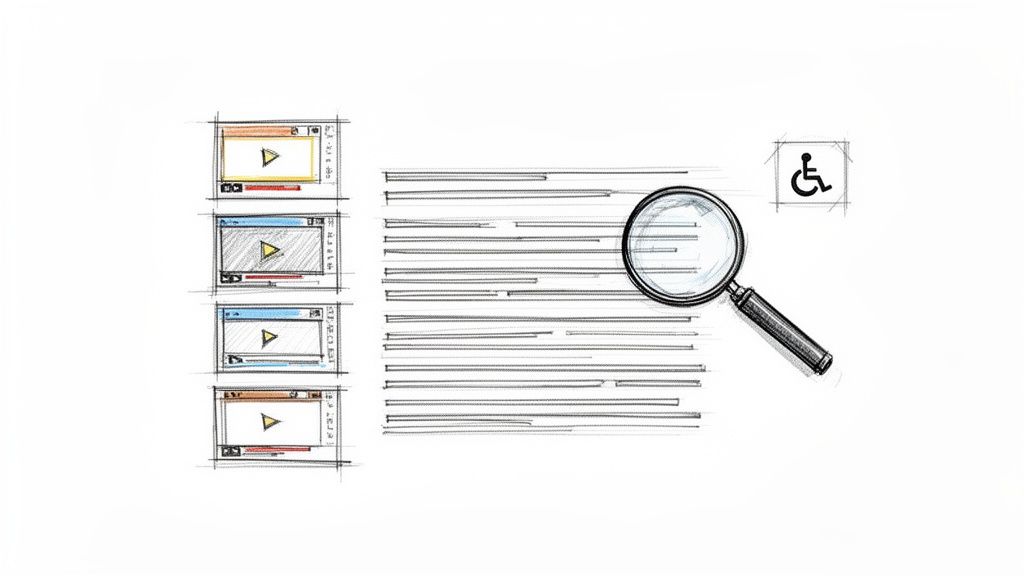
A transcript immediately makes your content available to a much broader audience. This includes people who are deaf or hard of hearing, but it also helps those who simply prefer to read information rather than watch a video. On top of that, it’s a huge boost for your SEO, giving search engines a full text version of your content to crawl, index, and rank.
Unlocking Content for Different Needs
A good transcript is basically a key that unlocks the full potential hidden inside your video.
For creators and marketers: It’s your raw material. That single video transcript can be spun into blog posts, a dozen social media updates, and even an entire email newsletter. With Notize AI, creators can automatically generate customizable blog posts in any writing style and even publish them directly from the app.
For students and professionals: Imagine being able to quickly review a long lecture or an important meeting. A transcript lets you search for specific keywords to find exactly what you need without scrubbing through hours of footage. For example, using a tool like Notize AI, you can literally ask questions about the video and get pointed to the precise moment a topic was discussed.
For everyday users: You can get the gist of a long tutorial or documentary in seconds. A transcript lets you pull out the key takeaways without having to watch the whole thing. With Notize AI, you can send a link from YouTube, get an instant summary, and even turn a tutorial into a step-by-step guide.
AI-powered transcription tools like Notize AI are built to handle this massive volume of video. They turn it into searchable, actionable text so teams can pull out key points, create instant summaries, and find critical insights in minutes, not hours. You can get more perspective on the sheer scale of YouTube's content library.
In the end, it doesn't matter if you stick with YouTube’s basic built-in tool or opt for a more powerful AI solution like Notize AI. The objective is always the same: make your video content more valuable, more discoverable, and more useful for everyone.
Getting Your Hands on YouTube's Own Transcript
Believe it or not, YouTube often does the initial transcription work for you. It has a free, built-in tool that can be a great starting point, especially if you just need to quickly grab the text from a video. For many simple tasks, knowing how to find this feature is half the battle.
So, where is it hiding? Just go to the video you want the text for. Right below the video player, you'll see the description box. Click the "..." (more) button to see all the options, and then choose "Show transcript." A new panel will pop up right next to the video, laying out the entire text complete with timestamps.
How to Grab the Text
Once you have the transcript panel open, you can tailor it to your needs. By default, it shows timestamps, which is perfect if you need to jump to a specific part of the video. But what if you just want a clean block of text for an article or your notes?
Easy. Click the three little dots at the top of that transcript window and hit "Toggle timestamps." Instantly, all the time markers disappear, leaving you with just the dialogue. From there, you can just highlight everything, copy it, and paste it wherever you need it.
Pro Tip: While YouTube's built-in tool is handy for a quick copy-paste, it falls short for anything serious. You get a single, long block of text with no speaker labels. This makes it a real headache to follow conversations or pull out specific quotes. That’s why tools like Notize AI are so valuable—they give you structured, usable content right from the start.
The Inevitable Downsides
The convenience of the free tool comes with some pretty big catches. First off, accuracy is all over the place. If the video has any complex jargon, strong accents, or even a little background noise, be prepared for some weird and nonsensical phrases. You'll definitely need to budget time for a thorough edit.
The other major roadblock is the complete lack of speaker labels. For interviews, podcasts, or panel discussions, the transcript becomes a confusing wall of text. You’ll find yourself re-watching the video just to figure out who said what, which pretty much defeats the purpose of saving time.
This is where the built-in tool hits its limit. If you need more than just raw text, you'll want something more powerful. An advanced platform like Notize AI doesn’t just transcript youtube video with high accuracy; it actually analyzes the content to pull out summaries, key topics, and action items. It turns a simple transcript into something you can actually work with, minus all the manual cleanup.
AI Transcription: The Smarter, Faster Way to Get It Done
YouTube's built-in transcript feature is a decent starting point, but let's be honest—it often leaves you with a wall of text that needs a ton of cleanup. When you need a transcript that's fast, reliable, and ready to use right away, dedicated AI platforms like Notize AI are in a completely different league.
These tools aren't just transcribing; they’re built to understand and structure spoken content. We're talking about getting a highly accurate transcript from a YouTube video in minutes, not hours. The quality difference is night and day, especially when dealing with tricky vocabulary, multiple speakers, or less-than-perfect audio.
A Real-World Scenario: The Notize AI Workflow
Let’s put this into a practical context. Say you’re a content marketer, and your job is to break down a competitor's new hour-long product launch video. Using the native YouTube tool gives you a messy, timestamped block of text. Before you can even start pulling insights, you're facing a major editing project.
This is where a service like Notize AI completely changes the game. Instead of a multi-step manual process, you just copy the YouTube video URL and paste it into the app. That’s it. Notize AI takes over, quickly processing the video and delivering a clean, accurate transcript.
But the magic is what happens next. Notize AI doesn't just give you the words; it turns that static text into an interactive resource. You get:
A Structured Summary: The AI automatically pulls out the main discussion points and key takeaways, saving you from having to read every single word.
Speaker Identification: For interviews or panel discussions, the transcript clearly labels who said what, making complex conversations easy to follow.
Actionable Outputs: The platform can even identify potential to-do lists, action items, or key decisions mentioned during the video.
The old manual method of finding the video, opening the transcript, and then copying it is what AI tools make obsolete.
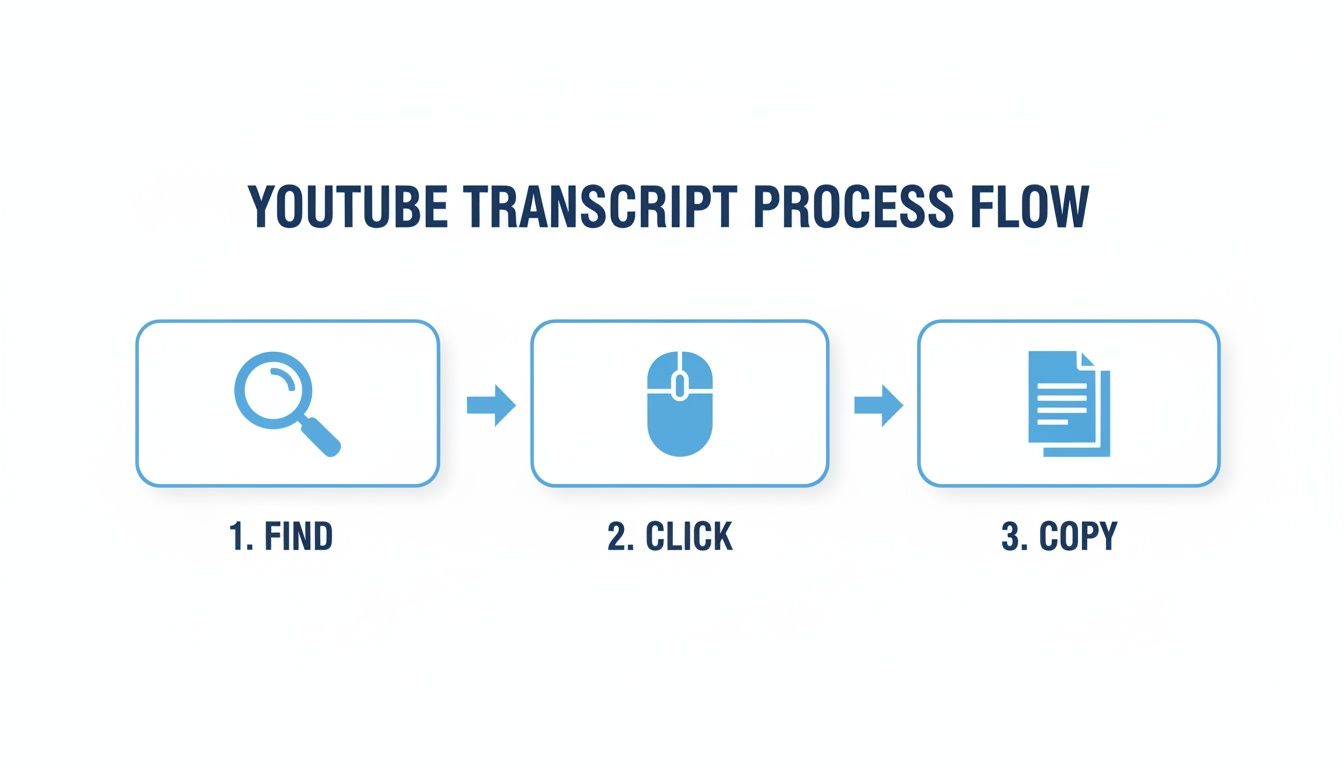
This workflow shows the steps you get to skip, letting you jump straight from a URL to usable insights with Notize AI.
Go Beyond Text: Turn Your Transcript Into a Conversation
The biggest leap forward with a tool like Notize AI is how it transforms a passive video into an active research tool. Once your transcript is ready, you can literally "chat" with the video's content.
Curious about what the speaker said on a specific topic? Just ask the AI, "What were the pricing tiers mentioned?" It will pull the exact quote for you and even point to the precise moment it was said in the video.
This is a massive win for anyone who works with video content. A student can use Notize AI to instantly find a professor's detailed explanation of a complex theory. A journalist can pull a key quote from a long press conference without scrubbing through the whole thing.
This interactive approach saves an incredible amount of time. No more re-watching long videos or scanning endless lines of text to find what you need—you get precise answers instantly. If you want to get into the nuts and bolts, you can learn more about how automated transcription services are streamlining all kinds of workflows.
In the end, using an AI tool like Notize AI to transcript a YouTube video is about more than just getting the words right. It’s about turning raw video content into a structured, searchable knowledge base that helps you work smarter, not harder.
Turning Transcripts into High-Value Content
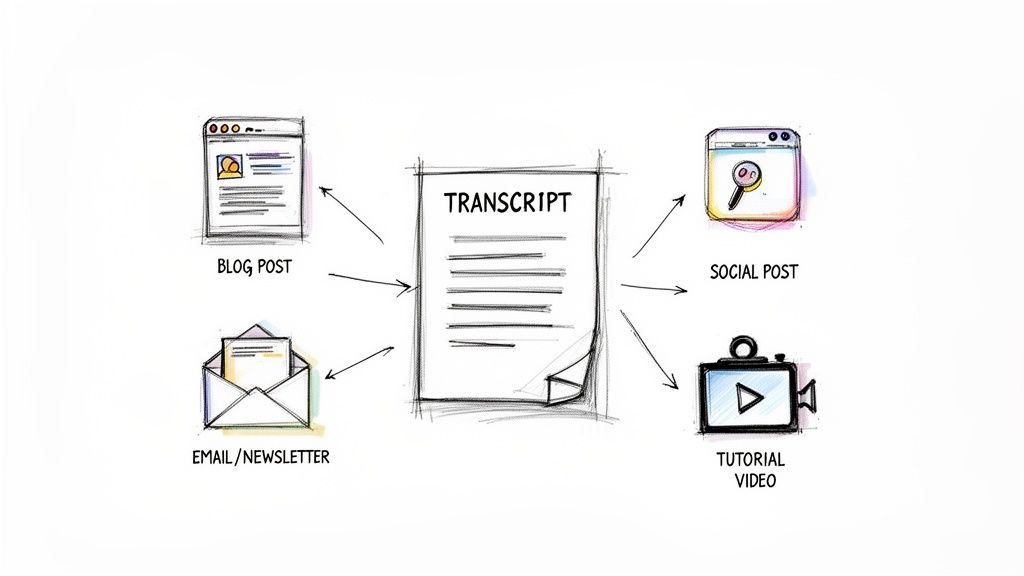
A raw transcript isn't just a wall of text. It's the secret ingredient for spinning a single video into a dozen new pieces of content. Once you have a clean, accurate transcript, the real fun begins. This is where you move beyond simple documentation and start building a smart content strategy that gets the most mileage out of every video you publish.
Think about it: you could turn one 20-minute product review into an entire week's worth of marketing assets. That’s not an exaggeration; it’s just a smart workflow.
From Video to Blog Post in Minutes
One of the most effective ways to repurpose a video is to turn the transcript into a blog post optimized for search engines. Video is incredible for engagement, but at the end of the day, search engines read text. A blog post gives Google a keyword-rich document to crawl, index, and rank, driving organic traffic long after your video’s initial buzz fades.
With a tool like Notize AI, this process is practically hands-off. Journalists and creators can upload a video, get the transcript, and then ask the AI to write a full blog post in a specific style—whether that’s professional, friendly, or something in between. Notize AI can even punch up the language and suggest stronger hooks, turning a straightforward transcript into a polished article you can publish right from the app.
For a deeper look into all the ways you can recycle content, check out our guide on powerful content repurposing strategies.
Creating a Full Content Calendar from One Video
But a blog post is just the start. A single, solid transcript can easily fuel your entire content calendar for weeks.
Here are just a few practical ideas:
Social Media Snippets: Pull out the best quotes, a surprising statistic, or the most important takeaways. Each of those can be a standalone post for Twitter, LinkedIn, or Instagram.
Email Newsletters: Use an AI-generated summary from Notize AI as the core of your next newsletter. You can give subscribers the key insights from your latest video without them needing to watch the whole thing.
Step-by-Step Guides: If your video is a tutorial, the transcript is a perfect outline for a detailed how-to guide. With Notize AI, you can even ask it to reformat the steps into an actionable checklist for your audience.
Lead Magnets: Bundle the key lessons and practical advice from a few related videos into a downloadable PDF or ebook. It’s a great way to provide real value while capturing new leads.
The amount of available material is staggering. With YouTube's 2.7 billion monthly active users watching over a billion hours of video every single day, there's a limitless ocean of information to draw from. The transcription market is growing fast because people need to make all that video content accessible and reusable.
Tools like Notize AI, which supports 58 languages, give marketing teams the ability to analyze a competitor's video content, pull out their main points, and quickly generate new content in different formats.
This whole approach is about working smarter, not harder. Instead of constantly being on the hamster wheel of new ideas, you can focus on wringing every last drop of value from the content you already have. You'll reach new audiences on different platforms with a fraction of the effort.
How to Edit and Format Your Transcript for Impact
An automated transcript is a fantastic starting point, but let's be honest—the raw text usually needs a little love before it's ready for primetime. Think of it as a solid first draft. The main ideas are all there, but a few quick edits will transform it from a functional document into a polished, high-value asset. This is the step that really makes a difference.
The most common tweaks are just correcting small mistakes. Even the most sophisticated AI can stumble over unique names, industry jargon, or specific brand terms. A quick scan to catch and correct these little errors ensures your final transcript is a perfect reflection of the original audio.
Another simple but powerful fix is punctuation. Automated tools sometimes miss the natural cadence of human speech, resulting in long, run-on sentences that are tough to follow. Breaking up those walls of text with periods, commas, and new paragraphs makes the whole thing clean, scannable, and much easier on the eyes.
Refining Your Transcript with Smart Tools
Manually weeding out every "um," "ah," and false start is nobody's idea of a good time. It’s tedious work. This is where a platform like Notize AI really shines. Its editor is built to make this cleanup process fast and painless, letting you find and zap filler words, fix misinterpretations, and sharpen the text for clarity in just a few clicks.
Imagine a student using Notize AI to clean up lecture notes. They can instantly strip out all the verbal fluff to create a concise study guide. Or think of a journalist who can polish an interview transcript in minutes, making sure every quote is spot-on and ready to be published.
The real goal of formatting is to guide the reader’s eye. Things like headings, short paragraphs, and bolded text aren't just for looks—they break up the content, highlight the most important takeaways, and make it way more readable for your audience.
Formatting for Discoverability and Use
Good formatting goes way beyond aesthetics; it's also a powerhouse for SEO. With 86% of marketers treating YouTube as a critical content channel, you can't afford to leave discoverability to chance. A clean, well-structured transcript gives search engines something to crawl and index, helping your video show up when people search for relevant topics. And since 92% of users are on YouTube to learn something, a formatted transcript helps them get to the good stuff faster. For a deeper dive, the latest YouTube engagement statistics paint a pretty clear picture of this trend.
Once your transcript from a YouTube video is polished and ready, the last step is to export it in the right format for the job. Notize AI offers several key options:
.TXT: The go-to for pasting into blog posts, articles, or show notes. It’s simple and universally compatible.
.SRT: This is the industry standard for video captions, complete with the all-important timestamps.
.VTT: A more modern caption format that’s great for web videos and offers more styling flexibility.
Picking the right format from the get-go ensures your transcript is ready for anything, whether you’re aiming to boost your video’s SEO, create accessible content, or repurpose your dialogue into something new. If you want more tips on that initial conversion, check out our guide on how to transcribe audio to text.
Common Questions About Transcribing YouTube Videos
Diving into the world of YouTube transcription usually brings up a handful of questions. Whether you're a creator trying to boost your channel or a student pulling notes from a lecture, getting the details right can save you a ton of hassle. Let’s clear up some of the most common things people ask.
How Long Does It Take to Transcribe a YouTube Video?
Honestly, this completely depends on the path you take.
If you decide to do it manually, brace yourself. It’s a slow grind. A good rule of thumb is that for every one hour of video, you’re looking at four to six hours of typing and rewinding. It’s thorough, but it's a major time commitment.
YouTube's built-in tool is super fast—almost instant, really. The catch? The accuracy can be all over the place, especially with complex audio. You'll definitely spend extra time cleaning up weird phrases and fixing punctuation, which eats into those initial time savings.
For a balance of speed and quality, AI tools are the way to go. A service like Notize AI can turn an hour-long video into a highly accurate transcript in just a few minutes. For anyone on a deadline, that kind of efficiency is a lifesaver.
Can I Transcribe a YouTube Video That Isn't Mine?
Absolutely. As long as the video is public, you can transcribe it. This is a standard practice for all sorts of things, from market research and academic studies to just getting the key points from a long interview.
Think about it: a competitor analysis, pulling quotes for a news story, or reviewing a professor's lecture. In all these cases, you're not the video owner. With a tool like Notize AI, you just need the public URL. Paste it in, and the platform does all the heavy lifting, giving you summaries, key insights, and a full transcript without needing the original file.
A quick heads-up on ethics: While transcribing for personal use is fine, always be mindful of copyright if you plan to republish or repurpose someone else's content. Give credit where it's due.
What's the Most Accurate Way to Get a Transcript?
For pure, unmatched accuracy, nothing beats a professional human transcriptionist. They can catch nuance, identify speakers, and navigate tricky audio like no machine can. But that level of quality comes with a high price tag and a much longer turnaround time.
For most of us, that’s overkill. A top-tier AI tool offers the best bang for your buck.
Modern platforms like Notize AI regularly hit accuracy rates of 95% or higher, which is leagues better than YouTube's free auto-captions. They work best with clear audio, of course, but their built-in editors make it incredibly simple to polish up the final text and fix any small mistakes.
How Can a Transcript Actually Improve My Video’s SEO?
This is a big one. Search engines are brilliant at reading text, but they can't "watch" a video to understand its content. A transcript is essentially a text-based map of your video that Google and other engines can crawl, index, and understand.
By adding a transcript to your video description or website, you’re giving search algorithms a goldmine of keywords related to your topic. The result? Your video becomes far more visible in both YouTube and Google search results.
Plus, you can use Notize AI to slice and dice that transcript into blog posts, social media snippets, or quote graphics—all linking back to the original video. This creates a web of content that signals to search engines that your video is an authoritative source, helping it climb the rankings.
Ready to turn your videos into text you can actually use? Notize AI is designed to pull accurate transcripts, summaries, and key insights from any YouTube link in minutes. Give it a try and see how much time it can free up. Get started at https://notize.ai.
How to Transcript YouTube Video Content and Unlock Its Value




