Ever had that feeling after a marathon of back-to-back Zoom calls? Your brain is fried, and you can barely remember who agreed to what. We've all been there. Important details get lost, action items slip through the cracks, and relying on memory is a risky game. This is precisely why a solid Zoom meeting transcription isn't just a "nice-to-have" anymore—it's a core part of running a smart business. It's about creating a permanent, searchable source of truth for your team.
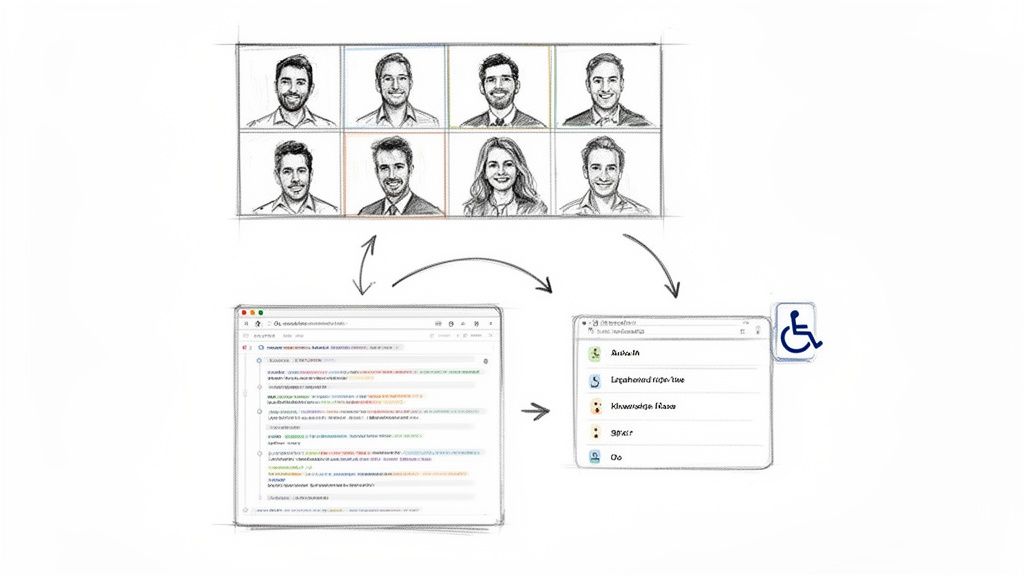
Think about it. Manual notes are often fragmented, biased, and vary wildly from person to person. An accurate transcript, on the other hand, captures every word, ensuring nothing gets lost in translation. It gives you a single, objective record everyone can refer back to.
Turn Fleeting Conversations into a Lasting Knowledge Base
Every meeting is a goldmine of information. A sales call is packed with customer feedback, a brainstorming session holds the seed of your next big feature, and a project check-in clarifies crucial deadlines. Without a transcript, all that valuable knowledge evaporates the second the call ends.
When you use a tool like Notize AI, those spoken words are instantly organized into a searchable library. Imagine being able to find the exact moment a specific topic was discussed, review a key decision, or confirm a detail without having to scrub through an hour-long video. With Notize AI, you're effectively building a powerful internal knowledge base, one meeting at a time.
By creating a verifiable record of discussions, teams eliminate ambiguity and build a culture of accountability. When decisions, deadlines, and responsibilities are documented in black and white, it’s easier to track progress and ensure follow-through.
Boost Team Efficiency and Get Everyone on the Same Page
The impact on productivity is massive. There's a reason the AI meeting transcription market is projected to explode from $3.86 billion in 2025 to a staggering $29.45 billion by 2034. This isn't just hype; it reflects a real business need. Nearly 60% of remote workers admit they struggle to recall key information from virtual meetings. Companies that have already adopted these tools are seeing a 25% reduction in meeting time, mostly by cutting out the need for endless recaps. You can discover more insights on the impact of transcription technology and see the data for yourself.
This is where Notize AI really shines. It doesn't just give you a wall of text. It intelligently breaks down the conversation and serves up exactly what you need:
A full, structured meeting summary to get the highlights in seconds.
Speaker-attributed dialogue so you always know who said what.
Action items and to-do lists automatically generated for clear next steps.
Highlighted decisions and follow-up tasks for instant clarity.
The ability to jump directly to the exact moment a topic was discussed.
This kind of structured output is a game-changer for busy professionals. Team alignment skyrockets because everyone is working from the same complete and accurate record. It's also a huge win for accessibility, making sure team members who missed the call or have hearing impairments can stay in the loop. Ultimately, an accurate Zoom meeting transcription powered by a tool like Notize AI is the bedrock of a more efficient, inclusive, and productive team.
Getting Started with Zoom's Own Transcription Tools
You don't have to look far to get your first Zoom transcript. The platform has its own built-in features that can turn your meeting audio into text, and for many people, this is the most logical place to start. It’s a direct way to generate a transcript, but it’s crucial to know what it can do—and more importantly, what it can't.
First things first, this native feature isn't for everyone. You'll need to be on a Business, Education, or Enterprise plan to access it. An account admin has to flip a switch in the cloud recording settings to enable "Audio transcript." It's a one-time change that activates transcription for any meeting you record to the cloud from then on.
How to Get Your Transcript During a Meeting
Once the feature is enabled for your account, the rest is simple. When you hit "Record to the Cloud" in your meeting, Zoom gets to work transcribing the audio behind the scenes. There's no extra button to push; it's all part of the cloud recording process. For a complete look at the recording process itself, our guide on how to record a Zoom meeting breaks it all down.
It helps to know the difference between two features that sound similar:
Live Transcription: Think of these as real-time captions you see at the bottom of the screen. They're fantastic for accessibility during the live meeting but don't get saved as a separate file you can edit later.
Audio Transcript: This is the prize. It’s the full, post-meeting transcript that's created alongside your cloud recording. After your meeting wraps up and the video processes, Zoom will email you a link to both the recording and its companion transcript.
The transcript itself is saved as a .vtt file (which stands for Video Text Tracks). You can open it right in the Zoom web portal, where the text appears in timestamped chunks next to the video. This is pretty slick, as you can click on any piece of text and instantly jump to that exact moment in the recording—perfect for a quick review.
Knowing the Limits of Zoom's Built-In Tools
While Zoom's transcription is a convenient starting point, you need to be realistic about its output. For a quick, informal recap, it might be all you need. But when accuracy and clarity are non-negotiable, you'll quickly run into its limitations.
The biggest issue is accuracy. The quality of the transcript can be a real mixed bag. It's heavily influenced by things like the quality of everyone's microphones, any background noise, and speakers who have heavy accents.
Another major drawback? The transcript doesn't identify who is speaking. It lacks speaker identification (diarization), so instead of seeing "Jane Doe:" followed by what she said, you just get a continuous wall of text. Trying to figure out who said what in a lively discussion becomes a real headache.
What you end up with is a raw text file. It's a block of words that demands a lot of manual editing to clean up, format, and transform into something genuinely useful like structured meeting notes or a summary.
This is where you see the stark difference between a basic, built-in feature and a specialized tool. A simple transcript is just raw data, but what most of us really need are actionable insights. This is the gap that a platform like Notize AI is designed to fill. Instead of just handing you a text file, Notize AI takes your recording and automatically produces structured summaries, neatly organized notes attributed to each speaker, and clear action items. It turns the raw output into a polished, ready-to-use asset, saving you all that manual cleanup time.
How AI Tools Like Notize AI Elevate Your Transcripts
Zoom’s built-in transcription is a decent starting point, but let’s be honest—it often gives you a raw, unformatted text file that you have to spend a lot of time cleaning up. This is where dedicated AI platforms really shine, turning a simple recording into a genuinely useful asset.
Tools like Notize AI were built for this specific purpose. They don't just transcribe; they understand, structure, and pull out the important stuff from your conversations.
The process couldn't be simpler. You just take your saved meeting recording—the MP4 video or the M4A audio file—and upload it straight into the Notize AI platform. From there, the AI takes over and does the heavy lifting, going far beyond a basic word-for-word transcript.
From Raw Text to Actionable Intelligence
Here’s the key difference: a basic transcript tells you what was said, but a smart platform tells you what it all means. For anyone trying to be productive—professionals, students, content creators—that distinction saves a massive amount of time.
With Notize AI, you upload one Zoom recording and get back a whole suite of organized content:
A full, structured summary for a quick high-level overview.
Key discussion points and insights, automatically flagged.
Detailed meeting notes, with every segment attributed to the right speaker.
Action items and to-do lists, pulled out and ready for you to assign.
Think about a project manager uploading a client kickoff call. In minutes, Notize AI can generate a clear report that can be shared with the team. Everyone gets the same understanding of deadlines and deliverables, and nobody had to be the designated note-taker, losing focus on the actual conversation.
Getting your recording ready for this kind of analysis is straightforward.
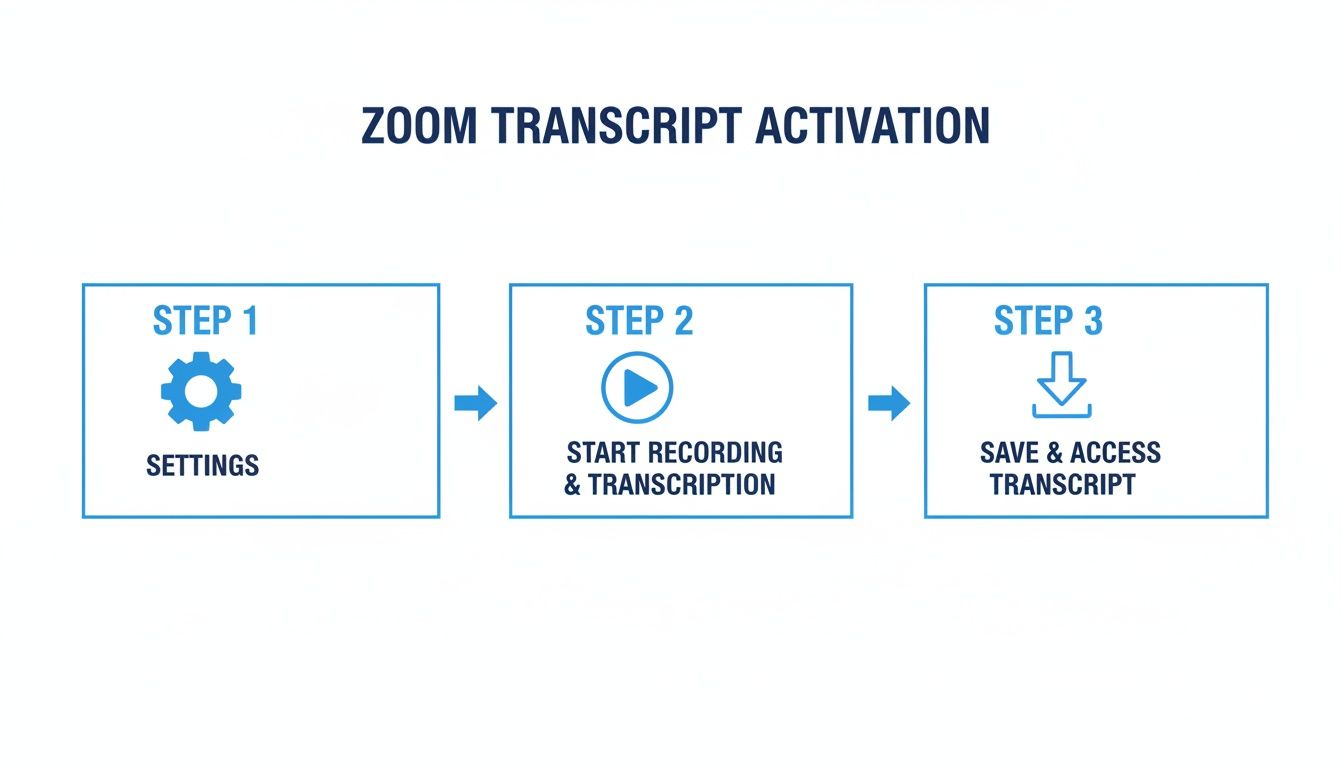
This simple workflow is all it takes to capture the raw material that a powerful AI can then turn into something truly valuable.
A Workflow Built for Professionals
The gap between a plain text file and a comprehensive, AI-generated report is massive. One is a passive document you file away; the other is an active tool that helps you get things done.
The core benefit of using a specialized tool is moving from documentation to action. It’s not just about having a record; it’s about having a clear path forward, with decisions, tasks, and key moments neatly organized and instantly accessible.
For example, busy pros using Notize AI can sort their meetings into team-specific folders, creating a searchable knowledge base. Need to find a decision your team made three months ago? A quick search in Notize AI won't just find the transcript; it will let you jump directly to that exact moment in the video. You simply can't do that with a standard text file.
You can see for yourself how these tools stack up by reading our guide to the best AI meeting assistant options out there.
The Power of Speaker Identification and Search
One of the biggest frustrations with native Zoom transcripts is the lack of clear speaker labels. You just get a wall of text, which makes it nearly impossible to follow who said what in a meeting with multiple people.
Notize AI fixes this by automatically identifying and labeling each speaker. This clarity is a game-changer for accountability, especially when you're trying to pin down action items or understand the context of a complex debate. It turns a confusing script into a conversation you can actually follow.
This is what transforms a basic Zoom meeting transcription from a simple record into a cornerstone of your team's collective intelligence.
Zoom Native Transcription vs Notize AI
To really see the difference, it helps to put them side-by-side. While Zoom provides a functional baseline, specialized tools are built to deliver a more complete and immediately useful outcome.
Feature | Zoom Native Transcription | Notize AI |
|---|---|---|
Accuracy | Basic, often struggles with accents, jargon, and background noise. | Up to 98.86% accuracy with advanced models. Handles diverse accents well. |
Speaker Identification | No, provides a single block of undifferentiated text. | Yes, automatically detects and labels each speaker for clear dialogue. |
Summaries | Basic, if available on certain plans. | Yes, generates detailed, structured summaries and highlights key points. |
Action Items | No, requires manual review to find tasks. | Yes, automatically identifies and lists action items and to-dos. |
Searchability | Limited to searching text within a single file. | Search across all past meetings; jump directly to the video timestamp. |
Export Formats | Primarily .vtt (text file). | Multiple formats including PDF, DOCX, and shareable links. |
Cost | Included with paid Zoom plans (Business, Education, Enterprise). | Subscription-based, with various tiers depending on usage and features. |
Ultimately, the choice comes down to what you need from your transcripts. If a simple text file is all you require, Zoom's built-in feature might suffice. But if you're looking to save time, improve collaboration, and build a searchable knowledge base from your meetings, a dedicated tool like Notize AI offers a significant upgrade.
Getting the Most Accurate Transcription Possible: A Few Pro Tips
The final quality of any Zoom meeting transcription really comes down to one simple idea: garbage in, garbage out. It doesn't matter how sophisticated the AI is; if it's fed poor-quality audio, you're going to get a messy transcript. But with a little prep before and during your meetings, you can dramatically improve the raw material you're working with.
Think of it like a photographer trying to get a great shot. You can always edit a photo, but if you start with a blurry, dark image, it’s never going to be as crisp as one taken in good light. The exact same principle applies to your meeting's audio.
First, Nail the Audio Environment
The single biggest thing that impacts transcription accuracy is how clear the audio is. Background noise, echo, and cheap microphones are the usual suspects when a transcript comes back full of errors.
Get a Decent Microphone: Your laptop's built-in mic will do in a pinch, but it’s notorious for picking up every keyboard tap, fan whir, and echo in the room. A dedicated USB microphone or even a quality headset will isolate your voice and make a massive difference.
Find a Quiet Spot: This seems obvious, but it’s crucial. Pick a room with as few distractions as possible. Shut the door, close the windows, and try to get away from barking dogs or background chatter. Rooms with soft furnishings—carpets, curtains, even a couch—are great because they absorb sound and reduce echo.
Do a Quick Sound Check: Before the meeting kicks off, pop into Zoom’s audio settings. Make sure you’ve selected the right microphone and that your volume is strong but not so high that it’s distorting. A simple “mic check” can save you a ton of headaches later.
These small tweaks give the transcription software a clean signal to work with, which is the foundation for a great result. An AI tool like Notize AI, for instance, really shines when it’s fed clear audio, allowing it to pinpoint who’s speaking and transcribe their words with much higher fidelity.
Establish Some Meeting Ground Rules
How people behave on the call is just as important as the gear they're using. A chaotic free-for-all where everyone talks over each other is a transcription AI's worst nightmare.
At the start of the meeting, just set a couple of simple ground rules. Ask everyone to speak one at a time and, if it’s a big group, to state their name before they jump in. This alone can radically improve the organization of the final transcript.
It also helps a ton if people make an effort to clearly enunciate technical jargon, company-specific acronyms, or people's names. While modern AI is pretty smart about learning context, giving it a clear pronunciation from the get-go leaves less room for error.
Honestly, these practices don't just help with the Zoom meeting transcription; they make for a more productive and respectful meeting for everyone involved.
Have a Smart Post-Transcription Workflow
Even if you have crystal-clear audio, you’ll still want an efficient way to review and polish the transcript. This is where your workflow after the transcription is done becomes so important, and it’s where a tool like Notize AI really stands out from more basic services.
Recent industry data shows just how powerful modern AI has become. In its own AI Quality Report, Zoom noted very low word error rates from its automated speech recognition. Independent benchmarks back this up, showing that professional AI models can hit 88-93% accuracy on clean audio, processing a full hour-long conversation in just 2-3 minutes. For anyone who relies on accurate meeting records, this is a huge leap forward. You can read the full analysis of AI quality to see how these benchmarks were determined.
But what about that last 7-12%? That’s where a quick human review makes all the difference. Instead of just spitting out a wall of text, Notize AI gives you an interactive editor. If you see a word in the transcript that doesn't look right, you just click on it. The platform instantly jumps to that precise moment in the audio or video, letting you hear what was actually said and make a quick correction.
This feature turns the review process from a painful chore into a fast, simple quality check, ensuring your final document is perfect and ready to share.
Unlock the Goldmine: Turning Your Transcripts into Actionable Content
A raw Zoom meeting transcription is a bit like unrefined ore—all the value is there, but it’s locked inside. On its own, a text file is just a record of what was said. But when you start treating it as a starting point, that same record can become a powerful source of content, insights, and strategic assets for your entire team.
This is all about moving from simply documenting conversations to actively repurposing them.
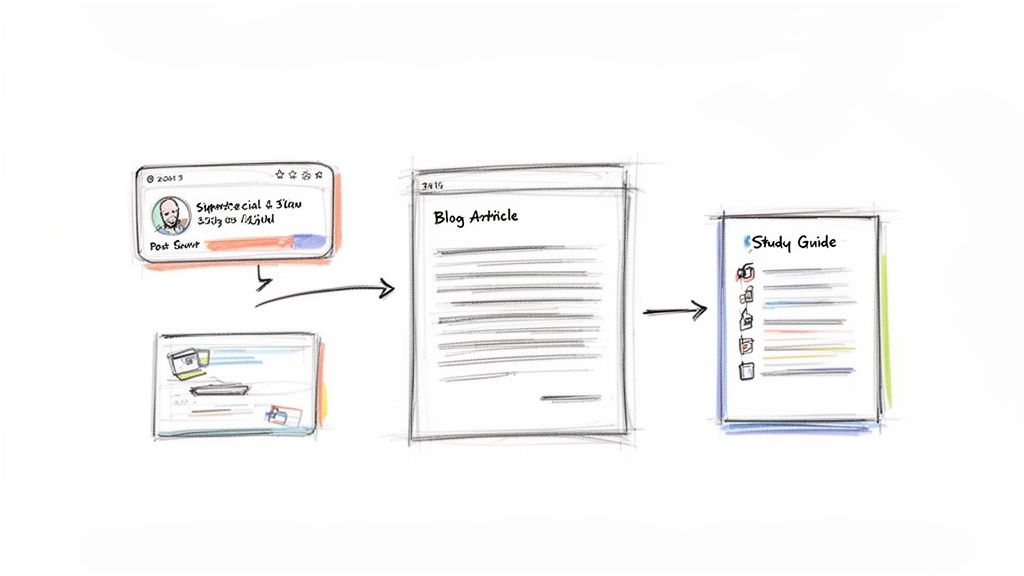
This is where a tool like Notize AI really changes the game. It’s a content multiplier. It takes a single meeting recording and helps you spin it into dozens of potential assets, saving your team from hours upon hours of manual work.
For Marketing and Sales Teams
Picture this: your marketing team just wrapped up a 45-minute customer feedback call. In the past, all those golden nuggets of insight would likely get lost in someone's notes, never to be seen again. With a smart transcription workflow powered by Notize AI, that conversation is just the beginning.
By uploading that recording to Notize AI, the team can instantly generate:
Powerful Testimonials: Pull the most impactful customer quotes and turn them into ready-to-use testimonials for your website or sales decks.
Social Media Snippets: Identify key soundbites or memorable phrases to create a week’s worth of engaging social media posts.
Case Study Outlines: The AI-generated summary and key discussion points are the perfect foundation for a detailed case study, capturing the customer's journey in their own words.
Suddenly, every customer interaction becomes a potential marketing asset, without adding a mountain of work for your team.
For Content Creators and Journalists
Interviews are the lifeblood of content for bloggers, journalists, and podcasters. The old-school process is a total grind: hours of listening back to recordings, transcribing everything by hand, and then trying to weave it all into a coherent story.
A modern approach flips that script entirely. With a tool like Notize AI, a creator can finish an interview and get a highly accurate transcript almost immediately. But it doesn't stop there. They can then prompt the AI to whip up a draft blog post in a specific style—professional, friendly, or conversational—and even publish directly to a custom blog within the app.
The magic isn't just in the transcription; it's in the transformation. It’s about taking a free-flowing conversation and turning it into a structured, polished piece of content that's 80% of the way to publishable, all in just a few minutes.
This kind of efficiency is a lifesaver. Knowledge workers already spend over 23 hours per week in meetings, and 60% admit they forget key details without solid notes. With Notize AI, they spend more time creating and less time processing.
For Students and Educators
The same ideas hold true in an academic setting. A two-hour university lecture is packed with complex information. A student can record it, upload it to Notize AI, and get way more than just a wall of text.
The platform can produce:
Concise Study Guides: Summaries that boil the entire lecture down to the most important concepts and takeaways.
Topic-Specific Notes: The ability to search for a keyword and jump to the exact moment it was discussed is a game-changer for revision.
Simplified Explanations: Students can even "chat" with the content, asking Notize AI to explain a difficult concept in simpler terms.
This transforms passive listening into active learning, helping students actually absorb and retain what they've heard. For a deeper dive, check out our guide on content repurposing strategies that you can apply to any type of material.
By treating every Zoom meeting transcription as the first step in a larger content lifecycle, you unlock an incredible amount of hidden value. Whether you're a marketer, creator, or student, platforms like Notize AI give you the tools to intelligently analyze, organize, and repurpose your conversations, making sure no great idea ever gets left behind.
Your Top Questions About Zoom Transcription, Answered
Getting into the weeds of Zoom meeting transcription often brings up a few common questions. From costs and security to handling messy, real-world audio, let's clear up some of the most frequent queries people have.
Is Zoom's Built-In Transcription Actually Free?
It’s a bit of a "yes, but" situation. Zoom provides real-time automated captions (live transcription) on all its plans, even the free one, which is fantastic for in-the-moment accessibility.
However, if you want a complete, downloadable transcript after the meeting ends, that feature is typically locked behind their paid plans like Business, Education, or Enterprise. If you're not on one of those plans, or if you need more than just a wall of text, a dedicated tool like Notize AI is your best bet. You can just upload any recording and get a full transcript back, along with smart summaries and action items.
How Private Are My Meeting Transcripts?
This is a big one, especially with sensitive business discussions. When you use Zoom's own transcription, your data is governed by Zoom's privacy policy. It's a good idea to know what that entails.
If you opt for a third-party service, you absolutely have to pick one with a serious commitment to security. We built Notize AI with enterprise-grade security protocols from the ground up to ensure your conversations and any files you upload stay completely confidential. A good rule of thumb is to always review the privacy policy of any service you trust with your data.
What's the Best Way to Handle Multiple Speakers or Strong Accents?
Let's be honest, real meetings are messy. You have people talking over each other, a mix of different accents, and varying audio quality. This is where most basic transcription tools fall apart.
For the best results, start by encouraging everyone to use a decent microphone and try not to speak all at once (easier said than done, I know).
This is also where more advanced AI platforms really shine. While Zoom's native tool can get confused and fail to distinguish between voices, Notize AI uses sophisticated speaker identification (a process called diarization). It’s also been trained on a massive amount of audio data, which helps it understand different accents with far greater accuracy.
You're essentially going from a confusing block of text to a clean, easy-to-read script where you can see exactly who said what. That's a game-changer for anyone trying to review a lecture or assign action items after a team huddle.
Can I Get a Transcript for a Zoom Meeting That’s Already Over?
Absolutely. As long as you have the meeting recording—either saved to the cloud or as a local file on your computer (usually an MP4 video or M4A audio file)—you can get it transcribed anytime.
This is exactly what Notize AI is designed for. You can take a client call recording from last week, upload the file, and the platform will generate not just the transcript, but also a concise summary and a neat list of action items. It’s a super simple way to go back and pull value from important conversations you've already had.
Ready to stop treating your Zoom recordings like dusty files and start turning them into a searchable library of insights and actions? With Notize AI, you can finally unlock the real value hidden in every conversation.
Try Notize AI for free and get your first AI-powered meeting summary in minutes!
A Complete Guide to Zoom Meeting Transcription




